Vscode: Linux .desktop file using absolute icon path
- VSCode Version: 1.44.1
- OS Version: Ubuntu 19.10 x64
The code.desktop file installed to the system uses an absolute path to the icon, although the icon is saved to a standard system location for icons (/usr/share/pixmaps). This is non-standard — .desktop files should use only the icon filename (without the extension!) and allow the system to search its icon files — and it breaks compatibility with icon themes.
The fix is simple: change the Icon: field to be the following:
Icon=com.visualstudio.code
After making that change, Visual Studio Code uses its default icon unless explicitly overridden by an icon theme. (I've made this change myself on every update to code for the past few months.)
Steps to Reproduce:
- Install Visual Studio Code via system package (e.g. DEB).
- Load custom icon theme.
- Note the icon has not changed. (Then see
/usr/share/applications/code.desktop)
Does this issue occur when all extensions are disabled?: Yes
 CodeMouse92
All 21 comments
(Experimental duplicate detection)
Thanks for submitting this issue. Please also check if it is already covered by an existing one, like:
![vscodebot[bot] picture](https://avatars2.githubusercontent.com/in/2406?v=4&s=40) vscodebot[bot]
on 16 Apr 2020
vscodebot[bot]
on 16 Apr 2020
@Tyriar Do you know stuff?
 joaomoreno
on 17 Apr 2020
joaomoreno
on 17 Apr 2020
I do, it was changed to absolute to fix another bug
https://github.com/microsoft/vscode/commit/7816110c15b728afb4429994a1261c0da46e2fa7
 Tyriar
on 17 Apr 2020
Tyriar
on 17 Apr 2020
So... @CodeMouse92 what issue do you actually get? Why have you been changing the icon every month?
joaomoreno
on 17 Apr 2020
@joaomoreno the icon would need to change each month as the installer replaces the file with customizations each update. The question is, what's the right way considering https://github.com/microsoft/vscode/issues/71942 was petitioning the absolute way as they weren't seeing anything.
Tyriar
on 17 Apr 2020
@joaomoreno I use an icon theme, and the .desktop file won't switch like every other app because of the absolute path.
Yeah...that prior fix is definitely a weird workaround for what has got to be a problem elsewhere. You should never need to use an absolute path in a .desktop file for an icon. I wonder what's up with that?
CodeMouse92
on 20 Apr 2020
I'm really not keen on playing ping pong on this. So, unless we find out a different fix for #71942, we shouldn't revert. It's better for people to see an icon than not to be able to theme it, IMO.
joaomoreno
on 20 Apr 2020
@joaomoreno I'd propose leaving this open for now. I'll see if I can find anything about #71942.
CodeMouse92
on 20 Apr 2020
@joaomoreno Aha!!! I found a likely cause of the original problem (although I cannot comment on that task): if the .desktop file has the wrong permissions, the icon will not be visible! Has anyone actually checked that the .desktop file was being marked executable (+x) on all systems?
(The source also confirms that only the name, without extension, should be used in the Icon= field if the icon is in /usr/share/pixmaps or any of the pathed icon directories. That's how the system works. Permissions would be the main reason that was wrong....but then, that's often the case on Linux.)
CodeMouse92
on 20 Apr 2020
@CodeMouse92 wait, so absolute paths work when the file has wrong permissions but not just the file name? 😕
Tyriar
on 20 Apr 2020
@Tyriar It's possible. If there was something wrong with using a relative path to /usr/share/pixmaps in .desktop file, then all those users would be unable to see most icons. But they can see 'em all...just not ours. Since the icon file is present in the usual directory, and the .desktop conventions are functioning on everything else, the problem must be our .desktop file's permissions.
Remember that .desktop is merely a convention, and different DEs, programs, widgets, and even versions may handle it differently. They all assume it will follow the convention, so if it doesn't, the results will be unpredictable, varying from one implementation to the next — in a word, it's undefined behavior.
CodeMouse92
on 20 Apr 2020
@Tyriar @joaomoreno YES! That's indeed it. I just checked on my system, and the .desktop files are not marked as executable! (This is in /usr/share/applications)

That means, to resolve both this and #71942, you must:
Reverse the original workaround; go back to using
Icon=com.visualstudio.codein thecode.desktopandcode-url-handler.desktopfiles.After placing
code.desktopandcode-url-handler.desktopin/usr/share/applications, they must be marked executable, e.g. viachmod +x code*.desktop
I would create the PR myself, but I haven't yet figured out my way around this particular Debian packaging setup.
CodeMouse92
on 21 Apr 2020
Yup, definetly agree on this one, had to also change the .desktop file every time to use my icon theme
 Aebian
on 25 Apr 2020
Aebian
on 25 Apr 2020
Here's a build based on my PR, could some people please verify this works fine? https://az764295.vo.msecnd.net/insider/1a14317adc345847b872b1a922384ee55ba220aa/code-insiders_1.45.0-1587820403_amd64.deb
If so, I can merge in for the May release (it's a little late to go in for the April release).
Tyriar
on 25 Apr 2020
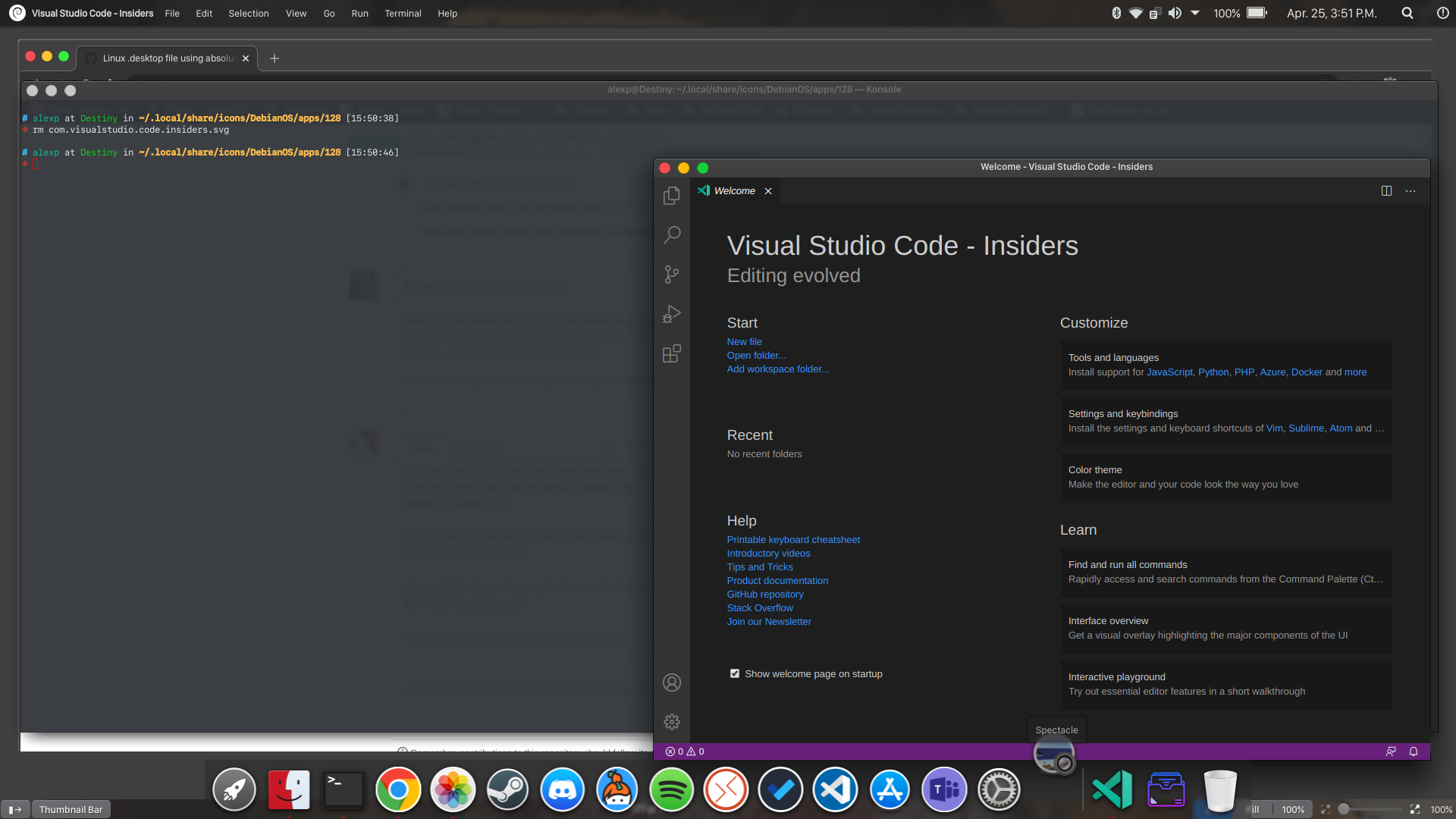
@Tyriar I can confirm that the insider build picks up the icon from my icons theme and if I delete the icon from there it will use the default shipped one.
Tested on Debian SID.
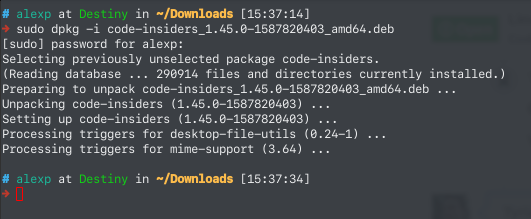
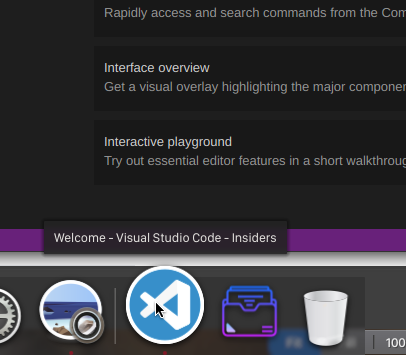
And when the icon is gone from my icon theme:
Aebian
on 25 Apr 2020
I did not need to modify any files for this. In the base build I need to change the code.desktop file + url-handler file to pick up my icon theme instead by just using the name com.visualstudio.code in order to get it displayed. The insider build arleady did this by default and hence it works just fine without any edits from the user.
Your pr works, at least for me
Aebian
on 25 Apr 2020
@CodeMouse92 if you could verify too that would be great, should be able to merge this in around 1-2 weeks.
Tyriar
on 25 Apr 2020
@Tyriar Confirmed that it works! It shows the default, and when I add a custom icon for it to my icon theme, it picks up on the new icon.
CodeMouse92
on 25 Apr 2020
Great, I pinged the other issue as well to tell them about the change https://github.com/microsoft/vscode/issues/71942#issuecomment-619374048, I'll merge it in when master is opened for the May release.
Tyriar
on 27 Apr 2020
Thanks @CodeMouse92 for your analysis!
Aebian
on 27 Apr 2020
Looks like a good author-verified situation.
 JacksonKearl
on 5 Jun 2020
JacksonKearl
on 5 Jun 2020
Related issues
 vsccarl
·
3Comments
vsccarl
·
3Comments
 philipgiuliani
·
3Comments
philipgiuliani
·
3Comments
 ryan-wong
·
3Comments
ryan-wong
·
3Comments
 DovydasNavickas
·
3Comments
DovydasNavickas
·
3Comments
 omidgolparvar
·
3Comments
omidgolparvar
·
3Comments
Most helpful comment
@CodeMouse92 if you could verify too that would be great, should be able to merge this in around 1-2 weeks.