Vscode: VSCode 1.43 messed up my theme color codes
The color codes for various JS names/object/var's and so on are different. The color style is different compared to previews version of VSCode.
 MariuzM
All 12 comments
(Experimental duplicate detection)
Thanks for submitting this issue. Please also check if it is already covered by an existing one, like:
![vscodebot[bot] picture](https://avatars2.githubusercontent.com/in/2406?v=4&s=40) vscodebot[bot]
on 10 Mar 2020
vscodebot[bot]
on 10 Mar 2020
Not duplicate this looks like a different issue that VSCode is not setting colors properly you BOT
MariuzM
on 10 Mar 2020
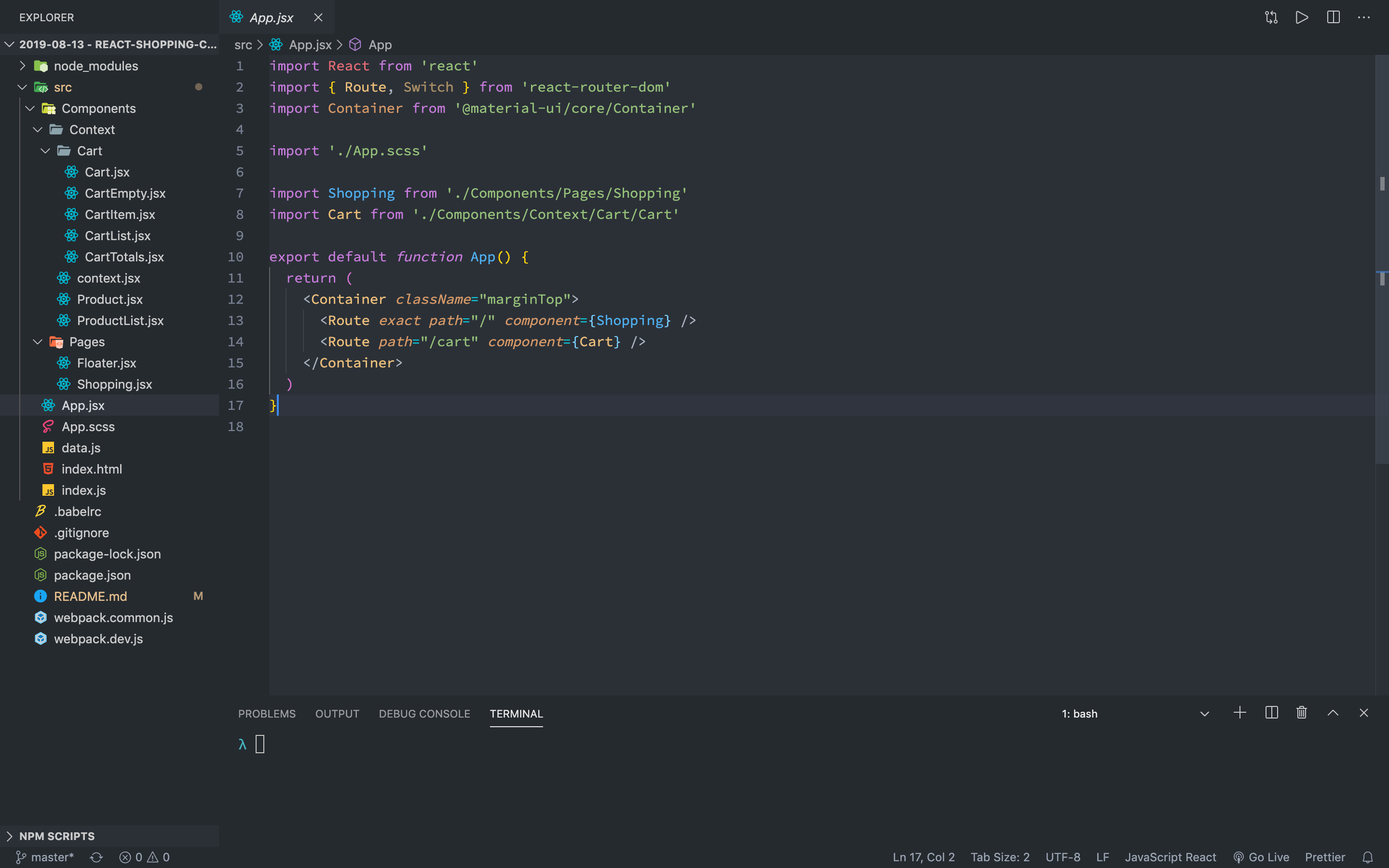
For a split second when i open this new version colors look ok but then they change:
Good colors:

Bad colors
MariuzM
on 10 Mar 2020
+1 to this
I was looking into this because the themes I built had whackiness going on, it's reading certain functions as variables now instead which is totally blocking my custom changes. There's nothing I can really change to address this either. So if we could go back to the old way that'd be cool, or maybe what I should do to migrate correctly?
Edit: One of the most obvious cases in my situation is that my coloring for variabels like const, and let are the same as my function colors now, and functions such as require or console.log show up as my colors I set for const and let.
 dhershman1
on 10 Mar 2020
dhershman1
on 10 Mar 2020
I love the VSCode team you done amazing job, but lately i feel it's becoming like Microsoft that ships windows updates with full of bugs. VSCode team please do longer testing before shipping new version. I personally don't need most of these new features that you have apart from and hoping some performance improvements, so from my point please take more time to test your app.
MariuzM
on 10 Mar 2020
Same here. Both on Ubuntu and Windows after the update.
 jeancarlos-cpu
on 10 Mar 2020
jeancarlos-cpu
on 10 Mar 2020
Same here
 giubatt
on 10 Mar 2020
giubatt
on 10 Mar 2020
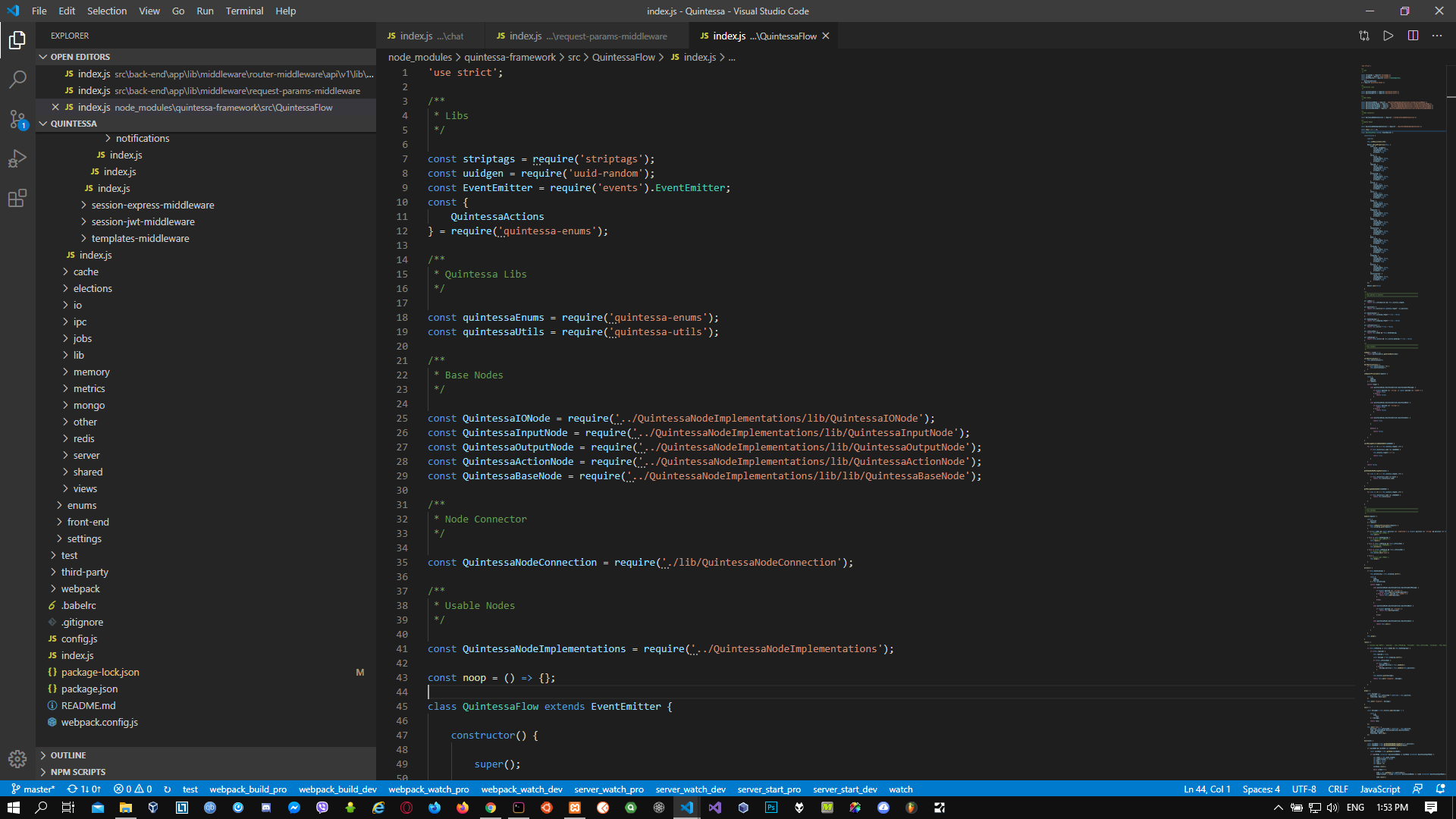
+1 class names in general and when extending in class definition, require, class getters & setters and others seem to have wrong colors
 syd619
on 10 Mar 2020
syd619
on 10 Mar 2020
Version: 1.43.0 (user setup)
Commit: 78a4c91400152c0f27ba4d363eb56d2835f9903a
Date: 2020-03-09T19:47:57.235Z
Electron: 7.1.11
Chrome: 78.0.3904.130
Node.js: 12.8.1
V8: 7.8.279.23-electron.0
OS: Windows_NT x64 10.0.18362

syd619
on 10 Mar 2020
Duplicate of #92308
 MatiasOlivera
on 10 Mar 2020
MatiasOlivera
on 10 Mar 2020
thank you all for feedback, it's caused by the newly introduced feature semantic syntax highlighting. Let's track this issue in https://github.com/microsoft/vscode/issues/92308 and for now you can turn off this feature by changing below setting:
"editor.semanticHighlighting.enabled": false
 rebornix
on 10 Mar 2020
rebornix
on 10 Mar 2020
Thanks for creating this issue! We figured it's covering the same as another one we already have. Thus, we closed this one as a duplicate. You can search for existing issues here. See also our issue reporting guidelines.
Happy Coding!
vscodebot[bot]
on 10 Mar 2020
Related issues
 philipgiuliani
·
3Comments
philipgiuliani
·
3Comments
 omidgolparvar
·
3Comments
omidgolparvar
·
3Comments
 mrkiley
·
3Comments
mrkiley
·
3Comments
 trstringer
·
3Comments
trstringer
·
3Comments
 vsccarl
·
3Comments
vsccarl
·
3Comments
Most helpful comment
thank you all for feedback, it's caused by the newly introduced feature semantic syntax highlighting. Let's track this issue in https://github.com/microsoft/vscode/issues/92308 and for now you can turn off this feature by changing below setting: