- VSCode Version: 1.43.0 insider
- OS Version: Win 10 64 bit German
- git version 2.24.0.windows.2
Steps to Reproduce:
- Add
"timeline.showView": truetosettings.json - Open a file - timeline-View stays empty.
I switch to output pane, select Git as soure and read
> git log --format=%H%n%aN%n%aE%n%at%n%ct%n%P%n%B -z -n21 -- d:\Webs\xxx\yyy\zzz\README.md
fatal: d:\Webs\xxx\yyy\zzz\README.md: 'd:\Webs\xxx\yyy\zzz\README.md' is outside repository
When I started code I switched to folder d:\Webs\xxx\yyy\zzz and called "c:\Program files\VSCode_insider\bin\code-insiders.cmd" . --extensions-dir "D:\vscode\insiders_cfml\exts" --new-window.
When I copy the git log call to cmd I get the same error message. Still, I guess the path to the file whose history is to be retrieved is wrong.
I have no idea how it has to look.
Does this issue occur when all extensions are disabled?: Yes
 bardware
All 18 comments
Able to reproduce. In todays build of VSCode Insider (2020-03-09T19:46:29.230Z)
The problem seems to be similar to one already fixed with the Git extension itself, when working with drives. other than C:
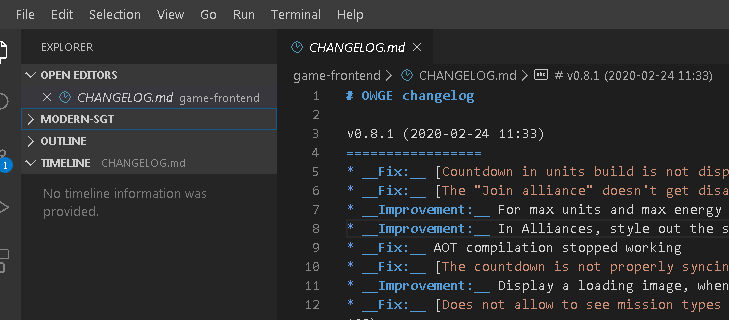
I have a G: drive that is "subst" device, it points to C:\Users\kevin\Development
When opening the folder in the G: drive, no changes are detected, when opening the folder in C: it works as expected
Folder:
C:\Users\kevin\Development\AdvancedProjects\modern-sgt
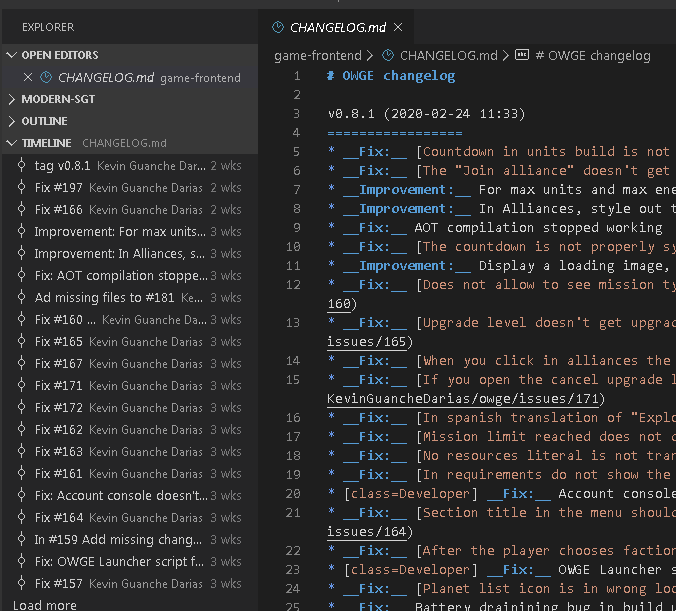
Folder:
G:\AdvancedProjects\modern-sgt
Best regards!, keep the great work :wine_glass: :beer:
 KevinGuancheDarias
on 10 Mar 2020
KevinGuancheDarias
on 10 Mar 2020
Does not appear either on my AFS remote system opened in Remote-WSL. A local project opened in Remote-WSL does show the timeline, however.
 the-lambda-way
on 15 Mar 2020
the-lambda-way
on 15 Mar 2020
 eamodio
on 25 Mar 2020
eamodio
on 25 Mar 2020
Just updated to 1.44.0 and I'm still seeing this problem. The repo is on the C: drive. It's not using WSL.
From Git status:
git log --format=%H%n%aN%n%aE%n%at%n%ct%n%P%n%B -z -n21 -- c:\Repositories\TaskFractal\app\controllers\application_controller.rb
fatal: c:\Repositories\TaskFractal\app\controllers\application_controller.rb: 'c:\Repositories\TaskFractal\app\controllers\application_controller.rb' is outside repository
From my terminal:
PS C:\Repositories\TaskFractal> git log c:\Repositories\TaskFractal\app\controllers\application_controller.rb
fatal: c:\Repositories\TaskFractal\app\controllers\application_controller.rb: 'c:\Repositories\TaskFractal\app\controllers\application_controller.rb' is outside repository
PS C:\Repositories\TaskFractal> git log \app\controllers\application_controller.rb
fatal: Invalid path '/app': No such file or directory
PS C:\Repositories\TaskFractal> git --version
git version 2.12.2.windows.2
I don't know why it's saying '/app' is an invalid path - it is part of my repo.
 DawnPaladin
on 9 Apr 2020
DawnPaladin
on 9 Apr 2020
@DawnPaladin Is there a casing difference the folder you are opening in vs code vs the actual casing on disk? e.g. c:\Foo\Bar on disk, but opening c:\foo\bar in vs code
eamodio
on 9 Apr 2020
@bardware Are you still seeing the same issue with 1.44?
eamodio
on 9 Apr 2020
@eamodio I tried a few variations and it looks like the command is failing because it's using a lowercase drive letter. git log c:/... fails, while git log C:/... works.
DawnPaladin
on 10 Apr 2020
@bardware Are you still seeing the same issue with 1.44?
Sorry for the delayed answer.
I just updated my Code installation (not insider) to 1.44.1 and saw timeline is enabled by default and the setting "timeline.showView" is not recognized in settings.json.
I had updated git to git version 2.25.1.windows.1.
It looks good at the moment. The timeline View contains the list of commits for the file including a top entry Uncommited Changes.
bardware
on 16 Apr 2020
@DawnPaladin are you still seeing this issue?
eamodio
on 2 Jun 2020
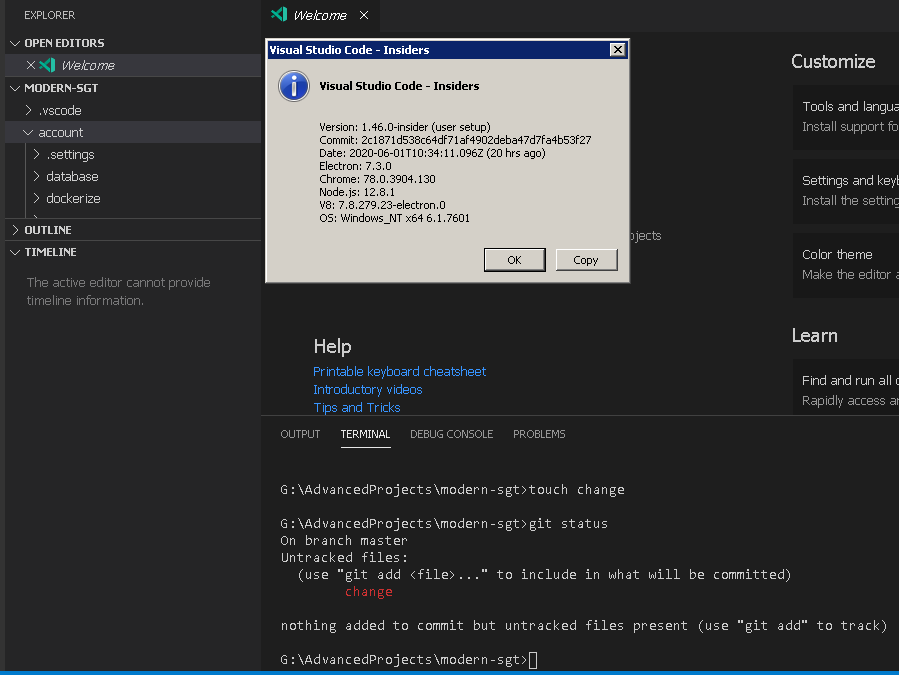
@eamodio Still having same issue, I don't know if my case is way too different,
Have a good day! :man_technologist:
KevinGuancheDarias
on 2 Jun 2020
@eamodio Yes, I'm on 1.45.1 and the issue is still there. My Timeline pane is always empty. In the Git output pane, I see:
> git log --format=%H%n%aN%n%aE%n%at%n%ct%n%P%n%B -z -n21 -- d:\Repositories\delegate\features\delegate.js
fatal: d:\Repositories\delegate\features\delegate.js: 'd:\Repositories\delegate\features\delegate.js' is outside repository
I open the built-in terminal and run the command and confirm that it fails; then I change "d:" to "D:" and it runs.
DawnPaladin
on 2 Jun 2020
Updating Git for Windows to v2.27 helped
 kjeske
on 11 Jun 2020
kjeske
on 11 Jun 2020
Thanks! This fix helped me too.
 mglimmerveen
on 11 Jun 2020
mglimmerveen
on 11 Jun 2020
Updating Git for Windows fixed the problem for me too. Thanks!
DawnPaladin
on 15 Jun 2020
In my case it keeps failing, even with the 2.27 git version.
git version 2.27.0.windows.1
Keep the great work :wine_glass: !
KevinGuancheDarias
on 17 Jun 2020
The actual fix for this is the Git Lens extension. It does more stuff, of course, but what distinguishes it from the "native" Git toolset is that it _works_.
 rretter
on 20 Jul 2020
rretter
on 20 Jul 2020
Started working properly in version 1.48.1
Great! :clap:
Update: Keeps failing, was my mistake
KevinGuancheDarias
on 25 Aug 2020
Hey @eamodio, this issue might need further attention.
@bardware, you can help us out by closing this issue if the problem no longer exists, or adding more information.
 vscode-triage-bot
on 14 Nov 2020
vscode-triage-bot
on 14 Nov 2020
Related issues
 trstringer
·
3Comments
trstringer
·
3Comments
 omidgolparvar
·
3Comments
omidgolparvar
·
3Comments
 biij5698
·
3Comments
biij5698
·
3Comments
 philipgiuliani
·
3Comments
philipgiuliani
·
3Comments
 v-pavanp
·
3Comments
v-pavanp
·
3Comments
Most helpful comment
@eamodio I tried a few variations and it looks like the command is failing because it's using a lowercase drive letter.
git log c:/...fails, whilegit log C:/...works.