Vscode: Notifications: indicate progress notification if hidden in notification center
Version: 1.42.0
Commit: ae08d5460b5a45169385ff3fd44208f431992451
Date: 2020-02-06T10:51:33.119Z
Electron: 6.1.6
Chrome: 76.0.3809.146
Node.js: 12.4.0
V8: 7.6.303.31-electron.0
OS: Darwin x64 17.7.0
Steps to Reproduce:
- Enable
Format On Save. - Execute the following extension example.
- Edit a text file and save it.
- Cancel the notification
Save Participants. - We cannot even save the text document.
This issue is a little bit different from #90273. What I want to say here is simple. If provideDocumentFormattingEdits throws Error after the notification Save Participants canceled, we can not save files anymore. The files remain dirty.
import * as vscode from 'vscode';
import { DocumentFormattingEditProvider } from 'vscode';

class Formatter implements DocumentFormattingEditProvider {
    provideDocumentFormattingEdits(document: vscode.TextDocument): vscode.ProviderResult<vscode.TextEdit[]> {
        return new Promise((resolve) => {
            setTimeout(() => {
                throw new Error('always error')
            }, 5000)
        })
    }
}

export function activate(context: vscode.ExtensionContext) {
    console.log('Congratulations, your extension "helloworld-sample" is now active!');

    let disposable = vscode.commands.registerCommand('extension.helloWorld', () => {
        vscode.window.showInformationMessage('Hello World!');
    });

    vscode.languages.registerDocumentFormattingEditProvider(
        { scheme: 'file' },
        new Formatter()
    )
    context.subscriptions.push(disposable);
}

export function deactivate() { }
 tamuratak
All 21 comments
(Experimental duplicate detection)
Thanks for submitting this issue. Please also check if it is already covered by an existing one, like:
![vscodebot[bot] picture](https://avatars2.githubusercontent.com/in/2406?v=4&s=40) vscodebot[bot]
on 8 Feb 2020
vscodebot[bot]
on 8 Feb 2020
Hm... This should have been fixed with https://github.com/microsoft/vscode/issues/89654 already. I will investigate
 jrieken
on 10 Feb 2020
jrieken
on 10 Feb 2020
I cannot reproduce that.. Once, I have pressed 'cancel' the file is being saved but since the progress message only shows after 3 seconds (when dirty, 5sec when not dirty) it might appear as not saving.
jrieken
on 10 Feb 2020
I am sorry. I thought pressing Esc was the same as pressing Cancel on the notification.
The actual steps are
- Enable
Format On Save. - Execute the following extension example.
- Edit a text file and save it.
- Press
Escwhen the notificationSave Participantsappears. - We cannot even save the text document.
tamuratak
on 10 Feb 2020
Ok, I understand now. Yeah, this is a little unfortunate because Esc hides the notification but doesn't cancel it. It is then still alive and can be restored by clicking its status bar icon.
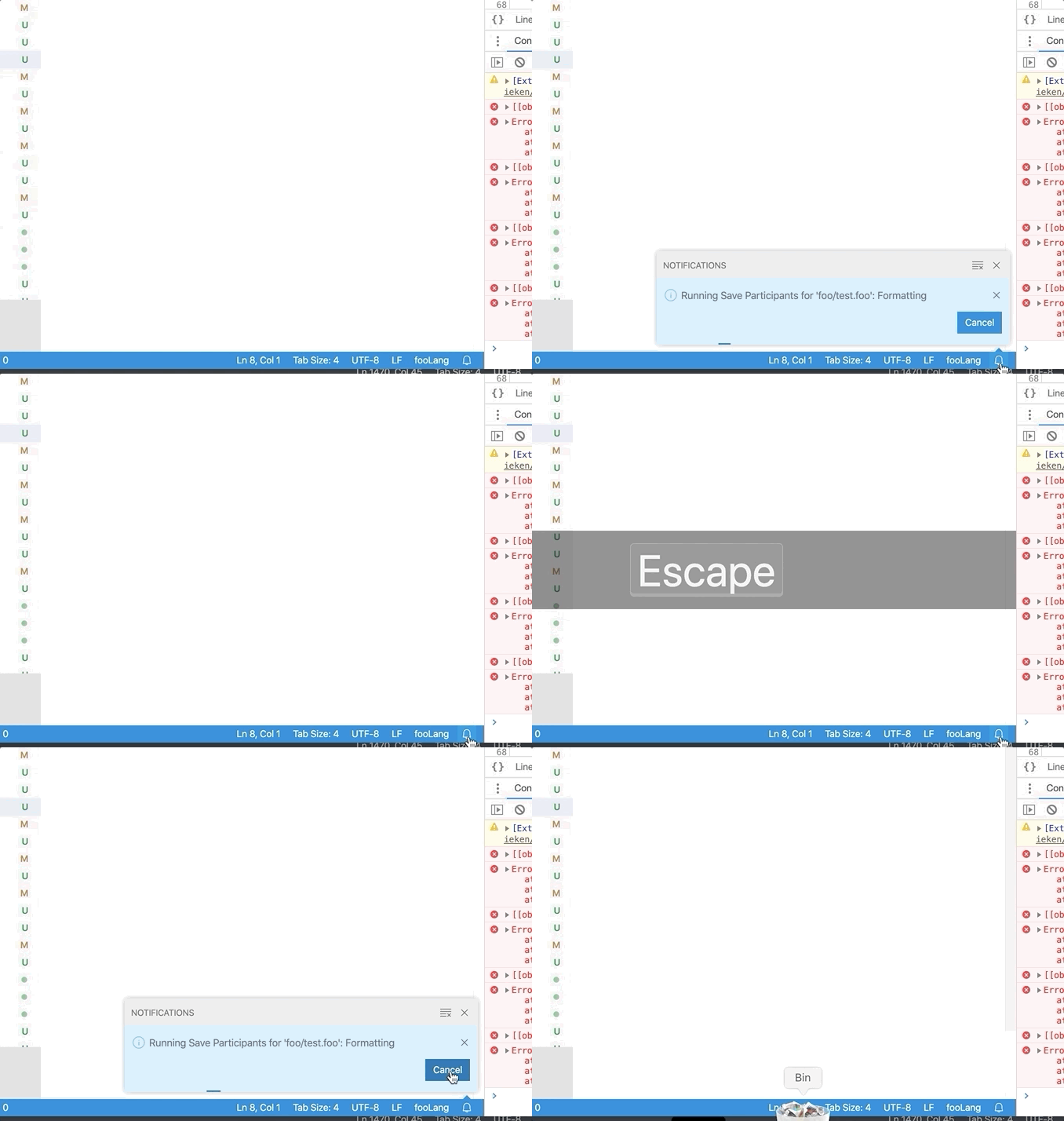
Adding @bpasero for better UX here. Maybe don't hide on Esc when showing progress and show progress in the status bar icon when hiding the real notification?
jrieken
on 10 Feb 2020
@misolori nicht need your idea here. I would like to preserve that ESC closes notification toasts because anything else would be quite unpredictable for a user IMHO.
However giving an indication about a notification that is having progress seems like a good idea to me. Essentially some indicator at the notification bell location that something is going on?
 bpasero
on 10 Feb 2020
bpasero
on 10 Feb 2020
The simplest approach would be adding a dot to the bell, though the dot is tied to a "notification" or "activity" so it's not to off:
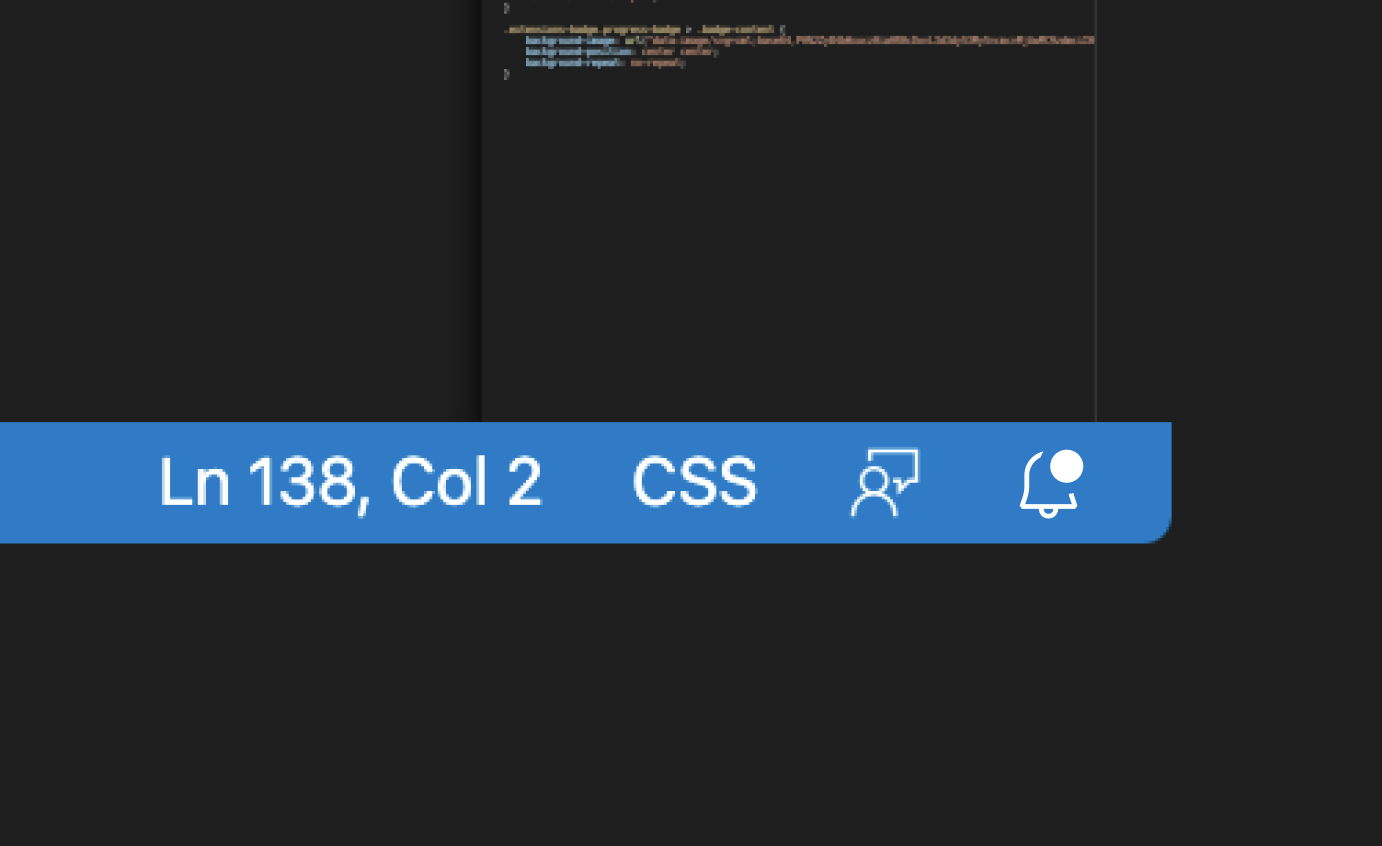

Adding any smaller detail becomes a bit harder since the icon is so small already:

 misolori
on 10 Feb 2020
misolori
on 10 Feb 2020
@misolori hm, how about an actual animation down there, similar to the sync icon for git spinning when you pull and push?
bpasero
on 11 Feb 2020
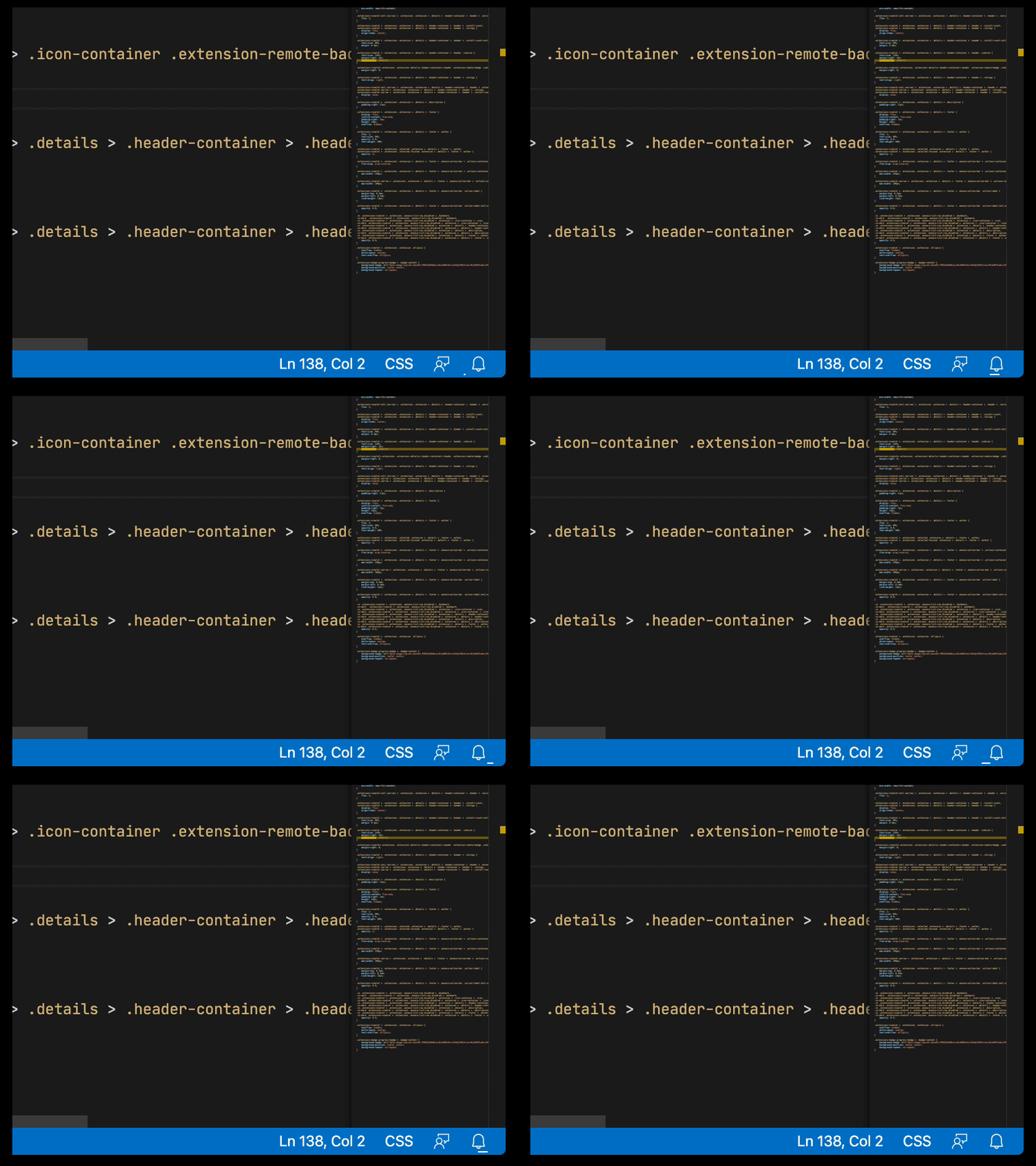
@bpasero what if we re-used the same line animation in the sidebar and placed it below the notification bell?
misolori
on 14 Feb 2020
@misolori yeah that works for me, is there some code I can copy from?
bpasero
on 14 Feb 2020
@bpasero let me see if I can create this via CSS (this was a simple animation in Figma).
misolori
on 14 Feb 2020
@bpasero I was able to use the :before pseudo element to create this and animate it via css, so you can add this animation class to the icon when in that state.
misolori
on 14 Feb 2020
I've recently encountered this issue (when using Python Black formatter with External Formatters extension and saving a file containing syntax errors) and would like to share my two cents. I would either expect the file to be saved no matter what (with an error notification that the formatter failed of course) or the save process to be cancelled immediately. In other words, if the formatter failed and nothing is running, what is there to cancel?
P.S. Sorry if my comment is irrelevant, love what you guys are doing, autoformatting has changed my life, peace! 😃
 gediminasz
on 14 Feb 2020
gediminasz
on 14 Feb 2020
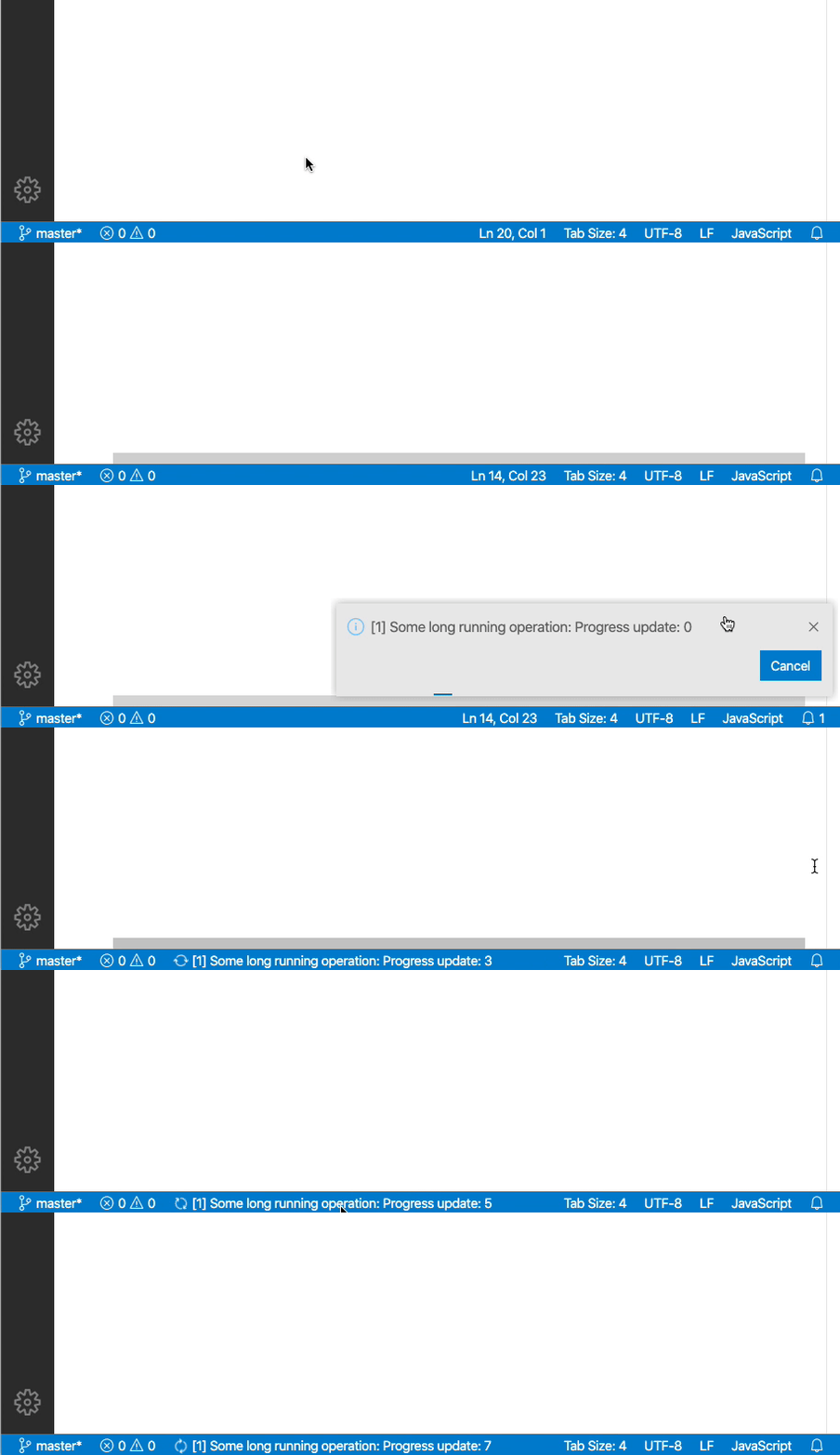
@misolori upon second thought, I wonder if a better approach would be to reuse the status location for progress that we already have so that we do not introduce another progress indicator. I mean we have this one:

So we could do this: if a progress notification is running but not visible, we show it in the status bar at that location keeping the label up to date with what the notification provides. Clicking that entry in the status bar could reveal the notifications center and it would hide automatically once the notification item is visible or done.
bpasero
on 15 Feb 2020
Hm, upon second thought, we have 2 cases to support:
- user hides notification toasts (e.g. by pressing ESC key)
- user clicks on the X of the notification that shows progress
I am now thinking that for the first case, we can try something as outlined in https://github.com/microsoft/vscode/issues/90274#issuecomment-586383647 (which also seems to be what Azure Portal is doing).
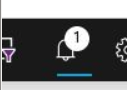
However for the second case, the notification is literally gone, though the operation is still running. In that case I would like to indicate to the user that the operation is still ongoing, e.g. like so:
bpasero
on 17 Feb 2020
One option would be that clicking the X for a notification about an incomplete operation only hides the toast and decrements the unread notification counter. If the operation is complete, clicking X would dismiss the whole notification. In the long running operation example you could click X to dismiss the toast, decrement the unread notifications counter and then show the animated bar underneath the bell icon. When the user clicks the bell icon they see the notification for the long running operation and they can see that it is still in progress. Once the operation is complete, clicking X would then completely dismiss that notification.
This would mean that there would be no way to ever dismiss notifications about long running operations before they are complete. If that was necessary, we could add an explicit dismiss all command in the notification hub.
 stevencl
on 17 Feb 2020
stevencl
on 17 Feb 2020
Yeah I like this suggestion. This would mean there is a subtle change for the X button depending on the kind of notification:
Xfor a notification: removes the notificationXfor a progress notification: moves to notification center
In theory we could also change the icon for a progress notification to indicate this difference, e.g. like a minimize icon.
I suggest we bring this up in this weeks UX call.
bpasero
on 17 Feb 2020
Looks like a similar issue. Saw this first time when made some changes in SVG.TS file. Not sure do it does something at all because that loader indicator just loops and it does't end.
Reloading window helps for some time.

 dzintars
on 19 Feb 2020
dzintars
on 19 Feb 2020
@dzintars please report as separate issue, maybe to the extension author
bpasero
on 20 Feb 2020
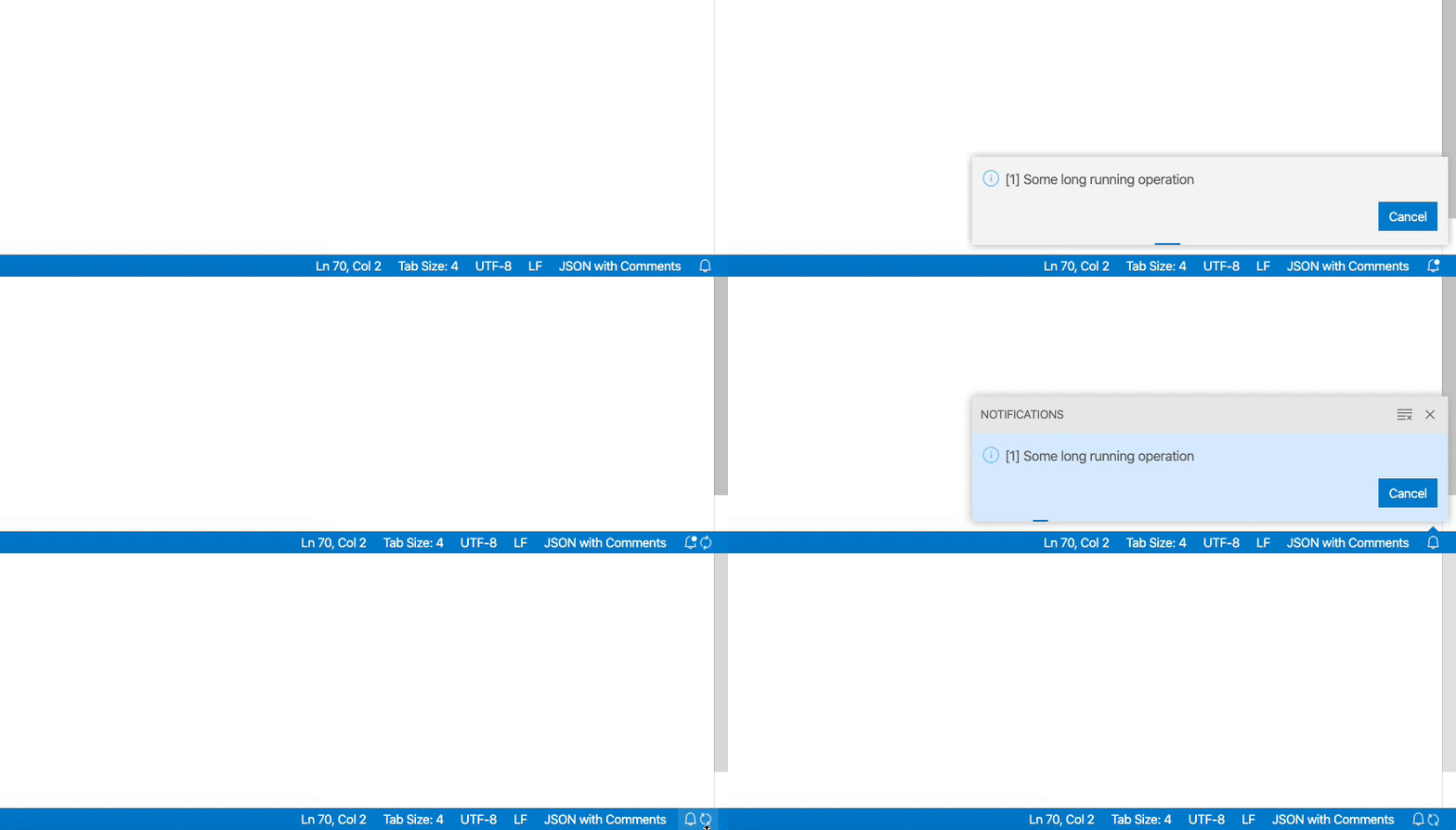
Current UX thinking which I will push to master:
- you cannot close a notification in progress (we may want to revisit this for toasts)
- if neither toast nor notifications center is visible, you get a spinning circle in the status bar
bpasero
on 21 Feb 2020
Verification:
It is easiest to have some local command for crafting progress notification and then verify https://github.com/microsoft/vscode/issues/90274#issuecomment-589688491 via:
class ProgressAction extends Action {

    static readonly ID = 'workbench.action.ProgressAction';
    static readonly LABEL = nls.localize('ProgressAction', "ProgressAction");

    static counter = 0;

    private counter = 0;

    constructor(
        id: string,
        label: string,
        @IProgressService private readonly progressService: IProgressService
    ) {
        super(id, label);

        ToggleFullScreenAction.counter++;
    }

    run(): Promise<void> {
        this.progressService.withProgress({
            location: ProgressLocation.Notification,
            title: `[${ToggleFullScreenAction.counter}] Some long running operation`,
            cancellable: true
        }, progress => {

            return timeout(20000);
        });

        return Promise.resolve();
    }
}
Related issues
 vsccarl
·
3Comments
vsccarl
·
3Comments
 DovydasNavickas
·
3Comments
DovydasNavickas
·
3Comments
 philipgiuliani
·
3Comments
philipgiuliani
·
3Comments
 mrkiley
·
3Comments
mrkiley
·
3Comments
 villiv
·
3Comments
villiv
·
3Comments