Vscode: Configuration of codeActionsOnSave order
The editor.codeActionsOnSave setting currently accepts an object:
"editor.codeActionsOnSave": {
  "source.organizeImports": true,
  "source.fixAll.eslint": true
}
The ordering of the actions prioritizes fixAll actions and executes them first. This may be a good idea for certain (or even most) setups, but it's not for all of them.
In my example, i'm using both vscode-eslint's fixAll and source.organizeImports. Because there are strict auto formatting rules set up in eslint regarding line length, line breaks etc, i would want to organizeImports first before then fixing and reformatting everything with ESLint.
This is impossible to do right now because the source.fixAll.eslint is always executed first, which results in this behavior:
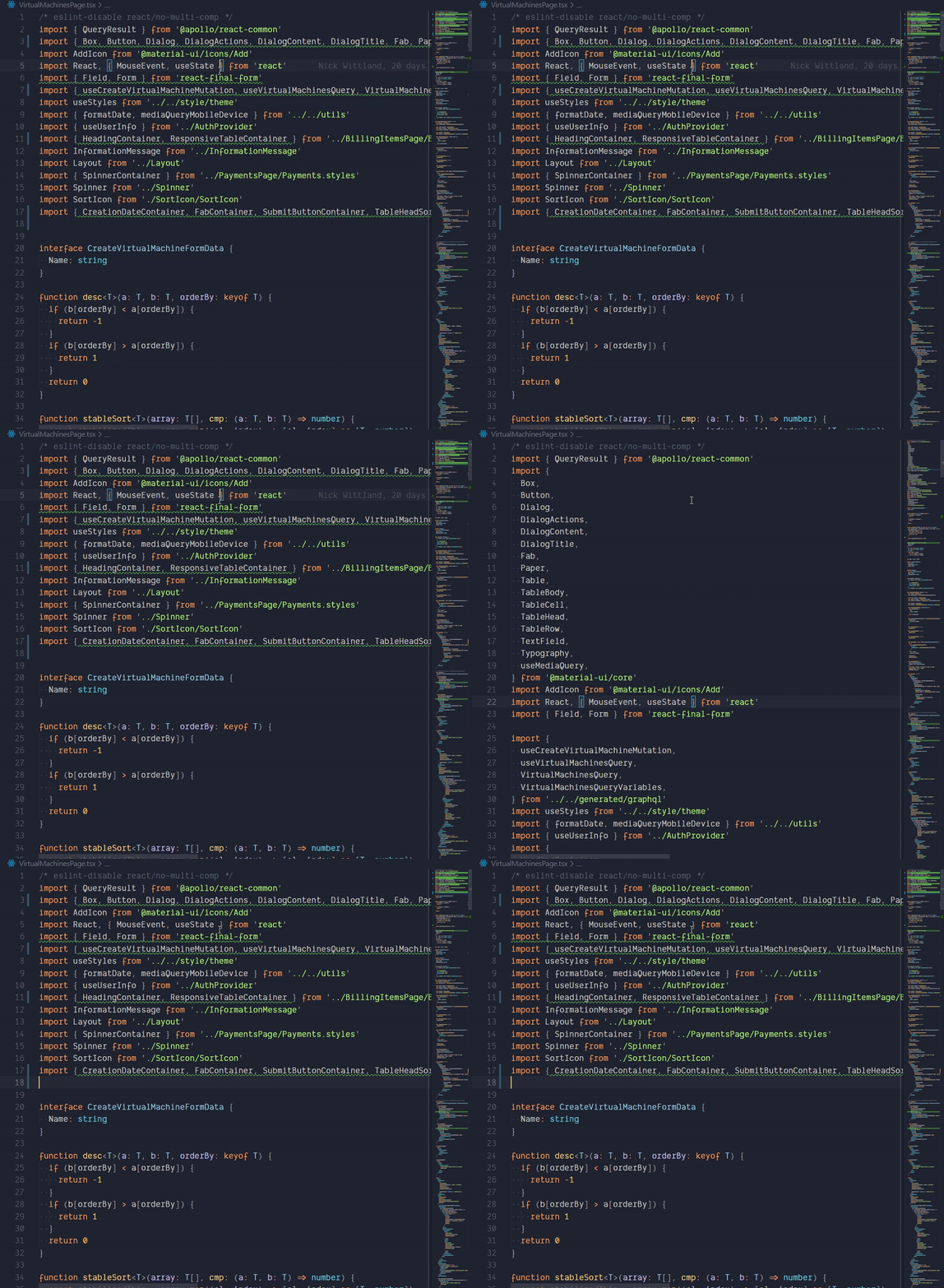
This is unfortunate and means that we had to disable the organizeImports functionality altogether. I'm pretty sure we're not the first ones having this problem and i'm really asking myself why the configuration of codeActionsOnSave is not an array instead, giving us the explicit possibility to order the sequential execution of code actions:
"editor.codeActionsOnSave": [
  "source.organizeImports",
  "source.fixAll.eslint"
]
What are your suggestions?
Is anyone else having this problem?
 codepunkt
All 10 comments
//fyi @dbaeumer
 egamma
on 6 Jan 2020
egamma
on 6 Jan 2020
This feature request is now a candidate for our backlog. The community has 60 days to upvote the issue. If it receives 20 upvotes we will move it to our backlog. If not, we will close it. To learn more about how we handle feature requests, please see our documentation.
Happy Coding!
![vscodebot[bot] picture](https://avatars2.githubusercontent.com/in/2406?v=4&s=40) vscodebot[bot]
on 23 Jan 2020
vscodebot[bot]
on 23 Jan 2020
How do upvotes work? Thumbs up on the original issue post?
codepunkt
on 23 Jan 2020
How do upvotes work? Thumbs up on the original issue post?
Yes :) How to upvote an issue
 netcoding87
on 24 Jan 2020
netcoding87
on 24 Jan 2020
I had to disable the organizeImports functionality too.
 emersonpgomes
on 27 Jan 2020
emersonpgomes
on 27 Jan 2020
:slightly_smiling_face: This feature request received a sufficient number of community upvotes and we moved it to our backlog. To learn more about how we handle feature requests, please see our documentation.
Happy Coding!
vscodebot[bot]
on 27 Jan 2020

Seeing strange behaviour with this. For one it alternates between applying eslint and organizeImports with each save, but it also now pops up a browser window pointing to the Options section of the eslint-plugin-prettier readme on github too? Browser window doesn't appear when codeactions is an object.
Repro repo with steps in README:
https://github.com/JacksonKearl/eslint-organizeImports-codeactions
In eslint output channel when going from the orginizeImports save version to the eslint save version:
[Error - 12:17:09 PM] Failed to apply command: eslint.applyDisableLine
[Error - 12:17:09 PM] Failed to apply command: eslint.applyDisableFile
This is also when the browser window appears
 JacksonKearl
on 2 Apr 2020
JacksonKearl
on 2 Apr 2020
It seems the issue with the browser window popping up is independent of the organizeImports action. If I set eslint to be the only code action to run via an object, it works fine. If I set it to be the only code action to run via array, it gives the error. It might be that when set via array it's not able to read the config properly, so the extension is trying to be helpful and open the browser for me?
JacksonKearl
on 2 Apr 2020
Thanks for the example @JacksonKearl!
I believe this is an eslint issue. Here's an annotated trace when the trailing comma is present:
VS Code update the document using organize imports (removing the trailing comma)
[Trace - 12:35:49 PM] Sending notification 'textDocument/didChange'.
Params: {
    "textDocument": {
        "uri": "file:///Users/matb/projects/san/eslint-organizeImports-codeactions/index.ts",
        "version": 33
    },
    "contentChanges": [
        {
            "range": {
                "start": {
                    "line": 6,
                    "character": 14
                },
                "end": {
                    "line": 6,
                    "character": 15
                }
            },
            "rangeLength": 1,
            "text": ""
        }
    ]
}
VS Code request code actions for fix all
[Trace - 12:35:49 PM] Sending request 'textDocument/codeAction - (98)'.
Params: {
    "textDocument": {
        "uri": "file:///Users/matb/projects/san/eslint-organizeImports-codeactions/index.ts"
    },
    "range": {
        "start": {
            "line": 0,
            "character": 0
        },
        "end": {
            "line": 16,
            "character": 0
        }
    },
    "context": {
        "diagnostics": [],
        "only": [
            "source.fixAll.eslint"
        ]
    }
}
ESlint updates it's diagnostics
[Trace - 12:35:49 PM] Received notification 'textDocument/publishDiagnostics'.
Params: {
    "uri": "file:///Users/matb/projects/san/eslint-organizeImports-codeactions/index.ts",
    "diagnostics": [
        {
            "message": "Insert `,`",
            "severity": 1,
            "source": "eslint",
            "range": {
                "start": {
                    "line": 6,
                    "character": 14
                },
                "end": {
                    "line": 6,
                    "character": 14
                }
            },
            "code": {
                "value": "prettier/prettier",
                "target": "https://github.com/prettier/eslint-plugin-prettier#options"
            }
        }
    ]
}
ESLint then returns no code actions
[Trace - 12:35:49 PM] Received response 'textDocument/codeAction - (98)' in 23ms.
Result: []
So it looks like ESLint gets the events in the right order, but is computing code actions on the previous document's state
I've opened https://github.com/microsoft/vscode-eslint/issues/939 against eslint for this
 mjbvz
on 3 Apr 2020
mjbvz
on 3 Apr 2020
I verified the events are fired in the correct order with new setting config
mjbvz
on 3 Apr 2020
Related issues
 v-pavanp
·
3Comments
v-pavanp
·
3Comments
 villiv
·
3Comments
villiv
·
3Comments
 borekb
·
3Comments
borekb
·
3Comments
 sijad
·
3Comments
sijad
·
3Comments
 chrisdias
·
3Comments
chrisdias
·
3Comments
Most helpful comment
:slightly_smiling_face: This feature request received a sufficient number of community upvotes and we moved it to our backlog. To learn more about how we handle feature requests, please see our documentation.
Happy Coding!