Vscode: allow delay between edits via vscode extension api
I'd like to be able to add a series of edits via a vscode extension to simulate the process of someone typing in real time. I was wondering if I could use an existing library but they all seem to rely on access to the DOM which I don't think is exposd.
I tried to create a custom approach, but can't get anything to work at the moment. Putting together a series of edits like so:
const textEdits: vscode.TextEdit[] = []
string.forEach( (character: string, index: number) => {
    console.log(`character[${index}]: ${character}`)
    textEdits.push(vscode.TextEdit.insert(new vscode.Position(0, index), character))
})
const workEdits = new vscode.WorkspaceEdit();
workEdits.set(document.uri, textEdits); // give the edits
vscode.workspace.applyEdit(workEdits); // apply the edits
applies them all immediately, and when I try to loop through and introduce a delay like so:
string.split('').forEach(async (character: string, index: number) => {
    wait(500).then(_ => {
        editBuilder.insert(new vscode.Position(0,index), character)
    })
})

function wait(milliseconds: number) {
    return new Promise(resolve => setTimeout(resolve, milliseconds))
}
then I get errors like so:
rejected promise not handled within 1 second: Error: Edit is only valid while callback runs
I'd really like to simulate typing in a vscode extension for educational purposes, and I wonder if there is some existing way to achieve this, or something that could be changed to allow it?
Many thanks in advance
 tansaku
All 9 comments
The editBuilder "expires" once you return from the callback passed to TextEditor.edit. If you want to partition your work into multiple chunks, the you must call edit multiple times, tho subsequent edits must then be based on the modified states.
 jrieken
on 30 Dec 2019
jrieken
on 30 Dec 2019
We have a great developer community over on slack where extension authors help each other. This is a great place for you to ask questions and find support.
Happy Coding!
![vscodebot[bot] picture](https://avatars2.githubusercontent.com/in/2406?v=4&s=40) vscodebot[bot]
on 30 Dec 2019
vscodebot[bot]
on 30 Dec 2019
thanks @jrieken - I tried that a la:
string.forEach( (character: string, index: number) => {
     console.log(`character[${index}]: ${character}`)
     editor.edit(editBuilder => {
          editBuilder.insert(new vscode.Position(0, index), character)
     })
})
but this only seems to insert the first letter. As you can maybe see I'm trying to make each subsequent edit make sense in terms of the previous edit by using the index ...
The console log outputs all the characters, so I know the loop is working, but is there something else I'm missing?
tansaku
on 30 Dec 2019
Try to await the promise that's returned from calling edit. Only when that resolves have the edits been applied
jrieken
on 30 Dec 2019
btw, I don't think @vscodebot closing it with the link to the 3rd party vscode extensions dev community is a good resolution for this ticket :) ...
 RandomFractals
on 30 Dec 2019
RandomFractals
on 30 Dec 2019
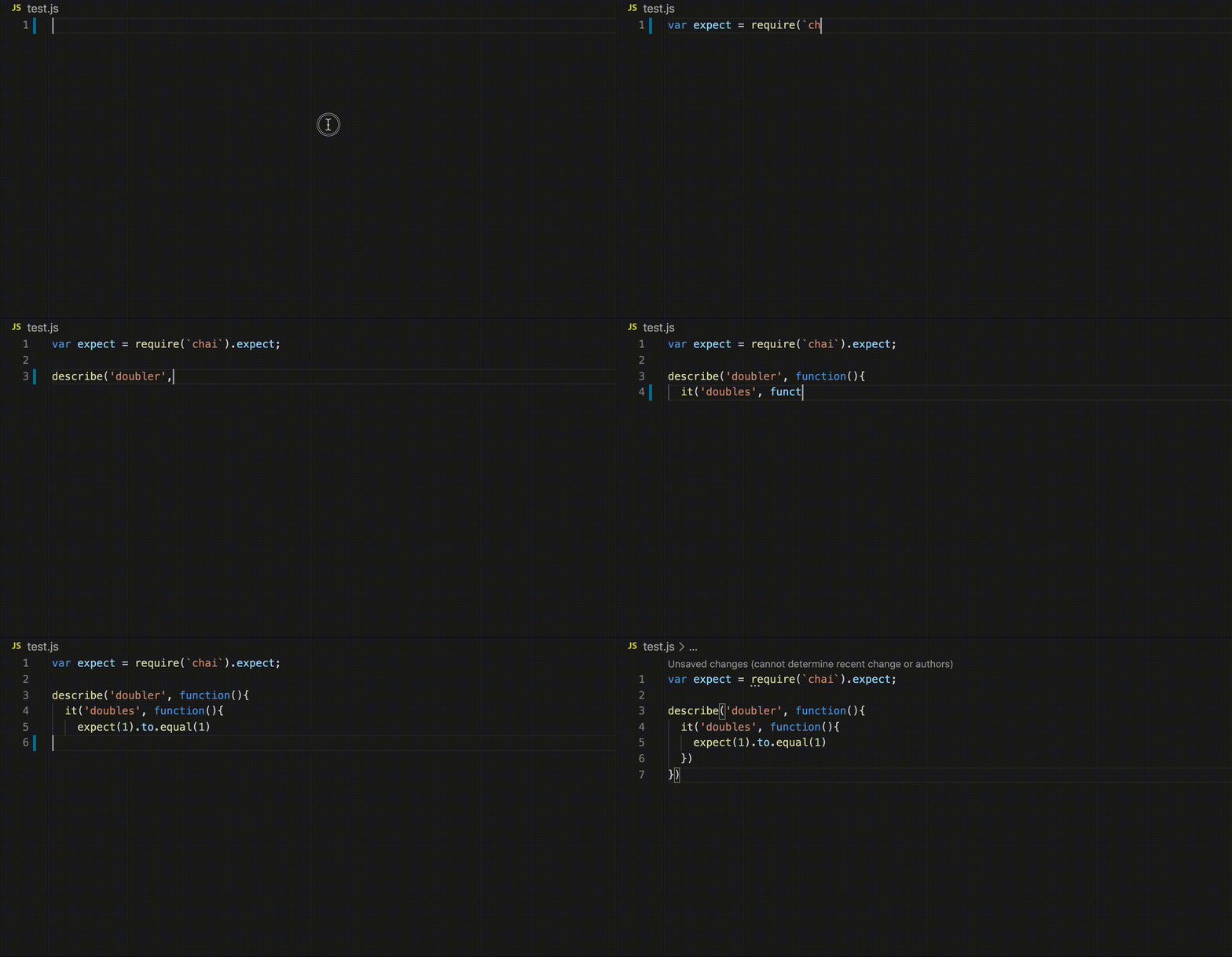
thanks @jrieken - I seem to have it working now using the following code:
let line = 0
let typing = array.reduce((promise: Promise<any>, character: string, index: number) =>
    promise.then((_: any) =>
        editor.edit(editBuilder => { return editBuilder.insert(new vscode.Position(line, index), character) })
            .then(_ => { return wait(100) })
                .then(_ => { if(character === '\n') { line++ }})
    )
, Promise.resolve())
typing().catch((err: any) => console.log(err))
here's an animated gif of the typewriter effect in action
tansaku
on 31 Dec 2019
@tansaku this is really cool! Are you publishing this as an extension in marketplace soon? I think some devs would use it for code bits presentations.
RandomFractals
on 31 Dec 2019
@RandomFractals would be great to publish it :-) At the moment it's part of a larger extension that's relying on some insider proposed API ... I'd need to break out the typewriter bit as a separate extension - not quite sure how that all works yet, but would be nice to provide a little module or something that others could use ...
tansaku
on 1 Jan 2020
Related issues
 biij5698
·
3Comments
biij5698
·
3Comments
 v-pavanp
·
3Comments
v-pavanp
·
3Comments
 mrkiley
·
3Comments
mrkiley
·
3Comments
 trstringer
·
3Comments
trstringer
·
3Comments
 vsccarl
·
3Comments
vsccarl
·
3Comments
Most helpful comment
here's an animated gif of the typewriter effect in action