Vscode: Background color artifacts aligning with layers since v1.40.1
This is the bug:

VSCode version: 1.41.0
OS: Ubuntu 18.04.3
 lgraziani2712
All 9 comments
I don't see this.
What theme is this? Is it only in the setting UI?
 aeschli
on 17 Dec 2019
aeschli
on 17 Dec 2019
It happens with every theme. Not only for me but for my teammates too.
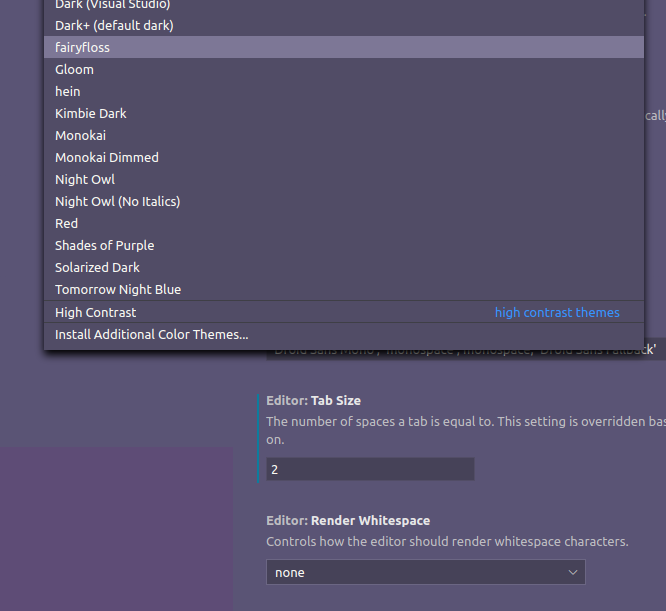

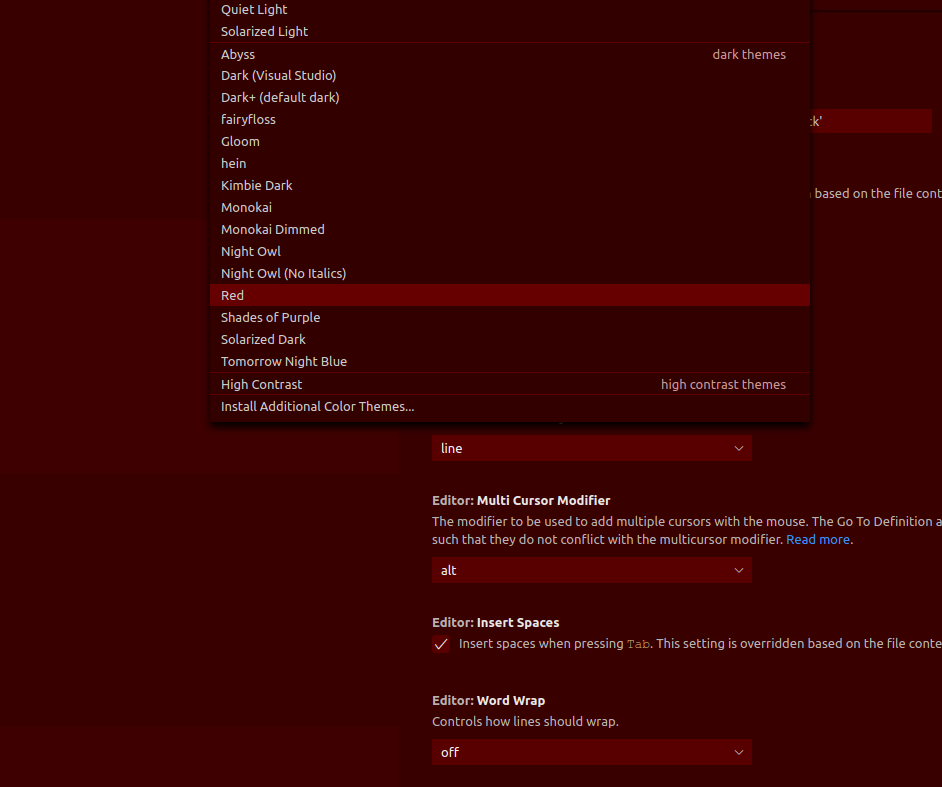
The darker the theme, the harder is to notice it.
I did tried to reinstall it from zero but nothing happened
lgraziani2712
on 17 Dec 2019
Ok, with the blue theme can see it as well.
It's a Electorin/Chrome rendering issue as the regions are matching the rendering layers:
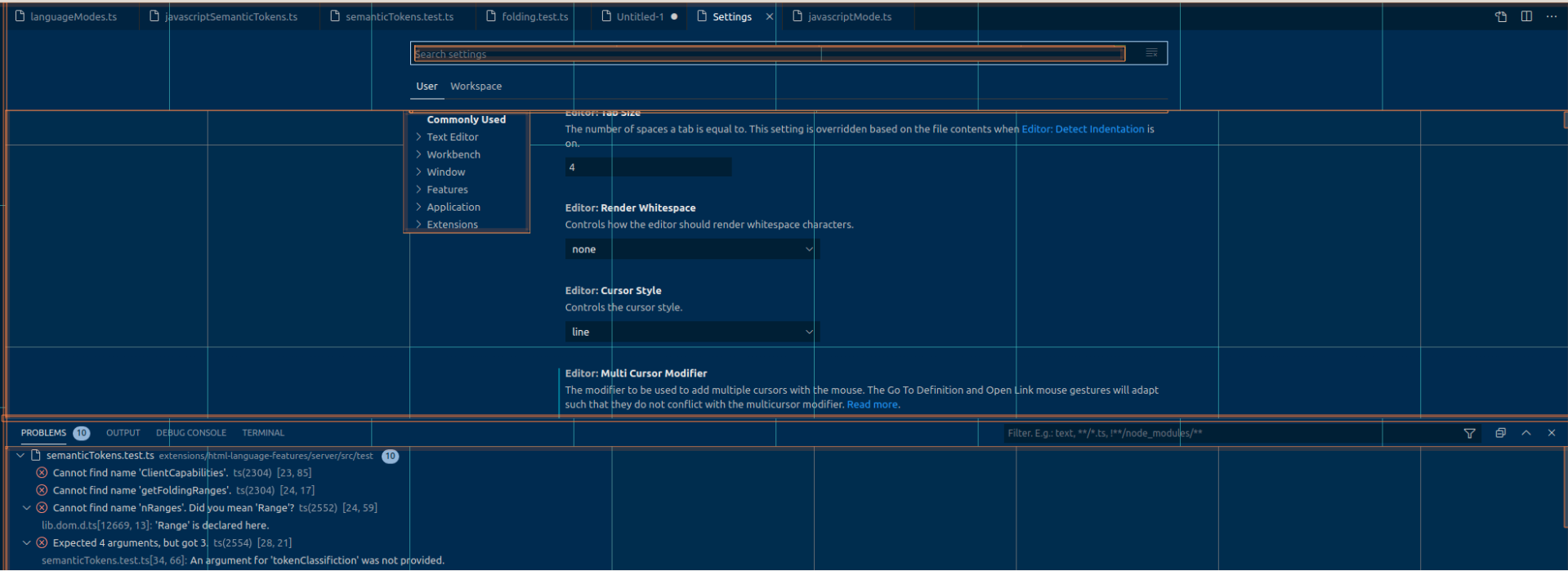
You can workaround it by disabling the gpu acceleration:
code --disable-gpu
aeschli
on 17 Dec 2019
Nice! I can confirm is "fixed" with that flag
lgraziani2712
on 17 Dec 2019
This issue is still happening in linux in the latest version (v1.47.2) (and is still being fixed by using the --disable-gpu flag).
lgraziani2712
on 22 Jul 2020
Can you test the insiders version https://code.visualstudio.com/insiders/ that has a newer runtime, thanks!
 deepak1556
on 22 Jul 2020
deepak1556
on 22 Jul 2020
Done! I can confirm that is fixed with the latest insiders version! Thank you! Feel free to close the issue
lgraziani2712
on 22 Jul 2020
Thanks for the confirmation!
deepak1556
on 22 Jul 2020
The fix will also be available in upcoming stable release.
deepak1556
on 28 Aug 2020
Related issues
 chrisdias
·
3Comments
chrisdias
·
3Comments
 ryan-wong
·
3Comments
ryan-wong
·
3Comments
 VitorLuizC
·
3Comments
VitorLuizC
·
3Comments
 omidgolparvar
·
3Comments
omidgolparvar
·
3Comments
 vsccarl
·
3Comments
vsccarl
·
3Comments
Most helpful comment
The fix will also be available in upcoming stable release.