Vscode: there is a white line on top menu when vscode in 4k resolution
Issue Type: Bug
there is a white line on top menu when vscode in 4k resolution( 150% Scaling)!
VS Code version: Code 1.40.2 (f359dd69833dd8800b54d458f6d37ab7c78df520, 2019-11-25T14:54:45.096Z)
OS version: Windows_NT x64 10.0.18362

 bluecc
All 33 comments
@bluecc I have the same issue: I use a 4k monitor with 150% scaling (recommended by Windows) and since the update which came out yesterday, a white line appears on the top of the screen when VS Code is in fullscreen

 basavyr
on 27 Nov 2019
basavyr
on 27 Nov 2019
@bluecc I've just tested VS Code in Windows Sandbox. Installed the latest version and the issue seems to NOT be present. However, since you are not allowed to change resolution in a remote windows session, I can't say for sure if the rendering resolution was indeed native 4k (with the 150% default scaling).
I also tried to see what settings might cause this issue, and so far I saw that if you change the title bar style to native instead of custom"window.titleBarStyle": "native" you will get the classic win32 type of title bar and the white line goes away. So I suspect there has to be some problems with rendering the bar which comes with the "electron" framework.
basavyr
on 27 Nov 2019
Hmm, this isn't happening with me. I've got 4K 200% and have tried 150% also.
EDIT: Ok, I See it if I resize the window and then put it in fullscreen again.
 awsumbill
on 27 Nov 2019
awsumbill
on 27 Nov 2019
@awsumbill I'm just curios, what's your display size? mine is 27inches and 150% scaling is perfect for me. Any reason why you went 200%?
basavyr
on 27 Nov 2019
@bluecc I've just tested VS Code in Windows Sandbox. Installed the latest version and the issue seems to NOT be present. However, since you are not allowed to change resolution in a remote windows session, I can't say for sure if the rendering resolution was indeed native 4k (with the 150% default scaling).
I also tried to see what settings might cause this issue, and so far I saw that if you change the title bar style to native instead of custom
"window.titleBarStyle": "native"you will get the classic win32 type of title bar and the white line goes away. So I suspect there has to be some problems with rendering the bar which comes with the "electron" framework.
@basavyr Thanks, I am using the classic win32 type of title bar now! Looking forward to the next update!
bluecc
on 27 Nov 2019
Yeah, I am about to do the same 🤣 the white line gets quite annoying and super distracting to be honest.
basavyr
on 27 Nov 2019
@bluecc I wouldn't close this issue to be honest. Problem still needs to be solved.
basavyr
on 27 Nov 2019
@bluecc I wouldn't close this issue to be honest. Problem still needs to be solved.
@basavyr Yeah, you are right!🤣
bluecc
on 27 Nov 2019
Can reproduce this problem on a regular monitor (24" 1920x1080) if scale for this monitor is 150% or 175%
/cc @deepak1556
 IllusionMH
on 27 Nov 2019
IllusionMH
on 27 Nov 2019
@awsumbill I'm just curios, what's your display size? mine is 27inches and 150% scaling is perfect for me. Any reason why you went 200%?
@basavyr I've got a pretty big screen, 43 in. so 200% is necessary.
awsumbill
on 27 Nov 2019
I also have this issue, 27" 4K monitor set to 150% scaling.
 AdamAlam
on 9 Dec 2019
AdamAlam
on 9 Dec 2019
I found this issue with 1.40.2 & 1.41.0 on my laptop as well, but 1.39.2 ,1.40.0 and 1.40.1 don't have this problem.
The interesting thing is that my HP ZBook laptop has a 4k screen (_with recommended 250% scale_) and also connects another 2 external Dell 4k screens (_with recommended scale 150%_ scale). In this case the maximised VSCode window don't have a white stripe on the top on both Dell screens, but will have on the laptop its own screen. Now if change the scale of the laptop's screen to 150%, the white stripe disappears on the laptop's screen. Furthermore if change the scale of the Dell screen to 250%, a white stripe appears on the Dell screen.
Now, if I sign out and disconnect both external Dell screens, after signing into Windows 10 again, the scale of the laptop's screen is still 250%, but there is no white stripe on top of the maximised VSCode window! Then re-connect the two Dell screens (still with the recommended 150% scale), all of the 3 screen are fine, there is no white stripe appearing on any of them.
 cateyes99
on 16 Dec 2019
cateyes99
on 16 Dec 2019
I also have this issue in version 1.41.0.
Device is a Microsoft Surface 3, scaling set to 175%.
The bar is not displayed on either of my 1080x1920 connected monitors.

 robinhogan
on 16 Dec 2019
robinhogan
on 16 Dec 2019
This only has happened once to me out of the ten or so times I have opened VSCode since this issue first opened.
The line appeared after I minimized and then maximized the window.
I have not seen it since.
I have 3840 x 2160 resolution, tried on 150% and 200% scaling. When I saw the line I was at 200%.
I have a 43" monitor (TV), 42" not including borders.
I have Windows 10, version 1909, build 18363.535, VSCode version 1.41.0
awsumbill
on 18 Dec 2019
Also having this issue, can persistently reproduce it since ~1.40.2 when it first appeared after updating VS Code.
Affects only maximized VS Code instances on my second 3840 x 2160 display with 175% scaling. If the maximized window is moved/resized (including switching to "half-display" layout by pressing Win+Left Arrow), the white bar goes away. If I maximize the window on my main 1080p display 125% scaling, the white bar is NOT present ¯\_(ツ)_/¯
(open a screenshot on black background to see a line on top)

Version: 1.41.0 (system setup)
Commit: 9579eda04fdb3a9bba2750f15193e5fafe16b959
Date: 2019-12-11T18:37:42.077Z
Electron: 6.1.5
Chrome: 76.0.3809.146
Node.js: 12.4.0
V8: 7.6.303.31-electron.0
OS: Windows_NT x64 10.0.18362
 iburakov
on 21 Dec 2019
iburakov
on 21 Dec 2019
Hi, if it's useful I have steps for reproducing this issue consistently on my setup.
~
VS Code version: 1.41.1
Windows version: 10.0.18363
~
I have also found like others that this is to do with 150% scaling, specifically changing the scaling after opening the window.
I have two displays:
- Primary - laptop screen 1920x1080 with 150% scaling
- Desktop monitor 1920x1080 with 100% scaling
Steps to reproduce:
- Close all VS Code windows
- Close the laptop lid (this is my way of making the VS Code window open on the desktop monitor, you could probably skip this step if the desktop monitor was your primary display)
- Open a VS Code window (so the window will spawn on the 100% scaled desktop monitor)
- Open the laptop lid
- Move the VS Code window to the 150% scaled laptop monitor
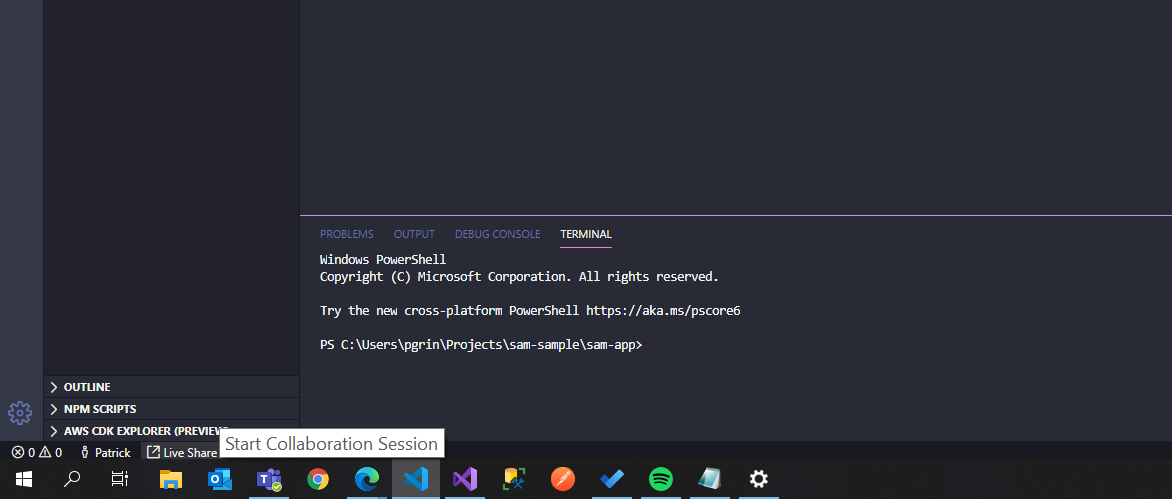
This gives me the bug as reported:

Incidentally, if I reverse this test, i.e. spawn the window on my laptop monitor and move it to my desktop monitor, I get a similar, but more subtle bug, where the bottom couple of pixels of the VS Code window are chopped off. It's more difficult to spot but it's there:
 pgrinsell
on 21 Jan 2020
pgrinsell
on 21 Jan 2020
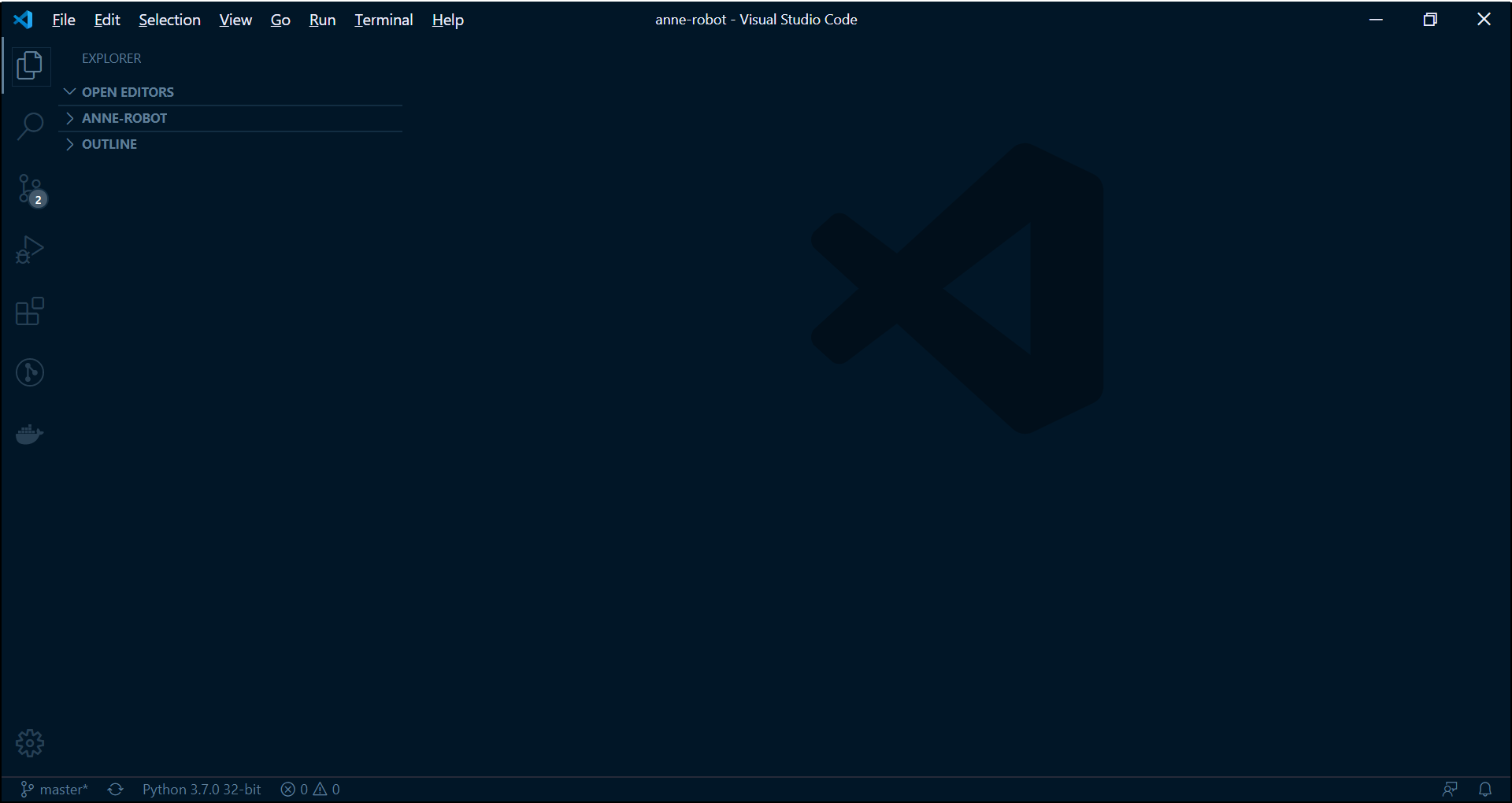
Same issue encountered. I have a 15" 1080p laptop, screen is scaled to 150%. The white bar on top is around 2-3px thick. It's really annoying to look at.
VSCode 1.43.0
Windows 10
 jcsia87
on 12 Mar 2020
jcsia87
on 12 Mar 2020
I am having the same issue, I have a 49 inch ultrawide monitor which is 5k, and I have big bars appearing here and there, and also the area that is not white is dull as well. Has a solution for this been found?
 sumchans
on 13 Mar 2020
sumchans
on 13 Mar 2020
I started seeing this when I changed my secondary monitor (I run VSCode on the primary monitor--and it is indeed high DPI). Strange issue.
 rfox12
on 20 Mar 2020
rfox12
on 20 Mar 2020
My issue was resolved once I turned off HDR on my monitor.
sumchans
on 20 Mar 2020
Still having this issue with HDR off, 4k resolution, and scaling set to 150%. If i set scaling to 125% it goes away, but that font size is too small for me.
I'm on the latest version of Windows as of 5/11/2020, KB4550945.
 Zireael13
on 12 May 2020
Zireael13
on 12 May 2020
Same issue here - 4K 15 inch Laptop Monitor. 125% scaling. Annoying white line. Full screen mode fixes it. Like the new title bar too much to use the classic style :)
 sqrl-ca
on 12 May 2020
sqrl-ca
on 12 May 2020
I found this to happen on dual monitors with different resolutions monitors. I have 2k and 4K monitors. When I set 2K monitor as the primary monitor, the white line appears.
Instead, set the 4K monitor as the primary monitor, the white line disappears!
bluecc
on 16 Jun 2020
Still having this issue with HDR off, 4k resolution, and scaling set to 150%. If i set scaling to 125% it goes away, but that font size is too small for me.
I'm on the latest version of Windows as of 5/11/2020, KB4550945.
Seeing the exact same thing here.
 genericandy
on 29 Jun 2020
genericandy
on 29 Jun 2020
I am also having the same issue on a 4k monitor with 150% scaling. The same issue also a happens when I select something in Windows Terminal, so may not be a VS Code issue, it maybe issue of the windows itself!
 akshdeep-singh
on 31 Jul 2020
akshdeep-singh
on 31 Jul 2020
This should be fixed with latest insiders https://code.visualstudio.com/insiders/ , please comment if its still an issue. Thanks!
 deepak1556
on 15 Sep 2020
deepak1556
on 15 Sep 2020
This should be fixed with latest insiders https://code.visualstudio.com/insiders/ , please comment if its still an issue. Thanks!
Issue with white space on 1920x1080 laptop (100% scale)
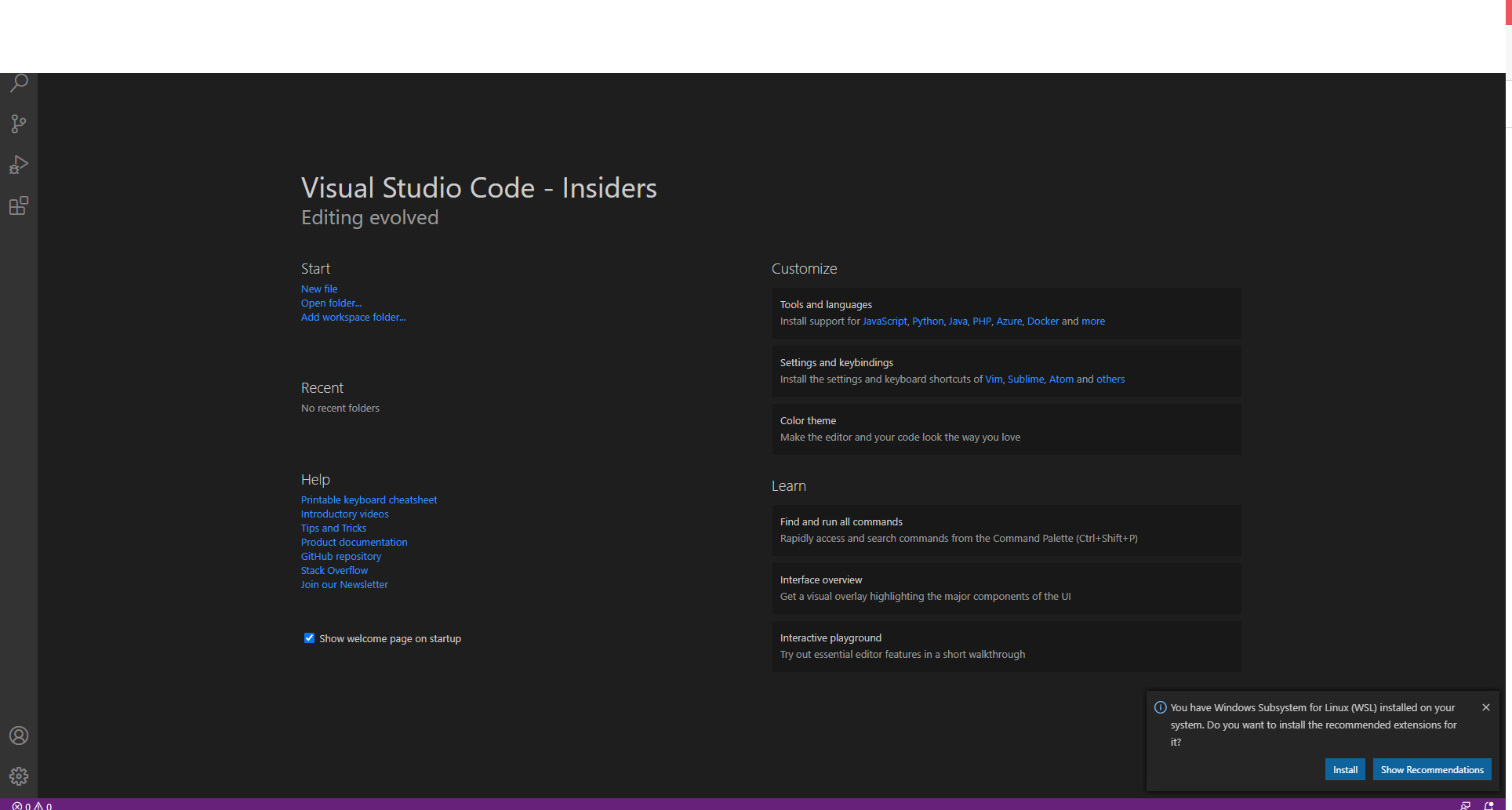
PS. i have 15.6'' laptop with connected 22'' monitor. On second monitor - no bug
UPDATE! same bug on chrome with connected second monitor. There is no VS Code bug, i see
 mpa74
on 15 Sep 2020
mpa74
on 15 Sep 2020
@mpa74 it does look bad, can you open a separate issue, this issue specifically tracks the bug for 4k resolution. Thanks!
deepak1556
on 15 Sep 2020
I've just installed the insiders build, the bug is still there @deepak1556
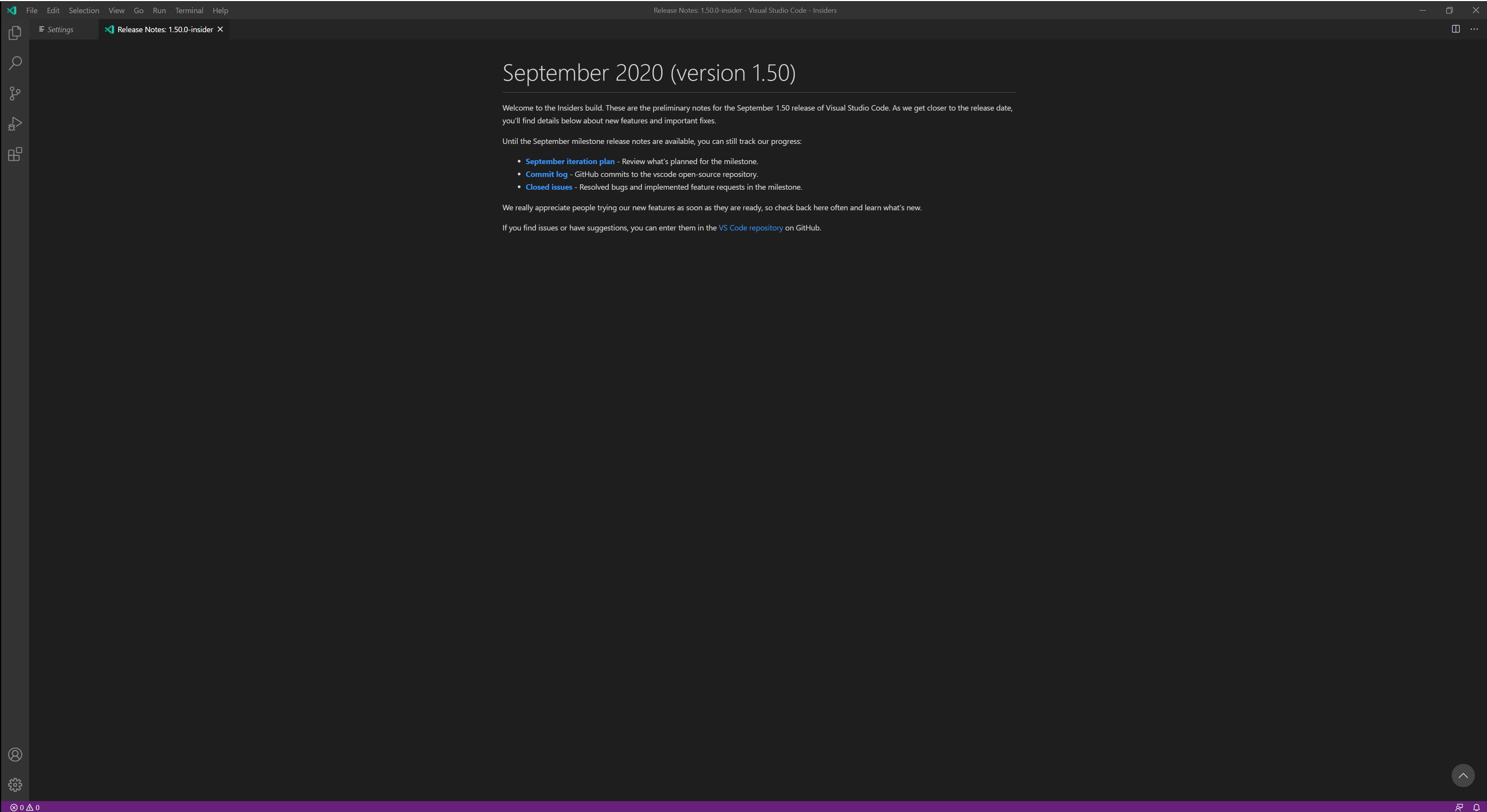
4k, 27in monitor. Bug does not occur on my second 1440p monitor.
Zireael13
on 15 Sep 2020

Surface Pro X main display, 200%, white line.
As soon as I resize the window in any way (including back to full screen) the white line is gone.
Version: 1.50.0-insider (user setup)
Commit: e13875b77c89b95f20ccb5667e14ff164c198e57
Date: 2020-09-15T05:36:25.832Z
Electron: 9.3.0
Chrome: 83.0.4103.122
Node.js: 12.14.1
V8: 8.3.110.13-electron.0
OS: Windows_NT arm64 10.0.19042
 davide-rota
on 15 Sep 2020
davide-rota
on 15 Sep 2020
Thanks for testing, that helps.
deepak1556
on 15 Sep 2020
New testing request, can you check if the latest insiders https://code.visualstudio.com/insiders/ fixes the issue. Thanks!
deepak1556
on 16 Oct 2020
New testing request, can you check if the latest insiders https://code.visualstudio.com/insiders/ fixes the issue. Thanks!
Yes, I can confirm that white line is gone in Insider's!
AdamAlam
on 16 Oct 2020
Related issues
 vsccarl
·
3Comments
vsccarl
·
3Comments
 shanalikhan
·
3Comments
shanalikhan
·
3Comments
 chrisdias
·
3Comments
chrisdias
·
3Comments
 sijad
·
3Comments
sijad
·
3Comments
 mrkiley
·
3Comments
mrkiley
·
3Comments
Most helpful comment
I found this to happen on dual monitors with different resolutions monitors. I have 2k and 4K monitors. When I set 2K monitor as the primary monitor, the white line appears.
Instead, set the 4K monitor as the primary monitor, the white line disappears!