Vscode: Touch bar mac disabled on focus file
So I updated to 1.40.0
And have this issue:
my touch bar on mac hide! What I mean
When I write code this is showing my touch bar

but early it was

My settings
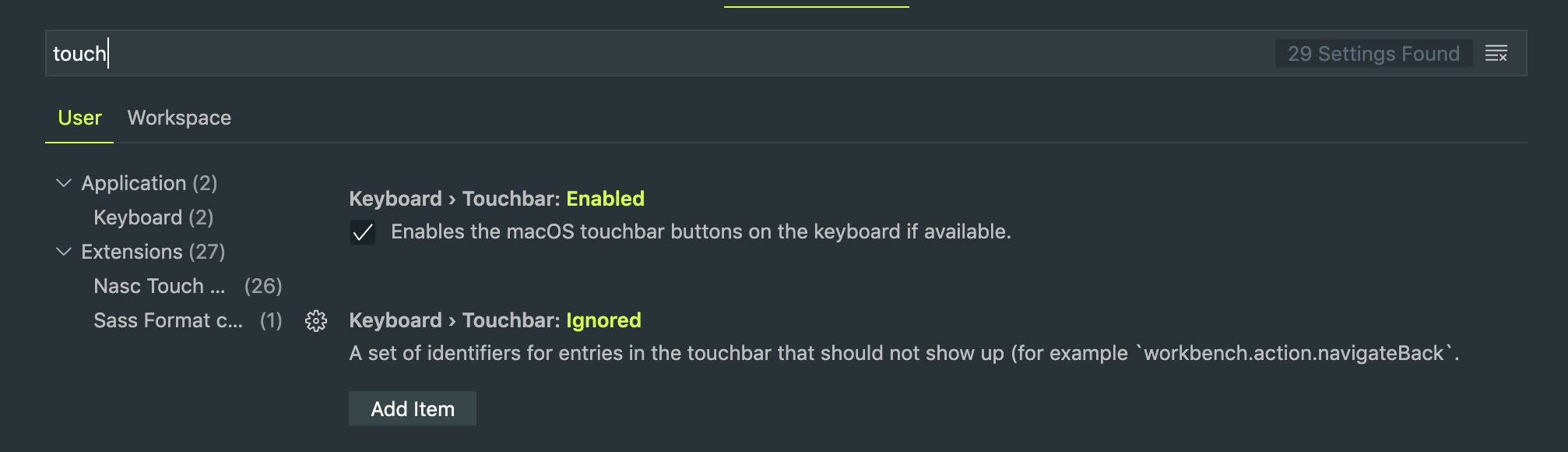
When the focus is down from the code window
touch bar show
I expected behavior on the focus code window
this
but have this
What happened with the touch bar?
 Alexzanderk
All 22 comments
(Experimental duplicate detection)
Thanks for submitting this issue. Please also check if it is already covered by an existing one, like:
![vscodebot[bot] picture](https://avatars2.githubusercontent.com/in/2406?v=4&s=40) vscodebot[bot]
on 13 Nov 2019
vscodebot[bot]
on 13 Nov 2019
@Alexzanderk yes, it is the same to me at #84189
 luannguyend86
on 14 Nov 2019
luannguyend86
on 14 Nov 2019
@Alexzanderk what are these other items in the touchbar you show, are they coming from macOS?
 bpasero
on 14 Nov 2019
bpasero
on 14 Nov 2019
Thanks for creating this issue! We figured it's missing some basic information or in some other way doesn't follow our issue reporting guidelines. Please take the time to review these and update the issue.
Happy Coding!
vscodebot[bot]
on 14 Nov 2019
The words you see are the spelling autocomplete words provided by Apple. They are coming from macOS as autocorrect. As soon as the with of the spell check hits an otherwise visible button, that button is hidden.
You can check that behaviour by collapsing the autocomplete through tapping on the (small) arrow on the left.
In my case: On a 13" MacBook pro I can start the project, but I can't stop the project. The start state on the touch bar is small enough to show, but the debugging state is wider, and hits the collapsed autocomplete, and is thus always hidden.
Start state

Debug state:

Width of expanded autocomplete, hiding both start & debug state

 guidobouman
on 14 Nov 2019
guidobouman
on 14 Nov 2019
VSCode is built on top of a large number of components that are not maintained by the VSCode team directly. This includes:
- Electron as the cross platform UI framework
- node.js for most integration into the OS
- Chromium as runtime and rendering engine (HTML, CSS, JS)
- and after all, the operating system VSCode is running on
Reading this issue, it seems to originate not from VSCode itself but rather one of these upstream components. As such, in order to resolve it, it would need to get fixed in the upstream component. I will go ahead and close this issue and kindly ask to report this issue to the upstream component if possible:
- for UI, OS integration: https://github.com/electron/electron
- for Rendering: https://bugs.chromium.org/p/chromium/issues/list
- for file IO: https://github.com/nodejs/node
Thanks for understanding.
bpasero
on 14 Nov 2019
@bpasero I downgrade to 1.39
and on this version, everything is fine to work like expected
Alexzanderk
on 14 Nov 2019
It's a thing in a Chromium release. I'm wondering if it's configurable to remove text suggestions on an input field.
Adding autocomplete="off" on the textarea I'm typing this in does not remove the suggestions.
Tracking issue for Electron:
https://github.com/electron/electron/issues/9349
Tracking issue for Chromium:
https://bugs.chromium.org/p/chromium/issues/detail?id=717553
guidobouman
on 14 Nov 2019
If someone is willing to report this issue to Electron we can reopen this one and link to the issue. But there is currently probably nothing we can do in VSCode given that autocomplete="off" does not seem to help.
bpasero
on 14 Nov 2019
It's a thing in a Chromium release. I'm wondering if it's configurable to remove text suggestions on an input field.
Adding
autocomplete="off"on the textarea I'm typing this in does not remove the suggestions.Tracking issue for Electron:
electron/electron#9349Tracking issue for Chromium:
https://bugs.chromium.org/p/chromium/issues/detail?id=717553
Chromium?? Why do you think that issue with chromium?
Alexzanderk
on 18 Nov 2019
Chromium?? Why do you think that issue with chromium?
Did you read the links I attached? macOS provided a feature that Chromium later implemented. VS Code updated their version of Electron, which in turn updated their version of Chromium in the meantime. So we need to find a way to disable this in Chromium through an HTML attribute or in Electron through config, if that is even possible.
guidobouman
on 18 Nov 2019
@bpasero The chromium team picked this up rather quickly; A fix already landed in their repo. See https://bugs.chromium.org/p/chromium/issues/detail?id=1024914 for more tracking info.
This should hide the TouchBar suggestions when adding autocomplete="off" on a textarea. Would that work for VS Code?
guidobouman
on 18 Nov 2019
@deepak1556 can we possibly backport this change for Electron 6?
bpasero
on 18 Nov 2019
@bpasero yup seems simple enough to target recovery release.
 deepak1556
on 18 Nov 2019
deepak1556
on 18 Nov 2019
@deepak1556 I think November is fine, I was not suggesting recovery :)
bpasero
on 18 Nov 2019
Electron PR https://github.com/electron/electron/pull/21191
deepak1556
on 19 Nov 2019
This should hide the TouchBar suggestions when adding
autocomplete="off"on a textarea. Would that work for VS Code?
Where is I need to add autocomplete="off"?
Alexzanderk
on 20 Nov 2019
This needs to be done by the VS Code team. Probably as a setting to, keep users, who prefer autosuggest, happy.
guidobouman
on 20 Nov 2019
I don't think we want a setting for this, the editor disables autocomplete by default for various reasons.
Rather I think it would be nice to have an attribute on the element that allows to opt-in to touchbar suggestions and then maybe that could be a setting.
Maybe @alexandrudima can comment on why autocomplete is off in the text area specifically.
bpasero
on 20 Nov 2019
autocomplete is off in the editor <textarea> for performance reasons. We don't have the actual file content in the <textarea>, we only have the previous character and suggestions wouldn't be helpful. We only place the previous character because everything more we place in there will cost in terms of performance.
 alexdima
on 20 Nov 2019
alexdima
on 20 Nov 2019
Sure, but I also remember seeing an issue that requested the feature in this repository. (Can't seem to find the issue right now...)
guidobouman
on 20 Nov 2019
deepak1556
on 21 Nov 2019
Related issues
 philipgiuliani
·
3Comments
philipgiuliani
·
3Comments
 VitorLuizC
·
3Comments
VitorLuizC
·
3Comments
 trstringer
·
3Comments
trstringer
·
3Comments
 sijad
·
3Comments
sijad
·
3Comments
 vsccarl
·
3Comments
vsccarl
·
3Comments
Most helpful comment
autocomplete is off in the editor
<textarea>for performance reasons. We don't have the actual file content in the<textarea>, we only have the previous character and suggestions wouldn't be helpful. We only place the previous character because everything more we place in there will cost in terms of performance.