Vscode: Go to definition should highlight the new focus
If the Go to definition jumped to a .java source file, there will be a cursor blinking in the new position, that's OK.
But if the Go to definition jumped to a .class file, which vscode-java extension used a customized content provider to render the class's source contents, there is only a static cursor hanging in the new place. Sometimes it's hard for me to find the new focus. See the screenshot below.
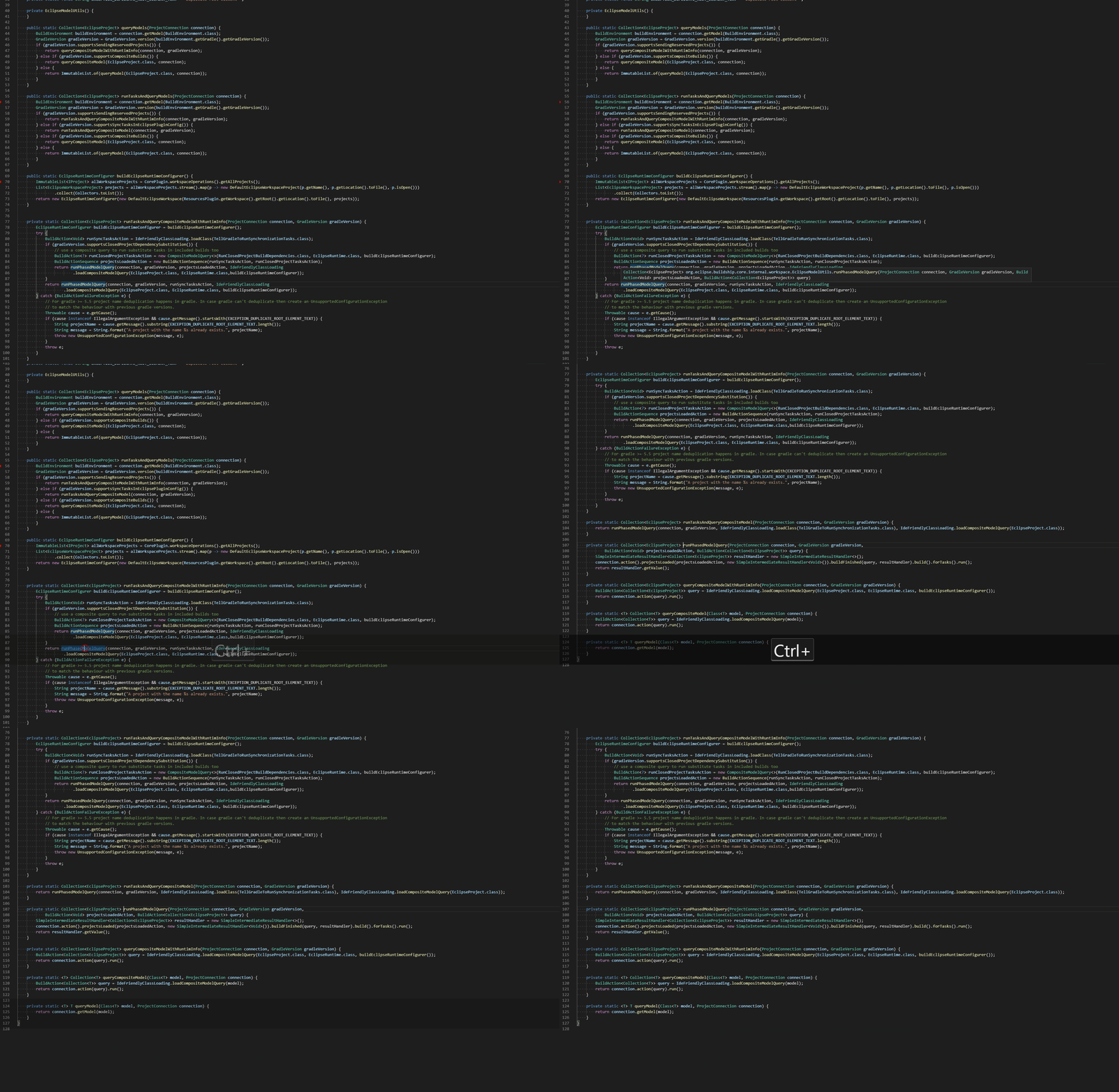
I expect the cursor to blink in the contributed content provider, or highlight the range with the selection because the definition response returns the range info.
 testforstephen
All 20 comments
(Experimental duplicate detection)
Thanks for submitting this issue. Please also check if it is already covered by an existing one, like:
![vscodebot[bot] picture](https://avatars2.githubusercontent.com/in/2406?v=4&s=40) vscodebot[bot]
on 12 Nov 2019
vscodebot[bot]
on 12 Nov 2019
Interesting one. With editable files, the cursor blinks so it's easy to locate the symbol. But in readonly files, the cursor is not blink, and the symbol is not highlighted either. So it's a bit challenging to find where the focus is.
 akaroml
on 13 Nov 2019
akaroml
on 13 Nov 2019
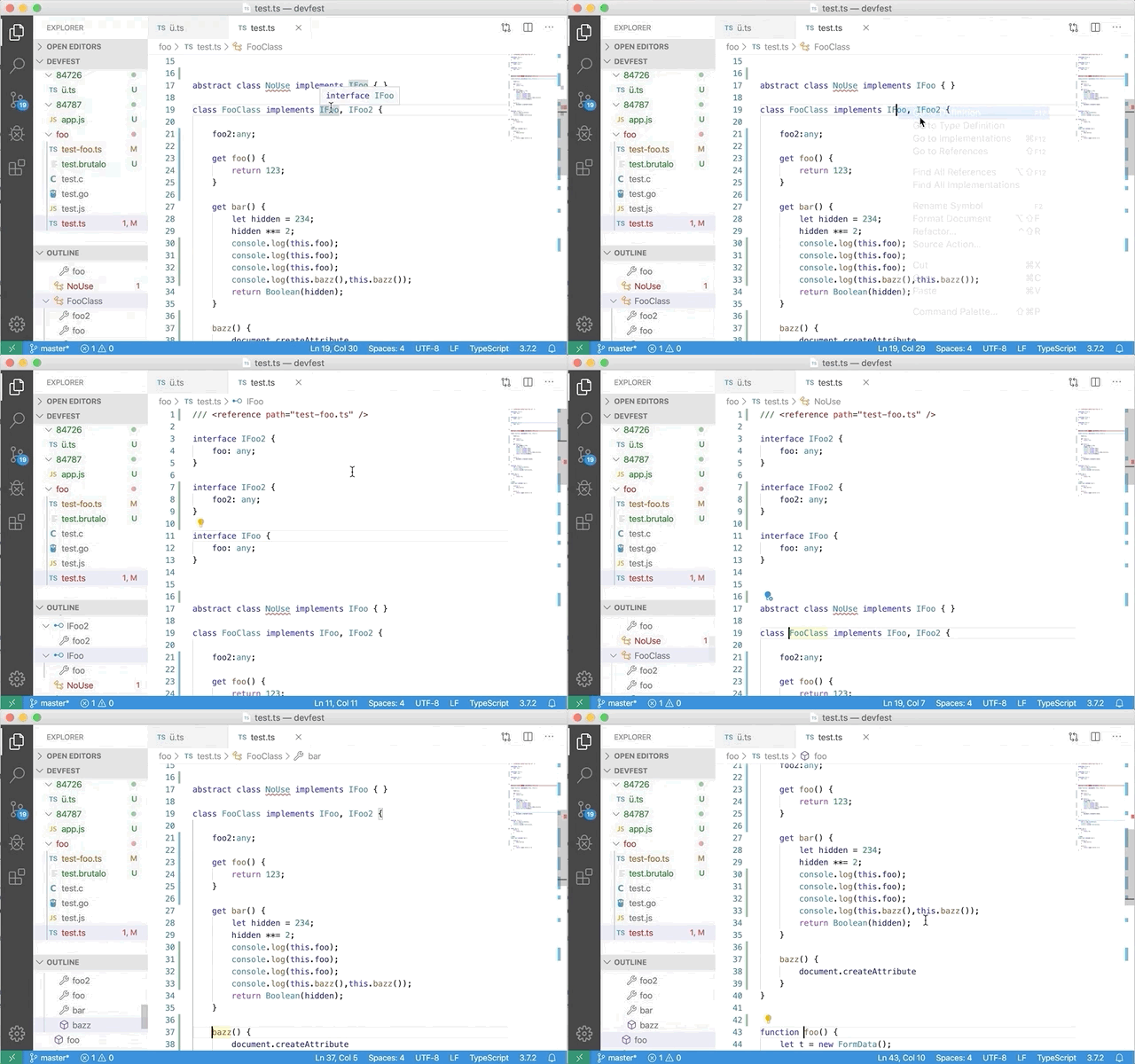
I have pushed this - for goto commands and symbol navigation. Let's how well it is received.
 jrieken
on 15 Nov 2019
jrieken
on 15 Nov 2019
How to try the new UX? I tried the latest insider, still old behavior.
Version: 1.41.0-insider (system setup)
Commit: fe03510f9e9fb269ca35da0ea600dd95279fa2b7
Date: 2019-11-18T05:31:02.684Z
Electron: 6.1.4
Chrome: 76.0.3809.146
Node.js: 12.4.0
V8: 7.6.303.31-electron.0
OS: Windows_NT x64 10.0.18363
testforstephen
on 18 Nov 2019
Yeah, it is in the build. It uses the range highlight color, e.g the color that quick outline preview uses. What theme are you using? Could it be that the color isn't prominent in that theme?
jrieken
on 18 Nov 2019
default dark. It's really hard to notice the quick blink in dark theme.
However, light theme looks good.
testforstephen
on 18 Nov 2019
Hm, we might wanna add a new theme color in that case, one which is more prominent for this case
jrieken
on 18 Nov 2019
I have pushed new theme colors: editor.symbolHighlightBackground and editor.symbolHighlightBorder. Currently they default to the range highlight color but we can now take something strong. Adding @misolori for color-consulting.
jrieken
on 18 Nov 2019
@jrieken is there a reason why the background color doesn't stay when you cycle through? I don't think we do any flashing of colors like that.
 misolori
on 20 Nov 2019
misolori
on 20 Nov 2019
I am open for suggestion but I wouldn't know when else to remove the highlight. Should it stay until you move the cursor out of the definition or when you start typing? Often you go to a definition and that's it, e.g. there is no "I am done" gesture. To make matters worst, often definition ranges aren't just an identifier but the whole thing, e.g the whole function, and that make detecting you move away harder
jrieken
on 20 Nov 2019
Closing for now - accepting more feedback via issues ;-)
jrieken
on 29 Nov 2019
to verify: trigger go to definition, notice a highlight for a short while. verify that the highlight color can be tweaked via: 'editor.symbolHighlightBackground' and 'editor.symbolHighlightBorder'
jrieken
on 2 Dec 2019
Can VS Code provide a more contrasting highlight color for dark theme by default? i believe most of users don't know how to customize the color for a specific theme.
testforstephen
on 3 Dec 2019
@misolori can you help with that 🔝
jrieken
on 3 Dec 2019
Imo the duration should be configurable. The quick highlight is a good start, but depending on how contrasting the color is it might be difficult to notice in the few hundred ms of display, and in general (non-configurable) duration-based visual effects are not good for vision impaired users.
Marking as steps needed pending discussion
 connor4312
on 3 Dec 2019
connor4312
on 3 Dec 2019
I’ll tweak the colors so it has a stronger contrast.
misolori
on 4 Dec 2019
@misolori Re-opening so that we don't forget the color tweak
jrieken
on 5 Dec 2019
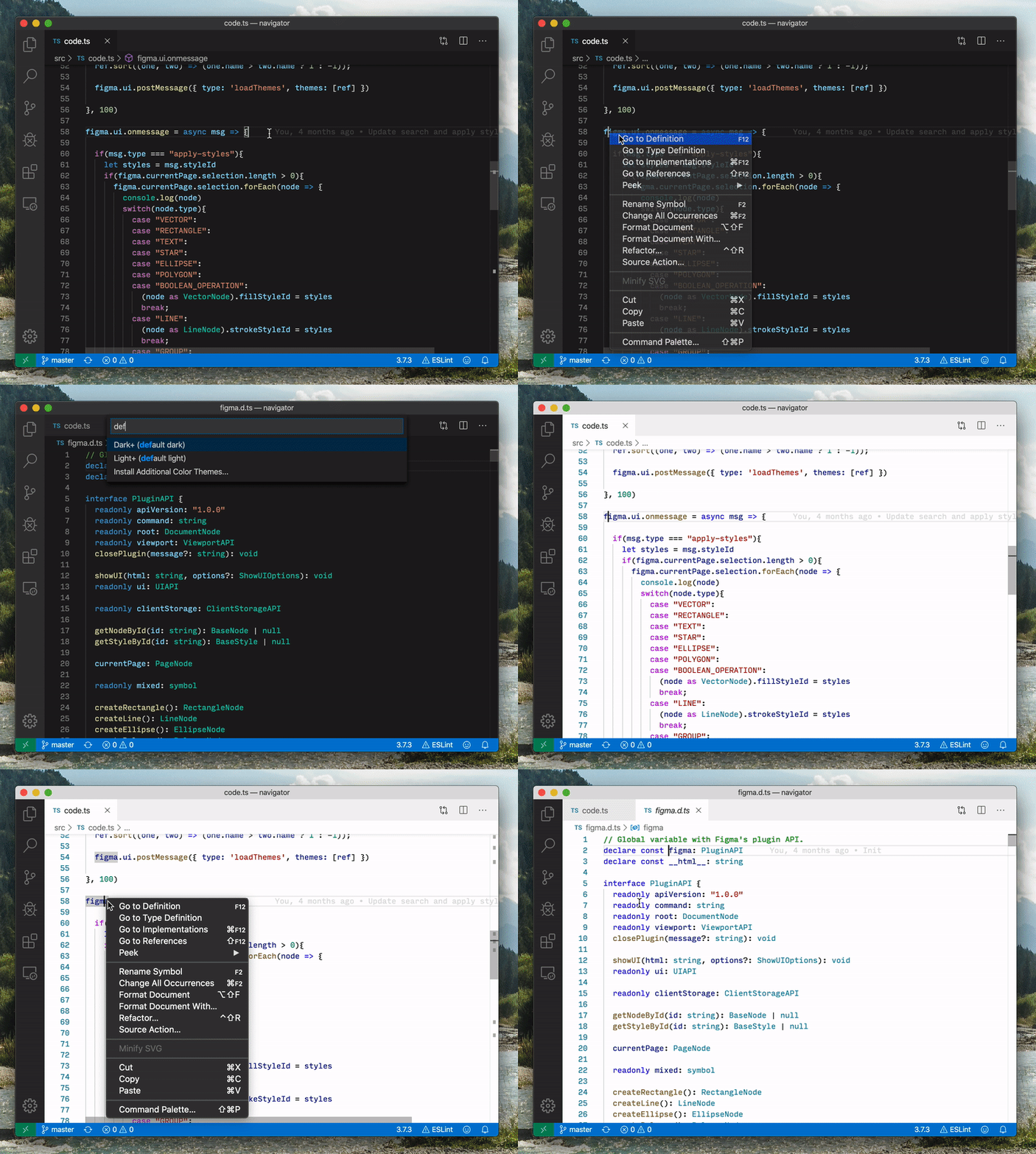
What about using the same color as either editor.wordHighlightStrongBackground or editor.findMatchHighlightBackground? I personally prefer the latter.
editor.wordHighlightStrongBackground
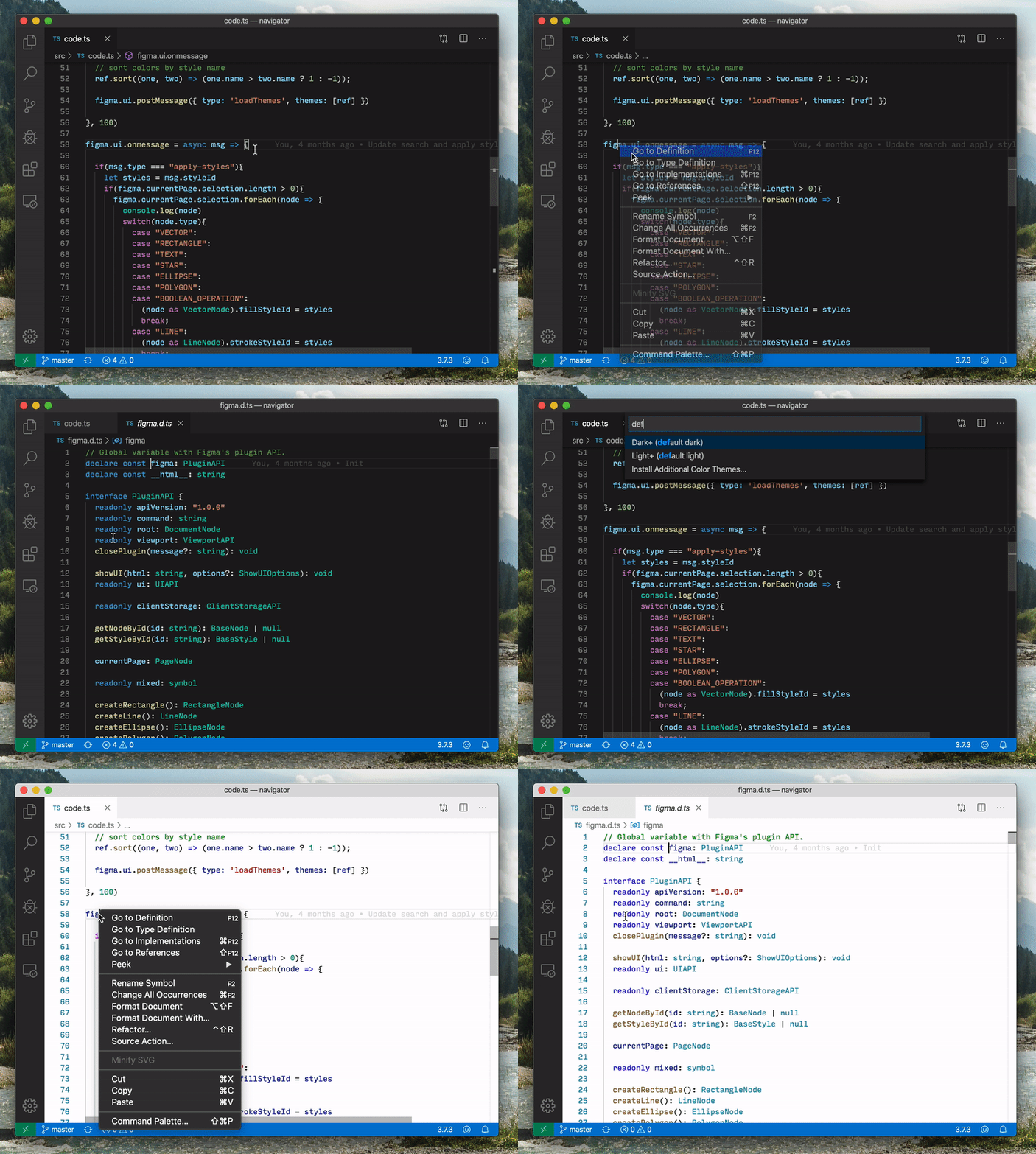
editor.findMatchHighlightBackground
misolori
on 5 Dec 2019
I have pushed a change to use editorFindMatchHighlight
jrieken
on 6 Dec 2019
Thank you both @misolori @jrieken
akaroml
on 6 Dec 2019
Related issues
 trstringer
·
3Comments
trstringer
·
3Comments
 vsccarl
·
3Comments
vsccarl
·
3Comments
 NikosEfthias
·
3Comments
NikosEfthias
·
3Comments
 villiv
·
3Comments
villiv
·
3Comments
 mrkiley
·
3Comments
mrkiley
·
3Comments
Most helpful comment
Imo the duration should be configurable. The quick highlight is a good start, but depending on how contrasting the color is it might be difficult to notice in the few hundred ms of display, and in general (non-configurable) duration-based visual effects are not good for vision impaired users.
Marking as steps needed pending discussion