Vscode: Cannot search for or access extensions when extensions are enabled
- VSCode Version: 1.40.0
- OS Version: Ubuntu 16.04
Steps to Reproduce:
- Uninstall vscode, delete ~/.vscode/ and ~/.config/Code
- Fresh reinstall
- Ctrl+Shift+X to access Extensions panel
- Clock icon appears on extensions logo, endless loading bar above "Search Extensions in Marketplace" box, upon typing anything the whole panel is blank.

Does this issue occur when all extensions are disabled?: Yes/No
Bizarrely, no. If I launch with code --disable-extensions the extensions panel search works as intended, and installing extensions appears to work. However keep in mind I have deleted ~/.vscode/ entirely so it is not a third-party extension causing this.
Any help would be appreciated.
 eao
eao
All 24 comments
Yea, my extension search has been broken for a while.
 ajsharp
on 10 Nov 2019
ajsharp
on 10 Nov 2019
Enable the log level to trace and please provide us following logs while reproducing
- Set log level using command
F1 > Set Log Level - Get window and shared logs from
F1 > Open View > Log - Open Developer tools and provide us with console logs
 sandy081
on 11 Nov 2019
sandy081
on 11 Nov 2019
Thanks for creating this issue! We figured it's missing some basic information or in some other way doesn't follow our issue reporting guidelines. Please take the time to review these and update the issue.
Happy Coding!
![vscodebot[bot] picture](https://avatars2.githubusercontent.com/in/2406?v=4&s=40) vscodebot[bot]
on 11 Nov 2019
vscodebot[bot]
on 11 Nov 2019
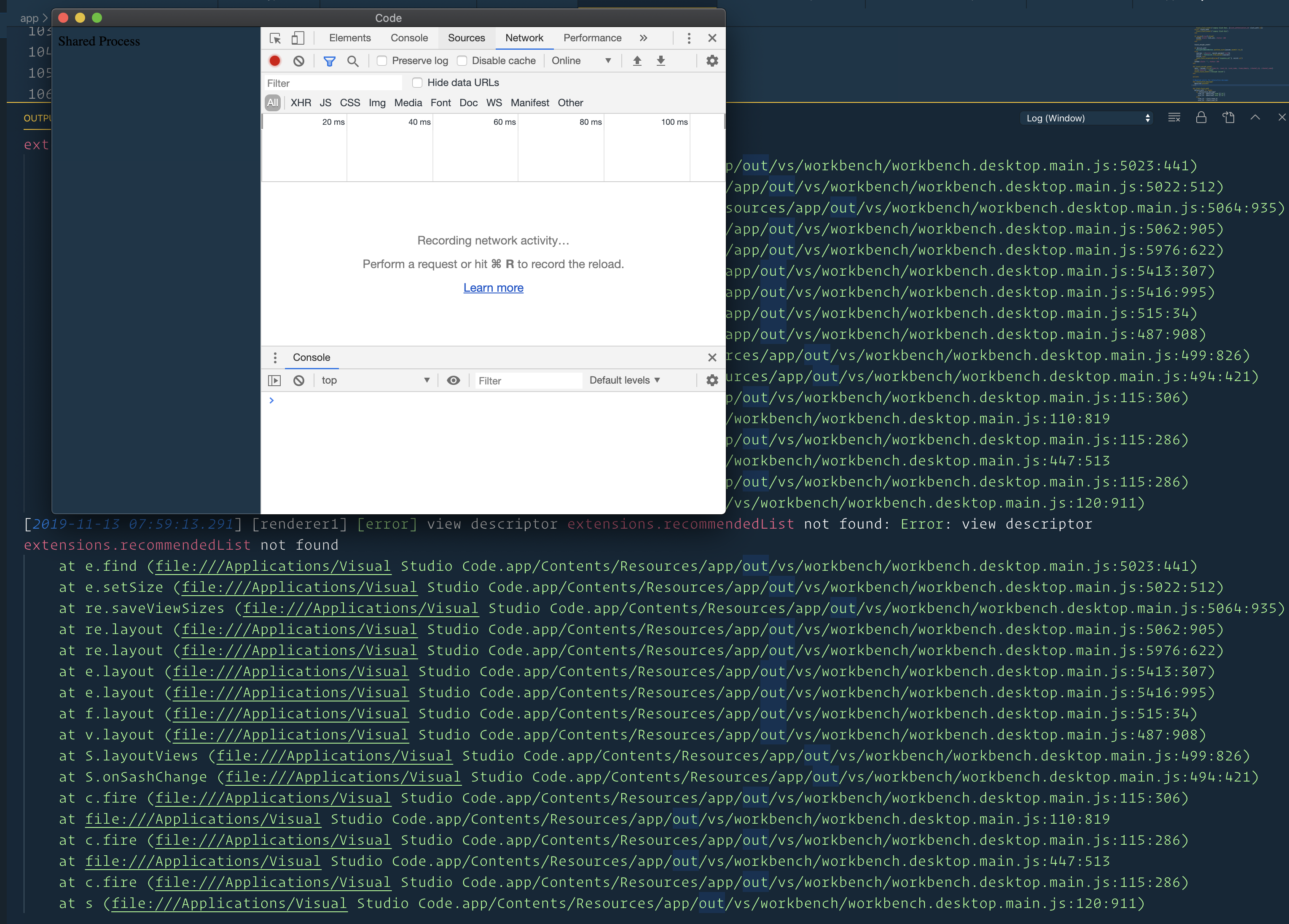
When I start typing an extension in, I get this:
[2019-11-11 17:39:07.303] [renderer1] [error] view descriptor extensions.recommendedList not found: Error: view descriptor extensions.recommendedList not found
    at e.find (file:///Applications/Visual Studio Code.app/Contents/Resources/app/out/vs/workbench/workbench.desktop.main.js:5023:441)
    at e.setCollapsed (file:///Applications/Visual Studio Code.app/Contents/Resources/app/out/vs/workbench/workbench.desktop.main.js:5022:254)
    at file:///Applications/Visual Studio Code.app/Contents/Resources/app/out/vs/workbench/workbench.desktop.main.js:5063:867
    at c.fire (file:///Applications/Visual Studio Code.app/Contents/Resources/app/out/vs/workbench/workbench.desktop.main.js:115:286)
    at file:///Applications/Visual Studio Code.app/Contents/Resources/app/out/vs/workbench/workbench.desktop.main.js:110:965
    at c.fire (file:///Applications/Visual Studio Code.app/Contents/Resources/app/out/vs/workbench/workbench.desktop.main.js:115:286)
    at file:///Applications/Visual Studio Code.app/Contents/Resources/app/out/vs/workbench/workbench.desktop.main.js:110:819
    at c.fire (file:///Applications/Visual Studio Code.app/Contents/Resources/app/out/vs/workbench/workbench.desktop.main.js:115:286)
    at t.DefaultRecommendedExtensionsView.set headerVisible [as headerVisible] (file:///Applications/Visual Studio Code.app/Contents/Resources/app/out/vs/workbench/workbench.desktop.main.js:533:763)
    at re.updateViewHeaders (file:///Applications/Visual Studio Code.app/Contents/Resources/app/out/vs/workbench/workbench.desktop.main.js:5040:636)
    at removePanels (file:///Applications/Visual Studio Code.app/Contents/Resources/app/out/vs/workbench/workbench.desktop.main.js:5039:730)
    at re.onDidRemoveViews (file:///Applications/Visual Studio Code.app/Contents/Resources/app/out/vs/workbench/workbench.desktop.main.js:5064:279)
    at file:///Applications/Visual Studio Code.app/Contents/Resources/app/out/vs/workbench/workbench.desktop.main.js:5061:622
    at c.fire (file:///Applications/Visual Studio Code.app/Contents/Resources/app/out/vs/workbench/workbench.desktop.main.js:115:286)
    at e.onDidChangeViewDescriptors (file:///Applications/Visual Studio Code.app/Contents/Resources/app/out/vs/workbench/workbench.desktop.main.js:5025:29)
    at file:///Applications/Visual Studio Code.app/Contents/Resources/app/out/vs/workbench/workbench.desktop.main.js:5021:326
    at c.fire (file:///Applications/Visual Studio Code.app/Contents/Resources/app/out/vs/workbench/workbench.desktop.main.js:115:286)
    at y.onContextChanged (file:///Applications/Visual Studio Code.app/Contents/Resources/app/out/vs/workbench/workbench.desktop.main.js:5020:633)
    at c.fire (file:///Applications/Visual Studio Code.app/Contents/Resources/app/out/vs/workbench/workbench.desktop.main.js:115:306)
    at file:///Applications/Visual Studio Code.app/Contents/Resources/app/out/vs/workbench/workbench.desktop.main.js:110:965
    at t.PauseableEmitter.fire (file:///Applications/Visual Studio Code.app/Contents/Resources/app/out/vs/workbench/workbench.desktop.main.js:115:286)
    at t.PauseableEmitter.fire (file:///Applications/Visual Studio Code.app/Contents/Resources/app/out/vs/workbench/workbench.desktop.main.js:116:69)
    at _.setContext (file:///Applications/Visual Studio Code.app/Contents/Resources/app/out/vs/workbench/workbench.desktop.main.js:1696:580)
    at m.set (file:///Applications/Visual Studio Code.app/Contents/Resources/app/out/vs/workbench/workbench.desktop.main.js:1695:35)
    at re.doSearch (file:///Applications/Visual Studio Code.app/Contents/Resources/app/out/vs/workbench/workbench.desktop.main.js:5979:541)
    at file:///Applications/Visual Studio Code.app/Contents/Resources/app/out/vs/workbench/workbench.desktop.main.js:5978:184
    at file:///Applications/Visual Studio Code.app/Contents/Resources/app/out/vs/workbench/workbench.desktop.main.js:145:398
[2019-11-11 17:39:07.315] [renderer1] [trace] telemetry/galleryService:query {"type":"text","text":"swag"}
[2019-11-11 17:39:07.315] [renderer1] [trace] RequestService#request https://marketplace.visualstudio.com/_apis/public/gallery/extensionquery
[2019-11-11 17:39:12.335] [renderer1] [trace] telemetry/UnhandledError {"msg":"view descriptor extensions.recommendedList not found","callstack":"Error: view descriptor extensions.recommendedList not found\n    at e.find (out/vs/workbench/workbench.desktop.main.js:5023:441)\n    at e.setCollapsed (out/vs/workbench/workbench.desktop.main.js:5022:254)\n    at out/vs/workbench/workbench.desktop.main.js:5063:867\n    at c.fire (out/vs/workbench/workbench.desktop.main.js:115:286)\n    at out/vs/workbench/workbench.desktop.main.js:110:965\n    at c.fire (out/vs/workbench/workbench.desktop.main.js:115:286)\n    at out/vs/workbench/workbench.desktop.main.js:110:819\n    at c.fire (out/vs/workbench/workbench.desktop.main.js:115:286)\n    at t.DefaultRecommendedExtensionsView.set headerVisible [as headerVisible] (out/vs/workbench/workbench.desktop.main.js:533:763)\n    at re.updateViewHeaders (out/vs/workbench/workbench.desktop.main.js:5040:636)\n    at removePanels (out/vs/workbench/workbench.desktop.main.js:5039:730)\n    at re.onDidRemoveViews (out/vs/workbench/workbench.desktop.main.js:5064:279)\n    at out/vs/workbench/workbench.desktop.main.js:5061:622\n    at c.fire (out/vs/workbench/workbench.desktop.main.js:115:286)\n    at e.onDidChangeViewDescriptors (out/vs/workbench/workbench.desktop.main.js:5025:29)\n    at out/vs/workbench/workbench.desktop.main.js:5021:326\n    at c.fire (out/vs/workbench/workbench.desktop.main.js:115:286)\n    at y.onContextChanged (out/vs/workbench/workbench.desktop.main.js:5020:633)\n    at c.fire (out/vs/workbench/workbench.desktop.main.js:115:306)\n    at out/vs/workbench/workbench.desktop.main.js:110:965\n    at t.PauseableEmitter.fire (out/vs/workbench/workbench.desktop.main.js:115:286)\n    at t.PauseableEmitter.fire (out/vs/workbench/workbench.desktop.main.js:116:69)\n    at _.setContext (out/vs/workbench/workbench.desktop.main.js:1696:580)\n    at m.set (out/vs/workbench/workbench.desktop.main.js:1695:35)\n    at re.doSearch (out/vs/workbench/workbench.desktop.main.js:5979:541)\n    at out/vs/workbench/workbench.desktop.main.js:5978:184\n    at out/vs/workbench/workbench.desktop.main.js:145:398","count":1}
@ajsharp Are you in the same state as mentioned in problem description? Can you please open following logs and provide us
- F1 > Open View > Log (Shared) / Log (Window)
- Also in the developer tools console
- Can you try opening shared process developer tools using
F1 > Developer: Toggle Shared Process
sandy081
on 13 Nov 2019
@sandy081 Similar, but I'm on OS X. What am I looking for in the developer console?
ajsharp
on 13 Nov 2019
Are there any steps to repro?
Can you try hiding the recommendations view in extensions viewlet and see if it still occurs?
sandy081
on 14 Nov 2019
@sandy081 Nope, broken all the time. The only thing I can think of is at some point I used an extension to sync settings across machines. IDK what extensions.recommendedList is, but I'm guessing there's a settings folder I can wipe and reinstalling should probably put it back where it's supposed be?
ajsharp
on 14 Nov 2019
I'm on Ubuntu 18.04 and extensions search has been broken for the last few days.
 hardikmodha
on 15 Nov 2019
hardikmodha
on 15 Nov 2019
@ajsharp Suspecting your UI state is messed up, can you please start VS Code with a new user data directory from command line using arg --user-data-dir <path_to_new_dir>
sandy081
on 15 Nov 2019
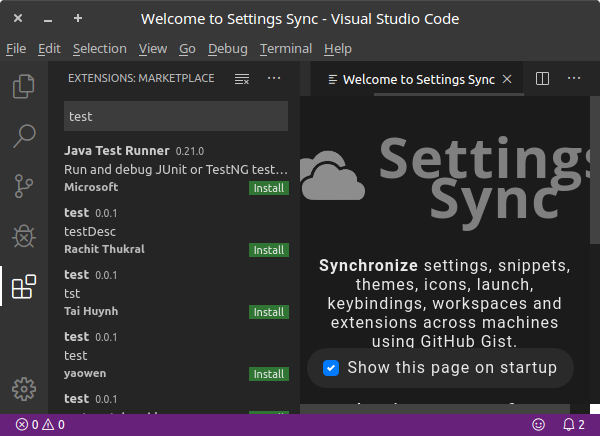
OP here, sorry I have been MIA. I will post logs from my end if needed, but I can confirm opening with --user-data-dir <path_to_new_dir> with some arbitrary empty directory fixes the problem for me (see picture). I can also say that, like @ajsharp I used the Settings Sync extension to sync settings across machines so perhaps this is the root of the problem somehow.

Still broken without that launch option however.
eao
on 16 Nov 2019
Can you please try if you can repro this after disabling the settings sync extension ?
sandy081
on 17 Nov 2019
Yes, the bug still occurs. As per the OP, it occurs even after I uninstall vscode, delete ~/.vscode/ and ~/.config/Code, then reinstall. (Note that this doesn't fully remove everything as random extensions can install themselves to hidden directories in various folders, such as ~/.vscode-cpptools. I don't know how to do a full clean uninstall.)
Also, the problem goes away even with Settings Sync enabled so long as I launch with --user-data-dir <path_to_new_dir> (see picture).
eao
on 19 Nov 2019
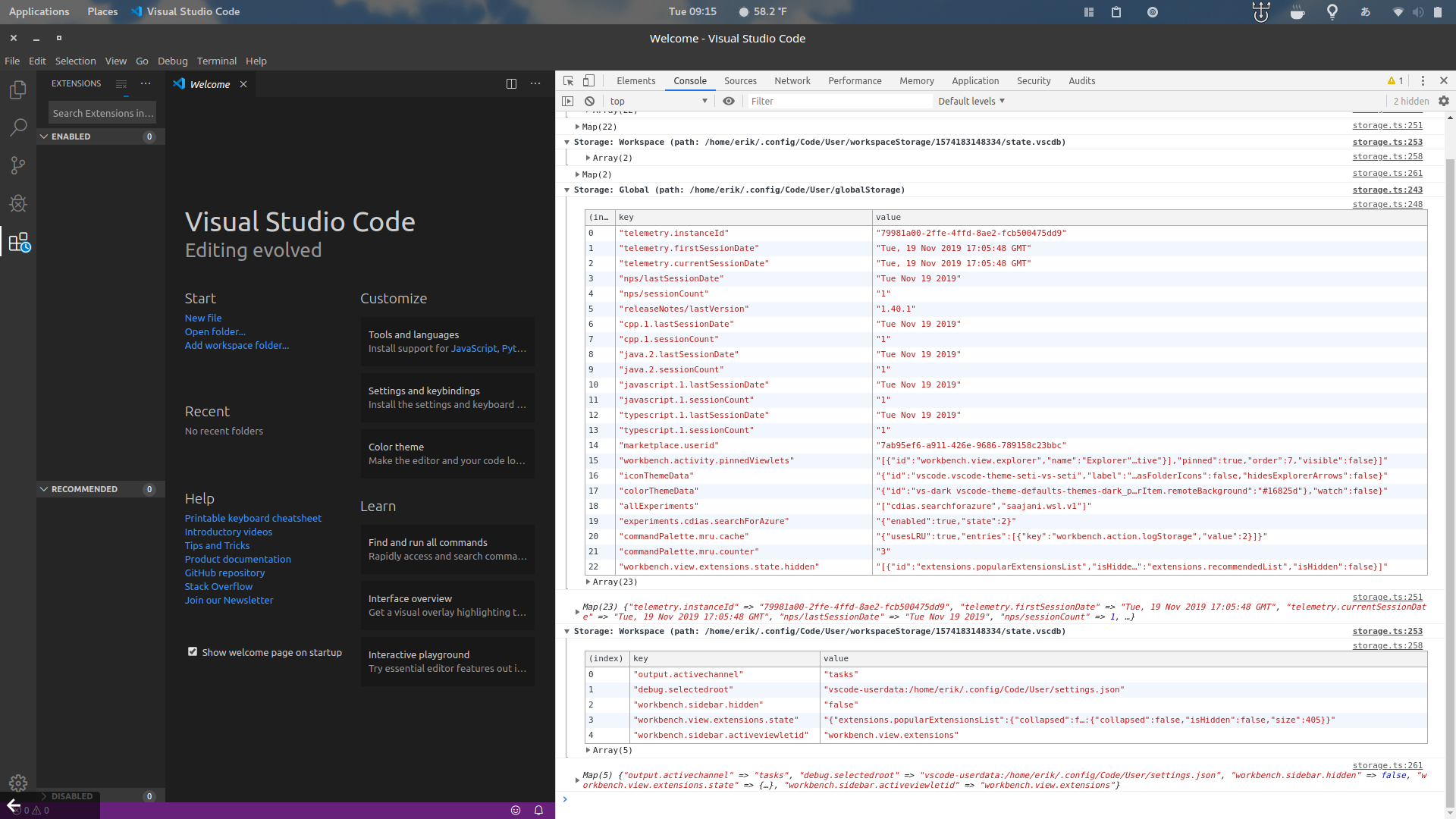
It confirms that your UI state is messed up and not sure how you got into that state. It would be great if you can provide us your UI state so that we can diagnose the issue.
@bpasero Is it possible for the user to provide us the UI state, if so can you please let us know how it can be?
sandy081
on 19 Nov 2019
@sandy081 there is a command:

You need to open developer tools to see the output, e.g.:

 bpasero
on 19 Nov 2019
bpasero
on 19 Nov 2019
Here is a picture of the output in developer tools as well as a zip file containing the dump of globalStorage and workspaceStorage.
eao
on 19 Nov 2019
I got the problem too on Ubuntu 18.04。After i uninstall the vscode and the ~/.config/Code and install it again,it works.
I can't remember how it occurs. After i found the vscode-cpp extension is not working, then i found my extension is loading all the time...
 sryanyuan
on 22 Nov 2019
sryanyuan
on 22 Nov 2019
Same problem here, using the latest versions of Code on Ubuntu installed via both Snap and the official deb package. I think I found part of the cause and a workaround.
Try starting vscode one of these two ways to fix the problem:
ELECTRON_RUN_AS_NODE=1 code/usr/share/code/bin/code(instead of justcode) which sets this for you, if you installed from deb
The point is, ELECTRON_RUN_AS_NODE needs to be set, which is handled automatically by the /usr/share/code/bin/code script but not by the root /usr/share/code/code binary. I have no idea if this is by design or part of a deeper bug, but it seems to fix the problem.
Additionally, it appears that the .desktop files provided by both the snap and deb packages are corrupt in some way. When I launch vscode from the Ubuntu launcher, it takes a long time to start, and extensions never load as described in this issue.
This is the command run by the desktop file for deb for instance:
/usr/share/code/code --no-sandbox --unity-launch
There's at least two problems here. The first, as mentioned above, is that it's calling the wrong binary and not setting the necessary env var. The second is that the --no-sandbox argument is invalid according to the CLI. Not sure if this contributes to the issue or not.
 danepowell
on 27 Nov 2019
danepowell
on 27 Nov 2019
Can confirm everything @danepowell wrote above, except launching vscode from the Ubuntu launcher, did not try that.
Running the command from the .desktop file in CLI results in error "Option 'sandbox' is unknown. Ignoring." But I also have my doubts if this is relevant to this specific issue, as running only /usr/share/code/code still results in the extensions problem regardless.
As a workaround for a quick launch I added alias vsc='/usr/share/code/bin/code' to my .bash_aliases.
eao
on 28 Nov 2019
@deepak1556 Also assigning this to you, please refer to above two comments.
sandy081
on 1 Dec 2019
This issue has been closed automatically because it needs more information and has not had recent activity. See also our issue reporting guidelines.
Happy Coding!
vscodebot[bot]
on 8 Dec 2019
I was experiencing this after updating to Ubuntu 18.04. The fix for me was to change the command in the properties of the desktop launcher to simply /usr/bin/code instead of /usr/share/code/code --no-sandbox --unity-launch. I had to reset the icon manually, but it now starts much quicker and the extensions view works...
 Gruntfuggly
on 6 Jan 2020
Gruntfuggly
on 6 Jan 2020
Is this still an issue with latest insiders https://code.visualstudio.com/insiders
 deepak1556
on 4 Nov 2020
deepak1556
on 4 Nov 2020
This issue has been closed automatically because it needs more information and has not had recent activity. See also our issue reporting guidelines.
Happy Coding!
 vscode-triage-bot
on 15 Nov 2020
vscode-triage-bot
on 15 Nov 2020
Related issues
 trstringer
·
3Comments
trstringer
·
3Comments
 sirius1024
·
3Comments
sirius1024
·
3Comments
 mrkiley
·
3Comments
mrkiley
·
3Comments
 borekb
·
3Comments
borekb
·
3Comments
 DovydasNavickas
·
3Comments
DovydasNavickas
·
3Comments
Most helpful comment
Same problem here, using the latest versions of Code on Ubuntu installed via both Snap and the official deb package. I think I found part of the cause and a workaround.
Try starting vscode one of these two ways to fix the problem:
ELECTRON_RUN_AS_NODE=1 code/usr/share/code/bin/code(instead of justcode) which sets this for you, if you installed from debThe point is, ELECTRON_RUN_AS_NODE needs to be set, which is handled automatically by the
/usr/share/code/bin/codescript but not by the root/usr/share/code/codebinary. I have no idea if this is by design or part of a deeper bug, but it seems to fix the problem.Additionally, it appears that the .desktop files provided by both the snap and deb packages are corrupt in some way. When I launch vscode from the Ubuntu launcher, it takes a long time to start, and extensions never load as described in this issue.
This is the command run by the desktop file for deb for instance:
/usr/share/code/code --no-sandbox --unity-launchThere's at least two problems here. The first, as mentioned above, is that it's calling the wrong binary and not setting the necessary env var. The second is that the
--no-sandboxargument is invalid according to the CLI. Not sure if this contributes to the issue or not.