Vscode: Find in Selection expands to whole line
- VSCode Version: 1.37.1
- OS Version: Windows 10
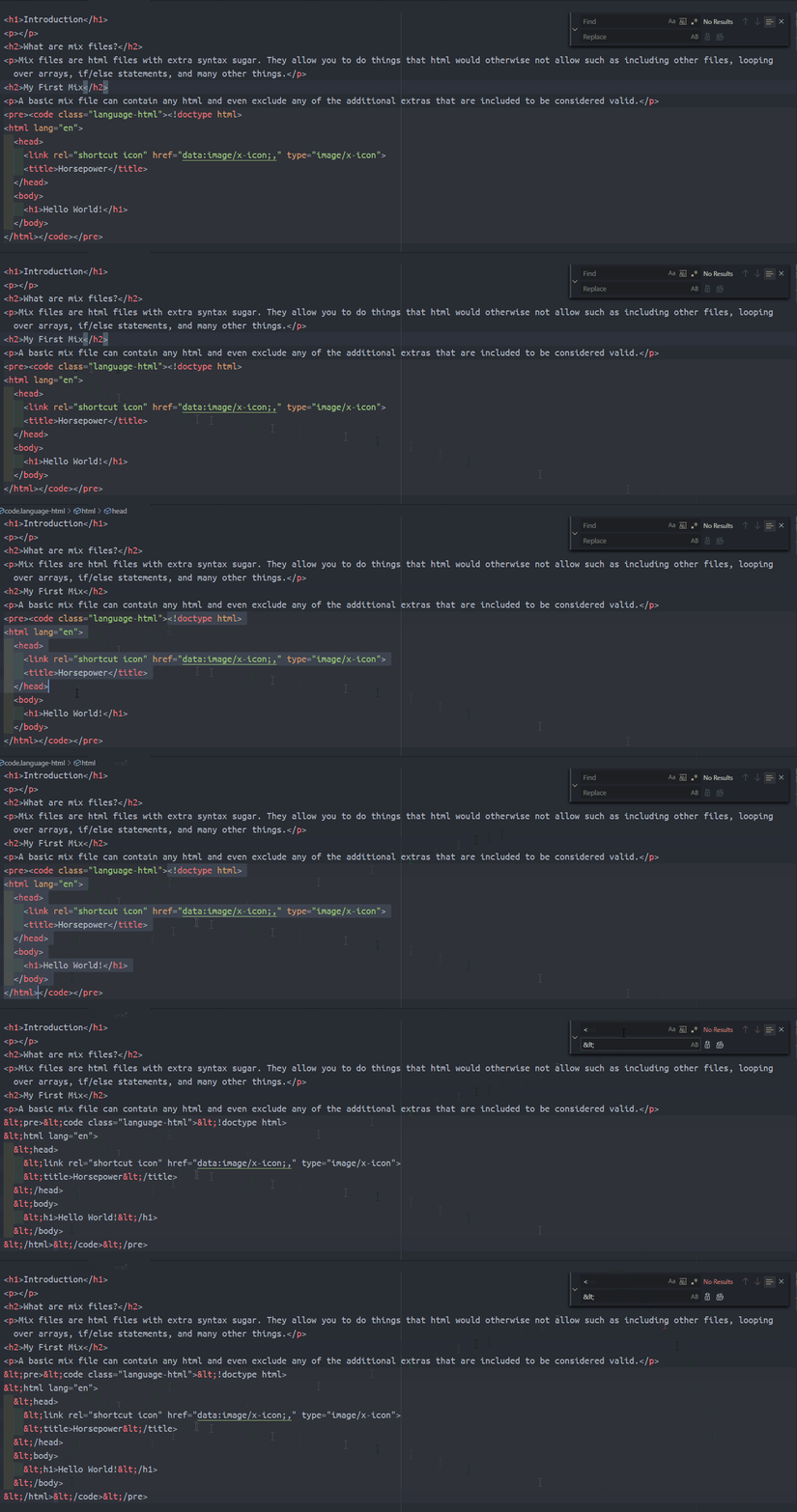
Steps to Reproduce:
- Select text multiline (start of middle of line through end of middle of line)
- Do a find and replace on selection only
Expected Output:
The text in only the selection gets replaced
Actual Output:
The text in the selection is replaced along with the rest of the line outside of the selection.
 TheColorRed
All 7 comments
(Experimental duplicate detection)
Thanks for submitting this issue. Please also check if it is already covered by an existing one, like:
![vscodebot[bot] picture](https://avatars2.githubusercontent.com/in/2406?v=4&s=40) vscodebot[bot]
on 28 Aug 2019
vscodebot[bot]
on 28 Aug 2019
Looked into this again. This is as expected and designed this way.
 rebornix
on 24 Oct 2019
rebornix
on 24 Oct 2019
Looked into this again. This is as expected and designed this way.
If so, shouldn't be current Find in selection renamed to Find in selected lines, or something like that? This issue clearly illustrates it is quite misleading.
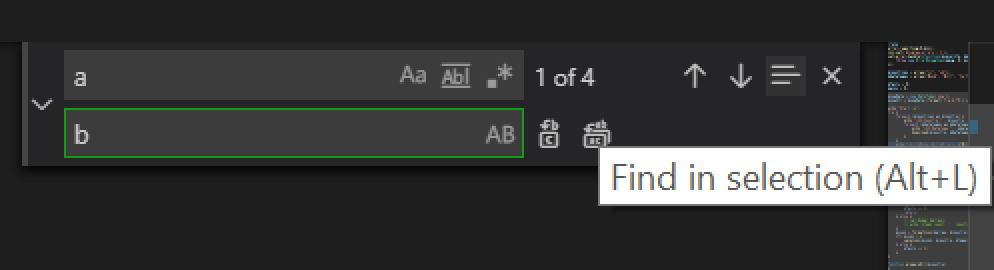
Correct label describing current intended behavior should probably be Set search range to whole lines containing primary selection and discard all selections if there is at least one search match.
 myfonj
on 30 Oct 2019
myfonj
on 30 Oct 2019
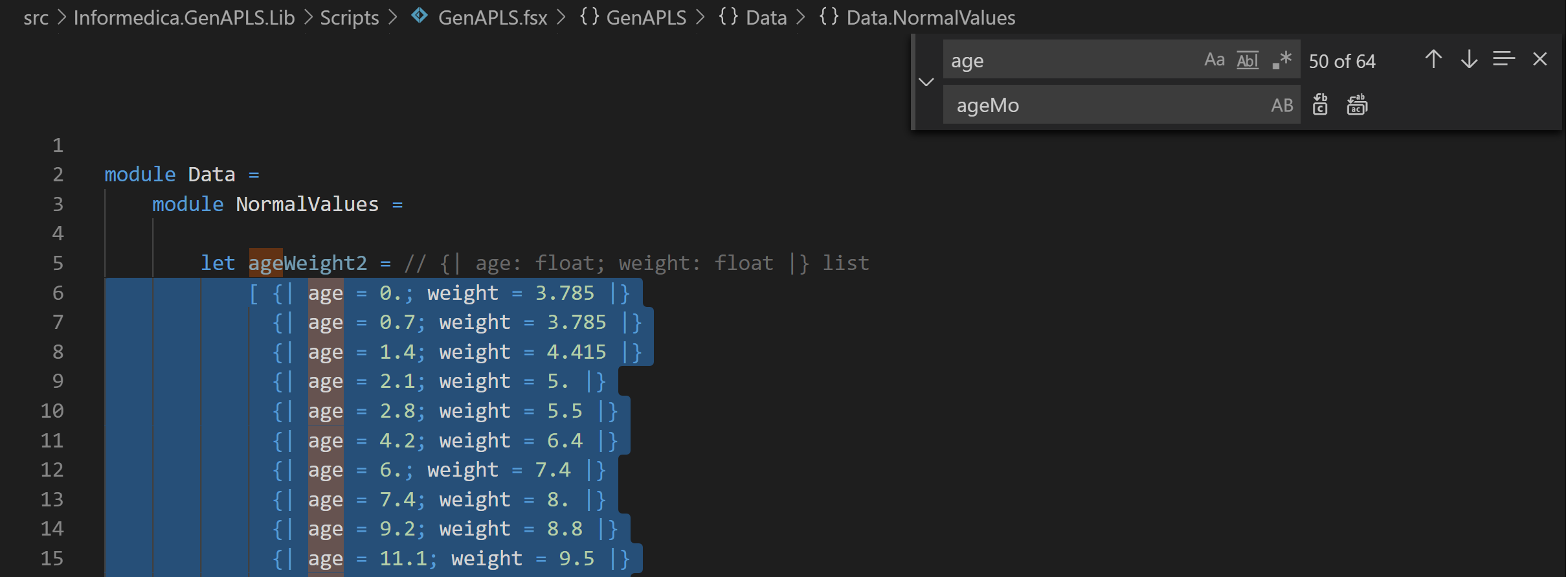
This issue seems to be either fixed or intended behavior, but I don't understand it at all. When I do this:
- In an code file, select a code section, hit ctrl-h,
- Type something to be replaced,
- Enable the selection button,
- Perform the selection.
Still everything outside the selection gets replaced as well. This is either intended behavior or not a bug?? How then should I limit my replacement to the selection?
 halcwb
on 7 Nov 2019
halcwb
on 7 Nov 2019
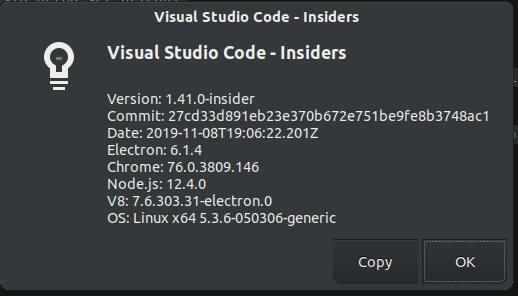
I also have this issue, selecting a portion and clicking "replace all" replaces all instances in my file.
 kiwidoggie
on 17 Nov 2019
kiwidoggie
on 17 Nov 2019
This feature request is now a candidate for our backlog. The community has 60 days to upvote the issue. If it receives 20 upvotes we will move it to our backlog. If not, we will close it. To learn more about how we handle feature requests, please see our documentation.
Happy Coding!
vscodebot[bot]
on 2 Apr 2020
:slightly_smiling_face: This feature request received a sufficient number of community upvotes and we moved it to our backlog. To learn more about how we handle feature requests, please see our documentation.
Happy Coding!
 vscode-triage-bot
on 21 Apr 2020
vscode-triage-bot
on 21 Apr 2020
Related issues
 villiv
·
3Comments
villiv
·
3Comments
 VitorLuizC
·
3Comments
VitorLuizC
·
3Comments
 curtw
·
3Comments
curtw
·
3Comments
 DovydasNavickas
·
3Comments
DovydasNavickas
·
3Comments
 sirius1024
·
3Comments
sirius1024
·
3Comments
Most helpful comment
If so, shouldn't be current
Find in selectionrenamed toFind in selected lines, or something like that? This issue clearly illustrates it is quite misleading.Correct label describing current intended behavior should probably be
Set search range to whole lines containing primary selection and discard all selections if there is at least one search match.