Vscode: Import statement Intellisense problem and suggestions for the imported
Import statement intellisense doesn't work for some cases like this

This must complete @sapper/app.mjs as it is a module related to the directory
this is my directory

But I found an extension that does that trick see when enabling it the matter works

But the problem is that the imported module doesn't have intellisense see here

This should have completed sapper.start and other methods like sapper.goto They are exported from that file
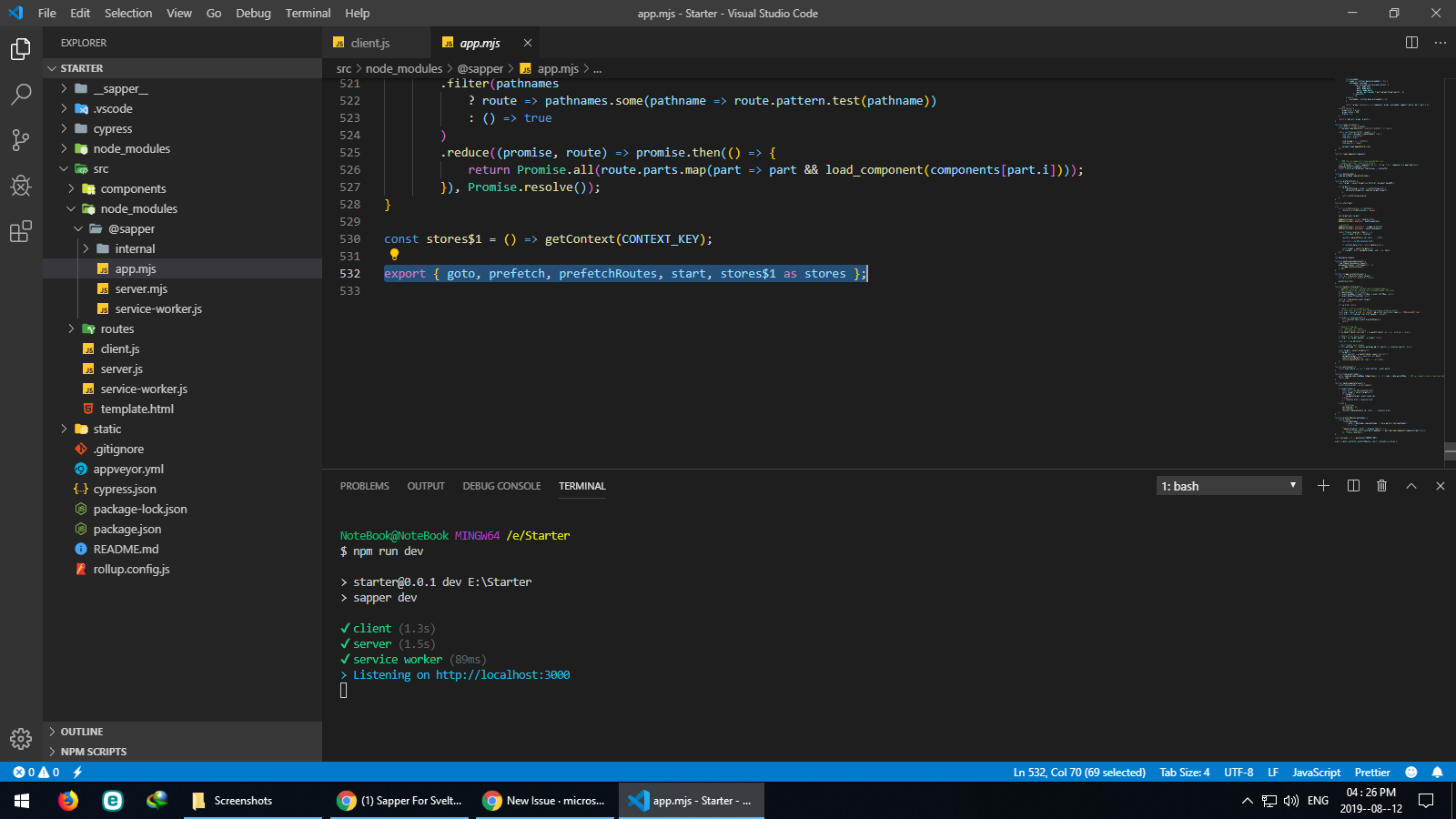
So, what to do here? Am I missing something or configuration?
 minkir014
All 13 comments
(Experimental duplicate detection)
Thanks for submitting this issue. Please also check if it is already covered by an existing one, like:
![vscodebot[bot] picture](https://avatars2.githubusercontent.com/in/2406?v=4&s=40) vscodebot[bot]
on 12 Aug 2019
vscodebot[bot]
on 12 Aug 2019
Please share steps to reproduce this issue (possible with a small example project)
/needsMoreInfo
 mjbvz
on 12 Aug 2019
mjbvz
on 12 Aug 2019
Thanks for creating this issue! We figured it's missing some basic information or in some other way doesn't follow our issue reporting guidelines. Please take the time to review these and update the issue.
Happy Coding!
vscodebot[bot]
on 12 Aug 2019
First I am on node 10.16.0 and the latest vs code version
Reproduce Steps:
- run command
npx degit sveltejs/sapper-template#rollup Starterto generate the project. - open the project in vs code and the
client.jsin thesrcfolder and erase everything in it - try what happens in the
gifpictures above
Side Note:
The extension I mentioned in my above comment is here https://marketplace.visualstudio.com/items?itemName=leizongmin.node-module-intellisense
minkir014
on 13 Aug 2019
Have you ran into a problem about creating sapper project???
minkir014
on 14 Aug 2019
@mjbvz Is there any news about the issue??
minkir014
on 16 Aug 2019
Hey. Why have this issue been forgotten? Is there anyone can help???
minkir014
on 20 Aug 2019
If you want support for individual problems, try asking on stackoverflow. This is likely a config issue with your project
I'll look into it but it isnt a priority
mjbvz
on 20 Aug 2019
This issue has been closed automatically because it needs more information and has not had recent activity. See also our issue reporting guidelines.
Happy Coding!
vscodebot[bot]
on 27 Aug 2019
This issue has been closed automatically because it needs more information and has not had recent activity. See also our issue reporting guidelines.
Happy Coding!
vscodebot[bot]
on 3 Sep 2019
This is currently the only open issue that references '.mjs' -- is there anyway to get MJS files treated as JS files? .mjs is now often a required extension for ES modules (strangely, not .mes...)
 leegee
on 23 Sep 2019
mjbvz
on 23 Sep 2019
leegee
on 23 Sep 2019
mjbvz
on 23 Sep 2019
This is a configuration issue.
'@sapper' is not an import that our IntelliSense can understand by default. You can confirm this by enabling semantic checking in the js file.
At starting point, create a jsconfig.json and configure paths so that VS Code can resolve @sapper to the correct location
mjbvz
on 31 Oct 2019
Related issues
 shanalikhan
·
3Comments
shanalikhan
·
3Comments
 trstringer
·
3Comments
trstringer
·
3Comments
 villiv
·
3Comments
villiv
·
3Comments
 philipgiuliani
·
3Comments
trstringer
·
3Comments
philipgiuliani
·
3Comments
trstringer
·
3Comments