Vscode: Color theme faded/less contrast
- VSCode Version: 1.36.0 (1.36.0)
- OS Version: OSX Mojave 10.14.5 (18F132)
Steps to Reproduce:
- I am using the One Dark Pro Vivid color theme together with the Material Icon Theme.
- All the colors on VS Code seem to be faded and have less contrast after the update to version 1.36.0.
- I will like the colors to be like they were before the update.
Before the update:
After the update to version 1.36.0:

 jellythewobbly
All 13 comments
(Experimental duplicate detection)
Thanks for submitting this issue. Please also check if it is already covered by an existing one, like:
![vscodebot[bot] picture](https://avatars2.githubusercontent.com/in/2406?v=4&s=40) vscodebot[bot]
on 5 Jul 2019
vscodebot[bot]
on 5 Jul 2019
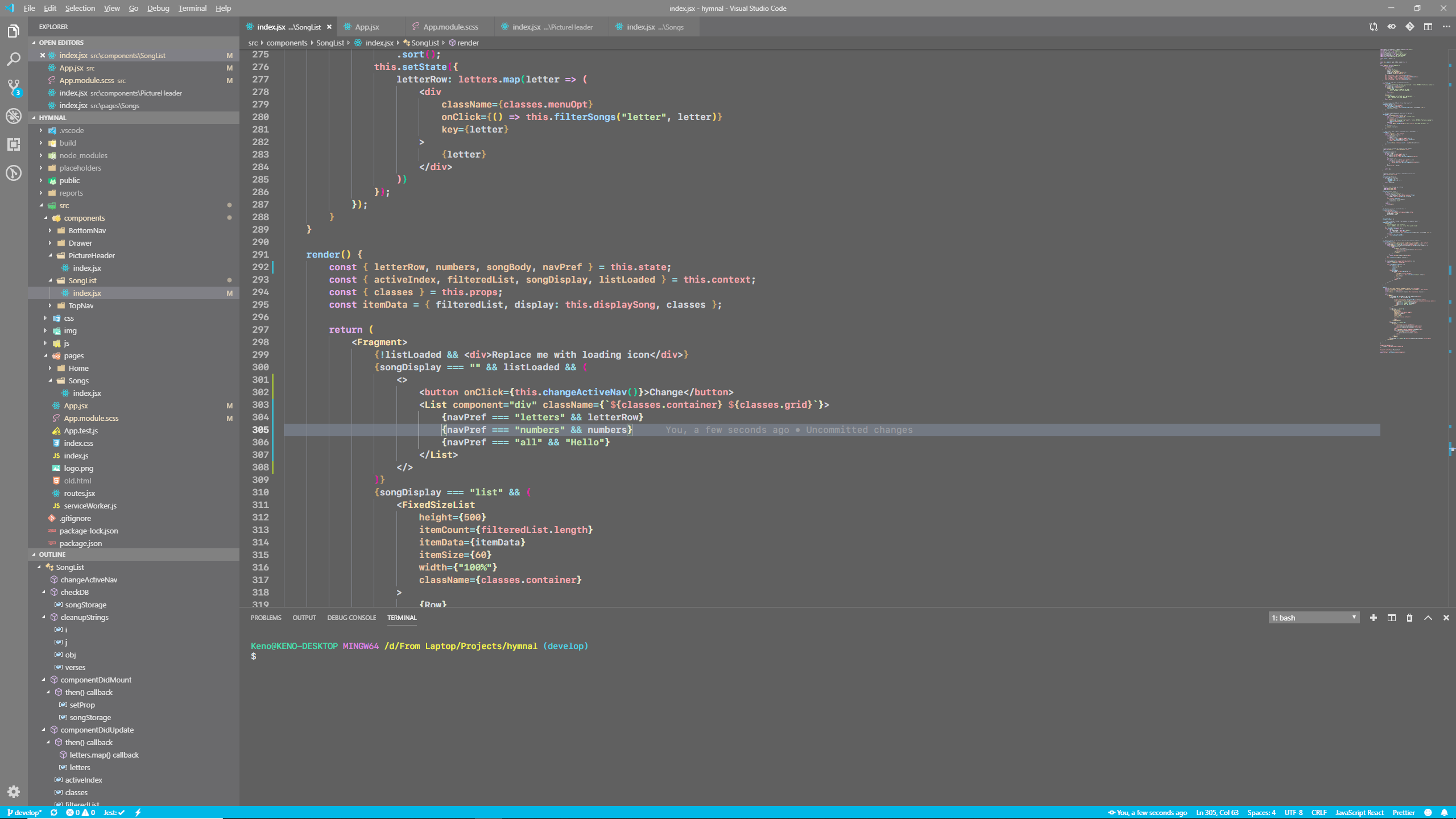
Having this issue as well with almost every one of my dark themes. Currently using Super One Dark as an example.
 dons20
on 5 Jul 2019
dons20
on 5 Jul 2019
Same VSCode appears to be faded after updating to version 1.36
 sxnaprkhr
on 5 Jul 2019
sxnaprkhr
on 5 Jul 2019
Any difference running code --disable-gpu --force-color-profile=srgb?
 bpasero
on 5 Jul 2019
bpasero
on 5 Jul 2019
Doesn't seem to be working for me
jellythewobbly
on 5 Jul 2019
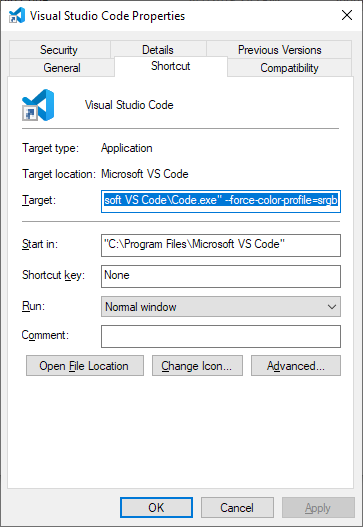
code --force-color-profile=srgb works for me with version 1.36
 gjkunst
on 8 Jul 2019
gjkunst
on 8 Jul 2019
@gjkunst wow thanks for that, it worked for me as well.
dons20
on 8 Jul 2019
Hi, I have the same issue. Those two command lines don't work on my Ubuntu 1804 LTS. Just wondering, have you tried Base16 Dark Monokai from Base16 theme v1.4.5 by A.D.C. ? Do you think that theme color faded?
 NewtMa
on 9 Jul 2019
NewtMa
on 9 Jul 2019
We are building exploration builds that use a much newer version of our UI framework (Electron version 6.0.x). I wonder if this issue reproduces with one of these builds, could you try? Download:
bpasero
on 9 Jul 2019
@bpasero wow, you nailed it!!!!! Thank you so much. I have tried the DEB version and it worked.
NewtMa
on 9 Jul 2019
Exploration version is great. Will be closing the issue, cheers.
jellythewobbly
on 11 Jul 2019
Great, let's leave this open though until we shipped Electron 6.
bpasero
on 11 Jul 2019
This is the root cause of the issue that I've been getting reports on where the terminal is darker than the rest of the editor. The terminal and minimap (canvases) are the correct colors, everything else is wrong :tada:
 Tyriar
on 31 Jul 2019
Tyriar
on 31 Jul 2019
Related issues
 DovydasNavickas
·
3Comments
DovydasNavickas
·
3Comments
 vsccarl
·
3Comments
vsccarl
·
3Comments
 NikosEfthias
·
3Comments
NikosEfthias
·
3Comments
 borekb
·
3Comments
borekb
·
3Comments
 mrkiley
·
3Comments
mrkiley
·
3Comments
Most helpful comment
We are building exploration builds that use a much newer version of our UI framework (Electron version 6.0.x). I wonder if this issue reproduces with one of these builds, could you try? Download: