Issue Type: Bug
Links in markdown documents are blinking.

VS Code version: Code 1.36.0 (0f3794b38477eea13fb47fbe15a42798e6129338, 2019-07-03T13:09:31.507Z)
OS version: Darwin x64 18.6.0
System Info
|Item|Value|
|---|---|
|CPUs|Intel(R) Core(TM) i7-8569U CPU @ 2.80GHz (8 x 2800)|
|GPU Status|2d_canvas: enabled
flash_3d: enabled
flash_stage3d: enabled
flash_stage3d_baseline: enabled
gpu_compositing: enabled
multiple_raster_threads: enabled_on
native_gpu_memory_buffers: enabled
oop_rasterization: disabled_off
protected_video_decode: unavailable_off
rasterization: enabled
skia_deferred_display_list: disabled_off
skia_renderer: disabled_off
surface_synchronization: enabled_on
video_decode: enabled
viz_display_compositor: disabled_off
webgl: enabled
webgl2: enabled|
|Load (avg)|2, 2, 2|
|Memory (System)|16.00GB (0.04GB free)|
|Process Argv|.|
|Screen Reader|no|
|VM|14%|
Extensions (18)
Extension|Author (truncated)|Version
---|---|---
npm-intellisense|chr|1.3.0
path-intellisense|chr|1.4.2
vscode-eslint|dba|1.9.0
EditorConfig|Edi|0.13.0
prettier-vscode|esb|1.9.0
auto-close-tag|for|0.5.6
auto-rename-tag|for|0.1.0
coldfusion|ili|1.0.1
docthis|joe|0.7.1
atom-keybindings|ms-|3.0.6
color-highlight|nau|2.3.0
code-spell-checker|str|1.7.17
vscode-status-bar-format-toggle|tom|1.5.0
sort-lines|Tyr|1.8.0
vscode-wakatime|Wak|2.1.2
quokka-vscode|Wal|1.0.233
highlight-bad-chars|wen|0.0.3
vscode-caddyfile-syntax|zam|1.0.1
 allanchau
All 23 comments
(Experimental duplicate detection)
Thanks for submitting this issue. Please also check if it is already covered by an existing one, like:
![vscodebot[bot] picture](https://avatars2.githubusercontent.com/in/2406?v=4&s=40) vscodebot[bot]
on 5 Jul 2019
vscodebot[bot]
on 5 Jul 2019
Does this still happen if you disable all extensions?
 mjbvz
on 8 Jul 2019
mjbvz
on 8 Jul 2019
@mjbvz It's not happening with or without extensions today 🤷♂.
allanchau
on 9 Jul 2019
@mjbvz
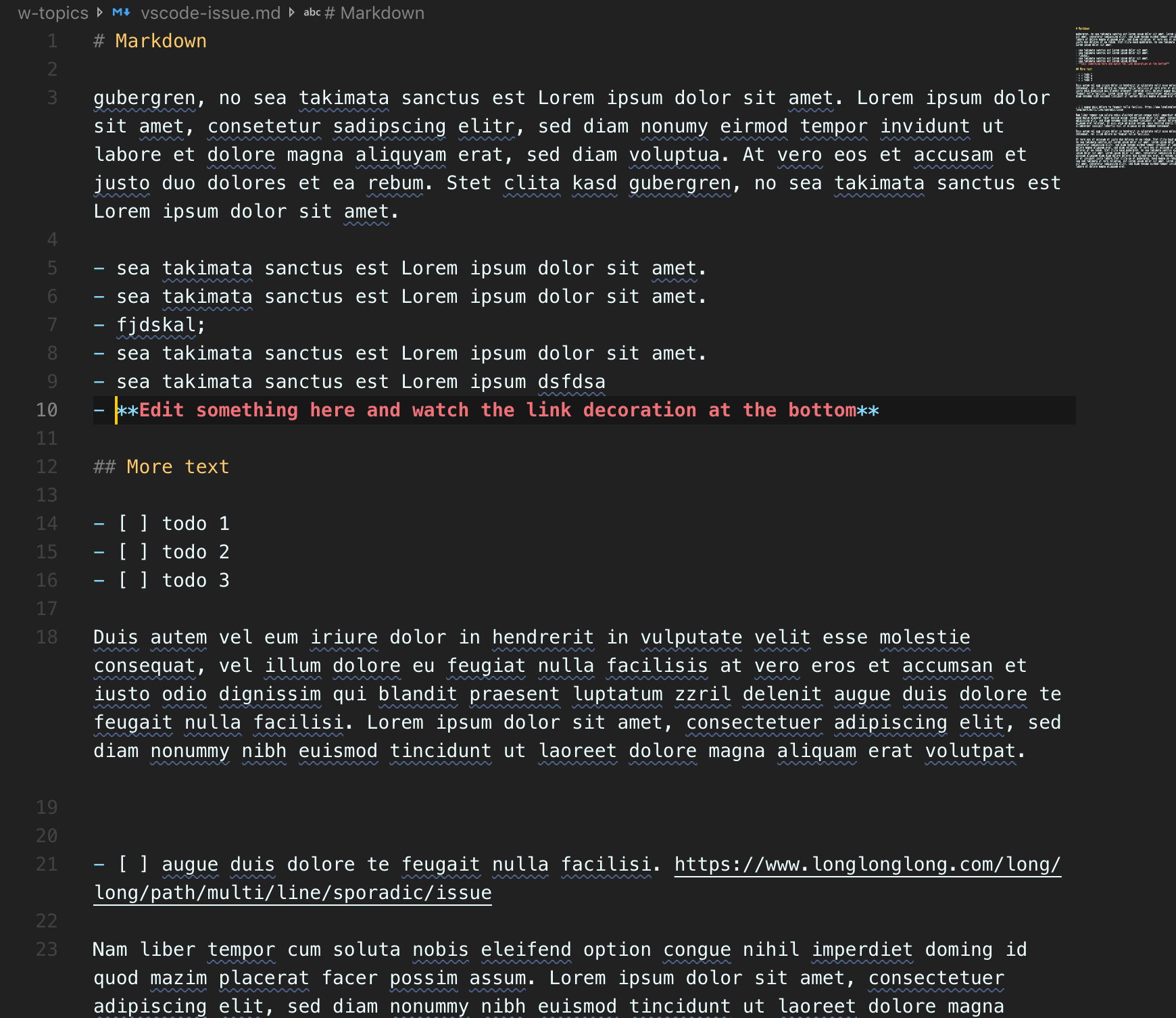
It's quite difficult to reproduce this issue:
The properbility is higher if:
- I you edit other text, so not the link it self
- If the file has some other content apart from the link
- If the window is narrow, that the link is wrapped to the next line
- Sometimes the last part of the link starts toggling (underline appears and disappears) when I click randomly inside the text document
See example:
I've just one extension in common with @allanchau
code-spell-checker
 alexwall
on 9 Jul 2019
alexwall
on 9 Jul 2019
Example file
# Markdown

gubergren, no sea takimata sanctus est Lorem ipsum dolor sit amet. Lorem ipsum dolor sit amet, consetetur sadipscing elitr, sed diam nonumy eirmod tempor invidunt ut labore et dolore magna aliquyam erat, sed diam voluptua. At vero eos et accusam et justo duo dolores et ea rebum. Stet clita kasd gubergren, no sea takimata sanctus est Lorem ipsum dolor sit amet.


- sea takimata sanctus est Lorem ipsum dolor sit amet.
- sea takimata sanctus est Lorem ipsum dolor sit amet.
- fjdskal; n fdsa f dsajkl ;
- fdsa fjdla
- fdjlsafd jskal;f jsa
- fd ajdksla;
- djksla f  fdjksla; f ajfwj jfa  fdsaj jkfld;sajklf;dsaiw gjkflds;a fdsa
- fdsa fdsafdsa  fdsa f j
- [ ] #plan fdsa  fdjsaklf fdsa fdsa fdsa f jfdkls ajfksal;j
- [ ] #plan fdsjlfds aliweroo fsfdsa j fdsjkalow
- sea takimata sanctus est Lorem ipsum dsfdsa
- **Edit something here and watch link decoration at the bottom**

## More text

- [ ] @todo 1
- [ ] #next todo 2 fdjskal fj dksla;fj dklsajfja
- [ ] todo 3

Duis autem vel eum iriure dolor in hendrerit in vulputate velit esse molestie consequat, vel illum dolore eu feugiat nulla facilisis at vero eros et accumsan et iusto odio dignissim qui blandit praesent luptatum zzril delenit augue duis dolore te feugait nulla facilisi. Lorem ipsum dolor sit amet, consectetuer adipiscing elit, sed diam nonummy nibh euismod tincidunt ut laoreet dolore magna aliquam erat volutpat.


- [ ] augue duis dolore te feugait nulla facilisi. https://www.longlonglong.com/long/long/path/multi/line/sporadic/issue

Nam liber tempor cum soluta nobis eleifend option congue nihil imperdiet doming id quod mazim placerat facer possim assum. Lorem ipsum dolor sit amet, consectetuer adipiscing elit, sed diam nonummy nibh euismod tincidunt ut laoreet dolore magna aliquam erat volutpat. Ut wisi enim ad minim veniam, quis nostrud exerci tation ullamcorper suscipit lobortis nisl ut aliquip ex ea commodo consequat.

Duis autem vel eum iriure dolor in hendrerit in vulputate velit esse molestie consequat, vel illum dolore eu feugiat nulla facilisis.

At vero eos et accusam et justo duo dolores et ea rebum. Stet clita kasd gubergren, no sea takimata sanctus est Lorem ipsum dolor sit amet. Lorem ipsum dolor sit amet, consetetur sadipscing elitr, sed diam nonumy eirmod tempor invidunt ut labore et dolore magna aliquyam erat, sed diam voluptua. At vero eos et accusam et justo duo dolores et ea rebum. Stet clita kasd gubergren, no sea takimata sanctus est Lorem ipsum dolor sit amet. Lorem ipsum dolor sit amet, consetetur sadipscing elitr, At accusam aliquyam diam diam dolore dolores duo eirmod eos erat, et nonumy sed tempor et et invidunt justo labore Stet clita ea et gubergren, kasd magna no rebum. sanctus sea sed takimata ut vero voluptua. est Lorem ipsum dolor sit amet. Lorem ipsum dolor sit amet, consetetur sadipscing elitr, sed diam nonumy eirmod tempor invidunt ut labore et dolore magna aliquyam erat.
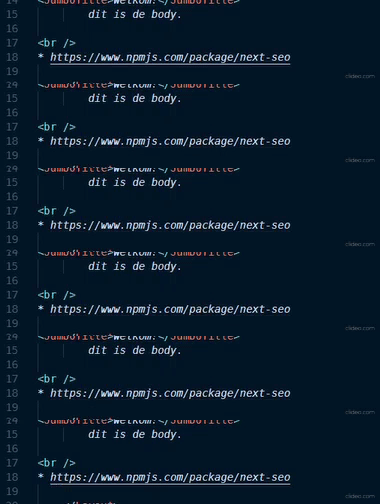
I noticed the same in a JS file (react component):
 jaoord
on 12 Jul 2019
jaoord
on 12 Jul 2019
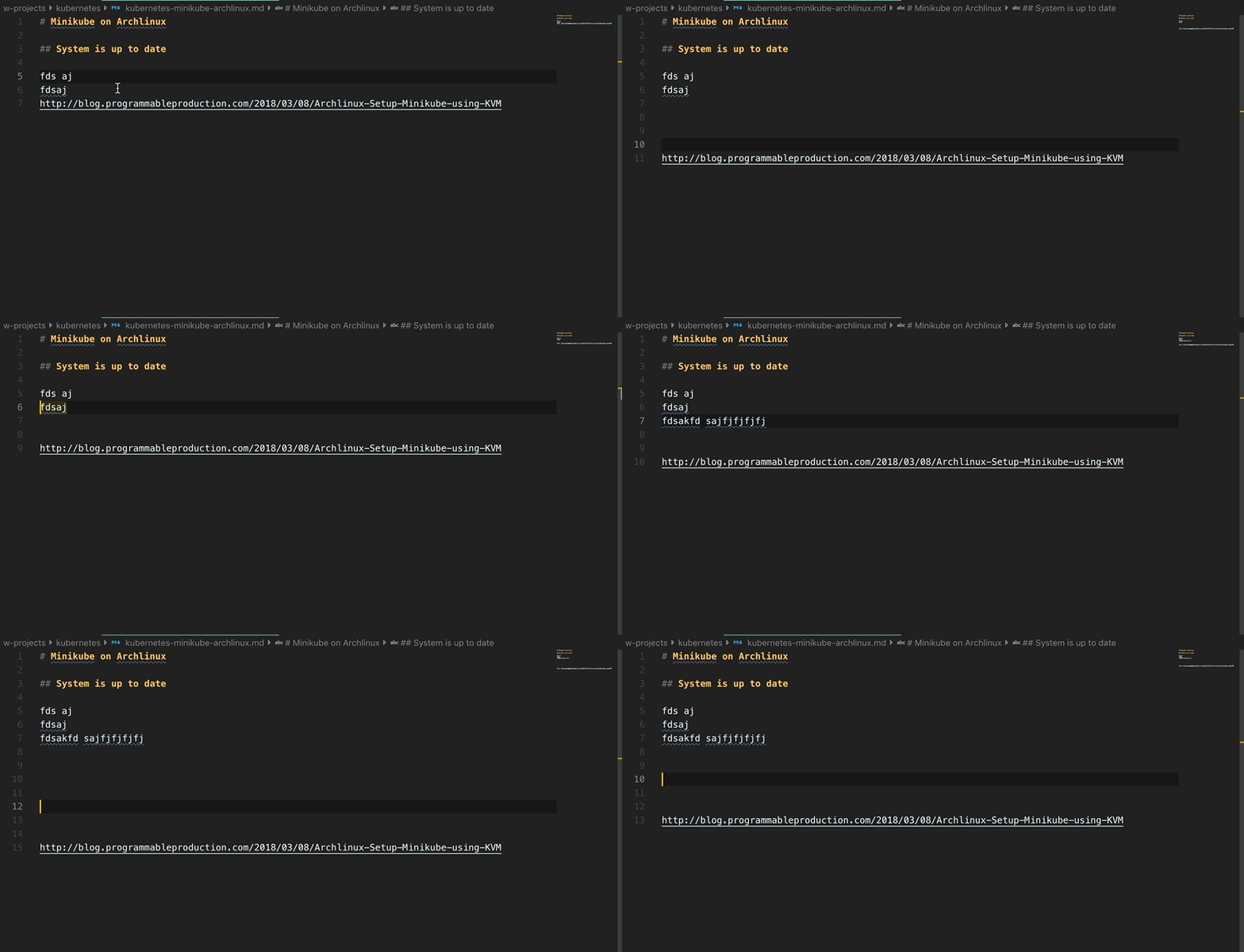
# Minikube on Archlinux

## System is up to date

 example text
 example text


http://blog.programmableproduction.com/2018/03/08/Archlinux-Setup-Minikube-using-KVM

VSCode Version:
Version 1.36.1 (1.36.1)
alexwall
on 21 Jul 2019
A potential duplicate of https://github.com/microsoft/vscode/issues/48321
 rebornix
on 26 Jul 2019
rebornix
on 26 Jul 2019
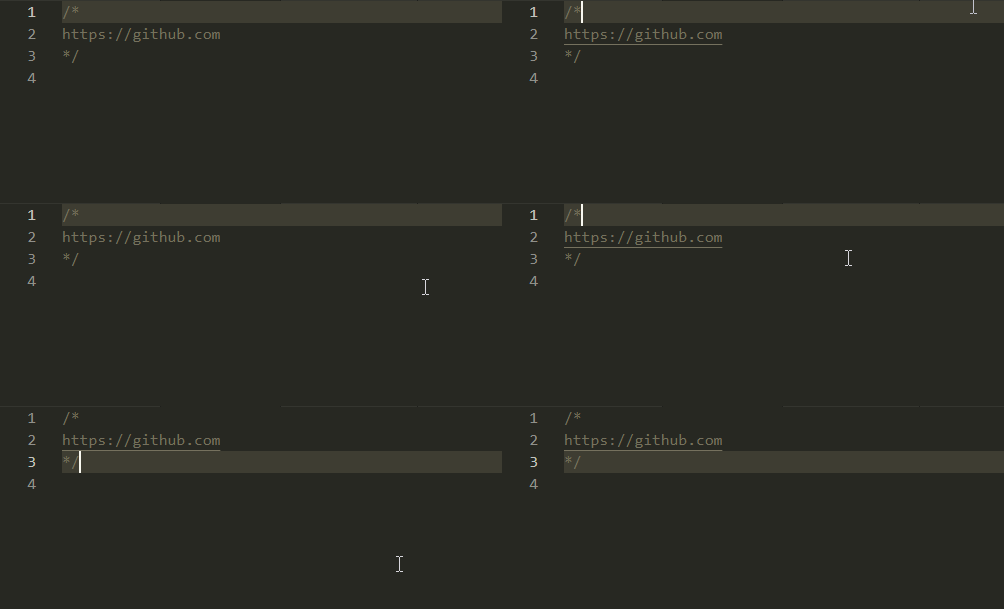
I have the same issue in Java with vanilla vscode with no extensions
It only happens when I open the file and the cursor is on the first line of the editor
Version: 1.36.1
 andibakti
on 30 Jul 2019
andibakti
on 30 Jul 2019
Experienced this with markdown the other day. Can't reproduce though.
 iansan5653
on 13 Aug 2019
iansan5653
on 13 Aug 2019
It seems to start happening when I visit another tab and then come back, with my text cursor on a nearby line to the link that starts blinking. It happens when the cursor was placed above the link, but seemingly not when it was placed below the link. It's happening in my HTML document.
 Keavon
on 15 Aug 2019
Keavon
on 15 Aug 2019
Sometimes I'm getting similar artifacts on Windows, so I guess it might be platform independent.
 mlewand
on 2 Sep 2019
mlewand
on 2 Sep 2019
Happens consistently for me.
- Still happens with
Developer: Reload window with extensions disabled - Can't reproduce in Code - Insiders

 alexilyaev
on 12 Sep 2019
alexilyaev
on 12 Sep 2019
Just adding another repro to the list. I experienced it editing SASS files.
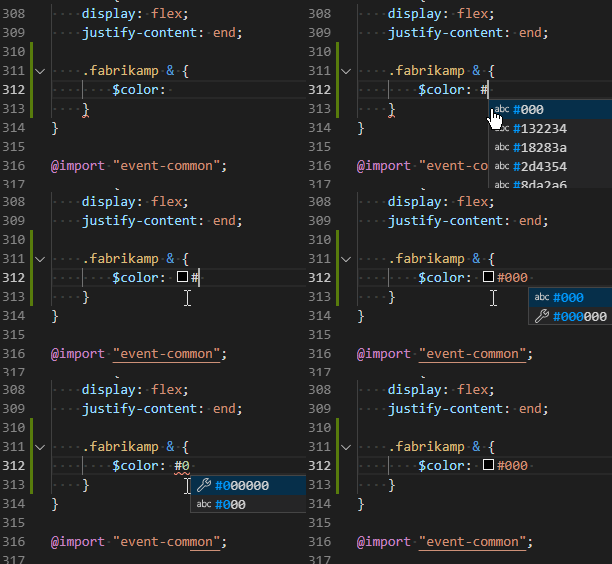
Just updated literally moments ago and was able to reproduce afterwards:
Version: 1.38.1 (system setup)
Commit: b37e54c98e1a74ba89e03073e5a3761284e3ffb0
Date: 2019-09-11T13:35:15.005Z
Electron: 4.2.10
Chrome: 69.0.3497.128
Node.js: 10.11.0
V8: 6.9.427.31-electron.0
OS: Windows_NT x64 10.0.18362
 veleek
on 15 Sep 2019
veleek
on 15 Sep 2019
Seems easily reproducible in my brand new setup (no custom configuration).
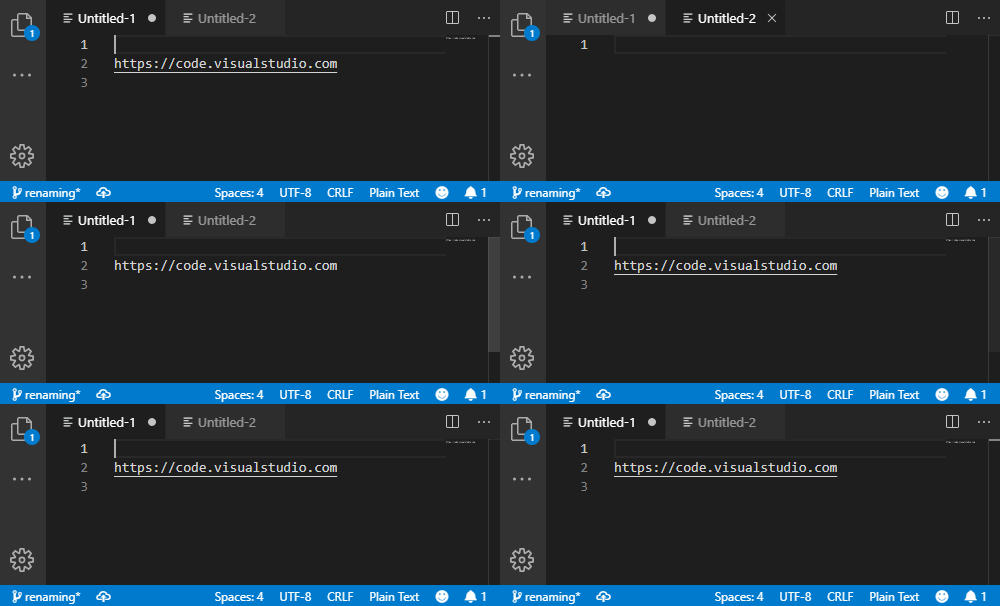
Version: 1.38.1
Commit: b37e54c98e1a74ba89e03073e5a3761284e3ffb0
Date: 2019-09-11T13:35:15.005Z
Electron: 4.2.10
Chrome: 69.0.3497.128
Node.js: 10.11.0
V8: 6.9.427.31-electron.0
OS: Windows_NT x64 10.0.17763
 elieux
on 19 Sep 2019
elieux
on 19 Sep 2019
I am also experiencing this bug, and I can reproduce @elieux's post.
Here is the step-by-step recipe:
- Open a new window, and reload with extensions disabled.
- Open a new tab.
- Copy the text below (including the empty lines before/after).
- Paste it within the open tab, and quickly press the up-arrow key twice in order to place the cursor on the first line. By quickly, I mean that you should start pressing your arrow key _before_ the link becomes underlined at all.
- This should make the underline blink.
https://github.com/microsoft/vscode/issues/76642
 jhadida
on 19 Sep 2019
jhadida
on 19 Sep 2019
This also reproduces for me on Windows:
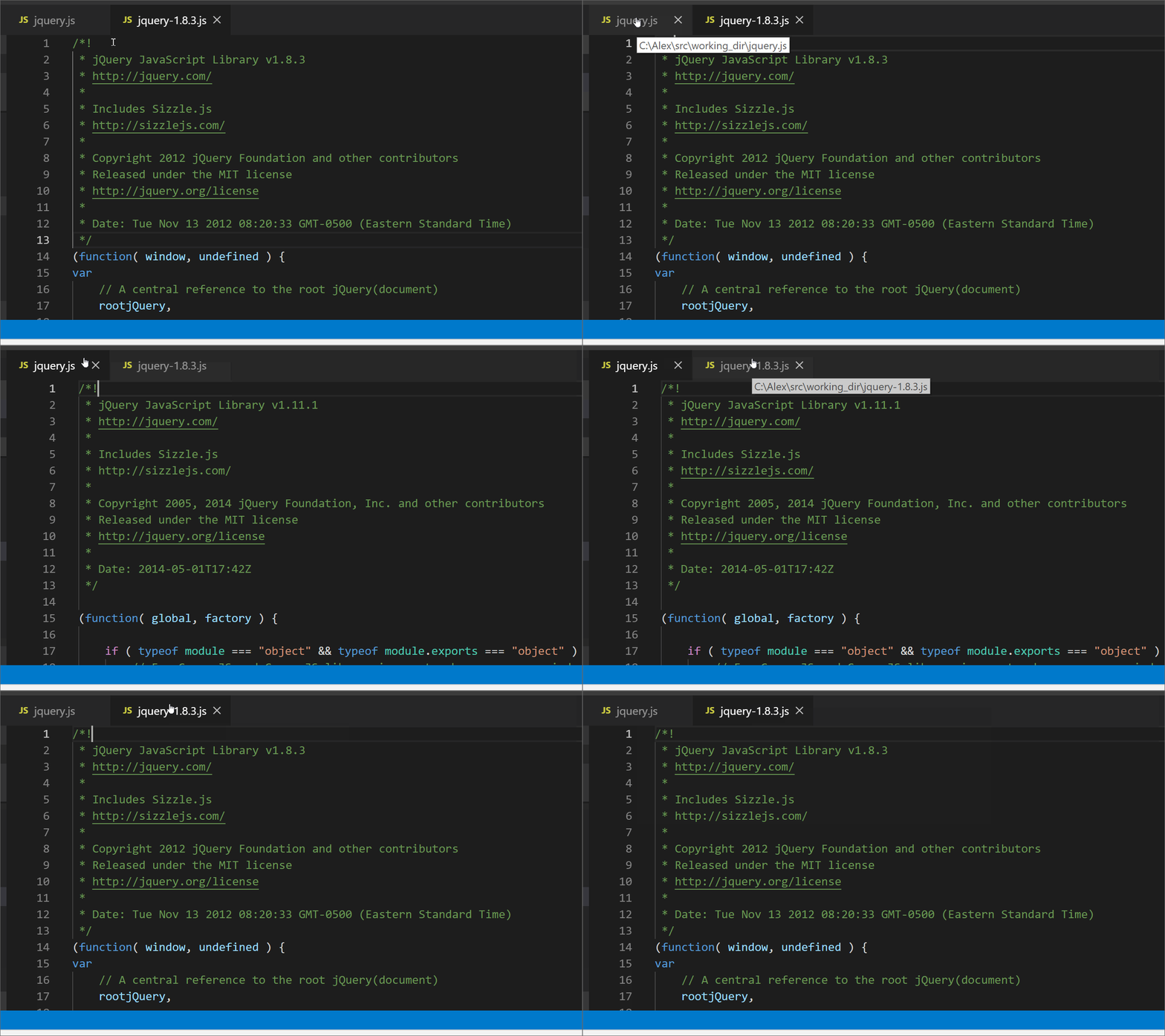
Also reproduces with --disable-gpu:

I could not reproduce on Chromium Version 69.0.3497.0.
The text is:
/*!
 * jQuery JavaScript Library v1.11.1
 * http://jquery.com/
 *
 * Includes Sizzle.js
 * http://sizzlejs.com/
 *
 * Copyright 2005, 2014 jQuery Foundation, Inc. and other contributors
 * Released under the MIT license
 * http://jquery.org/license
 *
 * Date: 2014-05-01T17:42Z
 */
 alexdima
on 8 Oct 2019
alexdima
on 8 Oct 2019
Also notice the layer borders, this is most definitely a bug in Chromium's rendering pipeline:
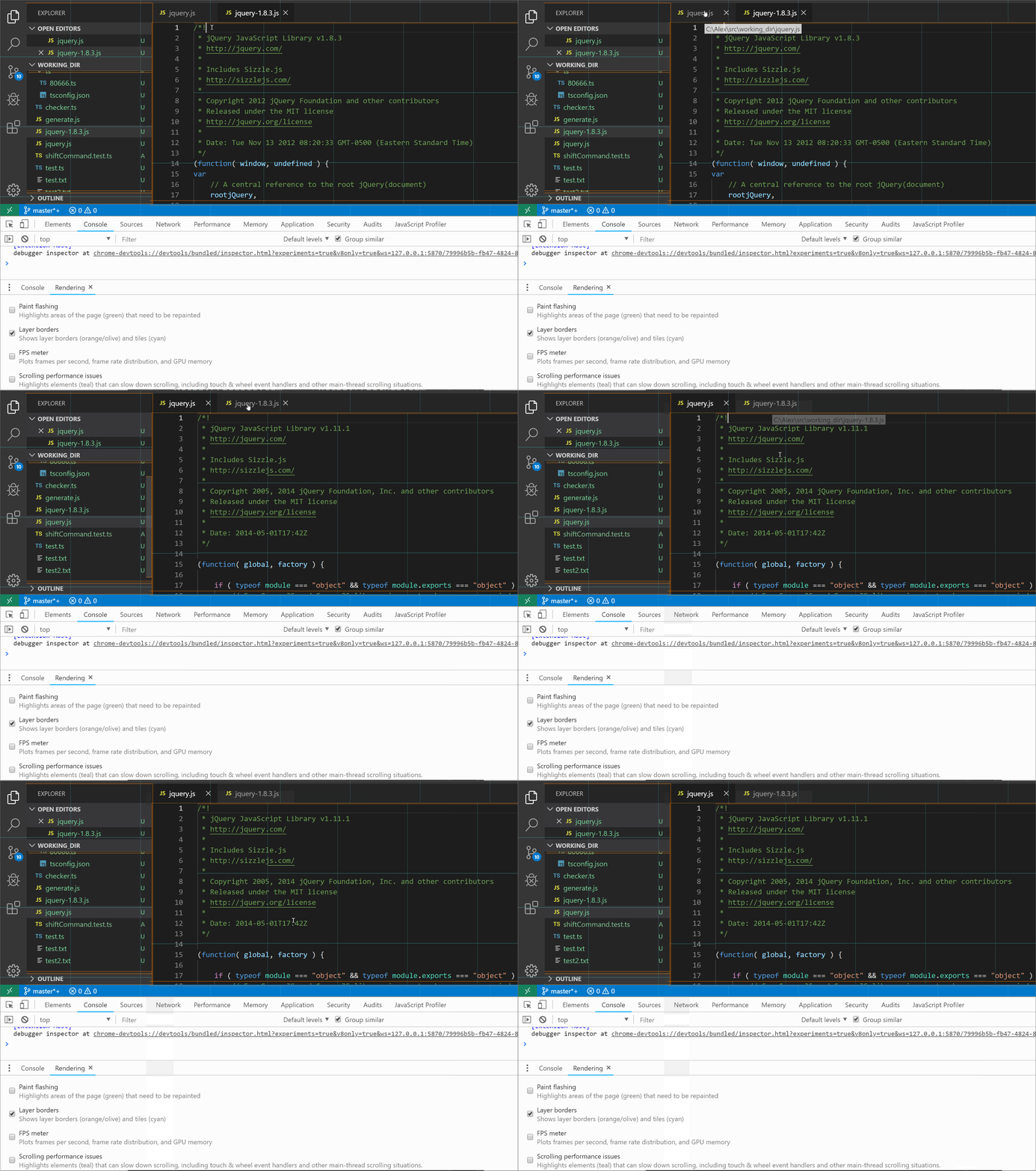
alexdima
on 8 Oct 2019
I could eventually reproduce some funny business in Chromium Version 69.0.3497.0
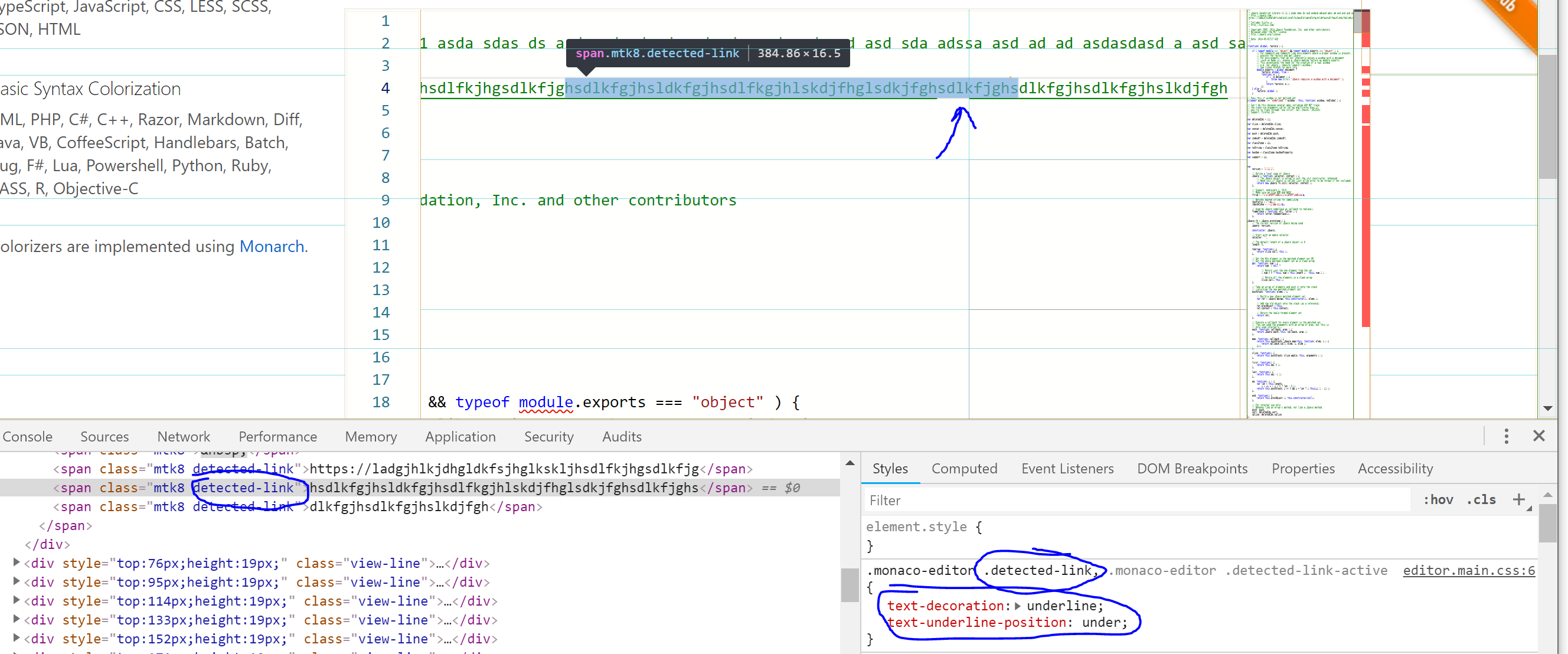
alexdima
on 8 Oct 2019
I could reproduce wierdness around text-decoration: underline in Chrome Canary and I have filed https://bugs.chromium.org/p/chromium/issues/detail?id=1012248
Possibly sharing the same root cause - #48321, #76642 and #79448
alexdima
on 8 Oct 2019
I think this got worse in Electron 7, and I filed https://github.com/microsoft/vscode/issues/89042, and it seems better now that we are back in 6. Something to watch out for when we upgrade again.
 roblourens
on 29 Jan 2020
roblourens
on 29 Jan 2020
Since some time has passed, just wanted to add a note that I'm currently experiencing this bug.
(Details: VSC: 1.50.0, insiders. Untitled, unsaved file. No line numbers. Not all links blink.)
 ultraGentle
on 1 Oct 2020
ultraGentle
on 1 Oct 2020
Looks like this was fixed two days ago in Chromium:
https://bugs.chromium.org/p/chromium/issues/detail?id=896295
 karlhorky
on 1 Oct 2020
karlhorky
on 1 Oct 2020
Related issues
 VitorLuizC
·
3Comments
VitorLuizC
·
3Comments
 curtw
·
3Comments
curtw
·
3Comments
 NikosEfthias
·
3Comments
NikosEfthias
·
3Comments
 borekb
·
3Comments
borekb
·
3Comments
 lukehoban
·
3Comments
lukehoban
·
3Comments
Most helpful comment
Looks like this was fixed two days ago in Chromium:
https://bugs.chromium.org/p/chromium/issues/detail?id=896295