Vscode: [Feature] Highlight current activity in activity bar more explicitly
I am partially color blind and I have trouble differentiating between the shades of color in the activity bar.
For example, in my current workflow I have the activity bar layout as follows:

Might be clear to some of you that it is the icon after the Source Control activity (Git Lens) but I cannot tell without serious concentration.
It would be nice to see a more explicit highlight of the current activity.
For example, here is a screen shot from Microsoft Teams:

Suggested labels: feature-request, accessibility
Thank you very much for your time and effort. I am deeply grateful.
 rrmistry
All 4 comments
This just got even worse in the 1.37. I'm not colorblind or anything, but from time to time I don't see which one is highlighted either. Using a background color to highlight would definitely be an improvement
 probablykasper
on 13 Aug 2019
probablykasper
on 13 Aug 2019
I'll see if we can add color tokens to achieve this, though I'm not sure whether this would be added as a default to our themes. Would something like below work for you?
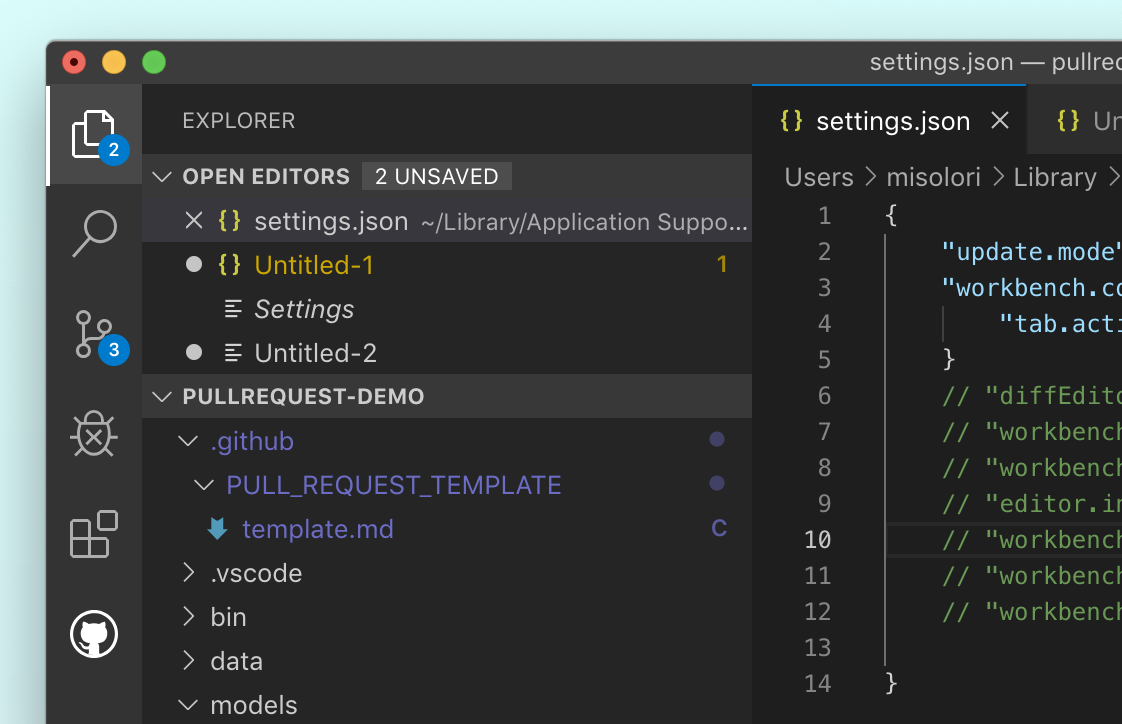
 misolori
on 7 Oct 2019
misolori
on 7 Oct 2019
@misolori , yes. The screenshot you provided above would work and significantly improve the user experience for me.
Like you mentioned, it would be nice if this was part of the default theme but not a high priority. Thank you!
rrmistry
on 8 Oct 2019
This will be available in the next Insiders update (likely on Monday). Here's what we changed:
- We tweaked the opacity of
activityBar.inactiveForegroundto make the active element stand out more - Added
activityBar.activeBorderwhich is on by default and is inherited byactivityBar.foreground - Added
activityBar.activeBackgroundwhich is off by default
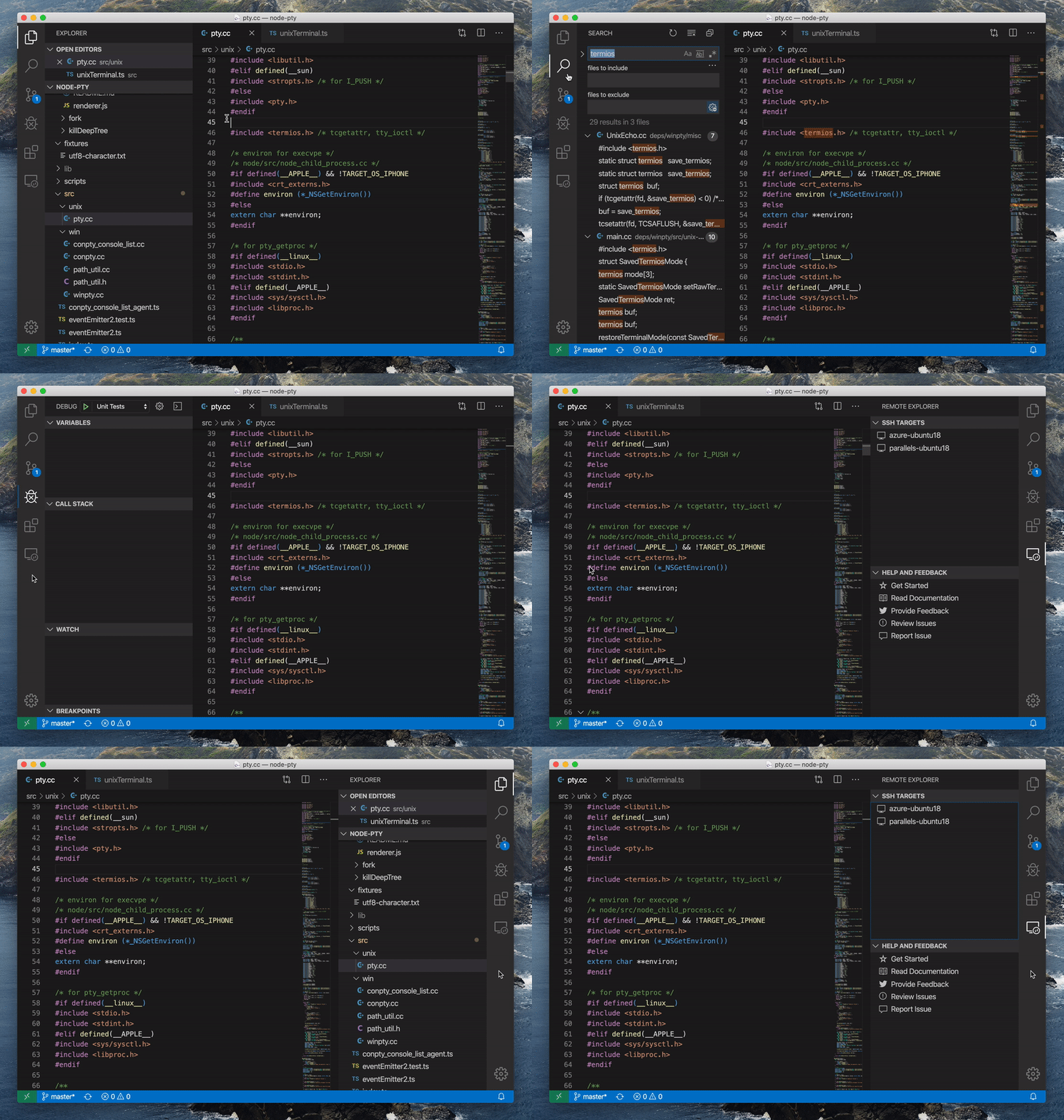
And if you wanted, you could configure activityBar.activeBorder, activityBar.activeBackground, and tab.activeBorder similarly like:

misolori
on 11 Oct 2019
Related issues
 chrisdias
·
3Comments
chrisdias
·
3Comments
 philipgiuliani
·
3Comments
philipgiuliani
·
3Comments
 mrkiley
·
3Comments
mrkiley
·
3Comments
 ryan-wong
·
3Comments
ryan-wong
·
3Comments
 sirius1024
·
3Comments
sirius1024
·
3Comments
Most helpful comment
This will be available in the next Insiders update (likely on Monday). Here's what we changed:
activityBar.inactiveForegroundto make the active element stand out moreactivityBar.activeBorderwhich is on by default and is inherited byactivityBar.foregroundactivityBar.activeBackgroundwhich is off by defaultAnd if you wanted, you could configure
activityBar.activeBorder,activityBar.activeBackground, andtab.activeBordersimilarly like: