- VSCode Version: 1.36.0-insider
- OS Version: Linux x64.4.15.0-20-generic
Steps to Reproduce:
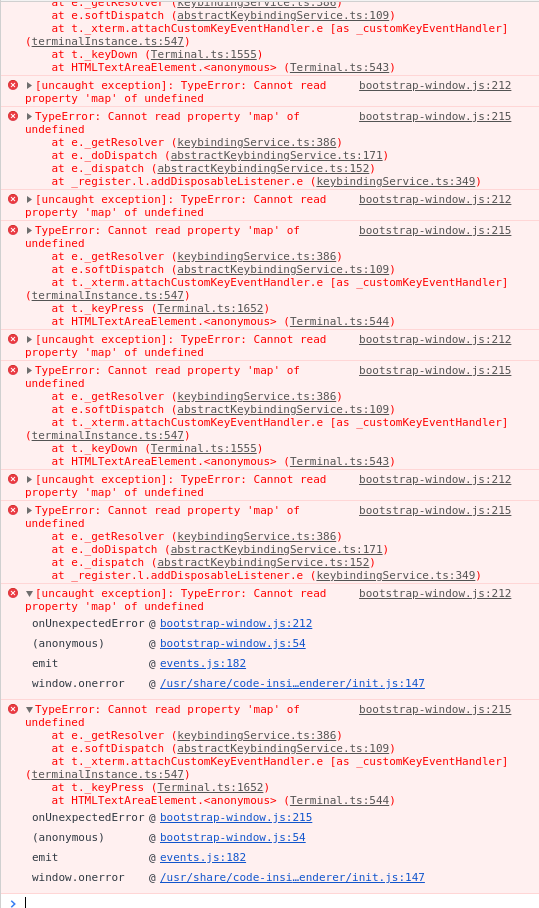
- Latest build of vscode-insiders doesn't detect any key events.
Does this issue occur when all extensions are disabled?: Yes
Attached is a developer console view.
 khpatel4991
All 11 comments
Backspace (delete) key doesn't work for me at all on Mac now on the latest insiders. Dunno if that's related or not.
 rfoust
on 12 Jun 2019
rfoust
on 12 Jun 2019
+1 on Backspace (delete) not working on Mac with latest insiders
Keybind settings are also inaccessible
 jakewmeyer
on 12 Jun 2019
jakewmeyer
on 12 Jun 2019
For me, on linux, all but character keys are broken.
khpatel4991
on 12 Jun 2019
Also, shortcuts don't seem to be working (command+p, command+f, etc)
 jm2242
on 12 Jun 2019
jm2242
on 12 Jun 2019
I'm running on latest Lubuntu and here's my traceback in case anyone was curious:

 OmriSama
on 12 Jun 2019
OmriSama
on 12 Jun 2019
Working around by downgrading for now:
$ sudo apt install code-insiders=1.36.0-1559798873
Can you please provide the content in your keybindings.json file?
 sandy081
on 12 Jun 2019
sandy081
on 12 Jun 2019
Steps to Repro:
- Open
keybindings.jsonfile - Delete all content and save
- Reload VS Code
🐛 Keybindings do not work and above errors are seen
sandy081
on 12 Jun 2019
Sorry for this. Fixed it and there will be a new insiders soon with the fix.
sandy081
on 12 Jun 2019
New insiders released.
sandy081
on 12 Jun 2019
Awesome... Thanks a bunch
khpatel4991
on 12 Jun 2019
Related issues
 lukehoban
·
3Comments
lukehoban
·
3Comments
 mrkiley
·
3Comments
mrkiley
·
3Comments
 sijad
·
3Comments
sijad
·
3Comments
 villiv
·
3Comments
villiv
·
3Comments
 omidgolparvar
·
3Comments
omidgolparvar
·
3Comments
Most helpful comment
New insiders released.