Vscode: WebView: mouse drag does not stop when within webview region
Issue Type: Bug
1) Open Release Notes in product
2) Try to increase sidebar size
-> Doesn't work, webview seems to eat up mousemove event, since it's still possible to decrease the sidebar size.
VS Code version: Code - Insiders 1.36.0-insider (c089daa858f34631f5f827ff8a0313bf1e2ded6d, 2019-06-07T06:13:41.194Z)
OS version: Darwin x64 18.6.0
Remote OS version: Linux x64 4.18.0-1014-azure
 kieferrm
All 27 comments
This happens for all sashes. For example, also between two window groups.
kieferrm
on 7 Jun 2019
@kieferrm I cannot reproduce, what is special? Tried both with external mouse and touchpad.
 bpasero
on 8 Jun 2019
bpasero
on 8 Jun 2019
Looks like this problem is reproducible if I try to drag edge between editor/panel and webview.
I have no problem with resizing Explorer/SCM etc. if only editors are opened, however when I have Markdown preview, Response preview (REST Client extension), or PR Description (from GitHub Pull request extension).
TL;DR; looks like mouse events (mousemove, mouseup etc.) are lost when cursor is over webview that breaks resizing.
I can freely widen webview (mouse movement will be over editor/panel), but it is really hard to narrow webview (when during resize mouse will be over webview).
I've toggled Screencast mode and circle (that should be around mouse when I press button) stays on the same position on the edge when I move cursor over webview.
Moreover - circle stays visible even when I release mouse button, so when cursor is over editor/panel again (with released button) resizing continues and webview becomes wider.
VS Code version: Code - Insiders 1.36.0-insider (f291714906cdcb02830b8cfe2485a3c23415b5fe, 2019-06-12T05:19:53.054Z)
OS version: Windows_NT x64 10.0.17763
System Info
|Item|Value|
|---|---|
|CPUs|Intel(R) Core(TM) i7-8700 CPU @ 3.20GHz (12 x 3192)|
|GPU Status|2d_canvas: enabled
flash_3d: enabled
flash_stage3d: enabled
flash_stage3d_baseline: enabled
gpu_compositing: enabled
multiple_raster_threads: enabled_on
native_gpu_memory_buffers: disabled_software
oop_rasterization: disabled_off
protected_video_decode: enabled
rasterization: enabled
skia_deferred_display_list: disabled_off
skia_renderer: disabled_off
surface_synchronization: enabled_on
video_decode: enabled
viz_display_compositor: disabled_off
webgl: enabled
webgl2: enabled|
|Load (avg)|undefined|
|Memory (System)|31.72GB (15.43GB free)|
|Process Argv||
|Screen Reader|no|
|VM|0%|
Extensions: none
 IllusionMH
on 12 Jun 2019
IllusionMH
on 12 Jun 2019
@bpasero: @IllusionMH is correct. I just came here to file this issue. Simply open the Release Notes in the product, and you won't be able to increase the sidebar size. It seems the webview is eating up the mouse events.
I'll update the original issue steps.
 joaomoreno
on 17 Jun 2019
joaomoreno
on 17 Jun 2019
This seems to happen for what I believe are web views. Open the release notes, Markdown Preview, Browser Preview, Github Pull Request description view, etc. in an editor and attempt to resize anything around it (side bar, Terminal, other editors in split view).
Here are some recordings for more context:
- https://clips.twitch.tv/PerfectTalentedMilkSwiftRage
- https://clips.twitch.tv/OriginalExuberantSaladTheTarFu
Version: 1.36.0-insider (user setup)
Electron: 4.2.4
Chrome: 69.0.3497.128
OS: Windows_NT x64 10.0.17763
 clarkio
on 18 Jun 2019
clarkio
on 18 Jun 2019
https://gist.github.com/deepak1556/899491631e1c7e5e81c4252b6ff91163 is a simple repro without involving vscode. Dragging outside webview element shouldn't cause issues while dragging over it eats the events.
 deepak1556
on 22 Jun 2019
deepak1556
on 22 Jun 2019
@deepak1556 I confirm this is a bug of Chrome, you can reproduce by loading this chrome app in Chrome browser:
https://gist.github.com/zcbenz/67f83babcdee37d7c3ee345bab775737
 zcbenz
on 22 Jun 2019
zcbenz
on 22 Jun 2019
Thanks @zcbenz , I did a git bisect on chromium using https://www.chromium.org/developers/bisect-builds-py and found the commit that regressed this behavior https://chromium-review.googlesource.com/c/chromium/src/+/1099183/ . I am gonna report it upstream to get the right fix moving forward. But as temporary can we disable mouse capture on <webview> RenderWidgetHost to workaround this issue ?
deepak1556
on 24 Jun 2019
deepak1556
on 24 Jun 2019
@mjbvz adding you to see if we can add any workaround to the webview to "fix" this at least until we got the upstream fix.
bpasero
on 25 Jun 2019
Another idea from @joaomoreno is to draw a div when mouse-down happens so that we ensure the mouse does not go into the webview during that. We can maybe also play around with pointer-events: none on the webview tag, though I doubt this would have any effect.
bpasero
on 25 Jun 2019
I talked with @deepak1556 about this yesterday. We can't entirely block mouse events to webviews without breaking a lot of extensions but we may be able to intercept the events and re-dispatch them into the webview
 mjbvz
on 25 Jun 2019
mjbvz
on 25 Jun 2019
pointer-events: none does fix this and stop events on the webview, but it disables scrolling and clicking. Seeing if we can intercept just the click events
mjbvz
on 26 Jun 2019
Looks like we can't intercept/block click events directly on the <webview> element with addEventListener. Also, we only get mousemove on the <webview> when we move from the main window onto the webview (not continuously)
mjbvz
on 26 Jun 2019
I have to get going, but I also tried adding an overlay div on top of the webview to intercept events. However I haven't been able to get the re-dispatching back to the webview working yet.
mjbvz
on 26 Jun 2019
I have prototyped a potential workaround: https://github.com/microsoft/vscode/pull/76148. It works by dispatching synthetic mouse events back to the main window from the webview itself.
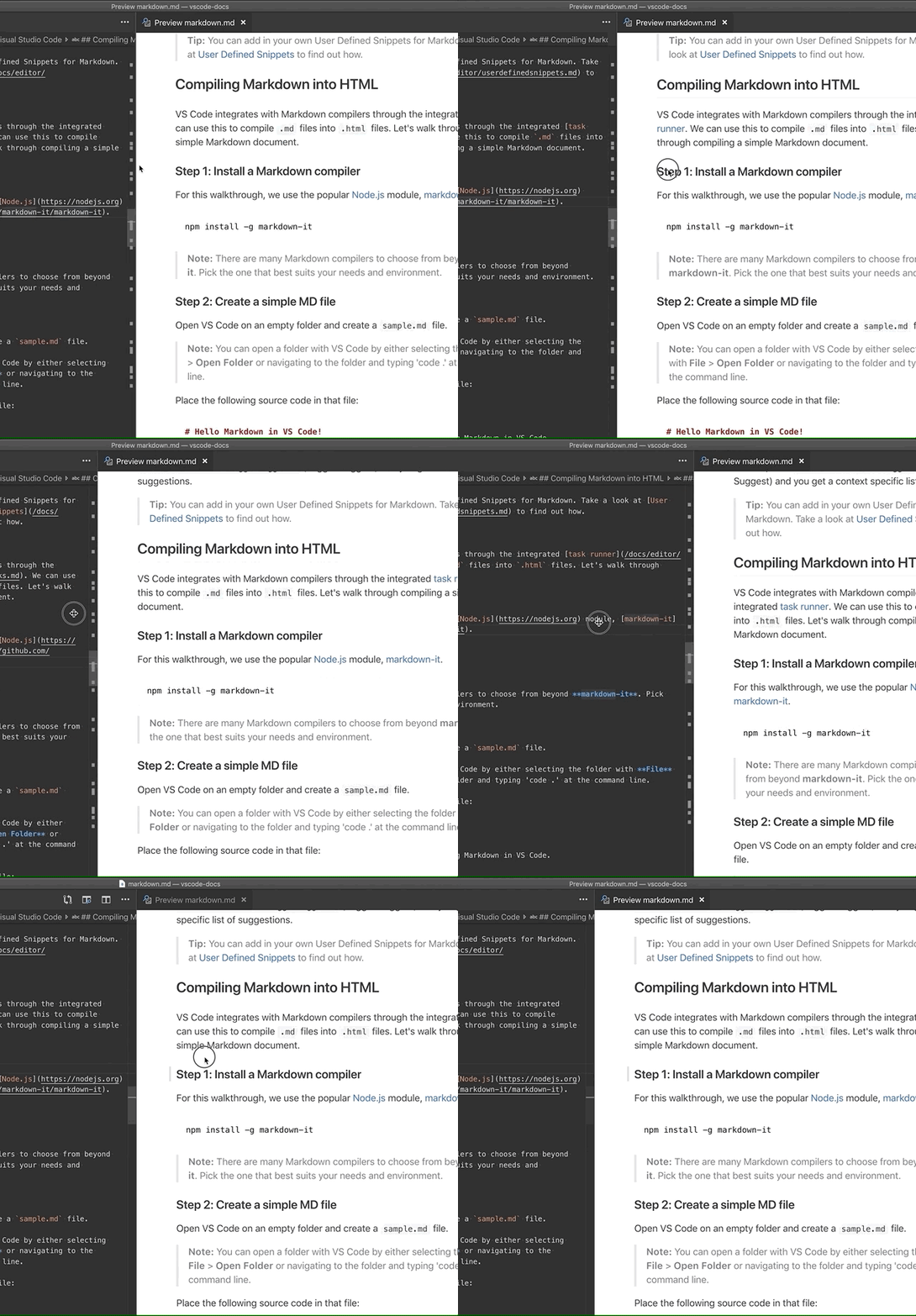
I have done some quick testing but nothing extensive. This fix is not perfect and I do not know if this will work in all cases or cause any regressions (especially for more complex webview extensions)
mjbvz
on 26 Jun 2019
@mjbvz I would be +1 on landing this workaround, worst case scenario if its breaking extensions and we don't have a fix in upstream by then, we could always revert the chromium CL to get back the old behavior without any side effects.
deepak1556
on 26 Jun 2019
@mjbvz I like that approach as well.
joaomoreno
on 26 Jun 2019
I've merged my workaround. Will continue testing today and get some testing on insiders
@deepak1556 Do you think you will be able to get chromium issue fixed for electron 4 at some point, or are we waiting to upgrade electron versions?
mjbvz
on 26 Jun 2019
@mjbvz great, can you open a separate issue with verification needed (possibly across all 3 OS?) so that we get some coverage. I would like to keep this issue for the Electron fix.
bpasero
on 26 Jun 2019
Created #76198. High complexity since it is an exploratory item and requires testing multiple extensions. Will find testers and continue testing myself as well
mjbvz
on 26 Jun 2019
Do you think you will be able to get chromium issue fixed for electron 4 at some point, or are we waiting to upgrade electron versions?
@mjbvz once the fix is available, I will backport it to all version lines electron 4, 5 and 6
deepak1556
on 26 Jun 2019
Apart from a bit of jank, the workaround works fine here (Linux).
joaomoreno
on 27 Jun 2019
Looks like there are cases when resizing webviews (checked Markdown preview and GitHub Pull request description preview) leads to unexpected jumps in size (minimal size for column).
Demo resize-jumps.mp4 (36.3 MB)
Actual cursor position was inside the red circle from Screencast mode.
Reproducible only when shrinking webview from the left border. Similar to https://github.com/microsoft/vscode/issues/76198#issuecomment-506152937, however few times I released mouse in this moment so resulting layout was far from expectations.
Also few times noticed problem described in https://github.com/microsoft/vscode/issues/76198#issuecomment-506074330 but it looks rare.
Overall workaround looks good enough on Windows.
IllusionMH
on 27 Jun 2019
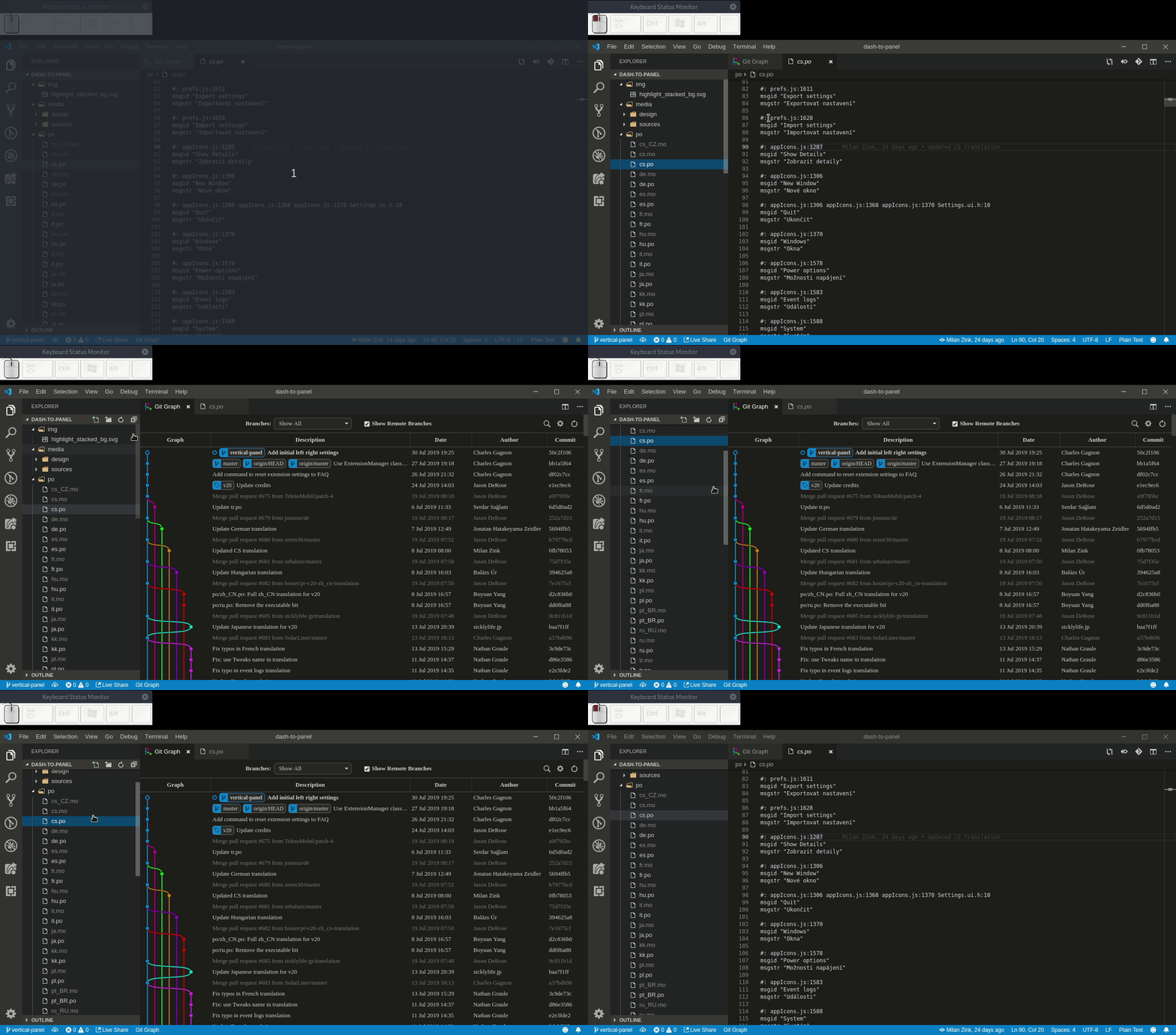
The issue also manifests itself when dragging a scrollbar next to a WebView. Please see mhutchie/vscode-git-graph#153
 charlesg99
on 2 Aug 2019
charlesg99
on 2 Aug 2019
In VSCODE 1.36.1, "Git History" extension also has the problem that can't drag to resize the webview
 chongchai
on 20 Aug 2019
chongchai
on 20 Aug 2019
@chongchai it's problem of all webviews
 SupinePandora43
on 20 Aug 2019
SupinePandora43
on 20 Aug 2019
Related issues
 curtw
·
3Comments
curtw
·
3Comments
 lukehoban
·
3Comments
lukehoban
·
3Comments
 vsccarl
·
3Comments
vsccarl
·
3Comments
 ryan-wong
·
3Comments
ryan-wong
·
3Comments
 villiv
·
3Comments
villiv
·
3Comments
Most helpful comment
The issue also manifests itself when dragging a scrollbar next to a WebView. Please see mhutchie/vscode-git-graph#153