Vscode: Setting to Disable Split Editor on Drag and Drop
I use drag and drop a lot to move files among different columns, but never to split the editor into more columns or rows. When moving quickly, I accidentally split the editor a lot, and it slows me down and takes me out of flow. I posit that there are other users that are like this as well.
I would like a setting that disables the behavior of splitting of the panes completely. The behavior I'd like to disable is illustrated in this gif from the docs:

Keywords for search:
panes, panels, tabs, grid
Similar issues: #52063
 karlhorky
All 25 comments
I'd really like this too, this is extremely annoying to me.
 JacobDB
on 6 May 2019
JacobDB
on 6 May 2019
Agreed, would definitely love an option that disables this behavior.
It happens to me a lot when dragging and dropping files from the Windows Explorer into VSCode.
 Bwin4L
on 12 Jul 2019
Bwin4L
on 12 Jul 2019
Using a Wacom tablet also results in these annoying accidental splits. Sometimes when I click on a tab it accidentally becomes a tiny drag movement resulting in VS Code immediately splitting the editor and me being startled and having to drag the tab all the way back in with the others in the right place.
 difosfor
on 30 Aug 2019
difosfor
on 30 Aug 2019
I second this. Most of the time I'm splitting editor windows even though I don't want to. Instead of just quickly dropping files into the IDE, you now have to carefully drop them in the center to not split the editor. An option to disable this would be great.
 SaschaWillems
on 7 Sep 2019
SaschaWillems
on 7 Sep 2019
Hey, try this if your workspace seems to be too large, it worked for me :
echo fs.inotify.max_user_watches=524288 | sudo tee -a /etc/sysctl.conf && sudo sysctl -p
I had this problem because my workspace had too many files and VSCode couldn't watch all of them.
 Slaaaap
on 19 Nov 2019
Slaaaap
on 19 Nov 2019
They just must implement it.
 alexey4453
on 21 Nov 2019
alexey4453
on 21 Nov 2019
This feature request is now a candidate for our backlog. The community has 60 days to upvote the issue. If it receives 20 upvotes we will move it to our backlog. If not, we will close it. To learn more about how we handle feature requests, please see our documentation.
Happy Coding!
![vscodebot[bot] picture](https://avatars2.githubusercontent.com/in/2406?v=4&s=40) vscodebot[bot]
on 16 Jan 2020
vscodebot[bot]
on 16 Jan 2020
So.. What is this "community" and "upvote" the bot is talking about?
difosfor
on 16 Jan 2020
VSCODE team needs 20 likes to put the request in process. If 12 members of github upvote it in 60 days, we'll see the option in Visual Code one day.
alexey4453
on 16 Jan 2020
Still not entirely clear to me who is liking what and where/how exactly. Can I like it as a Github user? Or only members of the VSCODE team?
difosfor
on 16 Jan 2020
I am assuming by "community" they mean the public (users on GitHub). The "upvotes" I'm assuming to be 👍 emojis on the issue description (8 of them right now):
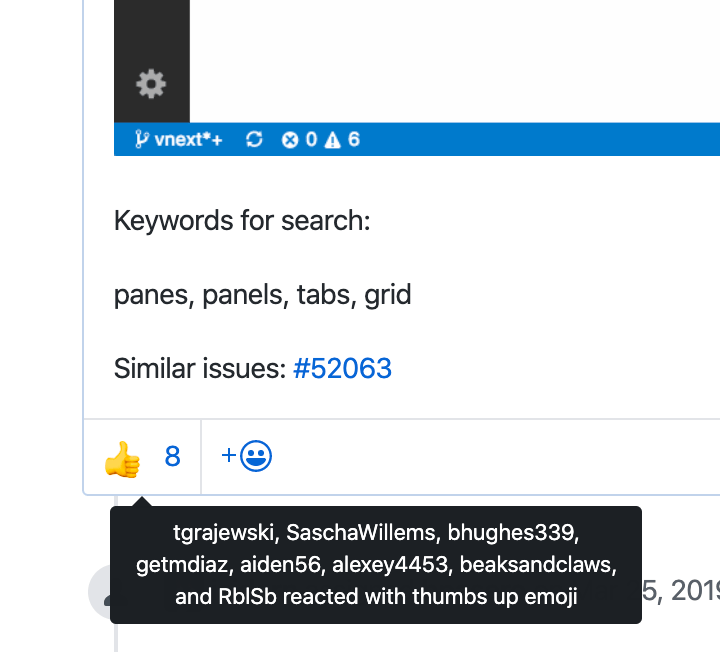
I'm assuming these two things based on previous feature request voting behaviors I've seen in other projects.
karlhorky
on 16 Jan 2020
:slightly_smiling_face: This feature request received a sufficient number of community upvotes and we moved it to our backlog. To learn more about how we handle feature requests, please see our documentation.
Happy Coding!
vscodebot[bot]
on 20 Jan 2020
I wonder how to categorize this "drag-drop to split screen": is it a design feature or a bug? Personally I find this very annoying, I would consider this as a bug. Would like to add my vote to either remove this unfortunate feature or give a setting to disable it.
 tringuyen-yw
on 25 Jun 2020
tringuyen-yw
on 25 Jun 2020
When is this setting coming? The implementation seems pretty basic.
And I think, btw, it should be disabled by default. Most of the developers I work with do not use split screens when they code.
 q2apro
on 10 Aug 2020
q2apro
on 10 Aug 2020
I happened across this thread trying to find a fix. Glad to see it's in the backlog, it's been an unintuitive feature for ages. I've used it intentionally maybe once, but accidentally dozens of times.
 ithinkandicode
on 11 Aug 2020
ithinkandicode
on 11 Aug 2020
This "feature" is completely annoying, I am not a sniper to pin point my drag and drop. I just drop onto the window and expect the file opening in full screen. ... about, yes, 100 % of the cases.
Please add an option to disable this. Thanks a lot. 😀
q2apro
on 28 Oct 2020
Added a new setting workbench.editor.splitOnDragAndDrop to control this. I also added a way to toggle this conditionally during the drag and drop operation when you press and hold Shift key (macOS) or Alt key (Windows, Linux).
 bpasero
on 9 Nov 2020
bpasero
on 9 Nov 2020
Thanks @bpasero, cool! And nice touch with the modifier key too :)
karlhorky
on 9 Nov 2020
I hope it is deployed with the next VSCode update. 👍 Thanks a lot. Now VSCode feels just perfect.
q2apro
on 9 Nov 2020
Yes it should be out in tomorrows insider and then I am happy for feedback how it goes. You can give our preview releases a try from: https://code.visualstudio.com/insiders/
bpasero
on 9 Nov 2020
This bug has been fixed in to the latest release of VS Code Insiders!
@karlhorky, you can help us out by confirming things are working as expected in the latest Insiders release. If things look good, please leave a comment with the text /verified to let us know. If not, please ensure you're on version 65f805d98e798b979901b74d4c8810c05455b792 of Insiders (today's or later - you can use Help: About in the command pallete to check), and leave a comment letting us know what isn't working as expected.
Happy Coding!
![github-actions[bot] picture](https://avatars2.githubusercontent.com/in/15368?v=4&s=40) github-actions[bot]
on 10 Nov 2020
github-actions[bot]
on 10 Nov 2020
/verified
karlhorky
on 10 Nov 2020
@bpasero thanks very much for the fix. Is the workbench.editor.splitOnDragAndDrop setting set to false by default? If not can you make it so to help the newcomers to VSCode, avoiding the confusion cause by this sscren split bug?
tringuyen-yw
on 10 Nov 2020
Even with the latest VSCode 1.51.1 (2020-11-17) workbench.editor.splitOnDragAndDrop is not as a setting included. :/
q2apro
on 17 Nov 2020
@q2apro you are using the wrong version of VSCode, the correct one to use from now on and never worry again is VSCode Insiders: https://code.visualstudio.com/insiders/
bpasero
on 17 Nov 2020
Related issues
 NikosEfthias
·
3Comments
NikosEfthias
·
3Comments
 DovydasNavickas
·
3Comments
DovydasNavickas
·
3Comments
 borekb
·
3Comments
borekb
·
3Comments
 trstringer
·
3Comments
trstringer
·
3Comments
 villiv
·
3Comments
villiv
·
3Comments
Most helpful comment
:slightly_smiling_face: This feature request received a sufficient number of community upvotes and we moved it to our backlog. To learn more about how we handle feature requests, please see our documentation.
Happy Coding!