Vscode: Some improperly minified task code causes Configure Task not to work.
Issue Type: Bug
error: this.runConfigureTasks is not a function
VS Code version: Code - Insiders 1.33.0-insider (49c10b916705b6006f04d0701875098b26d1d70b, 2019-03-12T06:17:28.991Z)
OS version: Windows_NT x64 10.0.17134
System Info
|Item|Value|
|---|---|
|CPUs|Intel(R) Core(TM) i5-7500 CPU @ 3.40GHz (4 x 3408)|
|GPU Status|2d_canvas: enabled
checker_imaging: disabled_off
flash_3d: enabled
flash_stage3d: enabled
flash_stage3d_baseline: enabled
gpu_compositing: enabled
multiple_raster_threads: enabled_on
native_gpu_memory_buffers: disabled_software
rasterization: enabled
surface_synchronization: enabled_on
video_decode: enabled
webgl: enabled
webgl2: enabled|
|Memory (System)|15.95GB (7.49GB free)|
|Process Argv||
|Screen Reader|no|
|VM|0%|
Extensions (22)
Extension|Author (truncated)|Version
---|---|---
ng-template|Ang|0.1.11
npm-intellisense|chr|1.3.0
vscode-markdownlint|Dav|0.25.0
vscode-eslint|dba|1.8.2
gitlens|eam|9.5.1
vscode-npm-script|eg2|0.3.5
vscode-great-icons|emm|2.1.47
code-runner|for|0.9.7
beautify|Hoo|1.4.9
Angular-BeastCode|Mik|7.2.5
vscode-typescript-tslint-plugin|ms-|1.0.0
vsliveshare|ms-|0.3.1284
debugger-for-chrome|msj|4.11.3
material-icon-theme|PKi|3.6.3
java|red|0.40.0
stylelint|shi|0.48.0
vscodeintellicode|Vis|1.1.4
vscode-java-debug|vsc|0.17.0
vscode-java-dependency|vsc|0.3.0
vscode-java-pack|vsc|0.6.0
vscode-java-test|vsc|0.15.0
vscode-maven|vsc|0.15.0
 DaniGTA
All 26 comments
Please include more details
 roblourens
on 12 Mar 2019
roblourens
on 12 Mar 2019
Task work now on my side when they are right i had a error with this msg
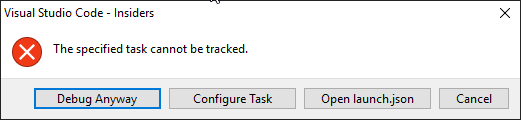
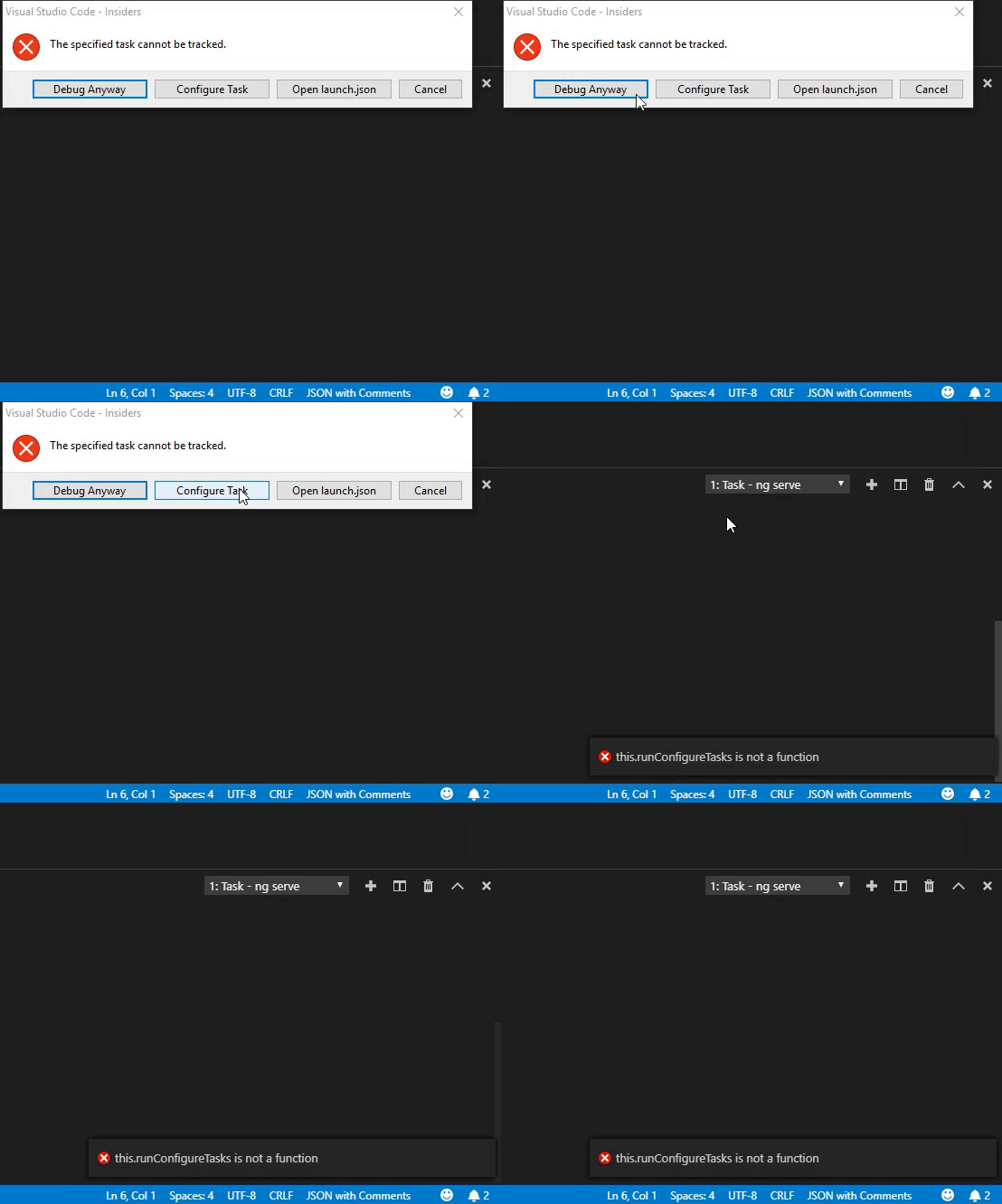
Now i have the option too press "Configure Task" when i press this button i become this error, nothing more happens.

DaniGTA
on 12 Mar 2019
@isidorn please move to @alexr00 if this is a problem in task land.
 dbaeumer
on 13 Mar 2019
dbaeumer
on 13 Mar 2019
@DaniGTA I can not reproduce. Please file exact reproducable steps. Can you repro with no extensions installed?
I tried with having a preLaunchTask referencing an unexistiant task and could not repro.
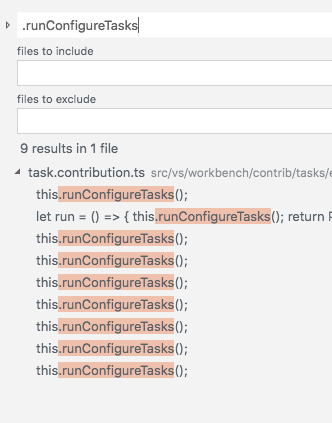
Since all mentiones of runConfigureTasks are in task land I am forwarding this issue to @alexr00 but let's first wait for reproducable steps before doing anything.
 isidorn
on 13 Mar 2019
isidorn
on 13 Mar 2019
The error comes but the Task works fine.
Task file:
{
    "version": "2.0.0",
    "tasks": [{
        "name": "ng serve",
        "taskName": "ng serve",
        "type": "shell",
        "isShellCommand": true,
        "command": "cd '${workspaceFolder}\\Angular'; ng serve --port 8555",
        "isBackground": true
    }]
}
Launch file
{
    // Use IntelliSense to learn about possible attributes.
    // Hover to view descriptions of existing attributes.
    // For more information, visit: https://go.microsoft.com/fwlink/?linkid=830387
    "version": "0.2.0",
    "configurations": [{
        "type": "node",
        "request": "launch",
        "name": "nodemon",
        "runtimeExecutable": "nodemon",
        "restart": true,
        "name": "Node.js",
        "preLaunchTask": "ng serve",
        "program": "${workspaceFolder}\\Backend\\main.js",
        "cwd": "${workspaceFolder}\\Backend",
        "protocol": "inspector",
        "console": "integratedTerminal",
        "internalConsoleOptions": "neverOpen",
        "outFiles": [
            "${workspaceFolder}/bin/**/*.js"
        ]
    }]
}
DaniGTA
on 13 Mar 2019
Leaving up to @alexr00 to ask more questions if needed here.
Looking at all the runConfigureTasks calls, there might be somewhere that this is not binded properly to the context where you calling the function from
isidorn
on 13 Mar 2019
@DaniGTA You have a background task that doesn't have a problem matcher. This is not supported since there is nothing for the debug launch config to wait for. That is why you get the error dialog.
I cannot reproduce the this.runConfigureTasks error. When are you running the launch configuration?
 alexr00
on 13 Mar 2019
alexr00
on 13 Mar 2019
At the debug menu i just press start
DaniGTA
on 13 Mar 2019
DaniGTA
on 13 Mar 2019
Same problem here, I don't know if it matters but I have dotnet core installed by snap and the command 'dotnet' created by a snap alias:
sudo snap alias dotnet-sdk.dotnet dotnet
 junioalbino
on 14 Mar 2019
junioalbino
on 14 Mar 2019
Same issue here. Not sure what other details are relevant, but the repro steps are simply F5-ing with a debug configuration referencing an as yet undefined task. 1.32.2
 budleigh
on 14 Mar 2019
budleigh
on 14 Mar 2019
I found the issue. Thanks all for reporting it.
This is a problem with the minifier we use.
This line gets compiled to javascript just fine: https://github.com/Microsoft/vscode/blob/master/src/vs/workbench/contrib/tasks/electron-browser/task.contribution.ts#L1775
Compiled:
configureAction() {
            let run = () => { this.runConfigureTasks(); return Promise.resolve(undefined); };
            return new class extends actions_1.Action {
                constructor() {
                    super(ConfigureTaskAction.ID, ConfigureTaskAction.TEXT, undefined, true, run);
                }
            };
        }
But when minified, this.runConfigureTasks() gets moved into the class giving it the wrong scope:
configureAction() {
                    return new class extends d.Action {
                        constructor() {
                            super(Ce.ID, Ce.TEXT, void 0, !0, ()=>(this.runConfigureTasks(),
                            Promise.resolve(void 0)))
                        }
                    }
                }
I still haven't been able to reproduce exactly the bad minified code locally, so I can't properly test any fixes. However, I've pushed something that might fix it and I will test it in the next build.
alexr00
on 14 Mar 2019
Can now reproduce locally. Related minifier bug: https://github.com/mishoo/UglifyJS2/issues/3335
alexr00
on 14 Mar 2019
Confirmed that 7f1108d does indeed fix this bug.
alexr00
on 14 Mar 2019
This might be helpful to people like me, who are new to VS Code. In the mean time you still can configure the Task by pressing F1 and typing in "Configure Default Build Task".
 fpiribauer
on 17 Mar 2019
fpiribauer
on 17 Mar 2019
bug occurs when debugging a .c file. Alerted with "Could not find the task 'build'".
"Configure Task" alerts me with "this run.ConfigureTasks is not a function"
 briancrink
on 26 Mar 2019
briancrink
on 26 Mar 2019
Same issue here
 anhdungle93
on 26 Mar 2019
anhdungle93
on 26 Mar 2019
@briancrink and @anhdungle93 are you using insiders or stable? If insiders, what commit are you on (Help -> About)?
alexr00
on 27 Mar 2019
@alexr00 version 1.32.3, stable I assume
briancrink
on 28 Mar 2019
In that case, you haven't received the fix yet. It will be available in the next release of VS Code, and is already available in the insiders release.
alexr00
on 28 Mar 2019
okay thanks!
briancrink
on 29 Mar 2019
Thank you.
 jasonmarquette
on 30 Mar 2019
jasonmarquette
on 30 Mar 2019
Version: 1.32.3 (user setup)
Commit: a3db5be9b5c6ba46bb7555ec5d60178ecc2eaae4
Date: 2019-03-14T23:43:35.476Z
Electron: 3.1.6
Chrome: 66.0.3359.181
Node.js: 10.2.0
V8: 6.6.346.32
OS: Windows_NT x64 10.0.17134
This is still an issue for me. What version was this fix applied to?
EDIT : NEVERMIND see below
 dustyghost
on 1 Apr 2019
dustyghost
on 1 Apr 2019
This might be helpful to people like me, who are new to VS Code. In the mean time you still can configure the Task by pressing F1 and typing in "Configure Default Build Task".
Actually I used this and it worked.
I realised that I had a task.json in one of my subprojects of my solution I was trying to edit.
dustyghost
on 1 Apr 2019
This might be helpful to people like me, who are new to VS Code. In the mean time you still can configure the Task by pressing F1 and typing in "Configure Default Build Task".
Thanks A LOT
 brunoadamalves
on 10 Apr 2019
brunoadamalves
on 10 Apr 2019
Related issues
 lukehoban
·
3Comments
lukehoban
·
3Comments
 villiv
·
3Comments
villiv
·
3Comments
 sijad
·
3Comments
sijad
·
3Comments
 philipgiuliani
·
3Comments
philipgiuliani
·
3Comments
 VitorLuizC
·
3Comments
VitorLuizC
·
3Comments
Most helpful comment
This might be helpful to people like me, who are new to VS Code. In the mean time you still can configure the Task by pressing F1 and typing in "Configure Default Build Task".