Vscode: Hide noisy breadcrumb entries like local variables
Local variables in the breadcrumbs outline add too much noise. They make it hard to use breadcrumbs for overview or navigation.
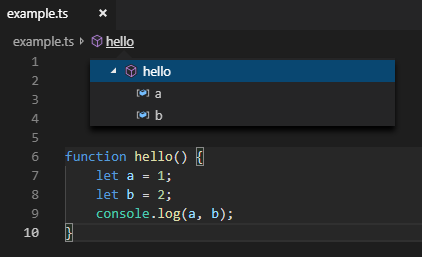
It would be nice to have an option to exclude them from breadcrumbs.
Or maybe have nodes that only contain local variables collapsed by default.
 Vlad-Shcherbina
All 23 comments
(Experimental duplicate detection)
Thanks for submitting this issue. Please also check if it is already covered by an existing one, like:
![vscodebot[bot] picture](https://avatars2.githubusercontent.com/in/2406?v=4&s=40) vscodebot[bot]
on 23 Feb 2019
vscodebot[bot]
on 23 Feb 2019
Another option would be to make it match the filepicker part and only show/expand sibling nodes by default.
 zacksigmund
on 20 Mar 2019
zacksigmund
on 20 Mar 2019
The same wish for outline panel. Variables make it unusable
 Antonius-S
on 22 Mar 2019
Antonius-S
on 22 Mar 2019
Makes it unusable for me.
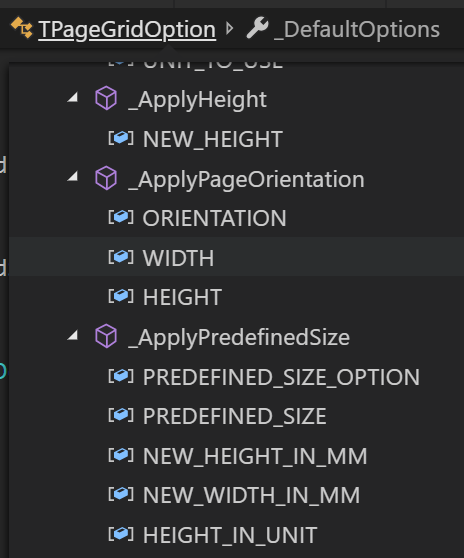
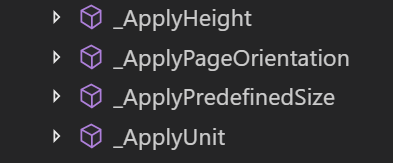
On top of hiding local variables another idea is to specify an auto collapse based on level (except if your in that level). In my case I have a namespace at level 1, classes at level 2, methods at level 3 and method variables are level 4 so I would setup to auto collapse level 4 items.
 richbully
on 30 May 2019
richbully
on 30 May 2019
Yes, local variables in that menu does not make any sense in my view. As an alternative, meanwhile this feature is not implemented this method to look for any method works:
Invoke Code's
Go to symbolcommand:
macOS: cmd+shift+o (the letter
o, not zero)Windows/Linux: ctrl+shift+o
Typing a colon (:) after invoking
Go to symbolwill group symbols by type (classes, interfaces, methods, properties, variables). Then just scroll to themethodssection.
 chesucr
on 31 May 2019
chesucr
on 31 May 2019
 jrieken
on 8 Oct 2019
jrieken
on 8 Oct 2019
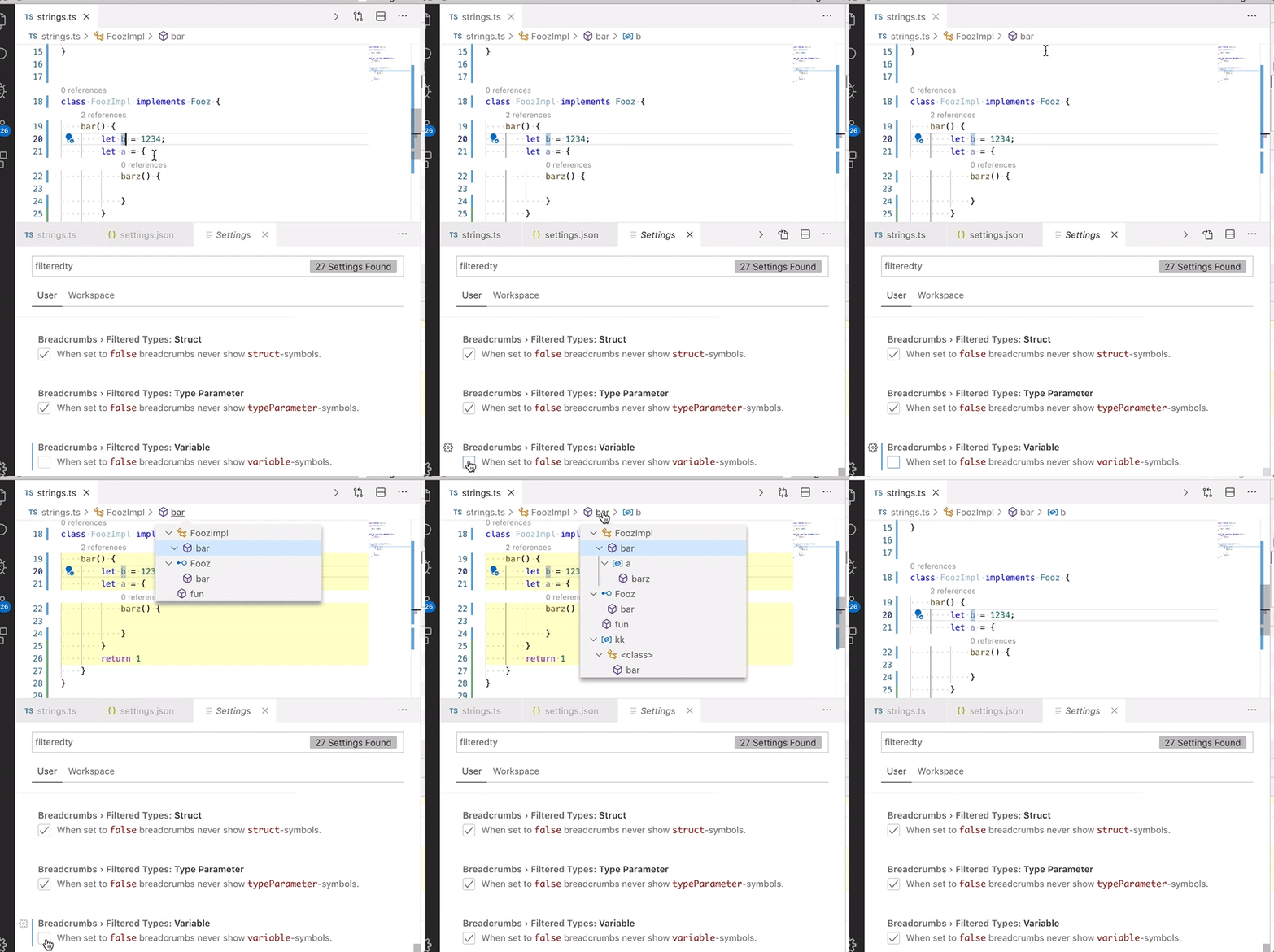
I am working on that feature (available on next 1.40 insiders). What I understand is that people want to filter entries in the breadcrumbs picker, what about breadcrumbs itself? My current implementation applies to both: picker and breadcrumbs. Is that what people want?
jrieken
on 10 Oct 2019
Can't speak for anybody else, but I think it makes sense to apply filtering to both. Otherwise it would look weird when you click on a variable breadcrumb and it's not in the picker.
Vlad-Shcherbina
on 10 Oct 2019
I remember that at some previous version of vscode, it will only show nodes at the same level of the selected node, and collapse all the levels under it. I think it's very convenient to use. But later, it became to expend all levels by default, which is very noisy :-(
 glacjay
on 10 Oct 2019
glacjay
on 10 Oct 2019
I agree with @richbully. I would like to see the breadcrumb drop down collapsed depending on which level was clicked on - possibly overriding the global switches. In a Typescript context, I currently see this:
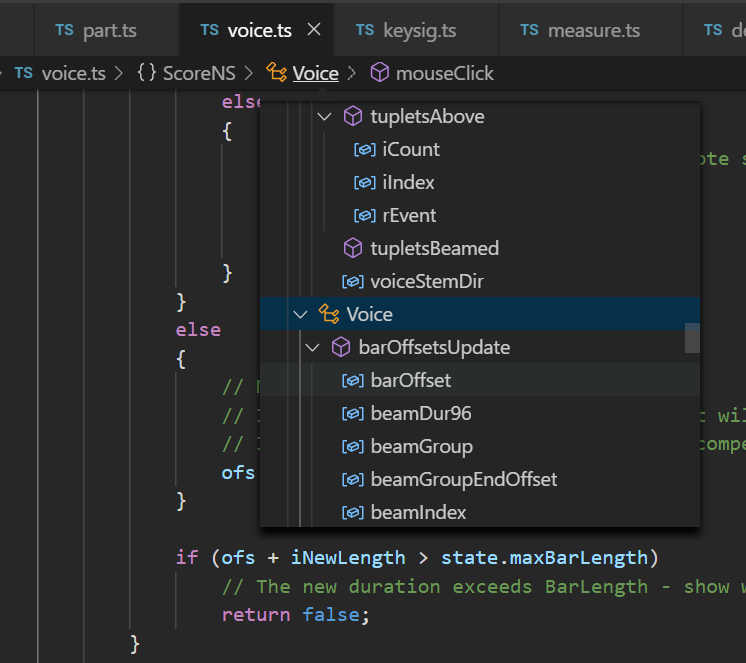
When I click on the namespace ScoreNS, I would like to see this:
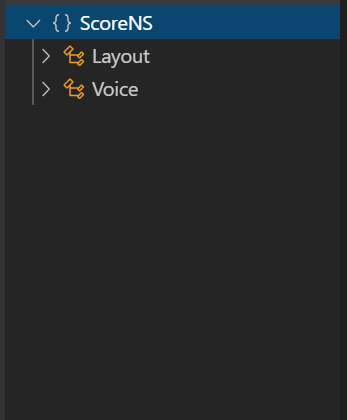
Similarly, when I click on the class Voice, I would like to see this:
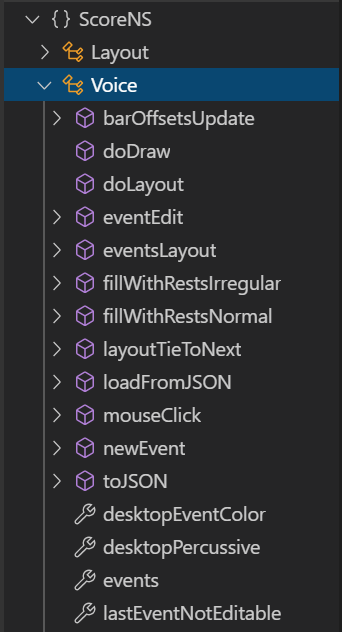
When I click on the method mouseClick, then I would see:
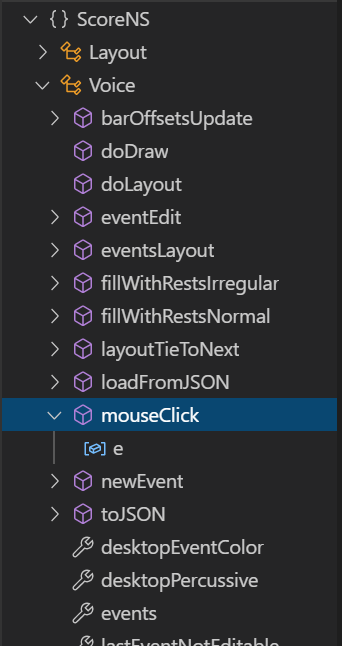
So the processing for the breadcrumb pop-up would be:
CollapseAll
Expand the current node
Expand each parent to the file level
 TonyRietwyk
on 10 Oct 2019
TonyRietwyk
on 10 Oct 2019
@TonyRietwyk This issue is about filtering, not collapsing.
jrieken
on 10 Oct 2019
@jrieken This issue is not specifically about filtering, it's about "hiding" and the original post explicitly mentions collapsing. @TonyRietwyk 's proposal is the exact behavior I would expect from the breadcrumb feature.
zacksigmund
on 10 Oct 2019
This is now done, there are breadcrumbs.filteredTypes.XYZ-settings and by default all nodes will be collapsed.
jrieken
on 18 Oct 2019
+1 for hide/remove local variables in breadcrumb dropdown
 lmaran
on 23 Oct 2019
lmaran
on 23 Oct 2019
verifier:
- ensure that there are
breadcrumbs.filtertTypes.XYZsettings - ensure that breadcrumb symbol pickers come up collapsed (except for current symbol)
jrieken
on 28 Oct 2019
If I set "breadcrumbs.filteredTypes.boolean": false,
And have this code
    private async testContainer(): Promise<boolean> {
        let isGood: boolean = true;
        return isGood;
    }
I still see the boolean in the breadcrumbs:

 alexr00
on 29 Oct 2019
alexr00
on 29 Oct 2019
Try Variable (https://code.visualstudio.com/docs/editor/intellisense#_types-of-completions)
jrieken
on 29 Oct 2019
Closing as it's the extension's job to name symbols - please followup with TS/JS to adjust symbols
jrieken
on 29 Oct 2019
"breadcrumbs.filteredTypes.function": false, but when I put cursor in an area not in any function, the ... "items past this" dropdown shows functions.

Cursor on line 150 here
 JacksonKearl
on 30 Oct 2019
JacksonKearl
on 30 Oct 2019
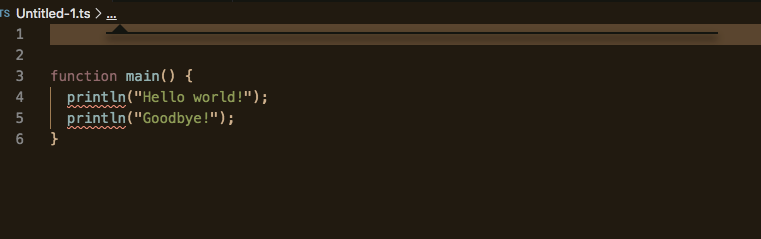
In file with only functions, where functions are filtered from breadcrumbs, the dots still show and clicking them occasionally gives you this artifact
JacksonKearl
on 30 Oct 2019
Please don't reopen feature requests in the presence of a bug, let's continue in https://github.com/microsoft/vscode/issues/83742
jrieken
on 31 Oct 2019
❗️ the names of the settings have change to breadcrumbs.showXYZ, e.g breadcrumbs.showFunctions.
jrieken
on 31 Oct 2019
@jrieken
This may be intentional, but I found that if you hide a container type element (function, class, module, etc), you end up hiding the breadcrumbs for everything inside the container. For example if you set "breadcrumbs.showClasses": false, you won't see any breadcrumbs for anything inside.
    class Class {
        constructor() { }
        field: any;
        get property() { return "something"; }
        method() { }
    }
This was definitely unexpected for me -- I wouldn't think you'd lose all nesting like that.
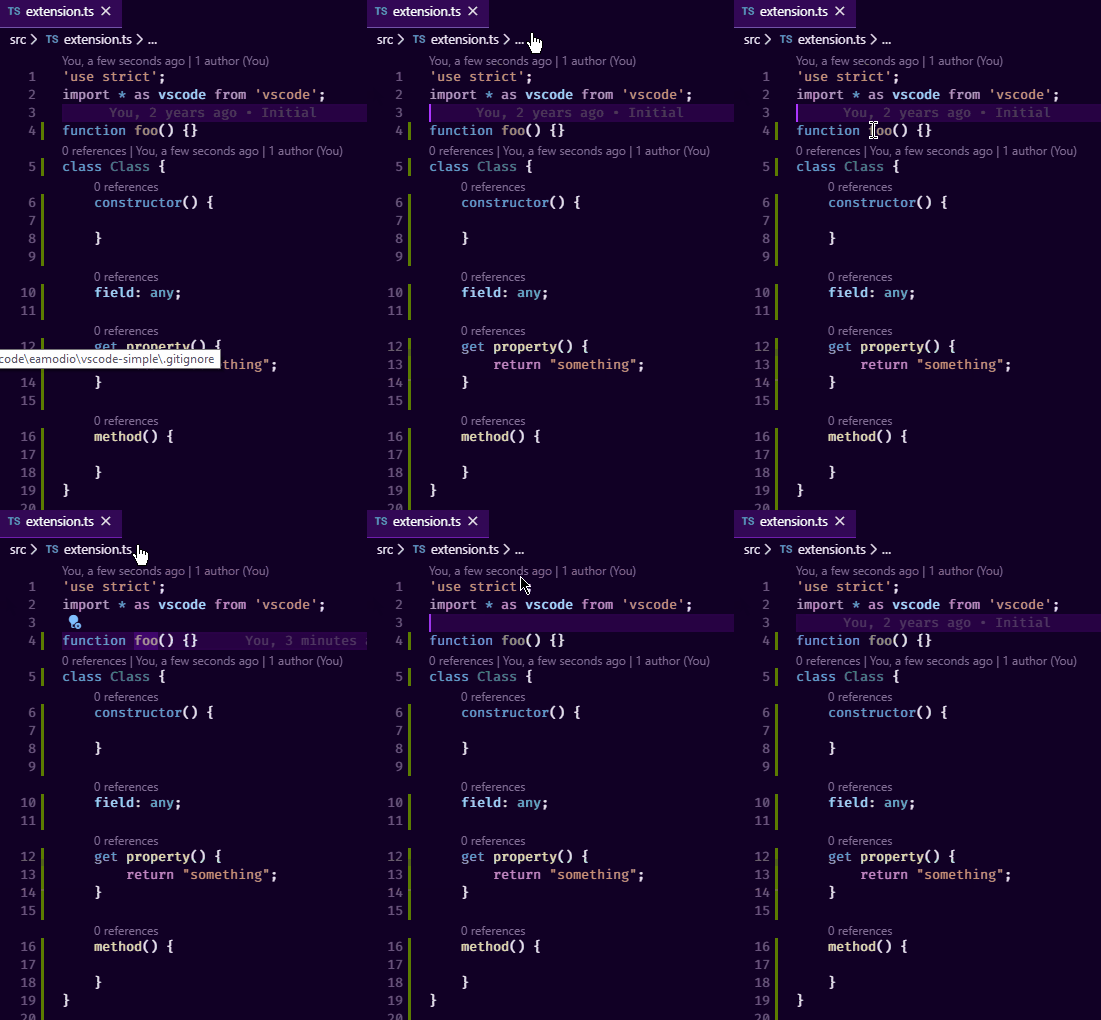
Also if you are on a "hidden" symbol, you won't have access to the breadcrumbs dropdown. See below, where I have "breadcrumbs.showFunctions": false and you can see that the ... goes away on the function.
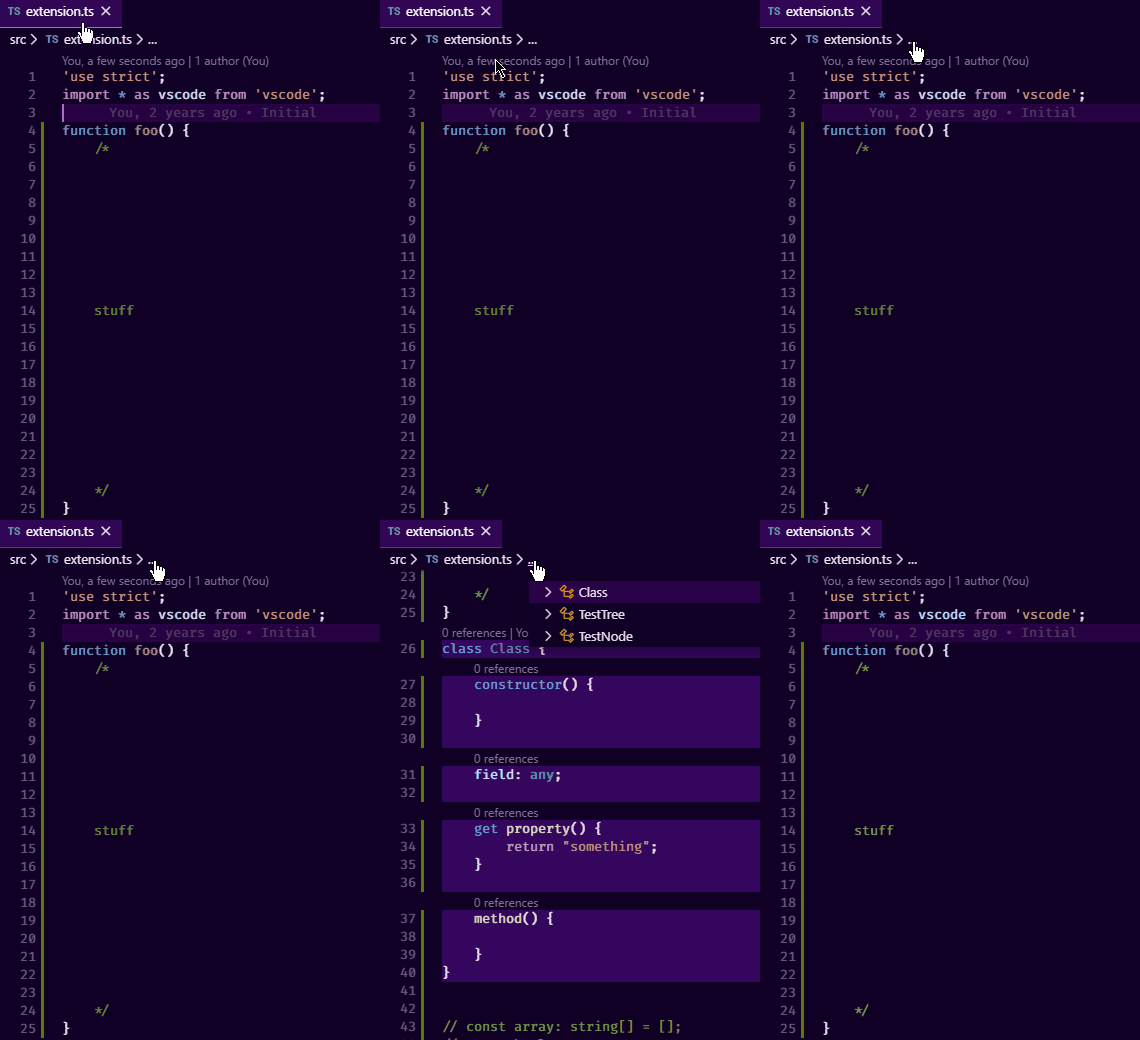
Also if you click the ... breadcrumb, we auto-select the first entry in the box, which also highlights the symbol in the editor and scrolls to it. While this is working as it _should_, without any hiding the viewport is pretty unlikely to scroll since the first symbol will be close to the cursor, but with hiding, the next symbol could be much farther way, which can be a bit jarring. Maybe we should just avoid auto-selecting the first symbol in the list to avoid this all together?
Here is an example of that (I have set "breadcrumbs.showFunctions": false):
 eamodio
on 1 Nov 2019
eamodio
on 1 Nov 2019
Related issues
 DovydasNavickas
·
3Comments
DovydasNavickas
·
3Comments
 v-pavanp
·
3Comments
v-pavanp
·
3Comments
 biij5698
·
3Comments
biij5698
·
3Comments
 mrkiley
·
3Comments
mrkiley
·
3Comments
 VitorLuizC
·
3Comments
VitorLuizC
·
3Comments
Most helpful comment
The same wish for outline panel. Variables make it unusable