Issue Type: Bug
Whenever I type anything in terminal, it's not working simply.
I am using VS code on VMware.
This started to be happening after I've upgraded to latest VS code version.
VS Code version: Code 1.31.0 (7c66f58312b48ed8ca4e387ebd9ffe9605332caa, 2019-02-05T22:32:14.164Z)
OS version: Darwin x64 17.4.0
System Info
|Item|Value|
|---|---|
|CPUs|Intel(R) Xeon(R) CPU E3-1231 v3 @ 3.40GHz (4 x 3242)|
|GPU Status|2d_canvas: enabled
checker_imaging: disabled_off
flash_3d: enabled
flash_stage3d: enabled
flash_stage3d_baseline: enabled
gpu_compositing: enabled
multiple_raster_threads: enabled_on
native_gpu_memory_buffers: enabled
rasterization: unavailable_off
surface_synchronization: enabled_on
video_decode: enabled
webgl: enabled
webgl2: enabled|
|Load (avg)|3, 3, 2|
|Memory (System)|8.00GB (0.66GB free)|
|Process Argv||
|Screen Reader|no|
|VM|50%|
Extensions (47)
Extension|Author (truncated)|Version
---|---|---
aws-cloudformation-yaml|Dan|0.2.2
better-comments|aar|2.0.3
html-snippets|abu|0.2.1
Bookmarks|ale|10.2.2
cform|aws|0.0.15
npm-intellisense|chr|1.3.0
path-intellisense|chr|1.4.2
bracket-pair-colorizer|Coe|1.0.61
vscode-markdownlint|Dav|0.24.0
jshint|dba|0.10.20
vscode-eslint|dba|1.8.0
jquerysnippets|don|0.0.1
xml|Dot|2.4.0
es7-react-js-snippets|dsz|2.0.1
gitlens|eam|9.5.0
EditorConfig|Edi|0.12.8
tslint|eg2|1.0.43
vscode-npm-script|eg2|0.3.5
vsc-material-theme|Equ|2.7.0
prettier-vscode|esb|1.8.1
php-debug|fel|1.12.6
easy-icons|jam|0.3.1
search-node-modules|jas|1.3.0
Angular2|joh|7.0.1
sublime-babel-vscode|jos|0.2.10
graphql-for-vscode|kum|1.13.0
lambda-snippets|log|1.0.0
velocity|luq|0.7.1
vscode-language-babel|mgm|0.0.21
Angular-BeastCode|Mik|7.2.2
prettify-json|moh|0.0.3
python|ms-|2019.1.0
js-atom-grammar|ms-|0.1.14
debugger-for-chrome|msj|4.11.1
indent-rainbow|ode|7.2.4
vscode-docker|Pet|0.5.2
material-icon-theme|PKi|3.6.3
cf-templates|pra|0.1.1
serverless-vscode-snippets|raf|0.0.4
vscode-yaml|red|0.2.1
vscode-icons|rob|8.1.0
code-settings-sync|Sha|3.2.4
vscode-react-native|vsm|0.8.0
nodejs-extension-pack|wad|0.1.9
vscode-wakatime|Wak|1.2.5
JavaScriptSnippets|xab|1.7.2
markdown-all-in-one|yzh|2.0.1
 harleyguru
All 10 comments
Here, I also attach how it looks like.
As you can see, I've typed some lines but can't see anything because of flashing terminal. Some secs later, it's showing lastly updated screen correctly.
Earlier VS code version was working well really.. :(
I can't use the terminal now.
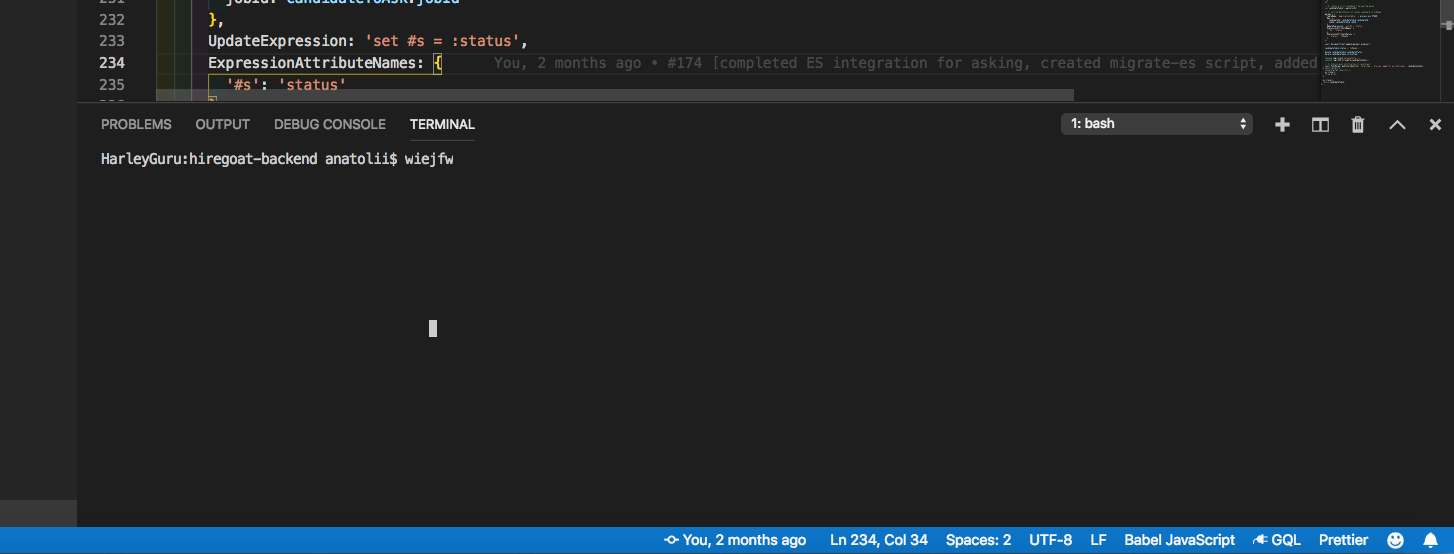
Hopefully, I expect you to fix this issue ASAP.
harleyguru
on 12 Feb 2019
I'm having the same issue as @harleyguru.
The terminal is flashing, e.g. running a grunt task makes the terminal flash like crazy even after the grunt task has well finished running for some time, which gives the feel like it is still running.
VMWare Workstation 14 Player (14.1.5 build-10950780)
VMWare Host OS: Windows 10 Version 1803 (OS Build 17134.523)
OS (VMWare Guest): macOS High Sierra version 10.13.6 (17G5019) (Kernel Version: Darwin 17.7.0)
VS Code version: Code 1.31.1 (2019-02-12T02:10:22.500Z)
System Info
CPUs | Intel(R) Core(TM) i7-7700HQ CPU @ 2.80GHz (4 x 2677)
-- | --
GPU Status | 2d_canvas: enabledchecker_imaging: disabled_offflash_3d: enabledflash_stage3d: enabledflash_stage3d_baseline: enabledgpu_compositing: enabledmultiple_raster_threads: enabled_onnative_gpu_memory_buffers: enabledrasterization: unavailable_offsurface_synchronization: enabled_onvideo_decode: enabledwebgl: enabledwebgl2: enabled
Load (avg) | 2, 2, 2
Memory (System) | 8.00GB (3.42GB free)
Process Argv | -psn_0_241723
Screen Reader | no
VM | 67%
Enabled Extensions (2)
Extension | Author (truncated) | Version
-- | -- | --
Bookmarks | ale | 10.2.2
vscode-eslint | dba | 1.8.0
 BraveThrasher
on 13 Feb 2019
BraveThrasher
on 13 Feb 2019
Let's close in favor of https://github.com/Microsoft/vscode/issues/15211, Chromium is bad when GPU acceleration is enabled in VMs.
 Tyriar
on 5 Mar 2019
Tyriar
on 5 Mar 2019
@Tyriar Thanks for your point!
But as you know, earlier VS code version didn't have this issue.
Latest version had this issue only.
Maybe latest version migrated to the way using chromium for its GUI module?
I don't want to disable accelerate gui option as suggested because it will make VS Code UI is worse regarding scrolling etc..
The best choice is to downgrade VS code?
For that, could you guide me how to downgrade VS code please?
I wish next version will fix this issue certainly please...
harleyguru
on 5 Mar 2019
@harleyguru it probably regressed with Electron v3, we're in the process of updating to v4 now, you can try exploration builds here to see if it reproduces:
Tyriar
on 5 Mar 2019
Thanks a lot @Tyriar
I will give it a try and find another way if it won't work.
harleyguru
on 5 Mar 2019
@harleyguru it probably regressed with Electron v3, we're in the process of updating to v4 now, you can try exploration builds here to see if it reproduces:
This worked for me.. Thanks a lot @Tyriar
harleyguru
on 5 Mar 2019
As a note, rather than installing new exploration version, I've changed integrated terminal render type to dom in settings.
It worked perfectly now.
Now I am happy 👍
harleyguru
on 5 Mar 2019
After last automatic update of VSCode to 1.32.3 version, FileExplorer, Minimap and Terminal has starting flashing again...
Visual Studio Code - Exploration.app for OSX didn't solve any of this issues (I have a Hackintosh PC).
With official VSCode 1.32.3 version Terminal problem is solved changing "terminal.integrated.rendererType": "dom" setting, but FileExplorer and Minimap problems continue to fail...
Fortunately, hacking .app with @shalkam 's solution continues solving my problem.
I think, MS should split into 2 different versions VSCode: one with GPU acceleration enabled and another one with GPU acceleration disabled out-of-the-box using this solution.
It is very annoying to have to make this change every time VSCode is automatically updated.
 JavierFuentes
on 19 Mar 2019
JavierFuentes
on 19 Mar 2019
We will ship with Electron 4 with our upcoming release 1.36 this week. As such I am closing this issue. To benefit from the update already today, consider to use our insiders version: https://code.visualstudio.com/insiders/
 bpasero
on 1 Jul 2019
bpasero
on 1 Jul 2019
Related issues
 trstringer
·
3Comments
trstringer
·
3Comments
 lukehoban
·
3Comments
lukehoban
·
3Comments
 biij5698
·
3Comments
biij5698
·
3Comments
 curtw
·
3Comments
curtw
·
3Comments
 mrkiley
·
3Comments
mrkiley
·
3Comments
Most helpful comment
As a note, rather than installing new exploration version, I've changed integrated terminal render type to dom in settings.
It worked perfectly now.
Now I am happy 👍