Vscode: Scroll bar visibility should be configurable
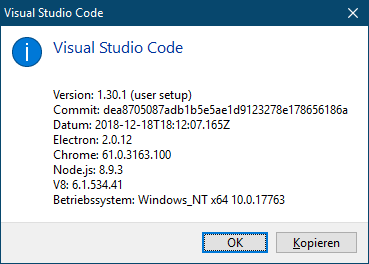
VSCode Version
Steps to Reproduce
- Open Visual Studio code and open a large text file
Current Behaviour
In Visual Studio Code, editors' scroll bars auto hide, thereby thwarting targeting the scroll bar handle when moving the mouse.
Expected Behaviour
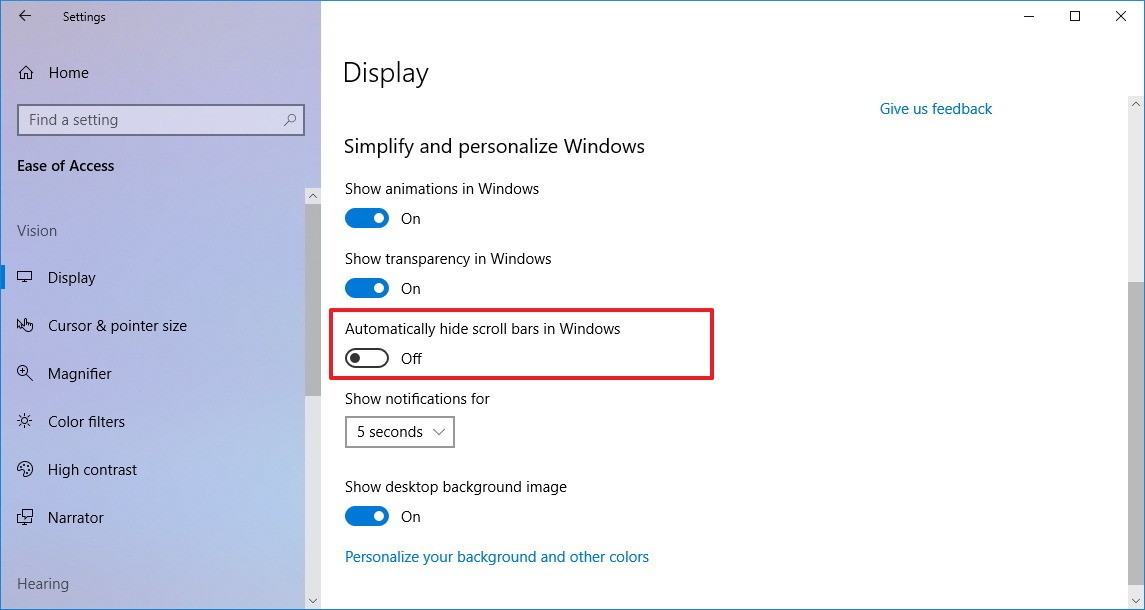
Visual Studio Code should follow the Windows system setting Settings > Ease of Access > Display > Automatically hide scrollbar in Windows
Does this issue occur when all extensions are disabled?
- [x] Yes
- [ ] No
 SetTrend
All 17 comments
We will not respect the windows options because this is not exposed by Electron.
However we could expose a vscode setting for changing the scroll bar behavior. Currently the editor supports changing this internally, however we would need an external setting.
Thus leaving this open as a feature request to see if more users request it.
fyi @alexandrudima @bpasero
 isidorn
on 7 Jan 2019
isidorn
on 7 Jan 2019
Thanks, isidorn. Your efforts are highly appreciated. 👍
SetTrend
on 7 Jan 2019
@SetTrend There is a "hidden" setting you can use, but you need to restart VS Code for the setting to apply
{
  "editor.scrollbar.vertical": "visible",
  "editor.scrollbar.horizontal": "visible"
}
 alexdima
on 8 Jan 2019
alexdima
on 8 Jan 2019
@alexandrudima why isn't this exposed via our settings schema?
That's the reason why I could not find the setting originaly.
isidorn
on 8 Jan 2019
Thanks!
It seems, though, as if this setting doesn't affect the Explorer view, does it?

SetTrend
on 8 Jan 2019
@SetTrend yes, this only affects the editor.
isidorn
on 8 Jan 2019
@isidorn because "you need to restart VS Code for the setting to apply", i.e. work is needed in the scrollbar and in the editor to handle the change event.
alexdima
on 8 Jan 2019
But there are already settings that require reload of the window and they just prompt for it.
 usernamehw
on 8 Jan 2019
usernamehw
on 8 Jan 2019
AFAIK none of the (code) editor settings ask for a reload. I know disabling the telemetry crash reporter process requires a restart, but the settings that really need a restart should IMHO be very few.
I am not arguing about anything... I am just describing that to expose these as real user settings some work needs to be done to polish things, to react to the change event, perhaps even come up with better names and make things more consistent. We have a lot of scrollbar settings and we should see which ones we want to expose and how. -- https://github.com/Microsoft/vscode/blob/5aba426b77d58dbeedbc539d1780931b917cb8bb/src/vs/editor/common/config/editorOptions.ts#L2595:L2610
But this requires some work and should be therefore planned.
alexdima
on 8 Jan 2019
... and, I may add, to extend this feature to _all_ panels, including Explorer and Terminal, as it should be an application wide accessibility setting, not an editor feature.
SetTrend
on 8 Jan 2019
 kanlukasz
on 14 Aug 2019
kanlukasz
on 14 Aug 2019
{
 "editor.scrollbar.vertical": "hidden",
 "editor.scrollbar.horizontal": "hidden"
}
Currently the scrollbar in the editor is not hidden, it's only the handle that's gone. The horizontal scrollbar behaves as expected i.e. completely gone. This applies regardless of minimap (which I like).
 amirea
on 15 Aug 2019
amirea
on 15 Aug 2019
For subscribers of this issue:
If you are interested in publishing the editor.scrollbar .... option as official, you can vote for it in this issue: https://github.com/microsoft/vscode/issues/98632
kanlukasz
on 4 Jun 2020
I experimented by adding code at the end of https://github.com/microsoft/vscode/blob/135e5d9323a30ac64eb9e3356f1828aef0920e91/src/vs/base/browser/ui/scrollbar/scrollableElement.ts#L592
to transform ScrollbarVisibility.Auto to ScrollbarVisibility.Visible
    if (result.vertical === ScrollbarVisibility.Auto) {
        result.vertical = ScrollbarVisibility.Visible;
    }

    if (result.horizontal === ScrollbarVisibility.Auto) {
        result.horizontal = ScrollbarVisibility.Visible;
    }
It worked nicely, but the challenge will be to make this conditional on a new user setting called something like window.alwaysShowScrollbars
Is it feasible to check such a setting here? Or am I too deep in the call stack to get access to settings?
 gjsjohnmurray
on 15 Jul 2020
gjsjohnmurray
on 15 Jul 2020
Pardon me for probably requesting a leap too large at this time, but perhaps OS accessibility settings may be taken into account as a third option (ScrollbarVisibility.OS):

SetTrend
on 15 Jul 2020
In https://github.com/microsoft/vscode/issues/66000#issuecomment-451876527 @isidorn previously said Electron doesn't expose this setting.
gjsjohnmurray
on 15 Jul 2020
Oh, pardon me. I just flew over this issue without re-reading the history. 😳
SetTrend
on 15 Jul 2020
Related issues
 vsccarl
·
3Comments
vsccarl
·
3Comments
 mrkiley
·
3Comments
mrkiley
·
3Comments
 villiv
·
3Comments
villiv
·
3Comments
 sirius1024
·
3Comments
sirius1024
·
3Comments
 v-pavanp
·
3Comments
v-pavanp
·
3Comments
Most helpful comment
... and, I may add, to extend this feature to _all_ panels, including Explorer and Terminal, as it should be an application wide accessibility setting, not an editor feature.