Vscode: GDB C/C++ debugger won't start, giving error
Version: 1.30.0
Commit: c6e592b2b5770e40a98cb9c2715a8ef89aec3d74
Date: 2018-12-11T22:21:33.585Z
Electron: 2.0.12
Chrome: 61.0.3163.100
Node.js: 8.9.3
V8: 6.1.534.41
OS: Linux x64 4.18.0-3-amd64
Steps to Reproduce:
- Create a C/C++ project.
- Add a debug configuration with GDB.
- Launch with or without debugging.
What happens:
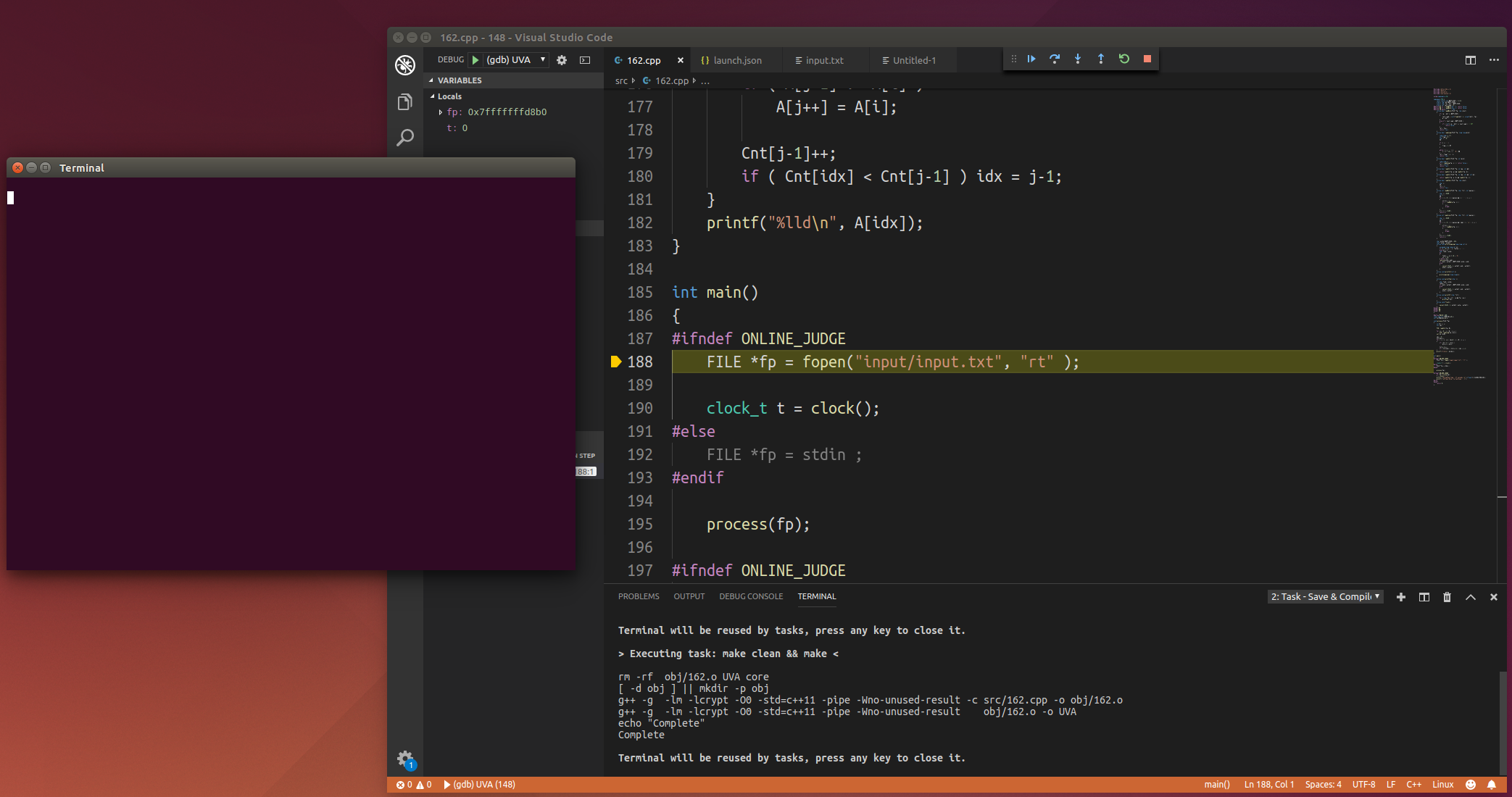
The Debug Console displays:
Stopping due to fatal error: NullReferenceException: Object reference not set to an instance of an object
The program does not start and the external console stays empty.
- I have been able to reproduce this issue on Debian and Ubuntu. (Other platforms unknown.)
- I have only seen this happen with C/C++ debugging. (The only other configuration I have tried is Node.js. Could someone please try other configurations?)
- This began to occur after updating to 1.30.0, although this may be present in prior versions.
The C/C++ Extension must be enabled to use C/C++ debugging.
Screenshot:

 jonahcwest
All 12 comments
It works good with previous version, but I got a same error after updating the code.
OS : Ubuntu 14.04.5 x64
Version: 1.30.0
Commit: c6e592b2b5770e40a98cb9c2715a8ef89aec3d74
Date: 2018-12-11T22:21:33.585Z
Electron: 2.0.12
Chrome: 61.0.3163.100
Node.js: 8.9.3
V8: 6.1.534.41
OS: Linux x64 4.4.0-134-generic

 Gaolious
on 13 Dec 2018
Gaolious
on 13 Dec 2018
It works fine with 1.29.1 . (I've downgrade to 1.29.1)
url : https://code.visualstudio.com/updates/v1_29
Gaolious
on 13 Dec 2018
So this seems to be an issue in 1.30.0 only? I’ve tried the latest insider version and the bug is still present.
jonahcwest
on 13 Dec 2018
In version 1.29, I can debug normally. I ran into a problem in version 1.30.
 converk
on 13 Dec 2018
converk
on 13 Dec 2018
I have tried reproducing this and could not. I tried with Ubuntu 16 and Mac OS X.
Here's my sample program and my launch.json
I believe this is an issue with the C++ extension thus I am moving it to the C++ repository.
If it turns out to be an issue with VSCode please let us know and we will look into a candidate fix.
Also if it is an issue with vscode please give us an reproducable repository so we can investigate more.
#include <stdio.h>

int main(int argc, char *argv[]) {
    for (int i = 0; i < argc; i++) {
        fprintf(stdout, "argv[%d]: %s\n", i, argv[i]);
    }
    return 0;
}
{
    "version": "0.2.0",
    "configurations": [
        {
            "name": "C++ Launch",
            "type": "cppdbg",
            "request": "launch",
            "program": "${workspaceRoot}/a.out",
            "args": [
                "hello", "world", "!"
            ],
            "stopAtEntry": true,
            "cwd": "${workspaceRoot}",
            "linux": {
                "MIMode": "gdb",
                "miDebuggerPath": "/usr/bin/gdb"
            },
            "osx": {
                "MIMode": "lldb"
            },
            "windows": {
                "MIMode": "gdb",
                "miDebuggerPath": "C:\\MinGw\\bin\\gdb.exe"
            },
            "externalConsole": false
        }
    ]
}

 isidorn
on 13 Dec 2018
isidorn
on 13 Dec 2018
Created issue in C++ extension repository. Follow the issue there for more details
https://github.com/Microsoft/vscode-cpptools/issues/2922
isidorn
on 13 Dec 2018
use "externalConsole": false to solve the issue in launch.json
 newfla
on 13 Dec 2018
newfla
on 13 Dec 2018
Yep, a crash deep inside the C++ debug adapter occurs if "externalConsole" is true.
The C++ team needs to investigate why this happens.
Workaround: set "externalConsole" to false (as pointed out by @newfla)
 weinand
on 13 Dec 2018
weinand
on 13 Dec 2018
@jonahcwest
apt-get purge code
rm -rf ~/.vscode
rm -rf /tmp/MS*
and
install the prior version
Gaolious
on 13 Dec 2018
I was sending a RunInTerminalResponse without a body (which is a violation of the spec).
Sorry about that. I have pushed a fix.
I broke that 24 days ago but I wonder why nobody noticed this in Insiders.
weinand
on 13 Dec 2018
use "externalConsole": false to solve the issue in launch.json
I was having the same issue and this solved the problem, plus is less annoying than opening a new terminal all the time you want to debug
 marcocrio
on 24 Dec 2018
marcocrio
on 24 Dec 2018
maybe you should add gcc option '-g' to compile before you debug it. and "externalConsole": false,
 seclog
on 11 Jan 2019
seclog
on 11 Jan 2019
Related issues
 lukehoban
·
3Comments
lukehoban
·
3Comments
 ryan-wong
·
3Comments
ryan-wong
·
3Comments
 sirius1024
·
3Comments
sirius1024
·
3Comments
 DovydasNavickas
·
3Comments
DovydasNavickas
·
3Comments
 borekb
·
3Comments
borekb
·
3Comments
Most helpful comment
use "externalConsole": false to solve the issue in launch.json