Vscode: VSCode is blurry on Chrome OS with scaling
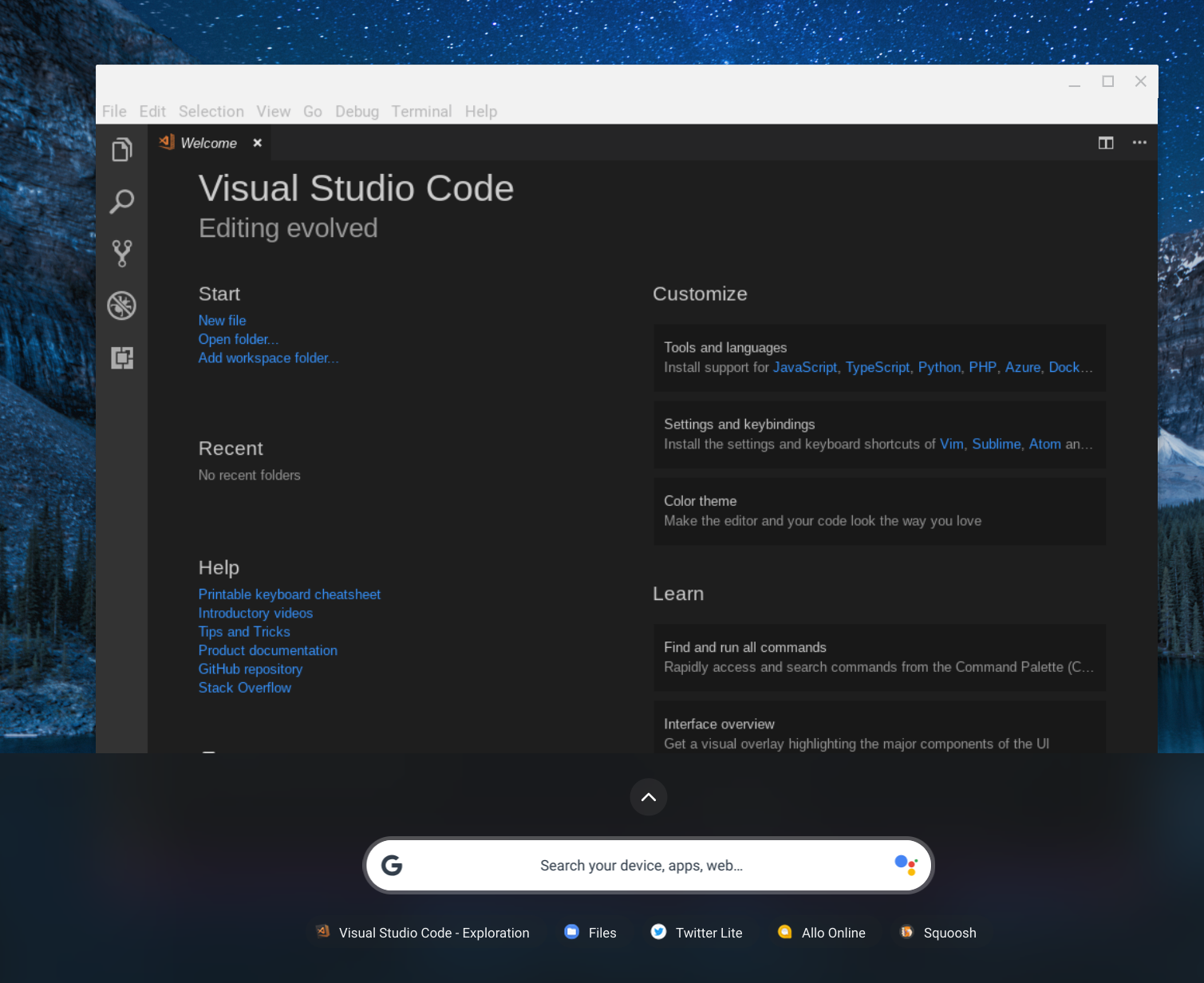
The below screenshot is running on an external monitor connected to the Pixelbook. It is set to scale to 130%
The Desktop PWA (progressive web app) Twitter running in Chrome is scaled nicely, but VSCode is not.

As can be read in https://www.reddit.com/r/Crostini/wiki/howto/adjust-display-scaling Linux/Crostini apps in CrOS (Chrome OS) are scaled by sommelier, which I assume scaled the resulting window.
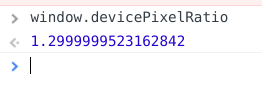
The proper solution is to not scale the window content, but give the scale factor to Electron, as Electron embeds Chrome which can paint at the right scale via Skia. Chrome additionally exposes this as window.devicePixelRatio which means that at higher DRP (device pixel ratio) it can use images of higher resolution.
Electron on Linux additionally uses GTK+ but I assume that GTK as well has a way to paint at the right resolution.
The question is how to make sure that VSCode is not being scaled by sommelier on CrOS and how it should get the scale (also when it changes or window is moved from one display to the other).
 kenchris
All 10 comments
(Experimental duplicate detection)
Thanks for submitting this issue. Please also check if it is already covered by an existing one, like:
![vscodebot[bot] picture](https://avatars2.githubusercontent.com/in/2406?v=4&s=40) vscodebot[bot]
on 30 Nov 2018
vscodebot[bot]
on 30 Nov 2018
Some info about GTK DPI adjustment: https://wiki.gnome.org/HowDoI/HiDpi
kenchris
on 30 Nov 2018
Actually experimenting I get pretty good results using
GDK_SCALE=2 sommelier -X --scale=2 --dpi=208 /usr/share/code/code
The DPI is calculated as "160 * 1.3" as devicePixelRatio 1 equals a DPI of 160 and I am using a scale of 1.3%. Not sure this is the right way of doing it and this is all be detected automatically anyways
kenchris
on 30 Nov 2018
I wrote a mini medium article on how to work around this issue:
https://medium.com/@kennethrohde/sharp-looking-vscode-on-chrome-os-e8edf7c1411d
kenchris
on 30 Nov 2018
We are building exploration builds that use a much newer version of Electron (our UI framework). I wonder if this issue reproduces with one of these builds, could you try? Download:
 bpasero
on 1 Dec 2018
bpasero
on 1 Dec 2018
@bpasero Code Exploration is just as blurry
kenchris
on 3 Dec 2018
Is there a link to the upstream electron issue?
 silenceisgolden
on 7 Jul 2019
silenceisgolden
on 7 Jul 2019
Sir, But How can you make it permanent, when I restart visual studio code it reverts.
 ArunRamachandran25
on 29 Sep 2019
ArunRamachandran25
on 29 Sep 2019
This issue is being closed to keep the number of issues in our inbox on a manageable level, we are closing issues that are not going to be addressed in the foreseeable future: We look at the number of votes the issue has received and the number of duplicate issues filed. More details here. If you disagree and feel that this issue is crucial: We are happy to listen and to reconsider.
If you wonder what we are up to, please see our roadmap and issue reporting guidelines.
Thanks for your understanding and happy coding!
vscodebot[bot]
on 9 Oct 2019
VSCode is still very blurry on my 4k monitor hooked up to a Pixelbook, whether using low-density or high-density. Please reopen this.
 MaxGhenis
on 23 Aug 2020
MaxGhenis
on 23 Aug 2020
Related issues
 omidgolparvar
·
3Comments
omidgolparvar
·
3Comments
 chrisdias
·
3Comments
chrisdias
·
3Comments
 trstringer
·
3Comments
trstringer
·
3Comments
 DovydasNavickas
·
3Comments
DovydasNavickas
·
3Comments
 vsccarl
·
3Comments
vsccarl
·
3Comments
Most helpful comment
VSCode is still very blurry on my 4k monitor hooked up to a Pixelbook, whether using low-density or high-density. Please reopen this.