Issue Type: Feature Request
Please remove this header. I know it's the explorer. I can see it by all the files than can be explored/are open. This header is just taking up space for no good reason.
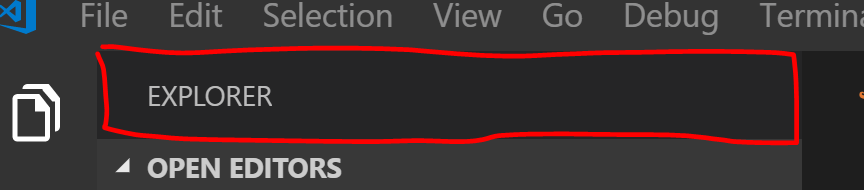
That there header in red
VS Code version: Code 1.28.2 (7f3ce96ff4729c91352ae6def877e59c561f4850, 2018-10-17T00:23:51.859Z)
OS version: Windows_NT x64 10.0.17134
 thany
thany
All 18 comments
If you want to hide the header you can hide all other non explorer views and the header will automatically go away.
If there are multiple views we show the header, that is just our design currently, do I do understand your point about saving vertical space
fyi @misolori
 isidorn
on 5 Nov 2018
isidorn
on 5 Nov 2018
If you want to hide the header you can hide all other non explorer views and the header will automatically go away.
I only have code editors open, and the header still shows. So I guess that's not what you mean by "non explorer views"?
If there are multiple views we show the header, that is just our design currently, do I do understand your point about saving vertical space
Even if I close everything, that header stays put. What more can I close?...
thany
on 5 Nov 2018
The header will stay, but you will save some vertical space. So to correct myself it is not possible to completely hide the header
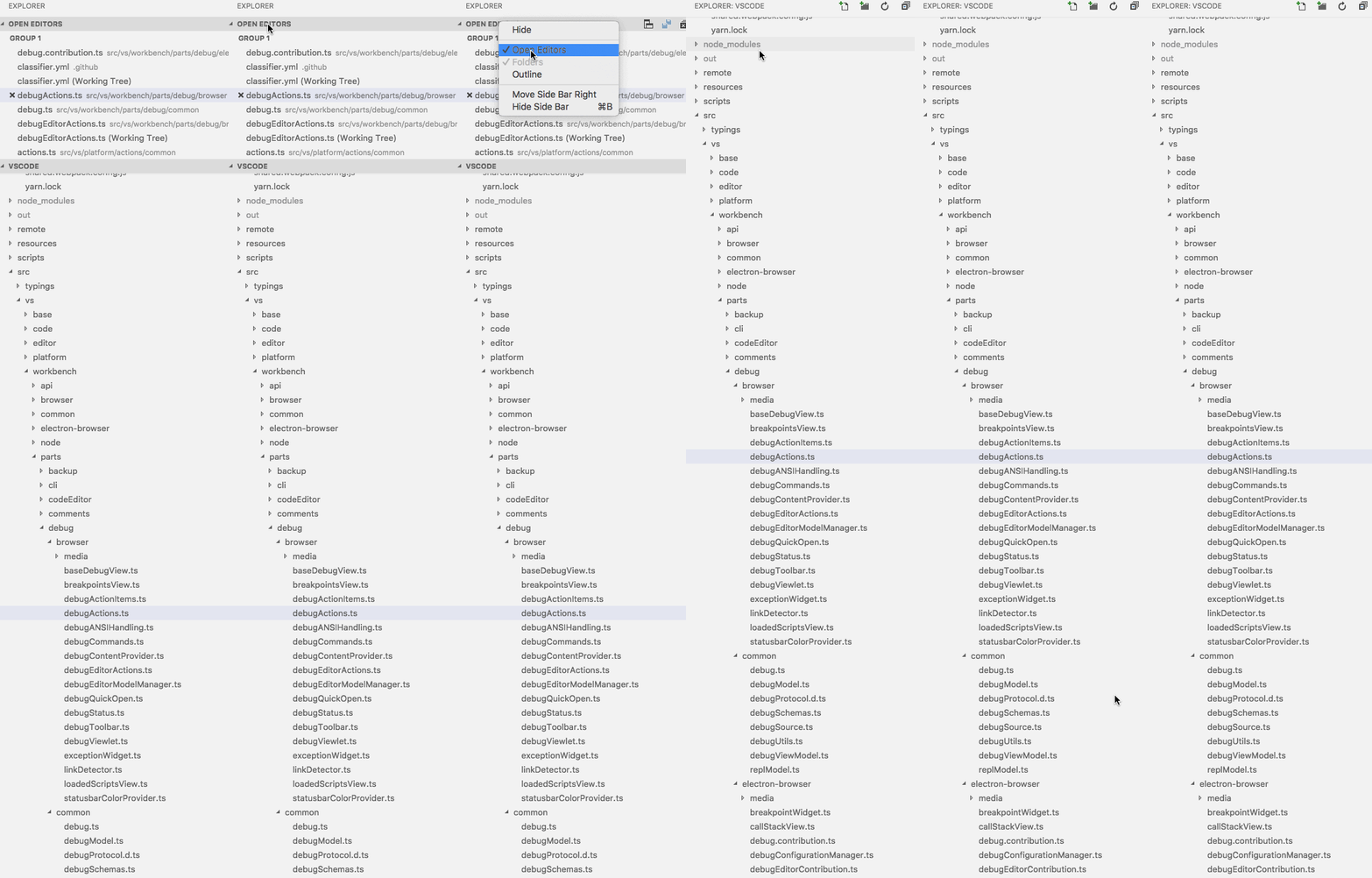
isidorn
on 5 Nov 2018
This would cause issues in the case where you have no list headers (as @isidorn shows above) because we also show actions in the header:
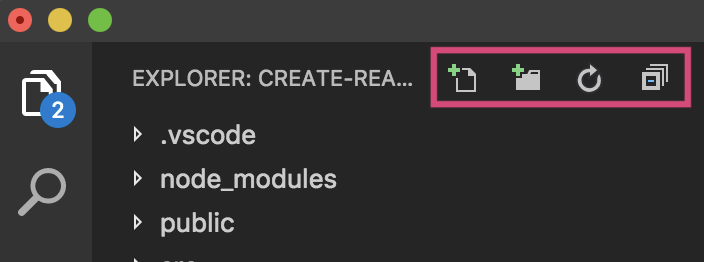
Additionally, this would cause inconsistencies with out other views since every view has a header and actions. This would be a 👎 for me.
 misolori
on 5 Nov 2018
misolori
on 5 Nov 2018
Yeah agree.
isidorn
on 5 Nov 2018
@isidorn So hide the whole "open editors" tree. Then I can't know which editor I have open. I don't have tabs.
@misolori For me, the "explorer" header is always empty, apart from the text "explorer" in screaming capitals. For me those buttons sit on the collapsable trees below it...
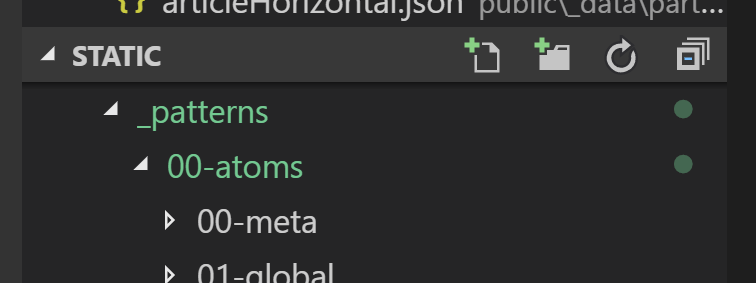
So the header is completely useless to me.
Personally I don't care about consistency with other panels. The explorer panel is the one I work with pretty much 99% of the time. I'm not installing extensions all day, I'm actually working with code ;)
thany
on 6 Nov 2018
@thany I also do not have tabs and do not have open editors. Just try that out, you might like that setup. You will get accustomted to using Quick PIck for navigating between open files.
isidorn
on 6 Nov 2018
i removed this by adding this to my workbench.main.css file
.title-label > h2 {
  display:none;
}
on a mac that file is at /Applications/Visual\ Studio\ Code.app/Contents/Resources/app/out/vs/workbench/workbench.main.css
cheers
 spencermountain
on 10 Jul 2019
spencermountain
on 10 Jul 2019
@thany I also do not have tabs and do not have open editors. Just try that out, you might like that setup. You will get accustomted to using Quick PIck for navigating between open files.
I don't know that I'll like that. Especially in a project with hundreds and hundres of files.
Why can't we have either:
- No main header, but do have subheaders for each pane
- Main header only, for those without the "open editors" pane.
In other words, why MUST the main header sit there, when it's adding absolutely nothing, and only taking precious vertical screen real estate. When it DOES add functionality, by all means keep it visible. But when it DOESN'T add anything, why not hide it? How hard can it be?
@spencermountain We shouldn't hack into program code like that.
thany
on 12 Jul 2019
This issue is being closed to keep the number of issues in our inbox on a manageable level, we are closing issues that are not going to be addressed in the foreseeable future: We look at the number of votes the issue has received and the number of duplicate issues filed. More details here. If you disagree and feel that this issue is crucial: We are happy to listen and to reconsider.
If you wonder what we are up to, please see our roadmap and issue reporting guidelines.
Thanks for your understanding and happy coding!
![vscodebot[bot] picture](https://avatars2.githubusercontent.com/in/2406?v=4&s=40) vscodebot[bot]
on 8 Oct 2019
vscodebot[bot]
on 8 Oct 2019
This should be reopened. The header accomplishes nothing, and editing the CSS causes the error Installation appears to be corrupt [Unsupported]#
 colinmegill
on 4 Mar 2020
colinmegill
on 4 Mar 2020
Yes please. This is always the first thing I try to remove every time I give vscode another shot. I'm always disappointed with the amount of things I can't disable.
 whaaaley
on 18 May 2020
whaaaley
on 18 May 2020
I'm always disappointed with the amount of things I can't disable.
This is exactly how I feel. Uncluttering the user interface should be at least possible and be easy.
 peter-fb
on 4 Jun 2020
peter-fb
on 4 Jun 2020
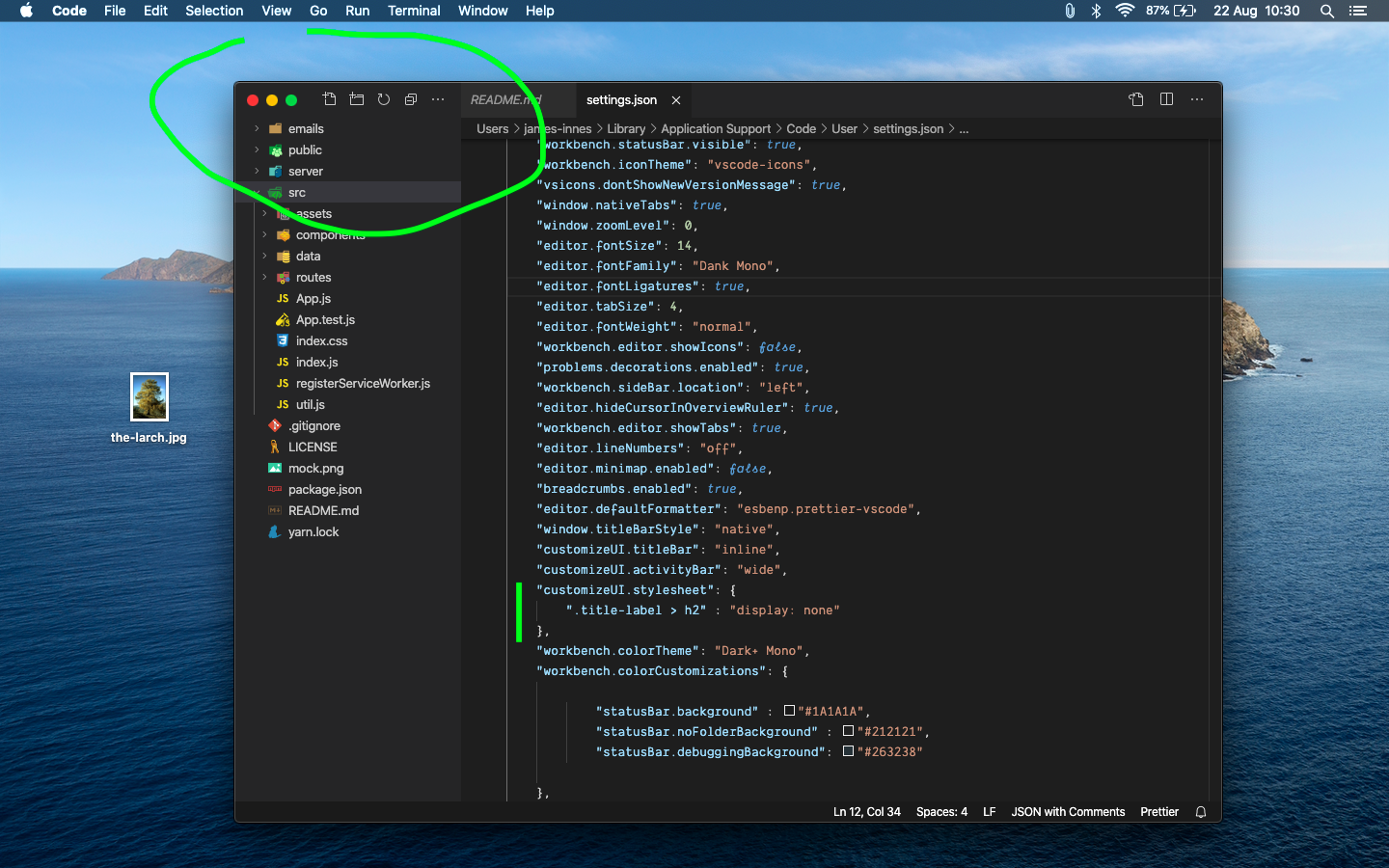
Hey everyone, just wanted to let you know that you can use @spencermountain's CSS snippet _without_ corrupting your VS Code installation! Simply download the Customize UI extension from the marketplace and add the following to your settings JSON file:
    "customizeUI.stylesheet": {
        ".title-label > h2" : "display: none"
    }
I have just tried it myself and it works like a charm! :)
For reference, I'm using VS Code version 1.46 on Mac OS Mojave.
 rchoudhary
on 27 Jun 2020
rchoudhary
on 27 Jun 2020
Is it possible to remove the "EXPLORER:" text when a folder is open, and only show the folder name there? Prepending the "EXPLORER:" makes it hard to see the folder name at a glance without extending the sidebar into the working space.
 CodeBrotha
on 14 Jul 2020
CodeBrotha
on 14 Jul 2020
@rchoudhary How sexy is that! This is what we need.
 james-innes
on 22 Aug 2020
james-innes
on 22 Aug 2020
i'm looking for this as well.
 MichaelScoggins
on 26 Sep 2020
MichaelScoggins
on 26 Sep 2020
fwiw the monkey patch extension that the customize ui extension uses still "corrupts" your installation in the same way.
also the style snippet didn't work for me on win10.
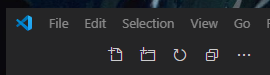
the actions are still there which is the worst part for me personally.
whaaaley
on 4 Oct 2020
Related issues
 sijad
·
3Comments
sijad
·
3Comments
 vsccarl
·
3Comments
vsccarl
·
3Comments
 borekb
·
3Comments
borekb
·
3Comments
 NikosEfthias
·
3Comments
NikosEfthias
·
3Comments
 ryan-wong
·
3Comments
ryan-wong
·
3Comments
Most helpful comment
This should be reopened. The header accomplishes nothing, and editing the CSS causes the error
Installation appears to be corrupt [Unsupported]#