Issue Type: Bug
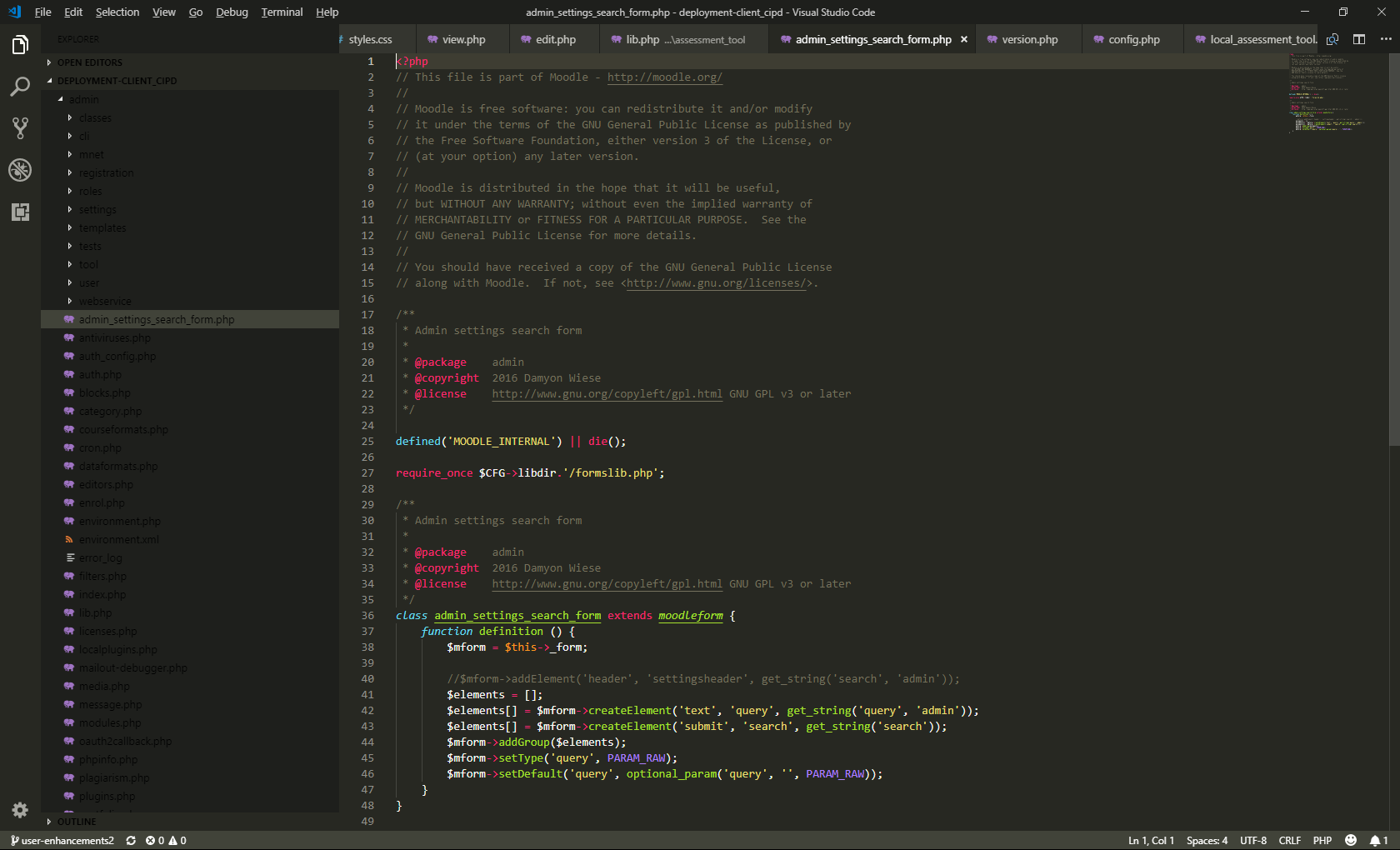
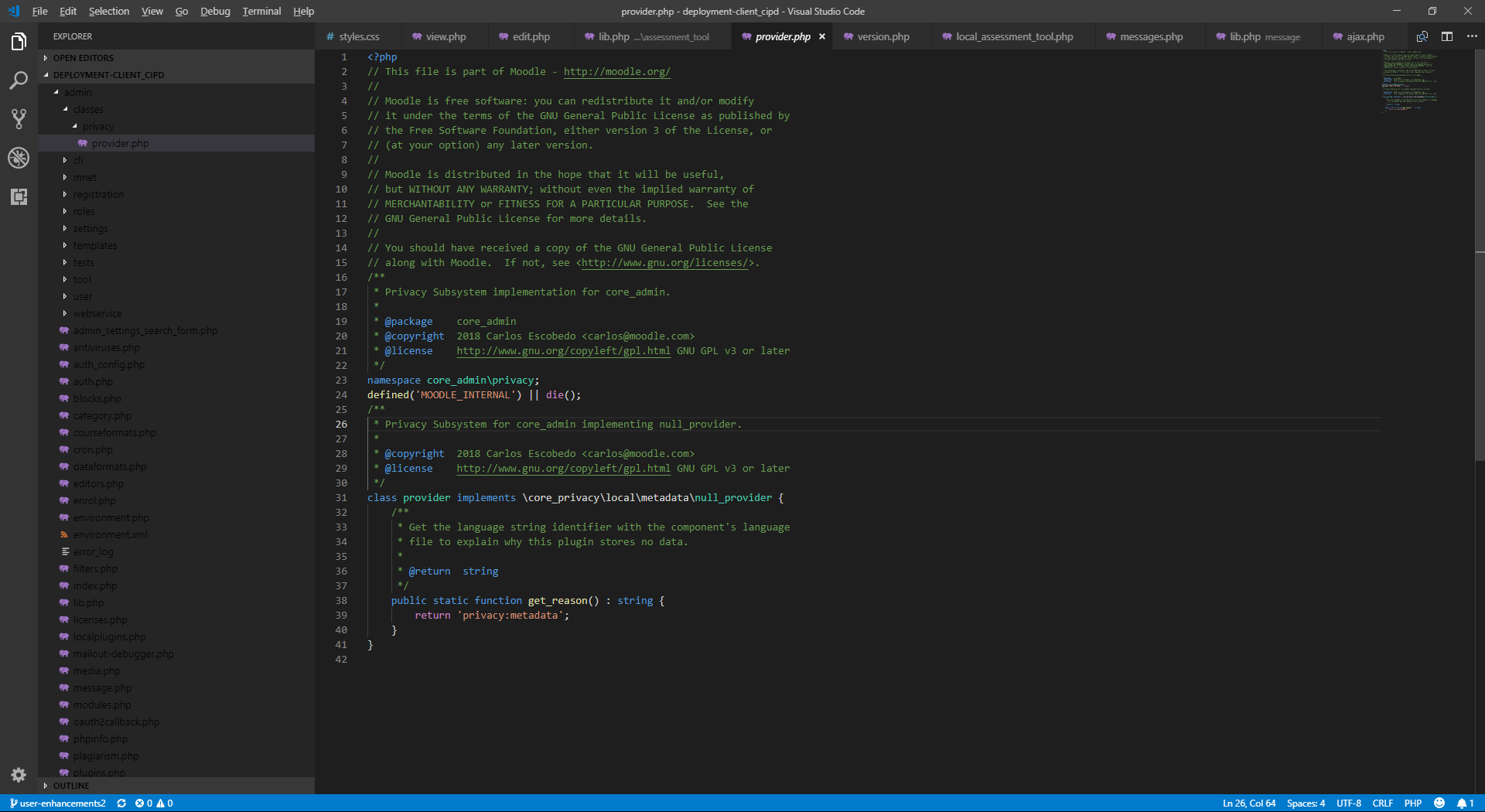
After the update my text is now all black apart from on the files im editing. I have changed theme and its the same in most dark themes
VS Code version: Code 1.28.0 (431ef9da3cf88a7e164f9d33bf62695e07c6c2a9, 2018-10-05T14:58:53.203Z)
OS version: Windows_NT x64 10.0.17134
System Info
|Item|Value|
|---|---|
|CPUs|Intel(R) Core(TM) i7-8650U CPU @ 1.90GHz (8 x 2112)|
|GPU Status|2d_canvas: enabled
checker_imaging: disabled_off
flash_3d: enabled
flash_stage3d: enabled
flash_stage3d_baseline: enabled
gpu_compositing: enabled
multiple_raster_threads: enabled_on
native_gpu_memory_buffers: disabled_software
rasterization: enabled
video_decode: enabled
video_encode: enabled
webgl: enabled
webgl2: enabled|
|Memory (System)|15.88GB (5.45GB free)|
|Process Argv||
|Screen Reader|no|
|VM|0%|
Extensions: none
 Patches-
All 46 comments
Fixed with a restart
Patches-
on 9 Oct 2018
Patches-
on 10 Oct 2018
Restarting no longer fixing the issue. No extensions installed, settings are seldom changed except for theme. All dark themes have this issue
Patches-
on 10 Oct 2018
Can you reproduce this using the Dark+ theme?
What theme are you currently using?
 egamma
on 10 Oct 2018
egamma
on 10 Oct 2018
I'm using the Monokai theme, the issue appears with the Dark+ theme also
Patches-
on 10 Oct 2018
Patches-
on 10 Oct 2018
Can you reproduce with vscode insiders? https://code.visualstudio.com/insiders/
What if you open some other viewlet like search, do you also see it there?
Are you sure you do not have some user / workspace settings which change the color of the tree foreground?
 isidorn
on 10 Oct 2018
isidorn
on 10 Oct 2018
Just installed insiders and get the same issue

Here's the search
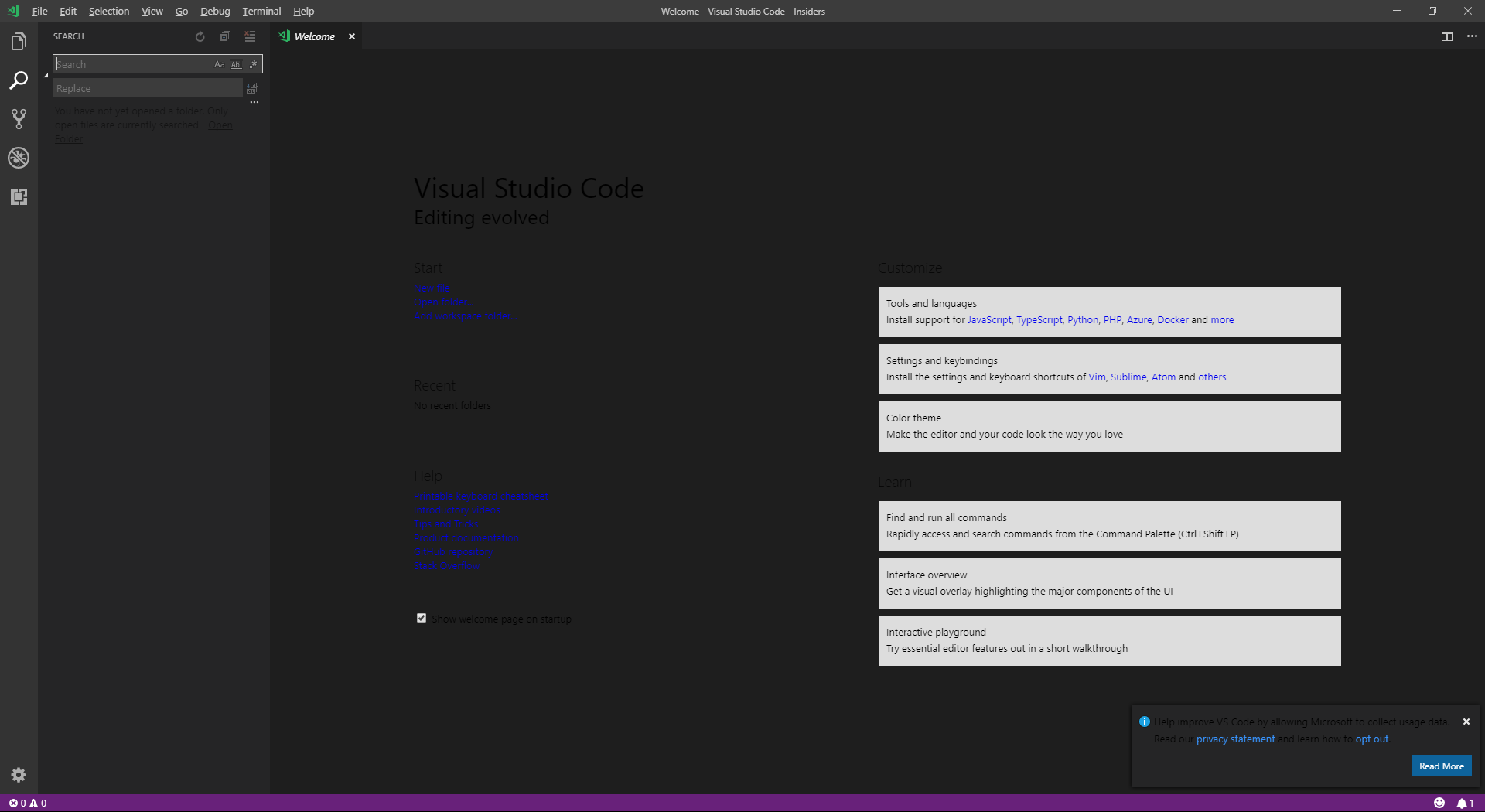
No config settings - this is VS Code

Patches-
on 10 Oct 2018
Looks like electron fyi @bpasero
How about with electron 3.0?
Windows: Download
isidorn
on 10 Oct 2018
We are building exploration builds that use a much newer version of Electron (our UI framework). I wonder if this issue reproduces with one of these builds, could you try? Download:
 bpasero
on 10 Oct 2018
bpasero
on 10 Oct 2018
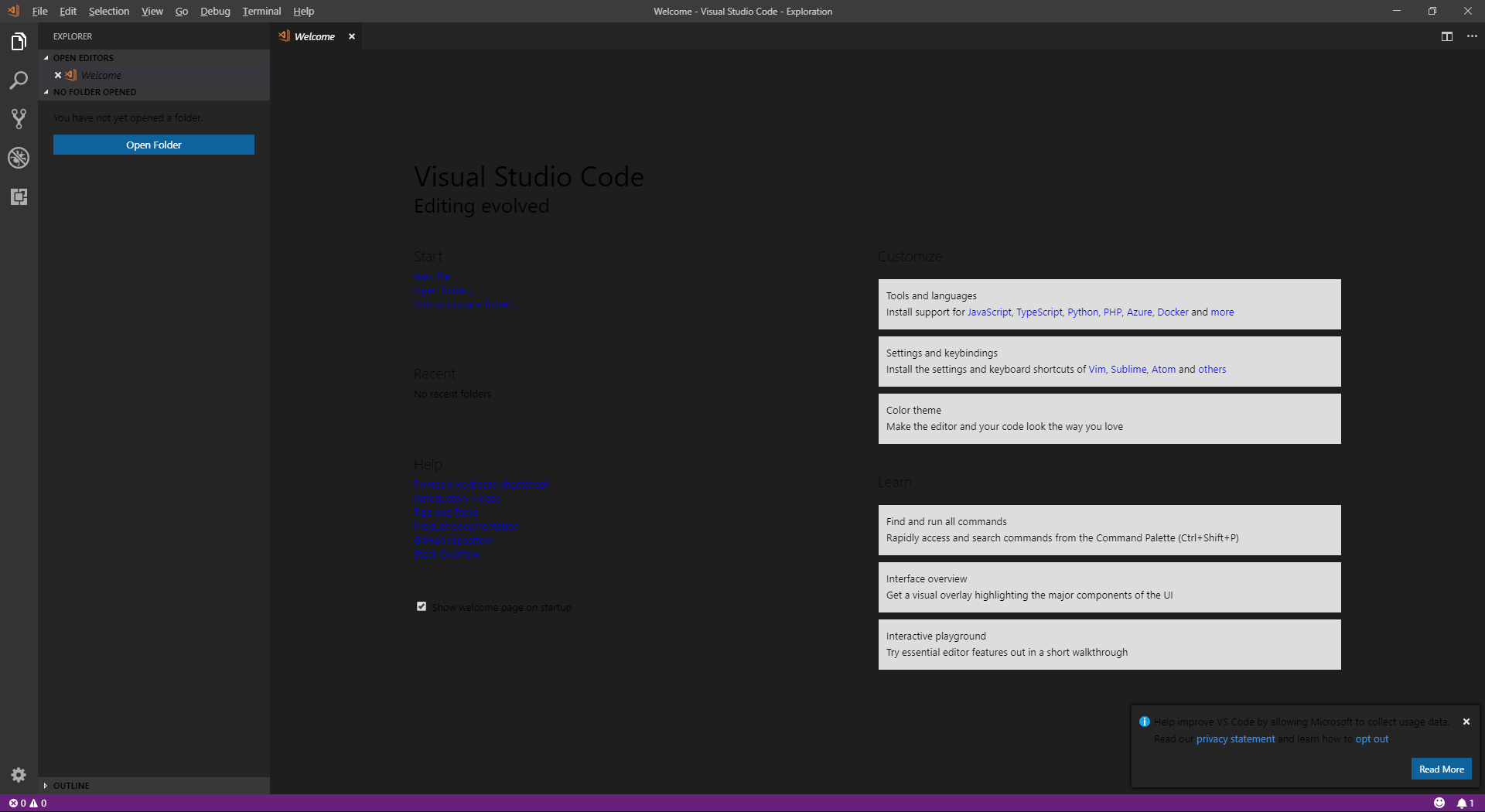
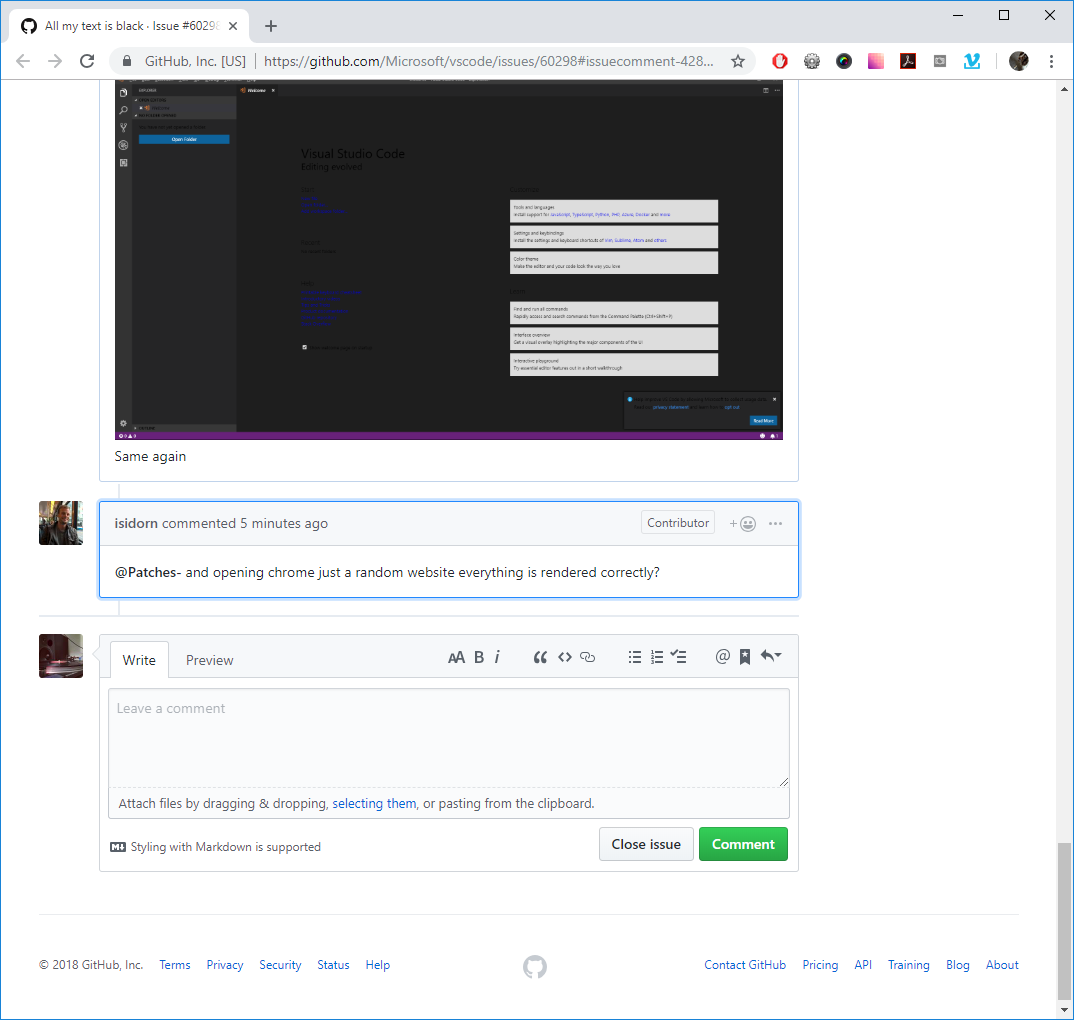
Same again
Patches-
on 10 Oct 2018
@Patches- and opening chrome just a random website everything is rendered correctly?
isidorn
on 10 Oct 2018
Patches-
on 10 Oct 2018
Sometimes when I open VSC it will have the white text as expected for a split second then it changes to black
Patches-
on 10 Oct 2018
@Patches- does it reproduce if you run code --disable-gpu?
bpasero
on 10 Oct 2018
@bpasero Running that fixes the issue
Patches-
on 10 Oct 2018
I'm still facing the issue here even with running code --disable-gpu
 fbalhawan
on 11 Oct 2018
fbalhawan
on 11 Oct 2018
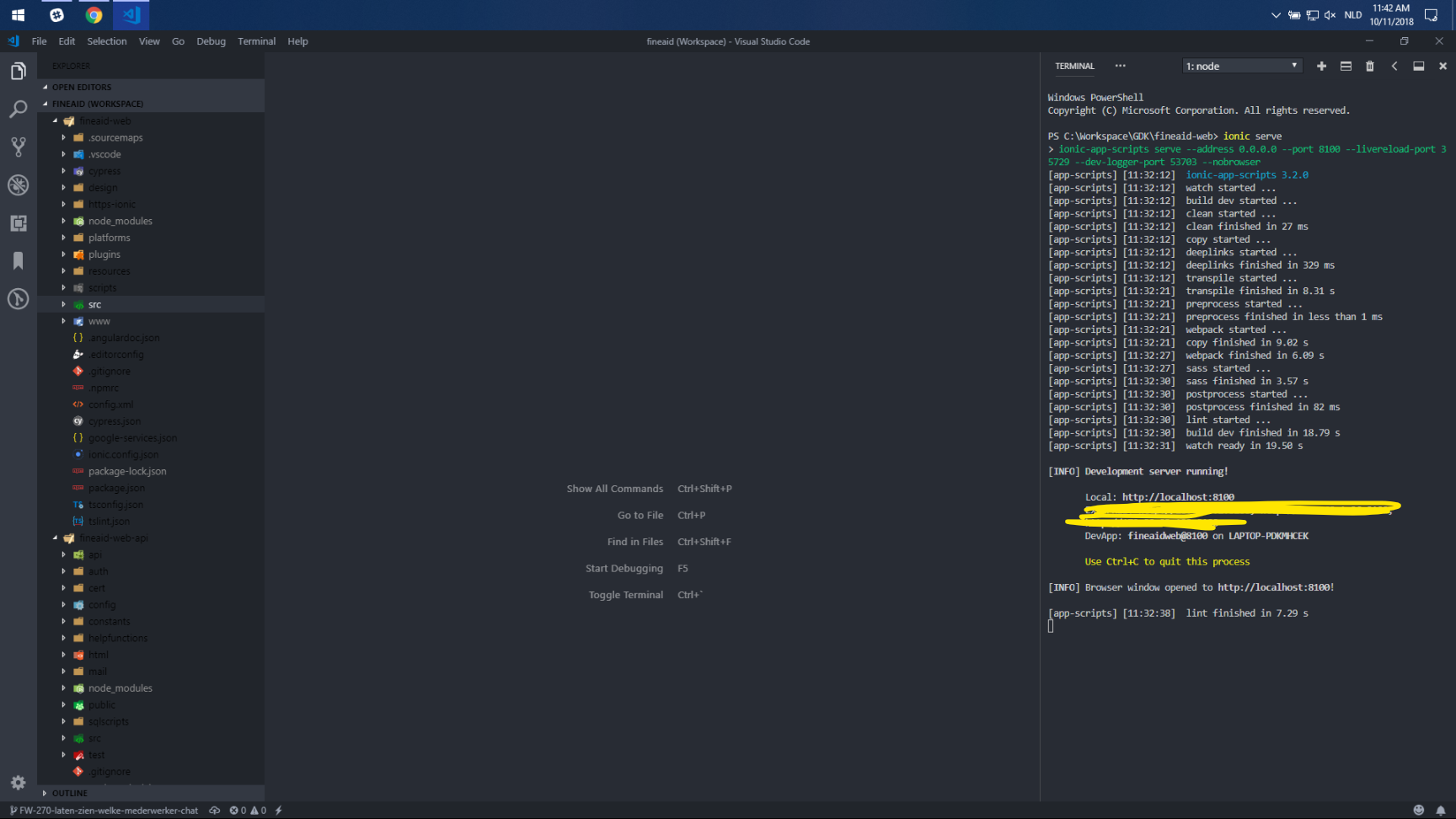
Got the same issue and code --disable-gpu does not fix it
 BartInTheField
on 11 Oct 2018
BartInTheField
on 11 Oct 2018
@bpasero Got the same issue in the exploration build
BartInTheField
on 11 Oct 2018
Does it help to change the theme to something else, e.g. our default Dark+ theme?
bpasero
on 11 Oct 2018
@bpasero No all dark themes have this issue
BartInTheField
on 11 Oct 2018
And light themes too?
bpasero
on 11 Oct 2018
Light themes have black text as well, but in those light themes black is readable
BartInTheField
on 11 Oct 2018
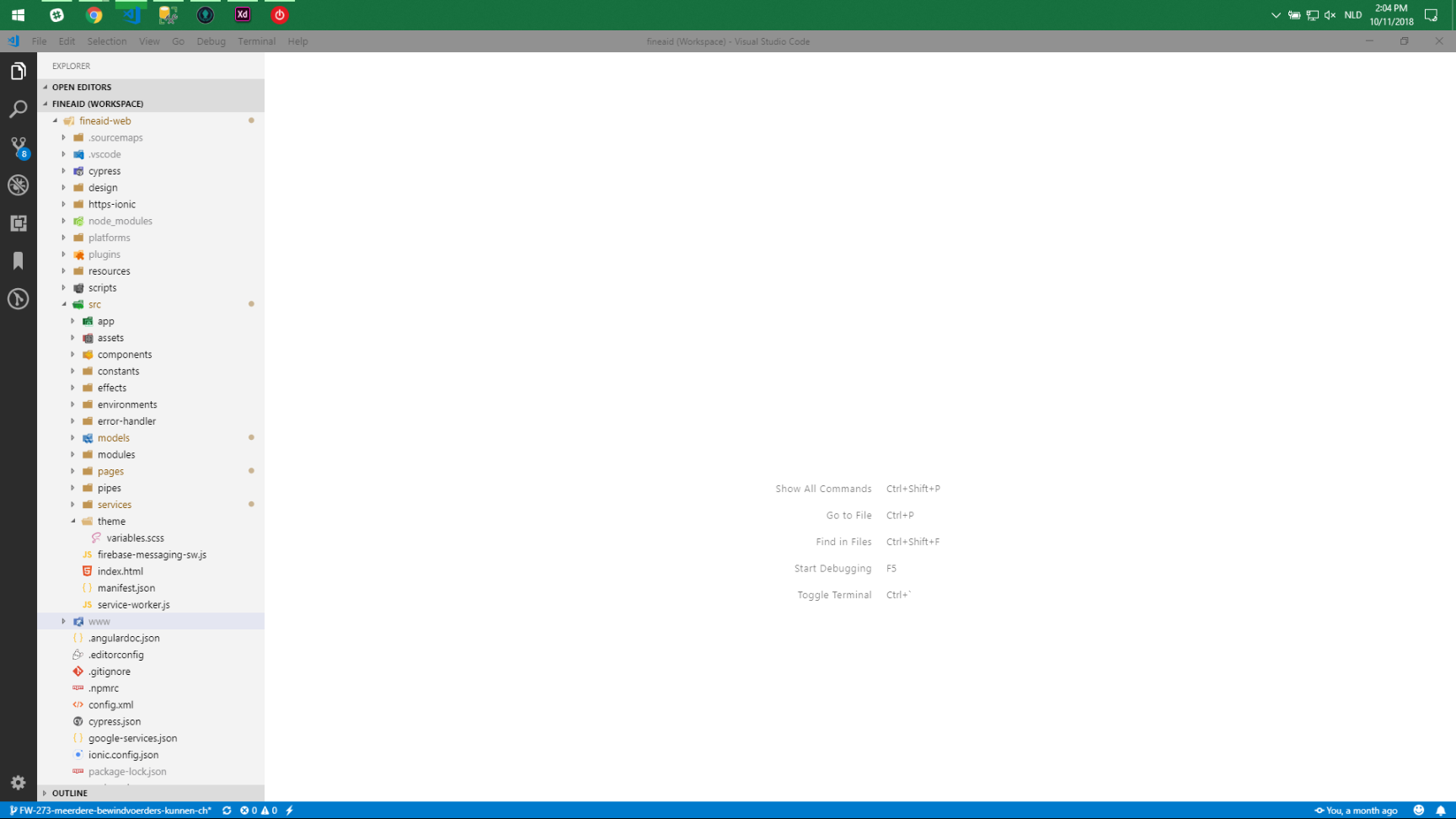
Here is a screenshot for reference
BartInTheField
on 11 Oct 2018
@BartInTheField @fbalhawan can you open dev tools (Help > Toggle Developer Tools) and click on this icon (pic1) then on an element that has the black text and then find if any CSS rule or HTML style sets the color?
Pic1

bpasero
on 11 Oct 2018
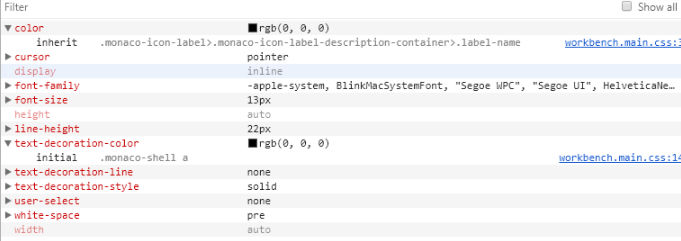
These are the computed styles
BartInTheField
on 11 Oct 2018
@bpasero Cool! I haven't realized that VSC themes can be inspected this way! And no, I couldn't find anything that is setting the color. I have inspected the following elements:
<div class="monaco-icon-label file-icon bootstrap.zip-name-file-icon zip-ext-file-icon ext-file-icon explorer-item" title="C:\Users\Fouad's HP\Desktop\Projet\bootstrap.zip" style="display: flex;"><div class="monaco-icon-label-description-container"><a class="label-name">bootstrap.zip</a></div></div>
And among all the ids and classes, I couldn't find any color specified, as if the css element that's supposed to specify the color to be "white" is missing
fbalhawan
on 11 Oct 2018
@bpasero @BartInTheField Yeah you're right, so it somewhere in line 365 in workbench.main.css and some other line which is also allowing the span elements of class "label-description" to be black in dark theme as well
fbalhawan
on 11 Oct 2018
@BartInTheField @fbalhawan ok so something or someone is setting this color because I do not have it when I inspect that element. The color is:

Does it reproduce if you run "code --user-data-dir <some directory>" to force start Code into a separate folder for config? Make sure to have VSCode closed before doing so.
bpasero
on 11 Oct 2018
@BartInTheField I'm still having the issue when running code --user-data-dir <some directory>.
Anyway, I have temporary changed the workbench.main.css on line 365 to use white color instead, until any other proper solution shows up. Thanks for the help!
fbalhawan
on 11 Oct 2018
@fbalhawan does it reproduce if you just run Code from this zip (instead of the globally installed one): Download
Are there any extensions installed?
bpasero
on 11 Oct 2018
@bpasero I have downloaded and run VSC of the version you have sent and I'm still facing the issue. I have also verified that the CSS file is being read from the local directory and not my AppData directory.
I have also checked my installed extensions and uninstalled all of them, and I still am facing the same issue (Note that I have deleted the extensions one by one to validate which one might be causing the issue, and the extensions that I had were not themes)
fbalhawan
on 11 Oct 2018
Thank you, I am out of ideas what this could be...
bpasero
on 11 Oct 2018
@bpasero Thanks for following up. I have went with a better temporary solution. I added
.vs-dark{color:#cccccc}
in workbench.main.css under %localappdata%\Programs\Microsoft VS Code\resources\app\out\vs\workbench
fbalhawan
on 11 Oct 2018
@fbalhawan That temporary solution worked for me as well
BartInTheField
on 12 Oct 2018
More people seem to hit this, I wonder if this is due to the Windows October update. Do people have this installed?
Adding another brain (@aeschli) to this to put in ideas.
bpasero
on 12 Oct 2018
@fbalhawan @BartInTheField trying to understand if this is a regression from our 1.28 update, does it reproduce with the 1.27 build? Download
bpasero
on 12 Oct 2018
@bpasero My text was fine in the 1.27 build
BartInTheField
on 12 Oct 2018
I suspect there's a syntax error in the dynamic css that we generate.
@BartInTheField @fbalhawan When you have the dev tools open, can you paste the following into the console and press enter.
  el = document.createElement('textarea');
  el.value = document.getElementsByClassName('contributedColorTheme')[0].textContent;
  document.body.appendChild(el);
  el.select();
  document.execCommand('copy');
  document.body.removeChild(el);
This will copy our dynamic css to the clipboard. You can then paste what yoy get into the issue here or a gist
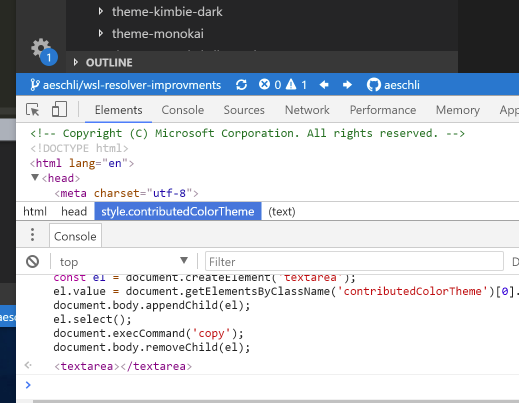
Here's what I get: https://gist.github.com/aeschli/ee9fdbdb3a87c8ac1d4540aa91999bfe
 aeschli
on 12 Oct 2018
aeschli
on 12 Oct 2018
@bpasero as @BartInTheField said, it also worked for me when i tried the version 1.27
@aeschli Here's the CSS copied to my clipboard when executing your script: https://gist.github.com/fbalhawan/4c8b94344d38de2372334af1ae01a96c
I have tried to do a comparison with a merging tool, but it wasn't that helpful for me
fbalhawan
on 12 Oct 2018
@aeschli thank you, I think we are on the right path
Looks like this CSS rule is causing issues:
.monaco-workbench > .part.editor > .content .editor-group-container.empty .editor-group-letterpress {
    background-image: url('c:/Users/Fouad's HP/AppData/Local/Programs/Microsoft VS Code/resources/app/resources/letterpress-dark.svg')
}
@fbalhawan is your user name Fouad's HP?
@BartInTheField what about your user name?
I do not understand how this could have worked in 1.27. @fbalhawan can you do the same with 1.27 and paste the CSS value here?
bpasero
on 13 Oct 2018
@bpasero lol! yup, that's my PC's username.
for 1.27, here's the CSS value: https://gist.github.com/fbalhawan/7cd468150988fa0c4f4fc28795b6b46b
I'm in a bit of a hurry and haven't read it, but it might be that the css element changing the color value of the menu text is written before the syntax error shown in version 1.27
fbalhawan
on 13 Oct 2018
@fbalhawan thanks, the issue exists in that version too but it is possible that we changed some order so that the impact is less noticeable.
Meanwhile I am able to reproduce this by simply having a single quote in the folder from where I launch VSCode. It looks like this change fixes it:
collector.addRule(`
    .monaco-workbench > .part.editor > .content .editor-group-container.empty .editor-group-letterpress {
        background-image: url('${CSS.escape(join(environment.appRoot, letterpress).replace(/#/g, '%23'))}')
    }
`);
@aeschli I am not 100% sure this is the right solution though, maybe you could confirm. When I do a search for : url( in *.ts I see many more places where we construct a URL based on some path and I do not see the usage of CSS.escape() in any of them.
bpasero
on 13 Oct 2018
@bpasero The sugget to turn the path in a URI and use toString
background-image: url('${Uri.file(join(environment.appRoot, letterpress)).toString()}')
I looked at other places where we emit css uris and I saw only URIs there.
aeschli
on 14 Oct 2018
Yes my username is 'Bartin'tVeld' so that seems to be the issue
BartInTheField
on 15 Oct 2018
Ah yes that'll be my issue also then "C:\Users\Stephen O'Hara"
Patches-
on 15 Oct 2018
Related issues
 sirius1024
·
3Comments
sirius1024
·
3Comments
 shanalikhan
·
3Comments
shanalikhan
·
3Comments
 ryan-wong
·
3Comments
ryan-wong
·
3Comments
 villiv
·
3Comments
villiv
·
3Comments
 biij5698
·
3Comments
biij5698
·
3Comments
Most helpful comment
@bpasero The sugget to turn the path in a URI and use toString
background-image: url('${Uri.file(join(environment.appRoot, letterpress)).toString()}')I looked at other places where we emit css uris and I saw only URIs there.