Issue Type: Bug
no extension found error while selecting Extensions (Ctrl + Shift + X)
VS Code version: Code 1.26.1 (493869ee8e8a846b0855873886fc79d480d342de, 2018-08-16T18:38:57.434Z)
OS version: Windows_NT x64 10.0.16299
System Info
|Item|Value|
|---|---|
|CPUs|Intel(R) Core(TM) i5-7500 CPU @ 3.40GHz (4 x 3408)|
|GPU Status|2d_canvas: enabled
checker_imaging: disabled_off
flash_3d: enabled
flash_stage3d: enabled
flash_stage3d_baseline: enabled
gpu_compositing: enabled
multiple_raster_threads: enabled_on
native_gpu_memory_buffers: disabled_software
rasterization: enabled
video_decode: enabled
video_encode: enabled
webgl: enabled
webgl2: enabled|
|Memory (System)|7.89GB (2.50GB free)|
|Process Argv|C:Users\surv2e12620\AppData\Local\Programs\Microsoft VS Code\Code.exe|
|Screen Reader|no|
|VM|0%|
Extensions (5)
Extension|Author (truncated)|Version
---|---|---
anaconda-extension-pack|ms-|1.0.0
python|ms-|2018.7.1
atom-keybindings|ms-|3.0.4
vscode-yaml|red|0.0.14
python|tht|0.2.3
 SuryaSg
All 31 comments
(Experimental duplicate detection)
Thanks for submitting this issue. Please also check if it is already covered by an existing one, like:
![vscodebot[bot] picture](https://avatars2.githubusercontent.com/in/2406?v=4&s=40) vscodebot[bot]
on 31 Aug 2018
vscodebot[bot]
on 31 Aug 2018
Its not helping, no extensions found in marketplace. Kindly assist
SuryaSg
on 31 Aug 2018
All the above extensions are installed by Copy/pasting from my previous workstation. But no extensions shown from marketplace.
SuryaSg
on 31 Aug 2018
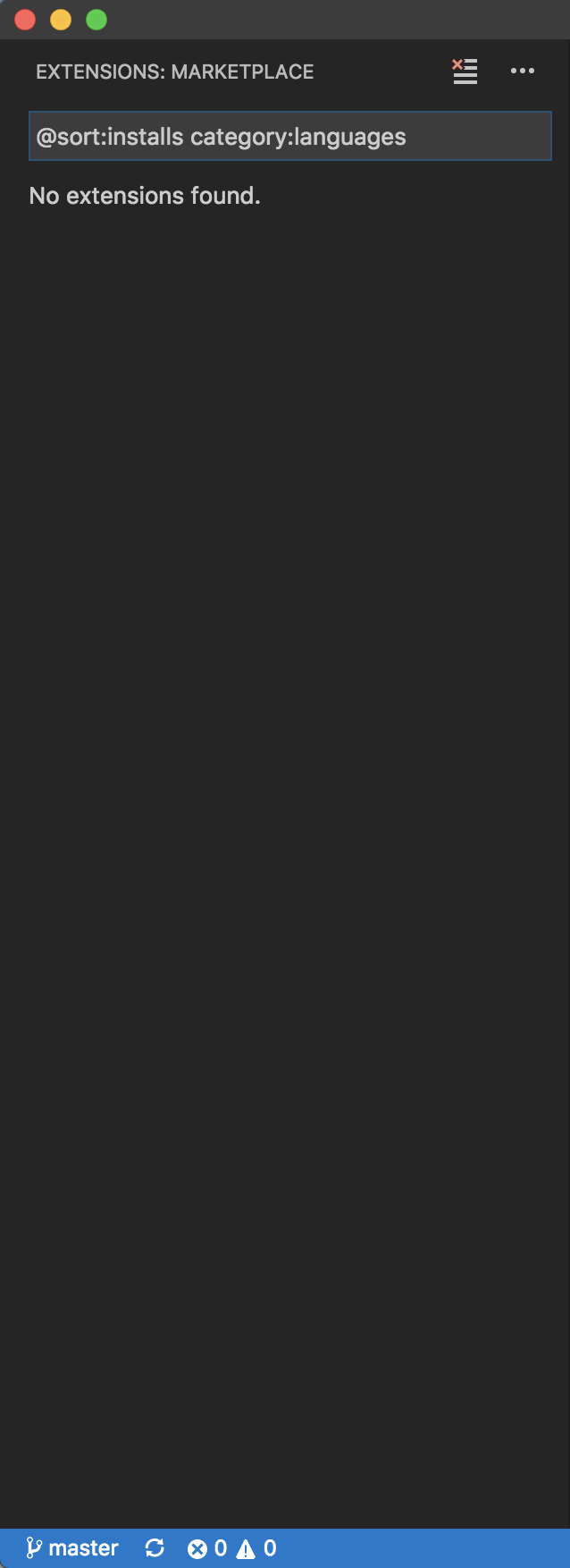
same here with @sort:installs category:languages
 oneslash
on 31 Aug 2018
oneslash
on 31 Aug 2018
@oneslash I think you are seeing a different issue and is fixed - https://github.com/Microsoft/vscode/issues/57160
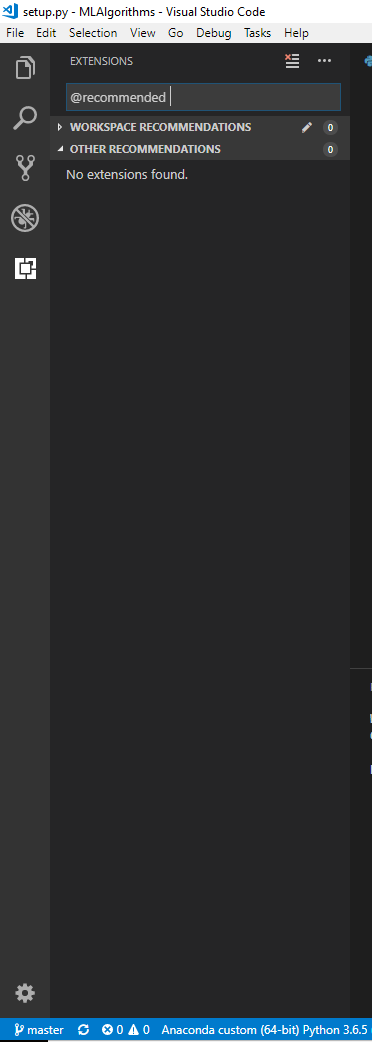
@SuryaSg I suppose you are seeing no extension when you query in market place? Can you provide a screenshot of extensions view like above?
 sandy081
on 31 Aug 2018
sandy081
on 31 Aug 2018
PFB, SS of the same.
SuryaSg
on 3 Sep 2018
Please resolve as your reference to the fixed ID - #57160 is not my case.
Kindly do the needful.
SuryaSg
on 3 Sep 2018
@ramya-rao-a Forwarding to you
sandy081
on 3 Sep 2018
Hi, I'm also seeing this behavior on Ubuntu 18.
It looks like the marketplace site is down at the moment. If I go there in the browser I see
Sorry! Our services aren't available right now.

We're working to restore all services as quickly as possible. Please check back soon.
Ref A: 3ABE8683FE934BE185D69871AC237669 Ref B: LON21EDGE0905 Ref C: 2018-09-04T10:13:13Z
I'd classify the behavior as a bug in VSCode as it causes quite a bit of confusion, I've spent a while upgrading downgrading a tweaking before I realized it was a API outage.
I would expect VSCode to also show a warning explaining the outage as current behavior is misleading.
 lawrencegripper
on 4 Sep 2018
lawrencegripper
on 4 Sep 2018
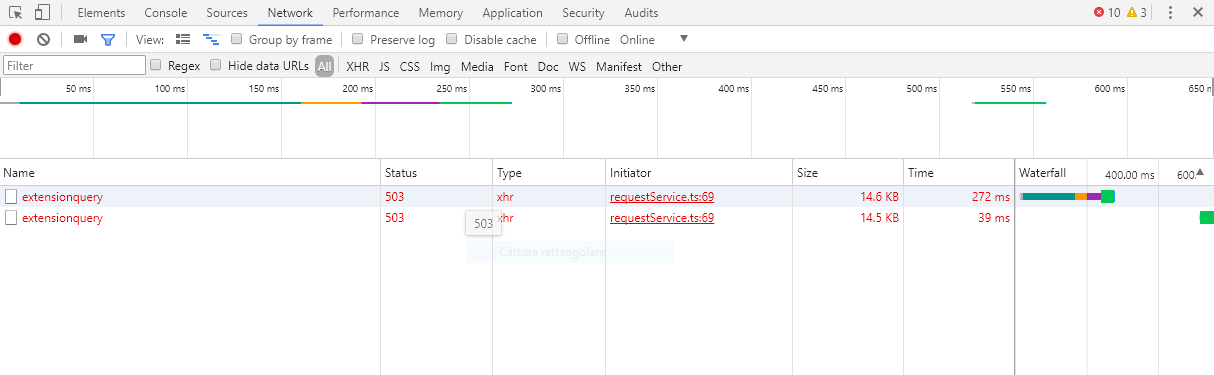
I think is same problem.
I stay on windows 10 with vscode ultimate version.
But i think that this is problem for all user.
 GiuseppeDiPalma
on 4 Sep 2018
GiuseppeDiPalma
on 4 Sep 2018
Me too
 Hellek
on 4 Sep 2018
Hellek
on 4 Sep 2018
same over here using macOS, high sierra 10.3.2
 dmitryshur
on 4 Sep 2018
dmitryshur
on 4 Sep 2018
same issue on macOS high sierra 10.13.5
 minotaurrr
on 4 Sep 2018
minotaurrr
on 4 Sep 2018
same here macOS high sierra 10.13.6
 pedroapfilho
on 4 Sep 2018
pedroapfilho
on 4 Sep 2018
Same here, win 10. Extensions: 'check for updates' returns 503
 plrang
on 4 Sep 2018
plrang
on 4 Sep 2018
But the site is down too: https://marketplace.visualstudio.com/vscode
pedroapfilho
on 4 Sep 2018
Ok I think that ### stay in updating or maintenance
GiuseppeDiPalma
on 4 Sep 2018
same questions
 liyi193328
on 4 Sep 2018
liyi193328
on 4 Sep 2018
Same here
 terry90
on 4 Sep 2018
terry90
on 4 Sep 2018
no wonder i met same problem,official out tell us reason
 doKill
on 4 Sep 2018
doKill
on 4 Sep 2018
same here macOS high sierra 10.13.6
 kongchenglc
on 4 Sep 2018
kongchenglc
on 4 Sep 2018
@pedroapfilho you are right! vscode tries to connect to Azure in the backend and there are problems there. Azure is currently facing a massive outage on multiple services. Read this
Also
ISSUE-57851
 rahulkp220
on 4 Sep 2018
rahulkp220
on 4 Sep 2018
Same problem.
 umairqazi523
on 4 Sep 2018
umairqazi523
on 4 Sep 2018
same problem on Ubuntu 18.04
 Stjepan930820
on 4 Sep 2018
Stjepan930820
on 4 Sep 2018
I've been uninstalling and reinstalling for hours now. Tried compiling from source, downloading the prebuilt package and using brew cask. I thought I broke it by updating.
Would appreciate it if an official announcement is made as to when it will be up again.
 rahulsoibam
on 4 Sep 2018
rahulsoibam
on 4 Sep 2018
@rahulsoibam VSTS is down, there is nothing vscode can do. The service that it needs to allow showing up extensions is out of service currently. Check this https://marketplace.visualstudio.com/vscode
rahulkp220
on 4 Sep 2018
pedroapfilho
on 4 Sep 2018
Same problem on Debian 9
 default081
on 4 Sep 2018
default081
on 4 Sep 2018
is this happening because their server is not working
 sarru1291
on 5 Sep 2018
sarru1291
on 5 Sep 2018
Duplicate of #57851
 mjbvz
on 5 Sep 2018
mjbvz
on 5 Sep 2018
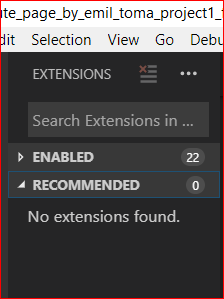
Marketplace still down, no recommended extensions to show just yet.
 Emil-Valentin-Toma
on 5 Sep 2018
Emil-Valentin-Toma
on 5 Sep 2018
Related issues
 Tekbr
·
191Comments
Tekbr
·
191Comments
 Tyriar
·
187Comments
Tyriar
·
187Comments
 misolori
·
282Comments
misolori
·
282Comments
 jez9999
·
234Comments
jez9999
·
234Comments
 hsdk123
·
263Comments
hsdk123
·
263Comments
Most helpful comment
Hi, I'm also seeing this behavior on Ubuntu 18.
It looks like the marketplace site is down at the moment. If I go there in the browser I see
I'd classify the behavior as a bug in VSCode as it causes quite a bit of confusion, I've spent a while upgrading downgrading a tweaking before I realized it was a API outage.
I would expect VSCode to also show a warning explaining the outage as current behavior is misleading.