Issue Type: Bug
Just open vscode.
VS Code version: Code - Insiders 1.27.0-insider (43676d0cb7db94e2fa771f1d10bff10eaa01b453, 2018-08-28T05:18:52.550Z)
OS version: Windows_NT x64 10.0.16299
System Info
|Item|Value|
|---|---|
|CPUs|Intel(R) Core(TM) i7-7700 CPU @ 3.60GHz (8 x 3600)|
|GPU Status|2d_canvas: enabled
checker_imaging: disabled_off
flash_3d: enabled
flash_stage3d: enabled
flash_stage3d_baseline: enabled
gpu_compositing: enabled
multiple_raster_threads: enabled_on
native_gpu_memory_buffers: disabled_software
rasterization: enabled
video_decode: enabled
video_encode: enabled
webgl: enabled
webgl2: enabled|
|Memory (System)|7.87GB (0.89GB free)|
|Process Argv|C:\Users\cavila\AppData\Local\Programs\Microsoft VS Code Insiders\Code - Insiders.exe|
|Screen Reader|no|
|VM|0%|
Extensions (32)
Extension|Author (truncated)|Version
---|---|---
html-snippets|abu|0.2.1
project-manager|ale|8.0.0
ng-template|Ang|0.1.9
angulardoc-vscode|Ang|6.0.6
npm-intellisense|chr|1.3.0
path-intellisense|chr|1.4.2
gitignore|cod|0.5.0
vscode-eslint|dba|1.5.0
git-extension-pack|don|0.1.3
githistory|don|0.4.2
gitlens|eam|8.5.6
tslint|eg2|1.0.38
vscode-npm-script|eg2|0.3.5
vsc-material-theme|Equ|2.3.0
prettier-vscode|esb|1.6.1
gc-excelviewer|Gra|2.1.26
angular-bootstrap|her|4.0.9
search-node-modules|jas|1.3.0
docthis|joe|0.7.1
Angular1|joh|0.2.0
Angular2|joh|6.1.5
ng-bootstrap-snippets|ktr|1.0.0
Angular-BeastCode|Mik|6.2.15
theme-monokai-pro-vscode|mon|1.1.8
debugger-for-chrome|msj|4.8.2
vscode-icons|rob|7.25.0
es6-mocha-snippets|spo|0.2.1
pdf|tom|0.3.0
vscode-todo-highlight|way|1.0.4
bootstrap-3-snippets|wcw|0.1.0
JavaScriptSnippets|xab|1.7.0
vscode-open-in-github|ziy|1.3.5
(2 theme extensions excluded)
 changavila
All 12 comments
(Experimental duplicate detection)
Thanks for submitting this issue. Please also check if it is already covered by an existing one, like:
- Double click title bar to expand window not working on MacOS (#55421)
- fix double the (#56945)
- window.titleBarStyle - double click new title bar icon cause vscode to stop running (#54083)
- Cant click on custom context menus when on top of title bar (#52531)
- Scroll bar appears in the custom title bar (#55561)
![vscodebot[bot] picture](https://avatars2.githubusercontent.com/in/2406?v=4&s=40) vscodebot[bot]
on 28 Aug 2018
vscodebot[bot]
on 28 Aug 2018
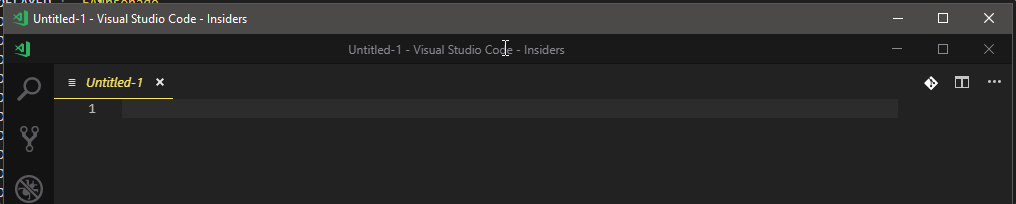
changavila
on 28 Aug 2018
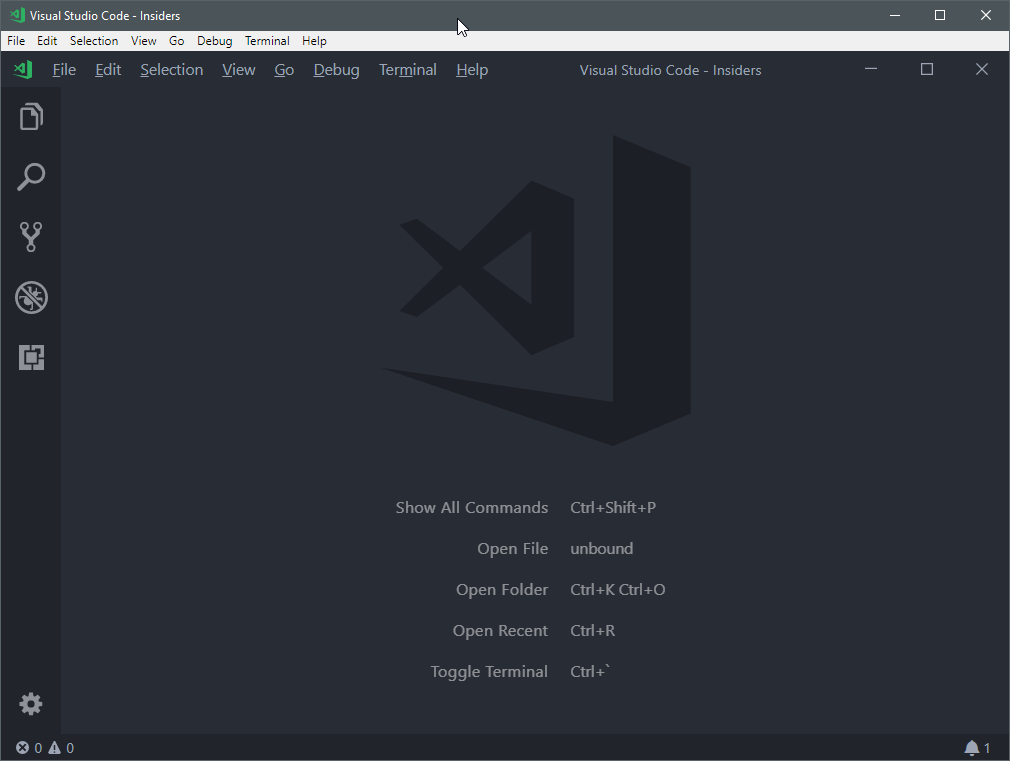
"window.menuBarVisibility": "default"
 pawlikooo
on 28 Aug 2018
pawlikooo
on 28 Aug 2018
Also happens here.
 BillyONeal
on 28 Aug 2018
BillyONeal
on 28 Aug 2018
For a quick fix you can set title bar to native.
Add this to your setting:
"window.titleBarStyle": "native"
changavila
on 28 Aug 2018
Same here.
 styler2go
on 28 Aug 2018
styler2go
on 28 Aug 2018
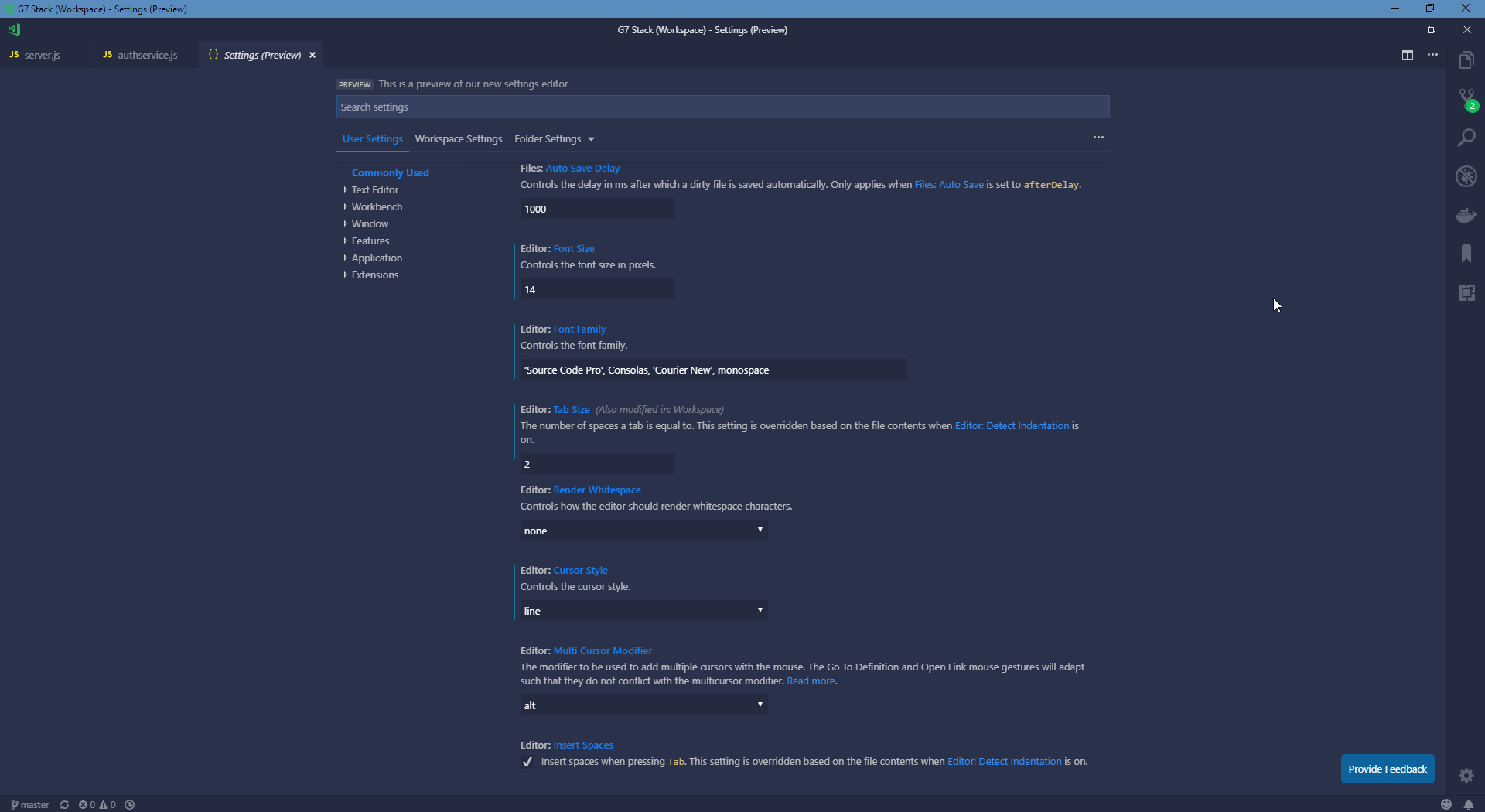
Same here - only with "window.titleBarStyle": "custom".
Version: 1.27.0-insider
Commit: 43676d0cb7db94e2fa771f1d10bff10eaa01b453
Date: 2018-08-28T05:18:52.550Z
Electron: 2.0.7
Chrome: 61.0.3163.100
Node.js: 8.9.3
V8: 6.1.534.41
Architecture: x64
 michalpiekarski
on 28 Aug 2018
michalpiekarski
on 28 Aug 2018
solved for me
```Version: 1.27.0-insider
Commit: f881f8c4229863782a01eae80d70b4d6d540e39d
Date: 2018-08-28T09:54:06.715Z
Electron: 2.0.7
Chrome: 61.0.3163.100
Node.js: 8.9.3
V8: 6.1.534.41
Architecture: x64
 TheDuc
on 28 Aug 2018
TheDuc
on 28 Aug 2018
Looks very good after latest update! Awesome visual update. Thanks.
styler2go
on 28 Aug 2018
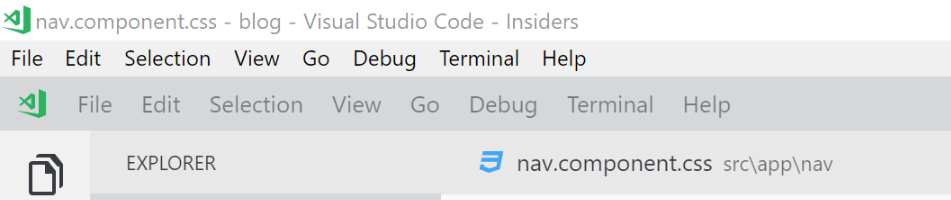
EDIT: The update fixed this.
 jjacode
on 28 Aug 2018
jjacode
on 28 Aug 2018
resolved by
https://github.com/Microsoft/vscode/commit/c3f6b4fc2e5f846aa967225fe0256b05d99c894f
https://github.com/Microsoft/vscode/commit/7bd13420088cc20eab8cc16cd504ca2ce5d705f4
https://github.com/Microsoft/vscode/commit/c8494e2b1b0e795fb338dedcd932226d51fa3a96
 sbatten
on 28 Aug 2018
sbatten
on 28 Aug 2018
thanks @bpasero
sbatten
on 28 Aug 2018
Related issues
 v-pavanp
·
3Comments
v-pavanp
·
3Comments
 omidgolparvar
·
3Comments
omidgolparvar
·
3Comments
 philipgiuliani
·
3Comments
philipgiuliani
·
3Comments
 chrisdias
·
3Comments
chrisdias
·
3Comments
 vsccarl
·
3Comments
vsccarl
·
3Comments
Most helpful comment
For a quick fix you can set title bar to native.
Add this to your setting:
"window.titleBarStyle": "native"