Vscode: Output Channel does not scroll down automatically
- VSCode Version: 1.26
- OS Version: Windows 10
Reported from Code Runner users: https://github.com/formulahendry/vscode-code-runner/issues/342
In previous version of VS code, it works normally.
 formulahendry
All 5 comments
Works fine for me in latest vscode insiders
Can you reproduce with insiders https://code.visualstudio.com/insiders/
If yes please create a minimal reproducable sample extension.
 isidorn
on 23 Aug 2018
isidorn
on 23 Aug 2018
Same issue here, the output window does not automatically scroll down
 CharlesFr
on 23 Aug 2018
CharlesFr
on 23 Aug 2018
Install the Code Runner could easily repro.
In Command Palette, type Run Code to run any file.
If run put focus on Output Channel, the scroll down will stop, in previous version:
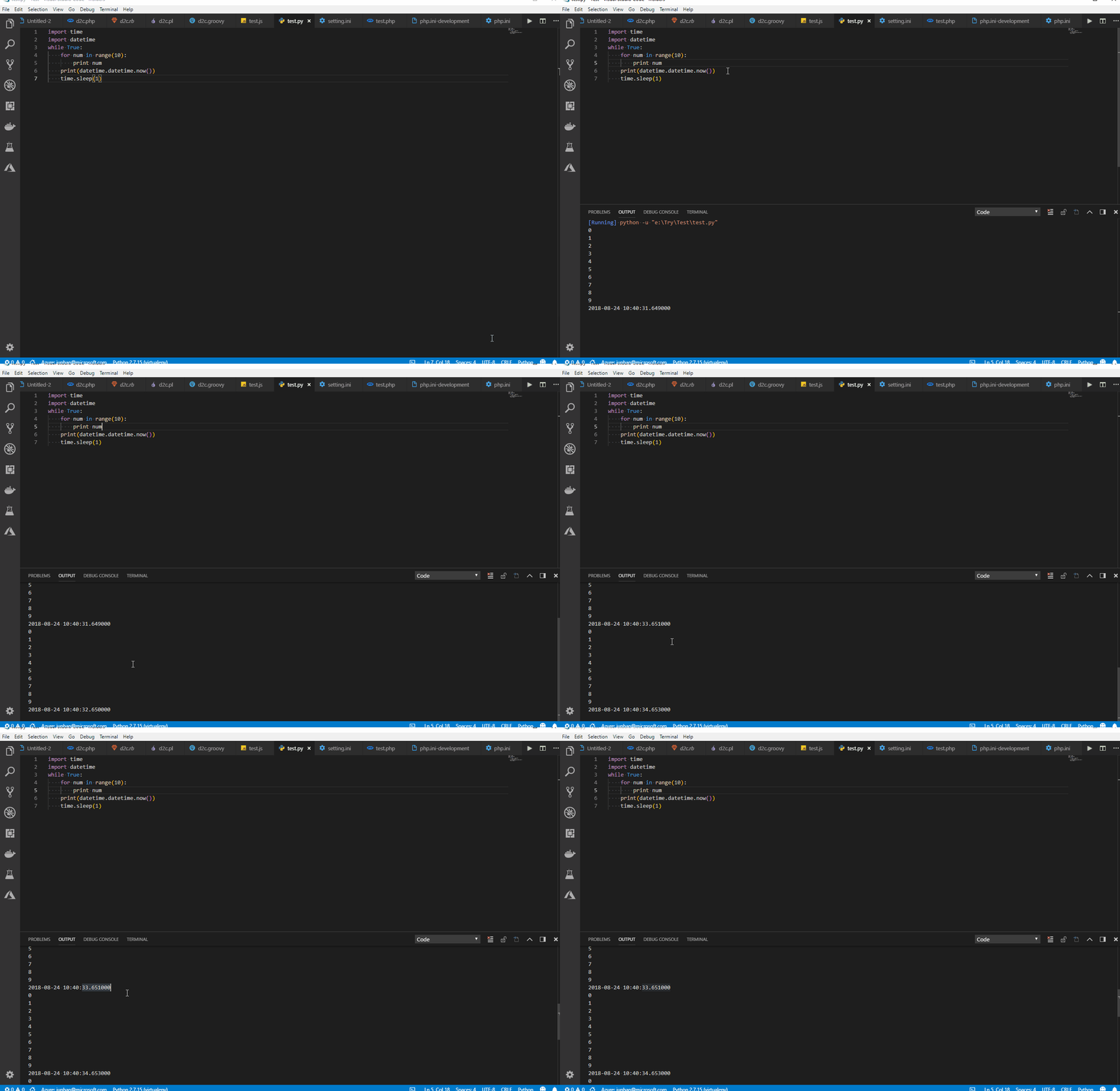
Then in Command Palette, type Stop Code Run, then Run Code again, the scroll down also not work.

formulahendry
on 24 Aug 2018
This is because of the Smart scrolling behaviour - https://github.com/Microsoft/vscode/issues/49110
Last line is not revealed if you focus on some text.
@isidorn FYI
 sandy081
on 4 Sep 2018
sandy081
on 4 Sep 2018
I would argue that in some case, it would be a bug, or say it is not smart enough. User never have focus on the Output Channel, but the Output Channel is not scrolled. Previous always scroll would be better. Or there would be better to have a setting to config the behavior.
formulahendry
on 5 Sep 2018
Related issues
 chrisdias
·
3Comments
chrisdias
·
3Comments
 ryan-wong
·
3Comments
ryan-wong
·
3Comments
 shanalikhan
·
3Comments
shanalikhan
·
3Comments
 sijad
·
3Comments
sijad
·
3Comments
 VitorLuizC
·
3Comments
VitorLuizC
·
3Comments
Most helpful comment
Same issue here, the output window does not automatically scroll down