Vscode: macOS Mojave: VSCode requests access to Contacts and Calendars
- VSCode Version: 1.24.0
- OS Version: 10.14 (MacOS Mojave)
Steps to Reproduce:
- Give it few minutes
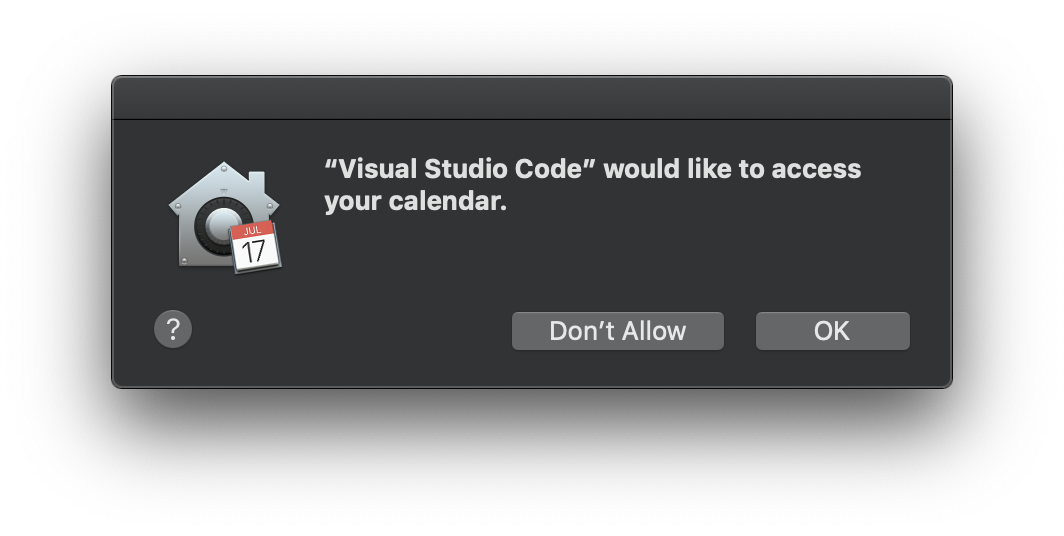
- You get multiple popups "Visual Studio Code" would like to access your calendar.
If the apps stays open for long you will get lots of them, as apparently a new set is generated every few minutes.
Does this issue occur when all extensions are disabled?: Yes/No
 ssbarnea
All 25 comments
This is not VSCode-specific: I have seen this with ~10 other apps, including non-Electron ones.
 igor-krupenja
on 29 Jul 2018
igor-krupenja
on 29 Jul 2018
Yeah, unlikely something we are doing in Code.
 bpasero
on 6 Aug 2018
bpasero
on 6 Aug 2018
@bpasero I think that if you do "code ~" and perform a search in files you will hit this bug.
Arguably this is related to the fact that now MacOS is displaying a popup for each read access attempted by any application on these sensitive locations (calendar, contacts,...).
Lots of apps are affected by this and the UX is awful. What is worse is that is likely that Apple will do nothing about it, considering it a feature. I would rather prefer a silent access denied response than an interactive popup that stacks! ... meaning 100 accesses = 100 popups to close!
While the bug is no specific to vscode, I still think that vscode needs to do something to avoid it, unless we want to be hit by huge number of complaints from the users.
ssbarnea
on 6 Aug 2018
Reopening to track this issue for Mojave. It likely boils down to be an Electron issue.
bpasero
on 12 Aug 2018
@ssbarnea @krupenja does this still happen with latest betas?
bpasero
on 17 Sep 2018
@bpasero I stopped using a git repo in $HOME root to avoid this issue, so I don't know.
ssbarnea
on 17 Sep 2018
Ok, I am asking because it looks like https://github.com/atom/atom/issues/17687 was closed.
bpasero
on 17 Sep 2018
Based on last comments on Atom sister bug, I am closing this too. Apple did some magic to avoid the annoying popup so we don't have to add extra code.
ssbarnea
on 17 Sep 2018
Looks like this can still happen. @jrieken do you have reproducible steps?
bpasero
on 26 Sep 2018
Nope... I think I have had opened the settings file and I might have clicked around in the breadcrumb items... But after removing permissions again I cannot reproduce.
 jrieken
on 26 Sep 2018
jrieken
on 26 Sep 2018
FWIW: Same for me happend just now. Opening a new instance of VS Code today resulted in these dialogs. I've rejected them with [Don't allow].
What I did:
- Worked on an existing VS Code instance for roughly a day
- Quit the app completely yesterday evening
- Reopend the same instance today (nothing happened)
- Opened a new instance of VS Code with Cmd+Shift+N and the access dialogs popped up
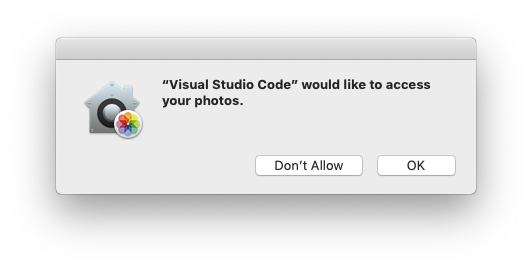
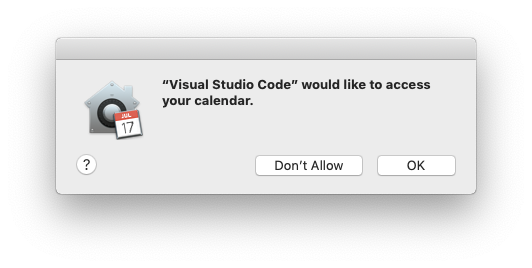
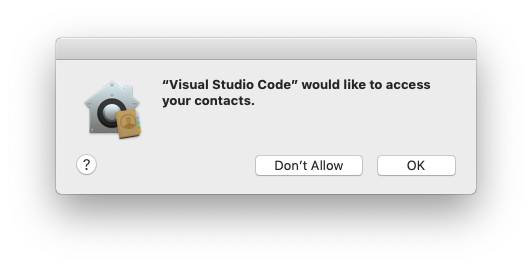
I'm running VS Code v1.27.2 (1.27.2) on macOS 10.14 Mojave. Upgraded to Mojave four days ago and used VS Code every day until this suddenly popped up now.
 hanssens
on 28 Sep 2018
hanssens
on 28 Sep 2018
I got the contacts dialog when trying to create a new snippet (Settings gear in the bottom left > User Snippets > New Global Snippets File). It seemed to coincide with the file dialog opening, though I'm pretty sure I've opened the file dialog multiple times in VS Code without this happening, so 🤷♂️
Also, I can't seem to reproduce it, even after running tccutil reset AddressBook.
I've been running Mojave since it came out last Monday, not really sure why it only started appearing now.
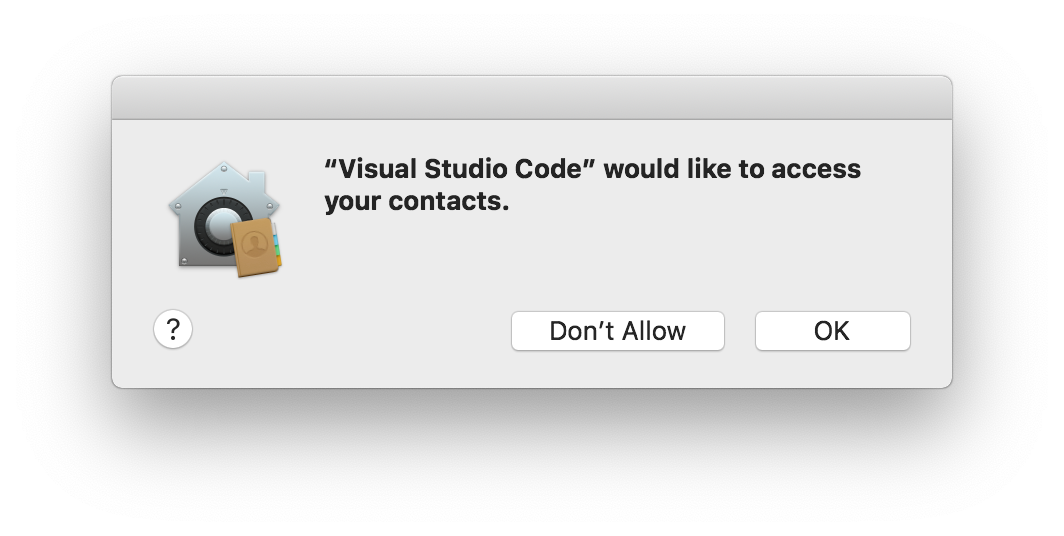
Versions: VS Code 1.27.2, macOS Mojave 10.14 (can provide more info if needed)
 connorshea
on 3 Oct 2018
connorshea
on 3 Oct 2018
I got the calendar, contacts, Photos dialogs. I opened my project using terminal code . when it was completely closed.
 RaedShari
on 6 Oct 2018
RaedShari
on 6 Oct 2018
I also just came across this. No idea how to really reproduce as I got this dialog after opening Calendar, with VSCode only unused in the background.
 samuela
on 11 Oct 2018
samuela
on 11 Oct 2018
I got this from doing code / by accident instead of code .
 josh-byster
on 17 Oct 2018
josh-byster
on 17 Oct 2018
Yes, I experience the pop ups after upgrading to Mojave few days ago.
"Visual Studio Code" would like to access your photos. Then another popped up, "would like to access your contacts"
😒
 consbulaquena
on 30 Oct 2018
consbulaquena
on 30 Oct 2018
Also got this multiple times today on Version 1.28.2 (1.28.2). I do not close my editors and just leave my Mac on sleep most of the time and it's been a month or so since I upgraded to Mojave, so I am not sure what triggered it.
It first asked permission to access my contacts. After an hour it was asking permission to access my calendar. I declined both; and after a few hours it was asking to access my photos. Then I thought of Googling it and found this thread.
 johncrisostomo
on 5 Nov 2018
johncrisostomo
on 5 Nov 2018
I as well have experienced this issue yesterday in Code v 1.30.1, macOS Mojave v 10.14.2.
 igwejk
on 22 Dec 2018
igwejk
on 22 Dec 2018
I had just experienced this same weird issue for the first time after weeks from the last comment. Seems like it will continue to persist until further notice.
 enriquenov
on 28 Dec 2018
enriquenov
on 28 Dec 2018
@bpasero and @Tyriar, this is really neither a _vscode_ nor an electron issue. You can generically reproduce the issue on macOS Mojave by running
find / -iname *w-h-a-t-e-v-e-r*
Apparently, the popup comes up anytime a process attempts to access directories such as
- Picture
- Contacts
- Calendar
e.t.c
To consistently reproduce this in VSCode, us the search view to perform a search and make sure to enter / in the _files to include_ field.
Possible resolutions:
- Won't fix
- Filter out the above named directories in search, cause it's unlikely a user wants to search those
- For better UX, notify user that some _'special '_ directories are included in the search. And ask -- _"is the inclusion intentional?"_, providing option to skip the special directory and continue searching or cancel completely.
igwejk
on 1 Jan 2019
This is still happening to me with Mojave 10.14.5 and VS Code 1.35.0.
Mostly happen when trying to open a file with File -> Open...
There is nothing we can do about it?
 matpag
on 7 Jun 2019
matpag
on 7 Jun 2019
Atom has a good support article on this:
https://discuss.atom.io/t/why-does-macos-say-that-atom-wants-to-access-my-calendar-contacts-photos-etc/59291
 missmatsuko
on 20 Jun 2019
missmatsuko
on 20 Jun 2019
Closing as won't fix, see atom's article for the reason and how to workaround the problem.
 Tyriar
on 10 Oct 2019
Tyriar
on 10 Oct 2019
This issue is being closed to keep the number of issues in our inbox on a manageable level, we are closing issues that are not going to be addressed in the foreseeable future: We look at the number of votes the issue has received and the number of duplicate issues filed. More details here. If you disagree and feel that this issue is crucial: We are happy to listen and to reconsider.
If you wonder what we are up to, please see our roadmap and issue reporting guidelines.
Thanks for your understanding and happy coding!
![vscodebot[bot] picture](https://avatars2.githubusercontent.com/in/2406?v=4&s=40) vscodebot[bot]
on 10 Oct 2019
vscodebot[bot]
on 10 Oct 2019
I receiving the same when I run electron app via node from VSCode terminal.
node electron-project/app.js // -> popup
 renjithspace
on 6 Feb 2020
renjithspace
on 6 Feb 2020
Related issues
 chrisdias
·
3Comments
chrisdias
·
3Comments
 trstringer
·
3Comments
trstringer
·
3Comments
 shanalikhan
·
3Comments
shanalikhan
·
3Comments
 borekb
·
3Comments
borekb
·
3Comments
 NikosEfthias
·
3Comments
NikosEfthias
·
3Comments
Most helpful comment
FWIW: Same for me happend just now. Opening a new instance of VS Code today resulted in these dialogs. I've rejected them with [Don't allow].
What I did:
I'm running VS Code v1.27.2 (1.27.2) on macOS 10.14 Mojave. Upgraded to Mojave four days ago and used VS Code every day until this suddenly popped up now.