Vscode: Support multiple rulers with different colors
 myfairsyer
All 12 comments
(Experimental duplicate detection)
Thanks for submitting this issue. Please also check if it is already covered by an existing one, like:
- Allow extensions to contribute ruler settings (to match configured line lengths) (#45587)
- [decorators] editor.rulers don't move with a before decoration (#39165)
- Overview ruler becomes redundant (#44789)
- Add a config option to choose what to display in overview ruler (#46999)
- no vertical ruler option (#15027)
![vscodebot[bot] picture](https://avatars2.githubusercontent.com/in/2406?v=4&s=40) vscodebot[bot]
on 14 Jul 2018
vscodebot[bot]
on 14 Jul 2018
What kind of a ruler do you have in mind? Could you add more detail to your feature request? Like screenshots of the existing functionality you want to extend or a mockup of how it should look should your feature request be accepted?
 TomasHubelbauer
on 14 Jul 2018
TomasHubelbauer
on 14 Jul 2018
I'm talking about the editor's ruler viewpart (Announcement (GH/diff) / Code / d9e5323 / #1673).
It's already possible to change the rulers' color (Docs (GH/diff) / Code / e4f9b9d / #26377).
But as far as I see it it's only possible to change the color of all the rulers together.
As the color is not part of the rulers' properties (each ruler is only defined by its location) and completely in the theme's responsibility (with the generic .view-ruler CSS class for all the rulers' background-color) this makes perfectly sense.
So if this was to be supported I'm not sure what would be the best way to do so.
- One (of endless) possibility is to enable users to explicitly define colored rulers (in addition to regular ones) which do not respect the theme's ruler color. Drawback here is that depending on the theme the colors might just not match (hurt the eyes or hardly be visible).
- Another possibility is to allow themes to define multiple ruler colors and rulers to be defined in sets.
SoeditorRuler.foreground: ["#000", "#888", "#FFF"]andeditor.rulers: [[10, 40, 80], [20, 30, 70], [50, 60, 90]]should render rulers 10, 40 and 80 black, 20, 30 and 70 gray and 50, 60 and 90 white (as a non-realistic example).
I don't think I would ever use more than two colors, but the question remains what to do if the user defines more ruler sets than the theme defines ruler colors. Stay with the last set's color? Use some fallback standard color? Cycle through the colors? Hide the other rulers? (probably not) (Should VSC define how many ruler colors it supports? Should all themes be expected to support all of them?) - It surely needs some elaboration, but it might be better to introduce a limited set of _semantic rulers_ in addition to the regular ones.
I guess most users use rulers for similar purposes. In git commit messages that's title/paragraph, in code it might be sth like "warning/error" (try not to exceed, do not exceed) or code/comment or whatever else.
myfairsyer
on 15 Jul 2018
It'd be nice to have the final ruler be a different color like red for example.
 lexicalunit
on 18 Dec 2018
lexicalunit
on 18 Dec 2018
I could see this being useful in certain situations. I use two rulers when programming with Python. The first ruler is set to 72 to show where comments should stop and the second ruler is set to 79 to show where my code line should stop (as defined in PEP 8 -- Style Guide for Python Code). It would be nice if I could set the color of the first ruler to green and the second to red.
 DrewHans555
on 3 Feb 2019
DrewHans555
on 3 Feb 2019
This seems like a good case for either an extension or custom theme.
The rulers are set in these divs and classes:
<div role="presentation" aria-hidden="true" class="view-rulers">
  <div class="view-ruler" style="width: 2px; height: 1954px; left: 923.906px;"></div>
  <div class="view-ruler" style="width: 2px; height: 1954px; left: 615.938px;"></div>
</div>
But I can't find a way to target them individually.
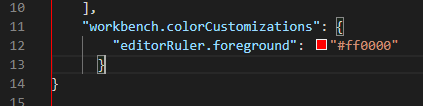
However, if you want to target both with a different color use this:
//  settings.json
{
  "workbench.colorCustomizations": {
    "editorRuler.foreground": "#ff0000"
  }
}
 methodbox
on 3 May 2019
methodbox
on 3 May 2019
While themes could handle it via CSS based rules, the settings.json options are user defined (for rulers), and a specific user override for theme values in the case of the color option. I think keen theme creators should take advantage as they see fit.
However this is a feature that could have a lower barrier for entry. I'm happy enough with the default theme, so I don't want to have to search for a new one; nor an extension to add on top.
What may be elegant and simple would be if the editor.rulers could accept the size as ints, or a simple object constructed of a size and color.
This would also simplify the (potentially) unwanted fact that that the workbench route also affects the default ruler next to line numbers.
 mallardduck
on 10 Jan 2020
mallardduck
on 10 Jan 2020
While themes could handle it via CSS based rules, the
settings.jsonoptions are user defined (for rulers), and a specific user override for theme values in the case of the color option. I think keen theme creators should take advantage as they see fit.However this is a feature that could have a lower barrier for entry. I'm happy enough with the default theme, so I don't want to have to search for a new one; nor an extension to add on top.
What may be elegant and simple would be if the
editor.rulerscould accept the size asints, or a simple object constructed of asizeandcolor.This would also simplify the (potentially) unwanted fact that that the
workbenchroute also affects the default ruler next to line numbers.
EDIT - I misread this comment. Apologies.
It's possible you could target this via CSS using something like child selectors, but there isn't a clean way to do it as of now, and there probably should be.
Right now, you can set an array of integers for the ruler locations, I use "editor.rulers": [60, 80, 120], for example. It seems you should be able to set a relative array for the colors of those rulers, too, like making editorRuler.foreground take an array of colors.
This would also simplify the (potentially) unwanted fact that that the workbench route also affects the default ruler next to line numbers.
This is incorrect, unless it's a side-effect of your theme. You can set the color of all rulers using "editorRuler.foreground": "#3d064b". This does not affect the ruler next to the line numbers.
methodbox
on 10 Jan 2020
This is incorrect, unless it's a side-effect of your theme. You can set the color of all rulers using "editorRuler.foreground": "#3d064b". This does not affect the ruler next to the line numbers.
~I have VS Code installed out of the box with the default dark theme. The vertical line next to line numbers is considered a ruler and affected by editorRuler.foreground.~
~You can see this in the following two examples:~

I've discovered that the ruler I assumed was 'default' was caused by my mock ruler code in settings.json and the current implementation. As rules were validated, my mock color rulers were translated to a size of 0.
If setting all rulers to a single color were my goal, I would still not want this ruler changed. The whole point of unique colors is allowing visual delineation between rulers - in my case I'd like to use that visual delineation for character limit rulers.
Here's what I'm suggesting in more depth...
Adjust the settings.json scheme to allow:
"editor.rulers": [
    {
        size: 80,
        color: "#ff00FF"
    },
    100,
    {
        size: 120,
        color: "#ff0000"
    },
],
Now allowing either ints or the new class/interface in the array. So from number[] to number[] | IRulerOption[] where IRulerOption is something like:
export interface IRulerOption {
    size: number;
    color: string|null;
}
Given this, any int can be translated to:
{
    size: X,
    color: null
}
Where they will use the default color value and not a unique one. Then in the rulers render method similar to how setHeight and setLeft are used, the color can be set conditionally when not null.
mallardduck
on 10 Jan 2020
Something like:
export interface IRulerColorOption {
  size: number;
  color: string;
}

export type IRulerOption = number | IRulerColorOption;
Then "editor.rulers" type goes from number[] to IRulerOption[]. This would allow intermixed value types like in your example:
"editor.rulers": [
    {
        size: 80,
        color: "#ff00FF"
    },
    100,
    {
        size: 120,
        color: "#ff0000"
    },
],
Without having to deal with a nullable color property. When the ruler type is number we use the color from editorRuler.foreground; otherwise we use the color from the IRulerColorOption object.
lexicalunit
on 10 Jan 2020
So I'll admit I haven't worked with typescript a whole lot and none of that was at all recently. That said, I've toyed around with this concept and been able to implement it as @lexicalunit suggested.
It works really well to be honest for a hacky proof of concept, but it works....now. 😄
mallardduck
on 10 Jan 2020
Hey all!
This looks to be merged into the Insiders release of VS Code. Here is an example snippet with the updated scheme:
"editor.rulers": [
    {
        "column": 80,
        "color": "#ff00FF"
    },
    100,
    {
        "column": 120,
        "color": "#ff0000"
    },
],
Related issues
 jez9999
·
234Comments
jez9999
·
234Comments
 niagr
·
246Comments
niagr
·
246Comments
 TurkeyMan
·
411Comments
TurkeyMan
·
411Comments
 mariusa
·
219Comments
mariusa
·
219Comments
 stoffeastrom
·
380Comments
stoffeastrom
·
380Comments
Most helpful comment
I could see this being useful in certain situations. I use two rulers when programming with Python. The first ruler is set to 72 to show where comments should stop and the second ruler is set to 79 to show where my code line should stop (as defined in PEP 8 -- Style Guide for Python Code). It would be nice if I could set the color of the first ruler to green and the second to red.