Vscode: Tooltips disappear too fast to take a screenshot in MacOS
If you are trying to take a screenshot in MacOS of something including tooltips, they disappear too fast to be able to snap them. Which is interesting, because usually MacOS manages to keep things like tooltips up in most other applications when taking a screenshot.
Happens with Command-Shift-3 and Command-Shift-4
It appears to be connected with pressing Shift.
 lukepighetti
All 9 comments
This has been driving me mad lately, I'm glad I'm not the only one. I've been wanting to send screenshots to my junior devs.
 sean256
on 12 Jul 2018
sean256
on 12 Jul 2018
It's nearly impossible to send any meaningful screenshots with VSC on macOS.
lukepighetti
on 13 Jul 2018
You can use the grab app that is shipped with macOS and is authored by Apple to create a timed screenshot. https://support.apple.com/en-gb/guide/grab/welcome/mac
I don't think taking screenshots should be taken into account to influence the UX of a product.
 alexdima
on 27 Jul 2018
alexdima
on 27 Jul 2018
@alexandrudima Is there a UX reason for the tooltips to disappear only when you press shift? They do not disappear if you press control, option, or command.
If not, perhaps you will reconsider your position, because not being able to take screenshots of your code when collaborating with others online is, in my experience, worse UX than the feature of being able to hide tooltips by pressing shift.
Which honestly seems like a bug, not a feature.
lukepighetti
on 27 Jul 2018
I don't think taking screenshots should be taken into account to influence the UX of a product.
As an engineer taking screenshots is absolutely part of my user experience.
sean256
on 27 Jul 2018
@lukepighetti @sean256
The idea is the following: If you move the mouse over some symbol and the hover shows up, the hover gets immediately dismissed when you begin typing. Say, for example you forget the type name of some variable, you would hover it and then learn the type name, and then proceed to type it. As soon as you begin to type, the hover gets out of the way so you can see the code you are editing.
alexdima
on 30 Jul 2018
I wonder if it would work if you just make it so shift didn't hide tooltips. Shift doesn't send any text to the window so it would seem like a reasonable compromise. I suspect macOS will capture the 3 or the 4 before VSC does.
lukepighetti
on 1 Aug 2018
@alexandrudima Thank you!
lukepighetti
on 27 Aug 2018
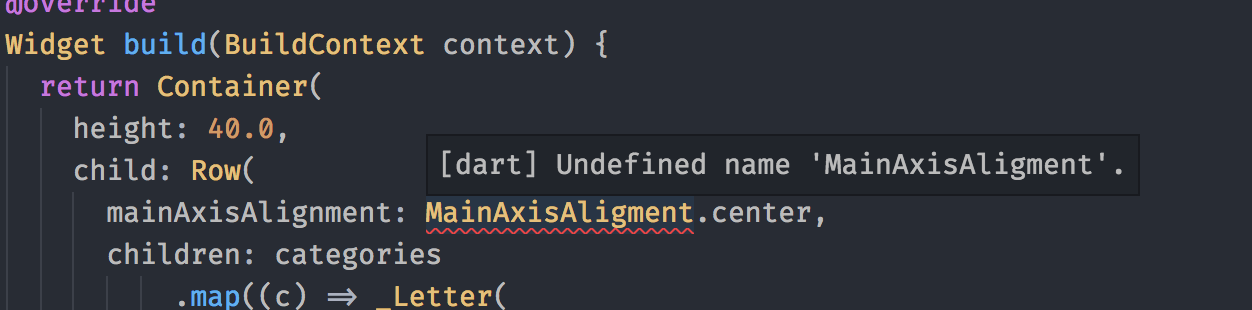
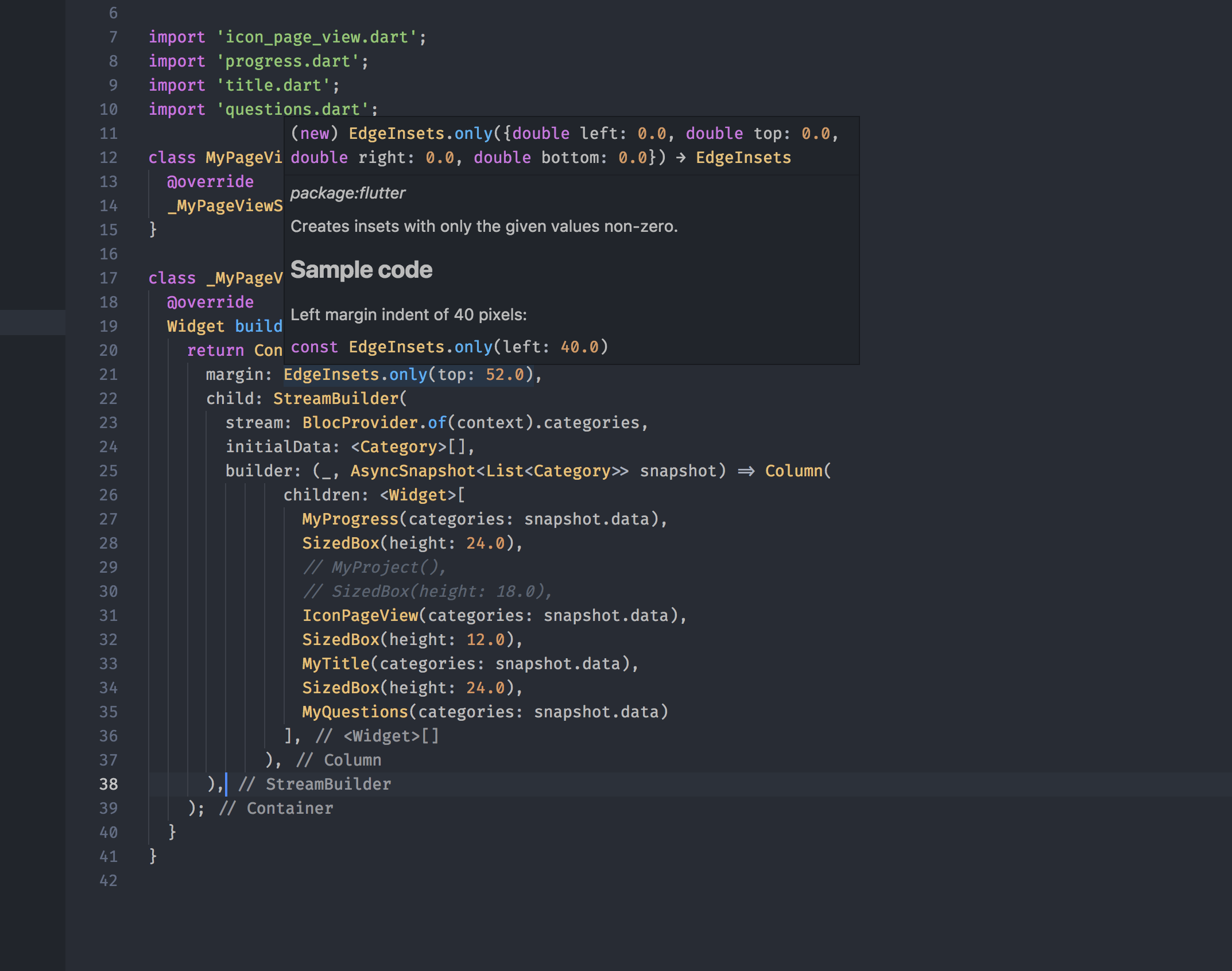
Yeeeeaaaaahhh!!! 😄
lukepighetti
on 11 Sep 2018
Related issues
 sijad
·
3Comments
sijad
·
3Comments
 curtw
·
3Comments
curtw
·
3Comments
 v-pavanp
·
3Comments
v-pavanp
·
3Comments
 omidgolparvar
·
3Comments
omidgolparvar
·
3Comments
 borekb
·
3Comments
borekb
·
3Comments
Most helpful comment
Yeeeeaaaaahhh!!! 😄