Vscode: Git: Illegal value for `line`
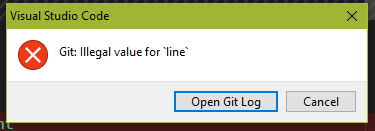
- VSCode Version: 2.8.3
- OS Version: Windows 10
Steps to Reproduce:
- Open Source Control

Select file
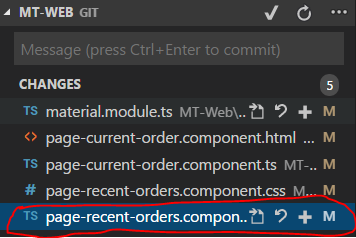
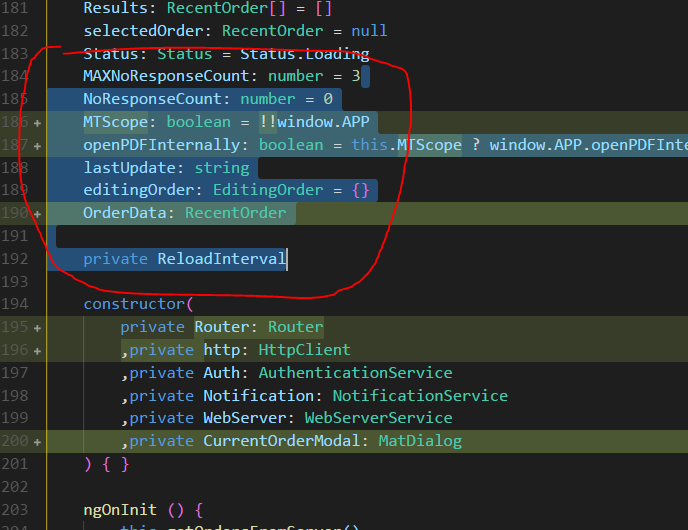
Select range
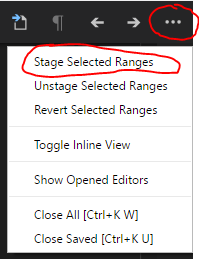
Click 3 dots in upper right corner, then click "Stage Selected Range"
Result:
What am I doing wrong?
 offg777
All 15 comments
Does this happen with ANY range you select? If not, please provide the exact file contents and describe exactly whats the selection range you are using.
 joaomoreno
on 30 May 2018
joaomoreno
on 30 May 2018
Any range from this file: 'page-recent-orders.component.ts'. However, when I select a range from the other files it work as expected. I can commit all the changes in the file in one commit, but I wanted to put them in different commits. Is there a way I could send this file to you privately?
offg777
on 30 May 2018
Yeah: joao dot moreno at microsoft
joaomoreno
on 30 May 2018
It's my email.
joaomoreno
on 30 May 2018
joao.[email protected]
joaomoreno
on 30 May 2018
@joaomoreno Can you please guide me , I am wanted to take this for fixing
 mvgadagi
on 15 Jun 2018
mvgadagi
on 15 Jun 2018
@joaomoreno can you please help me I wanted to take a look on this bug
mvgadagi
on 20 Jun 2018
@offg777 @joaomoreno I am not able to reproduce this issue
mvgadagi
on 21 Jun 2018
Same problem here:
Version 1.24.1
OS: macOS High Sierra 10.13.5
I'm trying to stage specific changes for a file in git repo.
 nkuba
on 27 Jun 2018
nkuba
on 27 Jun 2018
I'm not positive how general this reproduction is but I found a pretty consistent means of reproducing it for one file I'm working on at the moment. If I have changes in the middle of the file, and the also a change at the end of the file where I delete a trailing blank line, if I try to stage the earlier changed lines but not the last deleted line change I get the Git: illegal value for 'line'

 jxramos
on 16 Jul 2018
jxramos
on 16 Jul 2018
I can reproduce this issue. If there is a deletion at the end of the file (last line) I get the same error message.
Version 1.25.1
OS: macOS Sierra 10.12.6
Using git 2.18.0 from /usr/local/bin/git
 rafhun
on 18 Jul 2018
rafhun
on 18 Jul 2018
I'm having the same problem. Adding a new line at the end of the file seems to circumvent the issue.
 joelricci
on 9 Aug 2018
joelricci
on 9 Aug 2018
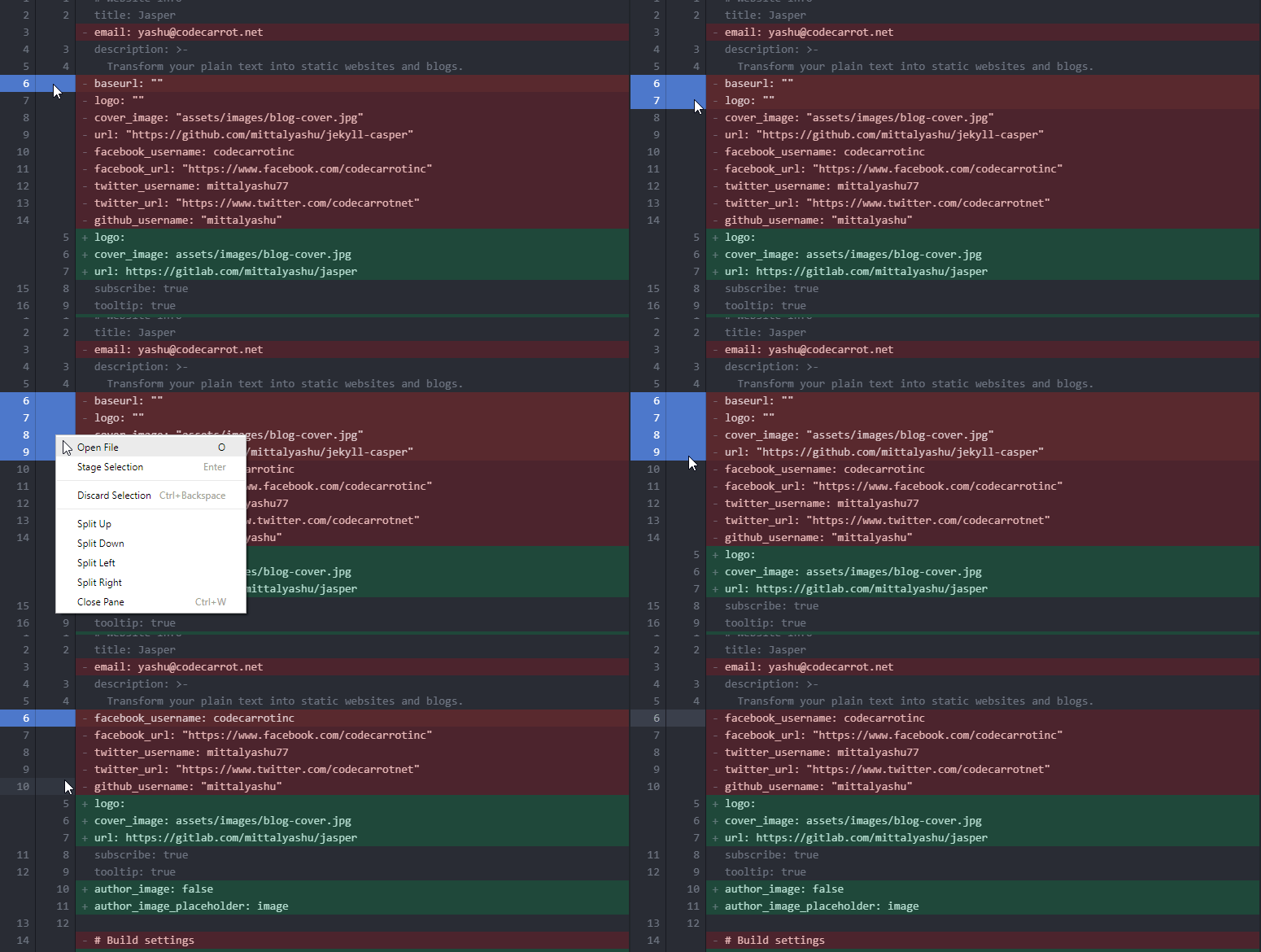
Facing the same issue. Not able to stage a deleted line.
Something like this would be awesome.
 mittalyashu
on 11 Aug 2018
mittalyashu
on 11 Aug 2018
Can confirm that a deleted line at the end of the file causes this issue.
Version 1.26.1
OS: macOS High Sierra 10.13.6
 KevinSnyderCodes
on 30 Aug 2018
KevinSnyderCodes
on 30 Aug 2018
I'm a bit late to the party, but yes, a removed linebreak at the end of the file it is.
Version: 1.27.1 (user setup)
Commit: 5944e81f3c46a3938a82c701f96d7a59b074cfdc
Datum: 2018-09-06T09:21:18.328Z
Electron: 2.0.7
Chrome: 61.0.3163.100
Node.js: 8.9.3
V8: 6.1.534.41
Architektur: x64
 JensMertelmeyer
on 12 Sep 2018
JensMertelmeyer
on 12 Sep 2018
Related issues
 philipgiuliani
·
3Comments
philipgiuliani
·
3Comments
 villiv
·
3Comments
villiv
·
3Comments
 curtw
·
3Comments
curtw
·
3Comments
 ryan-wong
·
3Comments
ryan-wong
·
3Comments
 sirius1024
·
3Comments
sirius1024
·
3Comments
Most helpful comment
I can reproduce this issue. If there is a deletion at the end of the file (last line) I get the same error message.
Version 1.25.1
OS: macOS Sierra 10.12.6
Using git 2.18.0 from /usr/local/bin/git