Vscode: Markdown editor and preview scroll jumping when editing with images
- VSCode Version: 1.22.2 && 1.23.0
- OS Version: Windows 10 with the latest updates
Steps to Reproduce:
- Create a new markdown document and fill it with content. Enough to scroll a bit.
- Enable live preview split.
- Add an image near the top (I've only tested with those "build badges")
- Scroll down and start writing again. Saving also makes the content jump.
- Both the editor and the preview start to jump around.
Does this issue occur when all extensions are disabled?: Yes
Video of the bug
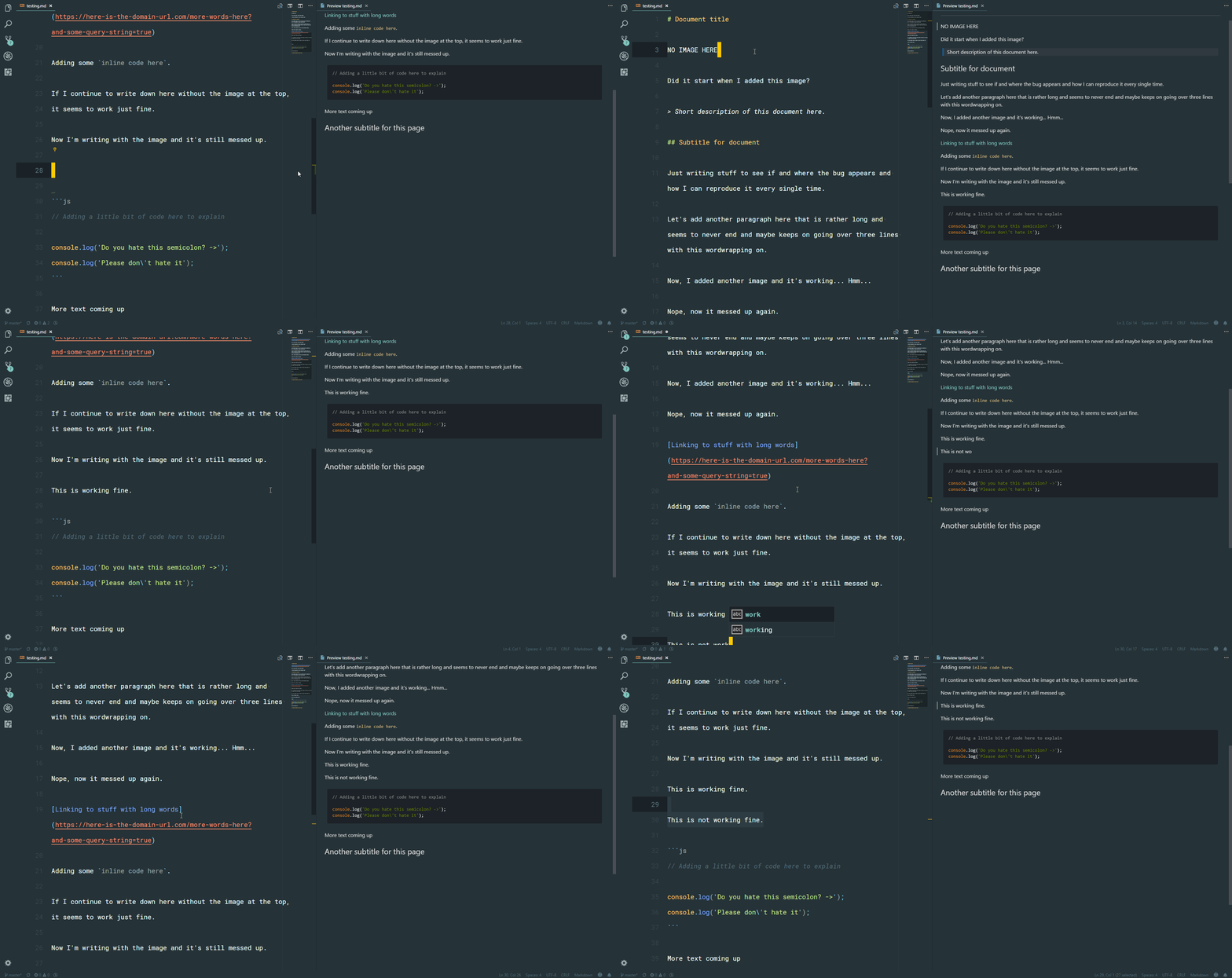
This is the image I added in the demo, but it did it with every other "badge" I tested as well.
[](http://travis-ci.org/emberjs/ember.js)
 adevade
All 12 comments
(Experimental duplicate detection)
Thanks for submitting this issue. Please also check if it is already covered by an existing one, like:
![vscodebot[bot] picture](https://avatars2.githubusercontent.com/in/2406?v=4&s=40) vscodebot[bot]
on 4 May 2018
vscodebot[bot]
on 4 May 2018
This is incredibly annoying in 1.23.0. However, I can't seem to repro it in 1.23.0-insider.
 StephenWeatherford
on 4 May 2018
StephenWeatherford
on 4 May 2018
Experiencing exactly the same on:
Version 1.23.1
Commit d0182c3417d225529c6d5ad24b7572815d0de9ac
Date 2018-05-10T17:11:38.209Z
Shell 1.7.12
Renderer 58.0.3029.110
Node 7.9.0
Architecture ia32
This is so annoying I have to turn off preview when writing because otherwise active line quickly goes out of screen.
 ipatalas
on 12 May 2018
ipatalas
on 12 May 2018
Repros for me in certain conditions (insiders and current). E.g.:
1) Download the following file and open it in vscode: https://github.com/Microsoft/vscode-cosmosdb/blob/master/README.md
2) Move cursor to middle of file e.g. right after this line:

3) Scroll the editor so that this line is about in the middle of the screen (otherwise doesn't repro)
4) Open preview (or earlier)
5) Start typing
!) Both windows scroll

StephenWeatherford
on 14 May 2018
I was able to reproduce this with AppVeyor build status images. It was really annoying, as my editor was just scrolling off the screen.
 ThadHouse
on 28 May 2018
ThadHouse
on 28 May 2018
Still happening for me with:
Version 1.24.1
Commit 24f62626b222e9a8313213fb64b10d741a326288
Date 2018-06-13T17:51:32.889Z
Shell 1.7.12
Renderer 58.0.3029.110
Node 7.9.0
Architecture x64
I wouldn't mind if the only preview windows was jumping around, but using the editor pane at the end of a document with the preview pane open jumps the editors line up and down on and off the screen.
Workaround is to close preview while editing.
 deftdawg
on 19 Jun 2018
deftdawg
on 19 Jun 2018
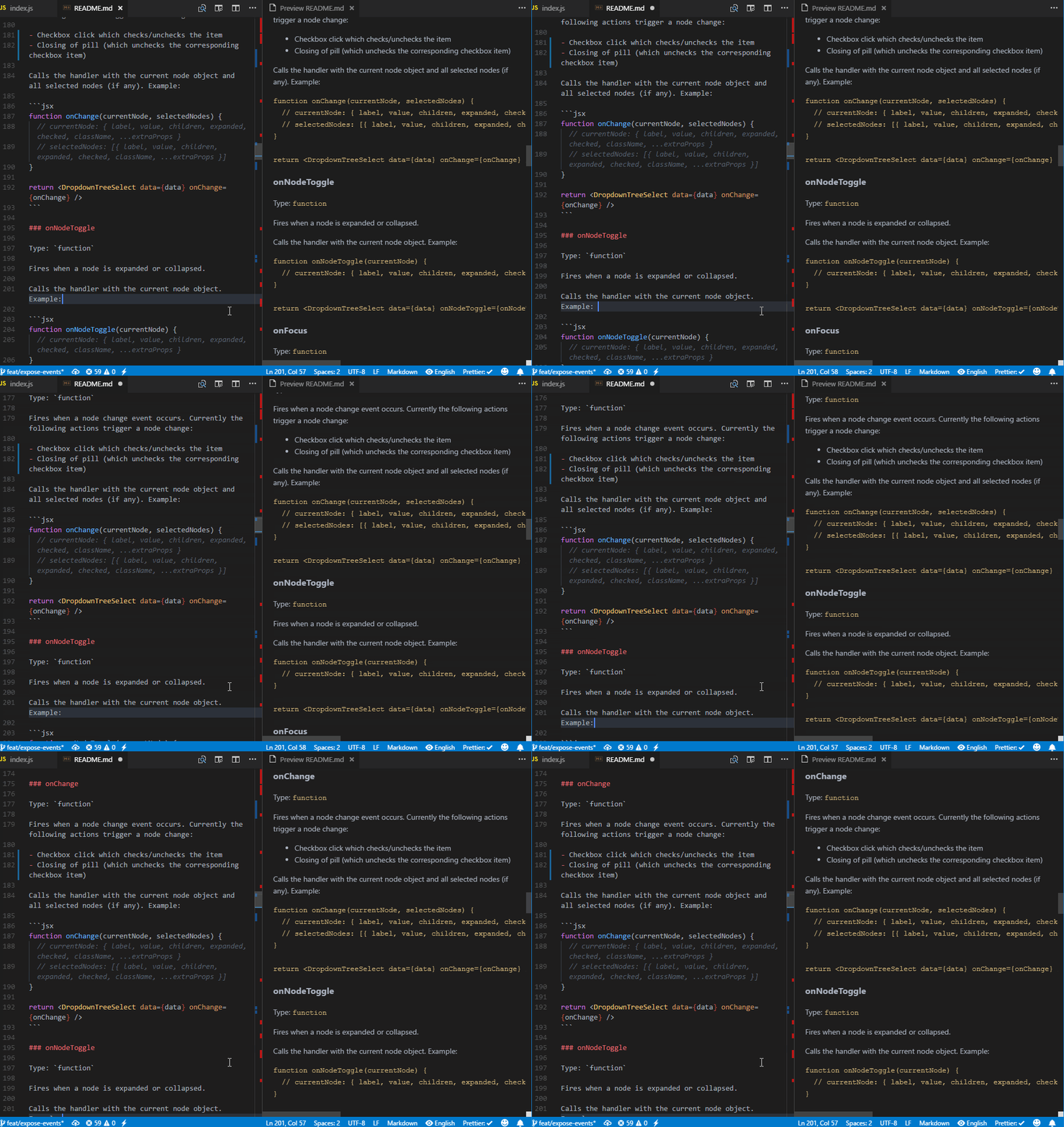
I was going to report this but found this issue. This issue makes markdown editing unusable. In the example gif, I'm just inserting a space and deleting it. With every keystroke, the editor scrolls and just in 4 strokes, it scrolls out of sight.
Version 1.24.1
Commit 24f62626b222e9a8313213fb64b10d741a326288
Date 2018-06-13T17:51:32.889Z
Shell 1.7.12
Renderer 58.0.3029.110
Node 7.9.0
Architecture x64
 mrchief
on 22 Jun 2018
mrchief
on 22 Jun 2018
I'm facing this issue as well. I have just learnt that images causes this as explained here.
 rmariuzzo
on 26 Jun 2018
rmariuzzo
on 26 Jun 2018
Still happening on v1.24.1 stable. Pretty annoying indeed. Is there any setting to turn off the automatic scrolling completely ?
 detj
on 1 Jul 2018
detj
on 1 Jul 2018
The markdown preview is very frustrating to use due to this issue; I've been forced to comment out images while editing.
Version: 1.25.1
OS: Windows 10
 slikts
on 30 Jul 2018
slikts
on 30 Jul 2018
@slikts You can close the default preview pane and use an extension instead. Less editing pain that way.
mrchief
on 30 Jul 2018
Duplicate of #56674
If you still see this, please open a new issue with some example markdown and I'll take a look
 mjbvz
on 1 Nov 2018
mjbvz
on 1 Nov 2018
Related issues
 omidgolparvar
·
3Comments
omidgolparvar
·
3Comments
 trstringer
·
3Comments
trstringer
·
3Comments
 mrkiley
·
3Comments
mrkiley
·
3Comments
 NikosEfthias
·
3Comments
NikosEfthias
·
3Comments
 VitorLuizC
·
3Comments
VitorLuizC
·
3Comments
Most helpful comment
I was going to report this but found this issue. This issue makes markdown editing unusable. In the example gif, I'm just inserting a space and deleting it. With every keystroke, the editor scrolls and just in 4 strokes, it scrolls out of sight.
Version 1.24.1
Commit 24f62626b222e9a8313213fb64b10d741a326288
Date 2018-06-13T17:51:32.889Z
Shell 1.7.12
Renderer 58.0.3029.110
Node 7.9.0
Architecture x64