Vscode: Intellisense are too slow using 1.22.2
- VSCode Version: 1.22.2
- OS Version: Windows 10 Pro x64
Steps to Reproduce:
- I use the previous version before I upgraded 1.22.2 version. Now, my problem why intellisense are too slow?
- The autocompletion is too slow or the strong typing.
Does this issue occur when all extensions are disabled?: No
 codewithpatrick
All 14 comments
Even clicking the reference to a file is really slow as well.
 gate3
on 15 Apr 2018
gate3
on 15 Apr 2018
sorry, I agree. Hopefully, they will do good solution for this issue. 👍
codewithpatrick
on 15 Apr 2018
@pppangilinan Which language?
 joaomoreno
on 16 Apr 2018
joaomoreno
on 16 Apr 2018
I have the same issue on ubuntu 16.4 with js. Autosuggestion is super slow. It happens even with all extensions disabled. Previous version was working fine.
 Dartv
on 16 Apr 2018
Dartv
on 16 Apr 2018
Which language?
joaomoreno
on 16 Apr 2018
JavaScript without ts
Dartv
on 16 Apr 2018
@joaomoreno Both TypeScript and JavaScript and other 3rd party libraries.
codewithpatrick
on 16 Apr 2018
I am facing same issue for Typescript in 1.22.1
 flexkiran
on 17 Apr 2018
flexkiran
on 17 Apr 2018
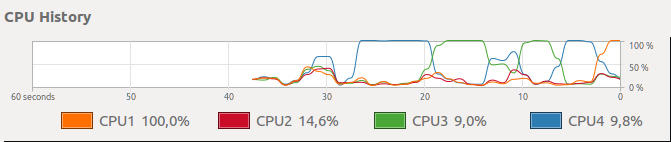
I'm getting 100% load on one of cpu cores when waiting for autosuggestion box to pop up.
CPU: i5-2400 3.10GHz × 4
Dartv
on 17 Apr 2018
@pppangilinan Can you please test this in the latest vs code insiders build with all extensions disabled. Also, does your project have a jsconfig.json?
 mjbvz
on 17 Apr 2018
mjbvz
on 17 Apr 2018
me to, im using react native for my vscode, after 2 minutes - 10 minutes always infinite loading my intellisense vscode,
please fix this
 bytesk
on 18 Apr 2018
bytesk
on 18 Apr 2018
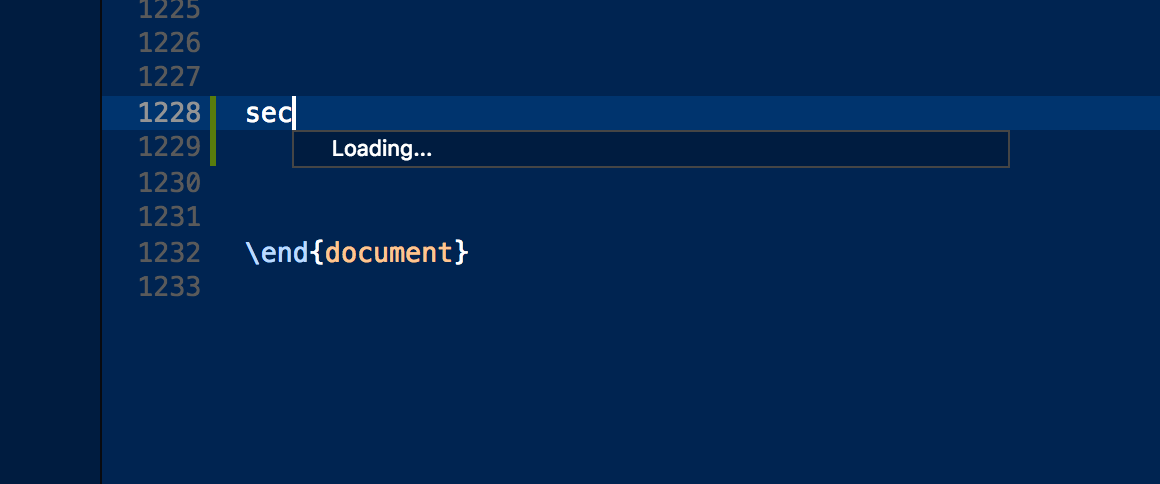
Same with Latex
 ghost
on 25 Apr 2018
ghost
on 25 Apr 2018
Closing this issue as needs-more-info. @pppangilinan please test in the latest vscode insiders with all extensions disabled when you have a chance
mjbvz
on 27 Apr 2018
Anyone has some info about this? This is seriously slow for me too.
 gioragutt
on 30 Apr 2018
gioragutt
on 30 Apr 2018
Related issues
 NikosEfthias
·
3Comments
NikosEfthias
·
3Comments
 ryan-wong
·
3Comments
ryan-wong
·
3Comments
 villiv
·
3Comments
villiv
·
3Comments
 trstringer
·
3Comments
trstringer
·
3Comments
 curtw
·
3Comments
curtw
·
3Comments
Most helpful comment
@joaomoreno Both TypeScript and JavaScript and other 3rd party libraries.