Vscode: Renderer consumes CPU after update to latest Insiders version
- VSCode Version: 1.23.0-insiders x64 commit 7c62e560a2e494a1b0b4d39561dc5c1d837a5263
- OS Version: Windows 8.1 x64
After update to latest version window is empty (only main menu bar is visible).
Renderer process consumes 16-20% CPU but nothing is changing.
Does this issue occur when all extensions are disabled?: Yes
 kirusyaga
All 31 comments
@kirusyaga can you run "code --verbose" from the command line and see if any output is printed?
 bpasero
on 16 Apr 2018
bpasero
on 16 Apr 2018
@bpasero The output is here:
Error: Failed opening file C:\Users\%username%\AppData\Roaming\Code - Insiders\logs\20180416T115148\main.log for writing: No such file or directory
    at RotatingLogger (C:\Program Files\Microsoft VS Code Insiders\resources\app\node_modules.asar\spdlog\index.js:16:3)
    at Object.t.createSpdLogService (C:\Program Files\Microsoft VS Code Insiders\resources\app\out\vs\code\electron-main\main.js:218:588)
    at C:\Program Files\Microsoft VS Code Insiders\resources\app\out\vs\code\electron-main\main.js:492:254
    at Object.v [as _notify] (C:\Program Files\Microsoft VS Code Insiders\resources\app\out\vs\code\electron-main\main.js:82:572)
    at Object.enter (C:\Program Files\Microsoft VS Code Insiders\resources\app\out\vs\code\electron-main\main.js:85:924)
    at n.Class.derive._oncancel._run (C:\Program Files\Microsoft VS Code Insiders\resources\app\out\vs\code\electron-main\main.js:87:719)
    at n.Class.derive._oncancel._completed (C:\Program Files\Microsoft VS Code Insiders\resources\app\out\vs\code\electron-main\main.js:87:160)
    at Server.<anonymous> (C:\Program Files\Microsoft VS Code Insiders\resources\app\out\vs\code\electron-main\main.js:161:996)
    at Object.onceWrapper (events.js:293:19)
    at emitNone (events.js:86:13)
    at Server.emit (events.js:188:7)
    at emitListeningNT (net.js:1290:10)
    at _combinedTickCallback (internal/process/next_tick.js:77:11)
    at process._tickCallback (internal/process/next_tick.js:104:9)
[main 11:51:48] Starting VS Code
[main 11:51:48] from: c:\Program Files\Microsoft VS Code Insiders\resources\app
[main 11:51:48] args: { _: [],
  help: false,
  h: false,
  version: false,
  v: false,
  wait: false,
  w: false,
  diff: false,
  d: false,
  add: false,
  a: false,
  goto: false,
  g: false,
  'new-window': false,
  n: false,
  'unity-launch': false,
  'reuse-window': false,
  r: false,
  'open-url': false,
  performance: false,
  p: false,
  'prof-startup': false,
  verbose: true,
  logExtensionHostCommunication: false,
  'disable-extensions': false,
  disableExtensions: false,
  'list-extensions': false,
  'show-versions': false,
  nolazy: false,
  issue: false,
  'skip-getting-started': false,
  'skip-release-notes': false,
  'sticky-quickopen': false,
  'disable-restore-windows': false,
  'disable-telemetry': false,
  'disable-updates': false,
  'disable-crash-reporter': false,
  'skip-add-to-recently-opened': false,
  status: false,
  s: false,
  'file-write': false,
  'file-chmod': false }
[main 11:51:48] Resolving machine identifier...
[main 11:51:48] Resolved machine identifier: 9731b3fdb2c4ff69a63f12589d5e6bfa83aafc07a1ac452f1fd5cd90f74d5cbb
[main 11:51:48] update#setState idle
[main 11:51:50] windowsService#whenSharedProcessReady
[main 11:52:18] update#checkForUpdates, state =  idle
[main 11:52:18] update#setState checking for updates
[main 11:52:18] RequestService#request https://vscode-update.azurewebsites.net/api/update/win32-x64/insider/7c62e560a2e494a1b0b4d39561dc5c1d837a5263
[main 11:52:20] update#setState downloading
[main 11:52:20] RequestService#request https://az764295.vo.msecnd.net/insider/dfeffb55b62cc2c1dde5cc1e25e98632eeb7744b/VSCodeSetup-x64-1.23.0-insider.exe
adding @joaomoreno for the (maybe unrelated) spdylog stacktrace that shows up.
@kirusyaga can you share a screenshot how VSCode looks after it started like this?
bpasero
on 16 Apr 2018
@bpasero
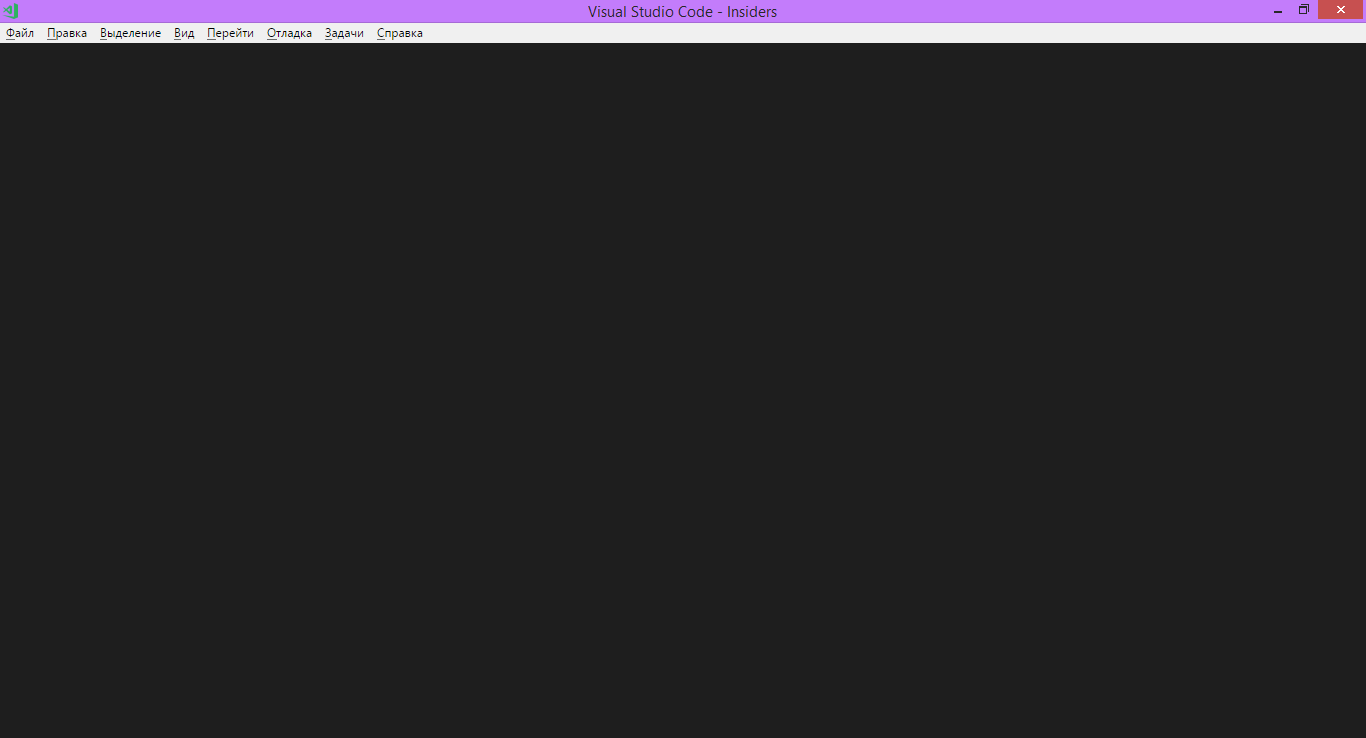
kirusyaga
on 16 Apr 2018
@kirusyaga does it make any difference if you run with "code --disable-gpu" from the command line?
bpasero
on 17 Apr 2018
Error: Failed opening file C:\Users\%username%\AppData\Roaming\Code - Insiders\logs\20180416T115148\main.log for writing: No such file or directory
That literal %username% looks weird. It looks like the user has a problem in one of his variables, possibly HOMEPATH.
@kirusyaga Whats the value of your HOMEPATH variable?
 joaomoreno
on 17 Apr 2018
joaomoreno
on 17 Apr 2018
@bpasero Visually nothing is changed. In console also nothing.
@joaomoreno HOMEPATH is not presented. Username is kirusyaga, but profile folder named as Александр.
kirusyaga
on 17 Apr 2018
@kirusyaga does it make any difference if you run "code-insiders --user-data-dir <some new/empty folder>" from the command line?
bpasero
on 17 Apr 2018
@bpasero Yes. Window is opening like normal new profile. My profile is broken. Nice.
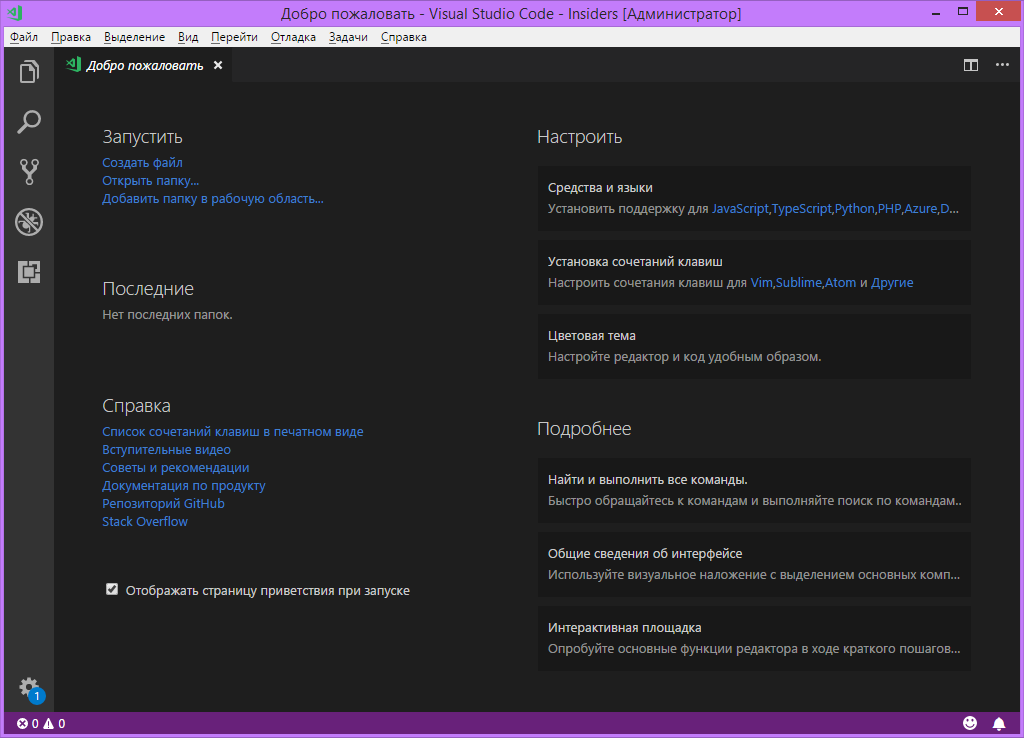
UPD: Erased my old profile. Nothing. Same situation.
So, trouble is Cyrillic symbols in path to profile folder.
kirusyaga
on 17 Apr 2018
So, trouble is Cyrillic symbols in path to profile folder.
@kirusyaga to verify that can you use the --user-data-dir argument with a folder that has the Cyrillic characters and see if you get the same results?
bpasero
on 18 Apr 2018
@bpasero Yes. Launch with Cyrillic characters in path give same result.
kirusyaga
on 18 Apr 2018
@kirusyaga it would be easier for me to reproduce if you could post the exact Cyrillic letters that you are using in here as text so that I can copy it.
bpasero
on 18 Apr 2018
@bpasero Here it is: абырвалг.
kirusyaga
on 18 Apr 2018
@joaomoreno I can reproduce and the reason the workbench is not coming up is due to spdylog crashing very early. To reproduce run "code --user-data-dir C:\Users\<name>\ абырвалг"
  ERR Failed opening file c:\Users\bpasero\Desktop\абырвалг\logs\20180420T163901\output_1_20180420T163909\tasks.log for writing: No such file or directory: Error: Failed opening file c:\Users\bpasero\Desktop\абырвалг\logs\20180420T163901\output_1_20180420T163909\tasks.log for writing: No such file or directory
    at new RotatingLogger (C:\GitDevelopment\monaco\node_modules\spdlog\index.js:16:3)
    at OutputChannelBackedByFile [as constructor] (file:///C:/GitDevelopment/monaco/out/vs/workbench/parts/output/electron-browser/outputServices.js:186:34)
    at create (file:///C:/GitDevelopment/monaco/out/vs/base/common/types.js:164:14)
    at InstantiationService._createInstance (file:///C:/GitDevelopment/monaco/out/vs/platform/instantiation/common/instantiationService.js:106:35)
    at InstantiationService.createInstance (file:///C:/GitDevelopment/monaco/out/vs/platform/instantiation/common/instantiationService.js:67:29)
    at OutputService.instantiateChannel (file:///C:/GitDevelopment/monaco/out/vs/workbench/parts/output/electron-browser/outputServices.js:499:45)
    at OutputService.createChannel (file:///C:/GitDevelopment/monaco/out/vs/workbench/parts/output/electron-browser/outputServices.js:465:32)
    at OutputService.onDidRegisterChannel (file:///C:/GitDevelopment/monaco/out/vs/workbench/parts/output/electron-browser/outputServices.js:439:32)
    at OutputService [as constructor] (file:///C:/GitDevelopment/monaco/out/vs/workbench/parts/output/electron-browser/outputServices.js:391:23)
    at create (file:///C:/GitDevelopment/monaco/out/vs/base/common/types.js:164:14)
    at InstantiationService._createInstance (file:///C:/GitDevelopment/monaco/out/vs/platform/instantiation/common/instantiationService.js:106:35)
    at InstantiationService._createAndCacheServiceInstance (file:///C:/GitDevelopment/monaco/out/vs/platform/instantiation/common/instantiationService.js:163:41)
    at InstantiationService._getOrCreateServiceInstance (file:///C:/GitDevelopment/monaco/out/vs/platform/instantiation/common/instantiationService.js:111:29)
    at InstantiationService._createInstance (file:///C:/GitDevelopment/monaco/out/vs/platform/instantiation/common/instantiationService.js:78:36)
    at InstantiationService.createInstance (file:///C:/GitDevelopment/monaco/out/vs/platform/instantiation/common/instantiationService.js:67:29)
    at ActionBarRegistry.createActionBarContributor (file:///C:/GitDevelopment/monaco/out/vs/workbench/browser/actions.js:219:54)
    at ActionBarRegistry.setInstantiationService (file:///C:/GitDevelopment/monaco/out/vs/workbench/browser/actions.js:215:22)
    at Workbench.initServices (file:///C:/GitDevelopment/monaco/out/vs/workbench/electron-browser/workbench.js:384:68)
    at Workbench.startup (file:///C:/GitDevelopment/monaco/out/vs/workbench/electron-browser/workbench.js:95:18)
    at WorkbenchShell.createWorkbench (file:///C:/GitDevelopment/monaco/out/vs/workbench/electron-browser/shell.js:58:27)
    at WorkbenchShell.createContents (file:///C:/GitDevelopment/monaco/out/vs/workbench/electron-browser/shell.js:39:35)
    at WorkbenchShell.open (file:///C:/GitDevelopment/monaco/out/vs/workbench/electron-browser/shell.js:326:43)
    at file:///C:/GitDevelopment/monaco/out/vs/workbench/electron-browser/main.js:46:23
    at Object.notifySuccess [as _notify] (file:///C:/GitDevelopment/monaco/out/vs/base/common/winjs.base.js:1185:59)
    at Object.enter (file:///C:/GitDevelopment/monaco/out/vs/base/common/winjs.base.js:867:30)
    at Promise_ctor._run (file:///C:/GitDevelopment/monaco/out/vs/base/common/winjs.base.js:1083:29)
    at Promise_ctor._completed (file:///C:/GitDevelopment/monaco/out/vs/base/common/winjs.base.js:1051:18)
    at runCallback (timers.js:789:20)
    at tryOnImmediate (timers.js:751:5)
    at processImmediate [as _immediateCallback] (timers.js:722:5)
@bpasero Just to confirm, you could reproduce by using cyrilic in a path provided to --user-data-dir?
joaomoreno
on 23 Apr 2018
@joaomoreno I can.
Command: code-insiders --user-data-dir "F:\спасибо РКН за блокировку всего" --verbose
Result:
``Error: Failed opening file F:\спасибо РКН за блокировку всего\logs\20180423T215040\main.log for writing: No such file or directory
at RotatingLogger (C:\Program Files\Microsoft VS Code Insiders\resources\app\node_modules.asar\spdlog\index.js:16:3)
at Object.t.createSpdLogService (C:\Program Files\Microsoft VS Code Insiders\resources\app\out\vs\code\electron-main\main.js:218:588)
at C:\Program Files\Microsoft VS Code Insiders\resources\app\out\vs\code\electron-main\main.js:492:254
at Object.v [as _notify] (C:\Program Files\Microsoft VS Code Insiders\resources\app\out\vs\code\electron-main\main.js:82:572)
at Object.enter (C:\Program Files\Microsoft VS Code Insiders\resources\app\out\vs\code\electron-main\main.js:85:924)
at n.Class.derive._oncancel._run (C:\Program Files\Microsoft VS Code Insiders\resources\app\out\vs\code\electron-main\main.js:87:719)
at n.Class.derive._oncancel._completed (C:\Program Files\Microsoft VS Code Insiders\resources\app\out\vs\code\electron-main\main.js:87:160)
at Server.<anonymous> (C:\Program Files\Microsoft VS Code Insiders\resources\app\out\vs\code\electron-main\main.js:161:996)
at Object.onceWrapper (events.js:293:19)
at emitNone (events.js:86:13)
at Server.emit (events.js:188:7)
at emitListeningNT (net.js:1290:10)
at _combinedTickCallback (internal/process/next_tick.js:77:11)
at process._tickCallback (internal/process/next_tick.js:104:9)
[main 21:50:40] Starting VS Code
[main 21:50:40] from: c:\Program Files\Microsoft VS Code Insiders\resources\app
[main 21:50:40] args: { _: [],
help: false,
h: false,
version: false,
v: false,
wait: false,
w: false,
diff: false,
d: false,
add: false,
a: false,
goto: false,
g: false,
'new-window': false,
n: false,
'unity-launch': false,
'reuse-window': false,
r: false,
'open-url': false,
performance: false,
p: false,
'prof-startup': false,
verbose: true,
logExtensionHostCommunication: false,
'disable-extensions': false,
disableExtensions: false,
'list-extensions': false,
'show-versions': false,
nolazy: false,
issue: false,
'skip-getting-started': false,
'skip-release-notes': false,
'sticky-quickopen': false,
'disable-restore-windows': false,
'disable-telemetry': false,
'disable-updates': false,
'disable-crash-reporter': false,
'skip-add-to-recently-opened': false,
status: false,
s: false,
'file-write': false,
'file-chmod': false,
'user-data-dir': 'F:\\спасибо РКН за блокировку всего' }
[main 21:50:40] Resolving machine identifier...
[main 21:50:41] Resolved machine identifier: 9731b3fdb2c4ff69a63f12589d5e6bfa83aafc07a1ac452f1fd5cd90f74d5cbb
[main 21:50:41] update#setState idle
[1744:0423/215042.720:INFO:CONSOLE(169)] "Error: Failed opening file F:\спасибо РКН за блокировку всего\logs\20180423T215040\sharedprocess.log for writing: No such file or directory", source: file:///C:/Program Files/Microsoft VS Code Insiders/resources/app/out/vs/code/electron-browser/sharedProcess/sharedProcessMain.js (169)
[1744:0423/215044.306:INFO:CONSOLE(1329)] "Error: Failed opening file F:\спасибо РКН за блокировку всего\logs\20180423T215040\renderer1.log for writing: No such file or directory", source: file:///C:/Program Files/Microsoft VS Code Insiders/resources/app/out/vs/workbench/workbench.main.js (1329)
[1744:0423/215044.307:INFO:CONSOLE(1322)] "%cTRACE", source: file:///C:/Program Files/Microsoft VS Code Insiders/resources/app/out/vs/workbench/workbench.main.js (1322)
[1744:0423/215044.381:INFO:CONSOLE(1322)] "%cTRACE", source: file:///C:/Program Files/Microsoft VS Code Insiders/resources/app/out/vs/workbench/workbench.main.js (1322)
[1744:0423/215044.398:INFO:CONSOLE(1322)] "%cTRACE", source: file:///C:/Program Files/Microsoft VS Code Insiders/resources/app/out/vs/workbench/workbench.main.js (1322)
[1744:0423/215044.479:INFO:CONSOLE(1322)] "%c ERR", source: file:///C:/Program Files/Microsoft VS Code Insiders/resources/app/out/vs/workbench/workbench.main.js (1322)
[1744:0423/215044.480:INFO:CONSOLE(5)] "Error: Failed opening file f:\спасибо РКН за блокировку всего\logs\20180423T215040\output_1_20180423T215044\tasks.log for writing: No such file or directory
at RotatingLogger (C:\Program Files\Microsoft VS Code Insiders\resources\app\node_modules.asar\spdlog\index.js:16:3)
at new t (file:///C:/Program Files/Microsoft VS Code Insiders/resources/app/out/vs/workbench/workbench.main.js:3036:47)
at t.create (file:///C:/Program Files/Microsoft VS Code Insiders/resources/app/out/vs/workbench/workbench.main.js:95:211)
at e._createInstance (file:///C:/Program Files/Microsoft VS Code Insiders/resources/app/out/vs/workbench/workbench.main.js:1304:68)
at e.createInstance (file:///C:/Program Files/Microsoft VS Code Insiders/resources/app/out/vs/workbench/workbench.main.js:1303:336)
at t.instantiateChannel (file:///C:/Program Files/Microsoft VS Code Insiders/resources/app/out/vs/workbench/workbench.main.js:3043:852)
at t.createChannel (file:///C:/Program Files/Microsoft VS Code Insiders/resources/app/out/vs/workbench/workbench.main.js:3042:977)
at t.onDidRegisterChannel (file:///C:/Program Files/Microsoft VS Code Insiders/resources/app/out/vs/workbench/workbench.main.js:3042:295)
at new t (file:///C:/Program Files/Microsoft VS Code Insiders/resources/app/out/vs/workbench/workbench.main.js:3041:106)
at t.create (file:///C:/Program Files/Microsoft VS Code Insiders/resources/app/out/vs/workbench/workbench.main.js:95:211)
at e._createInstance (file:///C:/Program Files/Microsoft VS Code Insiders/resources/app/out/vs/workbench/workbench.main.js:1304:68)
at e._createAndCacheServiceInstance (file:///C:/Program Files/Microsoft VS Code Insiders/resources/app/out/vs/workbench/workbench.main.js:1305:19)
at e._getOrCreateServiceInstance (file:///C:/Program Files/Microsoft VS Code Insiders/resources/app/out/vs/workbench/workbench.main.js:1304:205)
at e._createInstance (file:///C:/Program Files/Microsoft VS Code Insiders/resources/app/out/vs/workbench/workbench.main.js:1303:592)
at e.createInstance (file:///C:/Program Files/Microsoft VS Code Insiders/resources/app/out/vs/workbench/workbench.main.js:1303:336)
at e.createActionBarContributor (file:///C:/Program Files/Microsoft VS Code Insiders/resources/app/out/vs/workbench/workbench.main.js:2171:188)
at e.setInstantiationService (file:///C:/Program Files/Microsoft VS Code Insiders/resources/app/out/vs/workbench/workbench.main.js:2171:58)
at e.initServices (file:///C:/Program Files/Microsoft VS Code Insiders/resources/app/out/vs/workbench/workbench.main.js:4858:604)
at e.startup (file:///C:/Program Files/Microsoft VS Code Insiders/resources/app/out/vs/workbench/workbench.main.js:4847:921)
at e.createWorkbench (file:///C:/Program Files/Microsoft VS Code Insiders/resources/app/out/vs/workbench/workbench.main.js:4922:3)
at e.createContents (file:///C:/Program Files/Microsoft VS Code Insiders/resources/app/out/vs/workbench/workbench.main.js:4921:428)
at e.open (file:///C:/Program Files/Microsoft VS Code Insiders/resources/app/out/vs/workbench/workbench.main.js:4929:785)
at file:///C:/Program Files/Microsoft VS Code Insiders/resources/app/out/vs/workbench/workbench.main.js:4937:680
at Object.g [as _notify] (file:///C:/Program Files/Microsoft VS Code Insiders/resources/app/out/vs/workbench/workbench.main.js:146:729)
at Object.enter (file:///C:/Program Files/Microsoft VS Code Insiders/resources/app/out/vs/workbench/workbench.main.js:150:61)
at n.Class.derive._oncancel._run (file:///C:/Program Files/Microsoft VS Code Insiders/resources/app/out/vs/workbench/workbench.main.js:151:866)
at n.Class.derive._oncancel._completed (file:///C:/Program Files/Microsoft VS Code Insiders/resources/app/out/vs/workbench/workbench.main.js:151:307)
at runCallback (timers.js:672:20)
at tryOnImmediate (timers.js:645:5)
at processImmediate [as _immediateCallback] (timers.js:617:5)", source: file:///C:/Program%20Files/Microsoft%20VS%20Code%20Insiders/resources/app/out/vs/workbench/electron-browser/bootstrap/index.js (5)
[main 21:50:44] windowsService#whenSharedProcessReady
[main 21:50:44] windowsService#startCrashReporter
[1744:0423/215045.454:INFO:CONSOLE(237)] "Overwriting extension <<.erb>> to now point to mime <<text/x-erb>>", source: file:///C:/Program Files/Microsoft VS Code Insiders/resources/app/out/vs/workbench/workbench.main.js (237)
[1744:0423/215045.454:INFO:CONSOLE(237)] "Overwriting extension <<.rhtml>> to now point to mime <<text/x-erb>>", source: file:///C:/Program Files/Microsoft VS Code Insiders/resources/app/out/vs/workbench/workbench.main.js (237)
[1744:0423/215045.513:INFO:CONSOLE(1322)] "%cTRACE", source: file:///C:/Program Files/Microsoft VS Code Insiders/resources/app/out/vs/workbench/workbench.main.js (1322)
[main 21:50:45] IPC#vscode:broadcast vscode:changeColorTheme {"id":"vs-dark vscode-theme-defaults-themes-dark_plus-json","background":"#1e1e1e"}
[1744:0423/215045.848:INFO:CONSOLE(263)] "%c[Extension Host] %cError: Failed opening file F:\спасибо РКН за блокировку всего\logs\20180423T215040\exthost1.log for writing: No such file or directory
at RotatingLogger (c:\Program Files\Microsoft VS Code Insiders\resources\app\node_modules.asar\spdlog\index.js:16:3)
at Object.t.createSpdLogService (c:\Program Files\Microsoft VS Code Insiders\resources\app\out\vs\workbench\node\extensionHostProcess.js:381:695)
at new t (c:\Program Files\Microsoft VS Code Insiders\resources\app\out\vs\workbench\node\extensionHostProcess.js:425:241)
at new t (c:\Program Files\Microsoft VS Code Insiders\resources\app\out\vs\workbench\node\extensionHostProcess.js:718:825)
at c:\Program Files\Microsoft VS Code Insiders\resources\app\out\vs\workbench\node\extensionHostProcess.js:725:480
at <anonymous> %c(at Object.t.createSpdLogService (c:\Program Files\Microsoft VS Code Insiders\resources\app\out\vs\workbench\node\extensionHostProcess.js:381:780))", source: file:///C:/Program Files/Microsoft VS Code Insiders/resources/app/out/vs/workbench/workbench.main.js (263)
[1744:0423/215045.928:INFO:CONSOLE(1322)] "%c ERR", source: file:///C:/Program Files/Microsoft VS Code Insiders/resources/app/out/vs/workbench/workbench.main.js (1322)
[1744:0423/215045.928:INFO:CONSOLE(162)] "WARNING: Promise with no error callback:26", source: file:///C:/Program Files/Microsoft VS Code Insiders/resources/app/out/vs/workbench/workbench.main.js (162)
[1744:0423/215045.928:INFO:CONSOLE(162)] "[object Object]", source: file:///C:/Program Files/Microsoft VS Code Insiders/resources/app/out/vs/workbench/workbench.main.js (162)
[1744:0423/215045.928:INFO:CONSOLE(162)] "Error: Failed opening file f:\спасибо РКН за блокировку всего\logs\20180423T215040\output_1_20180423T215045\tasks.log for writing: No such file or directory
at RotatingLogger (C:\Program Files\Microsoft VS Code Insiders\resources\app\node_modules.asar\spdlog\index.js:16:3)
at new t (file:///C:/Program Files/Microsoft VS Code Insiders/resources/app/out/vs/workbench/workbench.main.js:3036:47)
at t.create (file:///C:/Program Files/Microsoft VS Code Insiders/resources/app/out/vs/workbench/workbench.main.js:95:211)
at e._createInstance (file:///C:/Program Files/Microsoft VS Code Insiders/resources/app/out/vs/workbench/workbench.main.js:1304:68)
at e.createInstance (file:///C:/Program Files/Microsoft VS Code Insiders/resources/app/out/vs/workbench/workbench.main.js:1303:336)
at t.instantiateChannel (file:///C:/Program Files/Microsoft VS Code Insiders/resources/app/out/vs/workbench/workbench.main.js:3043:852)
at t.createChannel (file:///C:/Program Files/Microsoft VS Code Insiders/resources/app/out/vs/workbench/workbench.main.js:3042:977)
at t.onDidRegisterChannel (file:///C:/Program Files/Microsoft VS Code Insiders/resources/app/out/vs/workbench/workbench.main.js:3042:295)
at new t (file:///C:/Program Files/Microsoft VS Code Insiders/resources/app/out/vs/workbench/workbench.main.js:3041:106)
at t.create (file:///C:/Program Files/Microsoft VS Code Insiders/resources/app/out/vs/workbench/workbench.main.js:95:211)
at e._createInstance (file:///C:/Program Files/Microsoft VS Code Insiders/resources/app/out/vs/workbench/workbench.main.js:1304:68)
at e._createAndCacheServiceInstance (file:///C:/Program Files/Microsoft VS Code Insiders/resources/app/out/vs/workbench/workbench.main.js:1305:19)
at e._getOrCreateServiceInstance (file:///C:/Program Files/Microsoft VS Code Insiders/resources/app/out/vs/workbench/workbench.main.js:1304:205)
at e._createInstance (file:///C:/Program Files/Microsoft VS Code Insiders/resources/app/out/vs/workbench/workbench.main.js:1303:592)
at e.createInstance (file:///C:/Program Files/Microsoft VS Code Insiders/resources/app/out/vs/workbench/workbench.main.js:1303:336)
at t._createExtensionHostCustomers (file:///C:/Program Files/Microsoft VS Code Insiders/resources/app/out/vs/workbench/workbench.main.js:2853:376)
at file:///C:/Program Files/Microsoft VS Code Insiders/resources/app/out/vs/workbench/workbench.main.js:2851:649
at Object.g [as _notify] (file:///C:/Program Files/Microsoft VS Code Insiders/resources/app/out/vs/workbench/workbench.main.js:146:729)
at Object.enter (file:///C:/Program Files/Microsoft VS Code Insiders/resources/app/out/vs/workbench/workbench.main.js:150:61)
at n.Class.derive._creator._run (file:///C:/Program Files/Microsoft VS Code Insiders/resources/app/out/vs/workbench/workbench.main.js:151:866)
at n.Class.derive._creator._completed (file:///C:/Program Files/Microsoft VS Code Insiders/resources/app/out/vs/workbench/workbench.main.js:151:307)
at Object.g [as _notify] (file:///C:/Program Files/Microsoft VS Code Insiders/resources/app/out/vs/workbench/workbench.main.js:146:729)
at Object.enter (file:///C:/Program Files/Microsoft VS Code Insiders/resources/app/out/vs/workbench/workbench.main.js:150:61)
at n.Class.derive._oncancel._run (file:///C:/Program Files/Microsoft VS Code Insiders/resources/app/out/vs/workbench/workbench.main.js:151:866)
at n.Class.derive._oncancel._completed (file:///C:/Program Files/Microsoft VS Code Insiders/resources/app/out/vs/workbench/workbench.main.js:151:307)
at file:///C:/Program Files/Microsoft VS Code Insiders/resources/app/out/vs/workbench/workbench.main.js:2776:107
at e.fire (file:///C:/Program Files/Microsoft VS Code Insiders/resources/app/out/vs/workbench/workbench.main.js:166:917)
at Socket.<anonymous> (file:///C:/Program Files/Microsoft VS Code Insiders/resources/app/out/vs/workbench/workbench.main.js:295:697)
at emitOne (events.js:96:13)
at Socket.emit (events.js:191:7)
at readableAddChunk (_stream_readable.js:178:18)
at Socket.Readable.push (_stream_readable.js:136:10)
at Pipe.onread (net.js:560:20)", source: file:///C:/Program Files/Microsoft VS Code Insiders/resources/app/out/vs/workbench/workbench.main.js (162)
[1744:0423/215046.902:INFO:CONSOLE(263)] "%c[Extension Host] %cНе удалось активировать расширение 'vscode.emmet': {1}. %c(at Object.showMessage (c:\Program Files\Microsoft VS Code Insiders\resources\app\out\vs\workbench\node\extensionHostProcess.js:697:926))", source: file:///C:/Program Files/Microsoft VS Code Insiders/resources/app/out/vs/workbench/workbench.main.js (263)
[1744:0423/215046.904:INFO:CONSOLE(263)] "%c[Extension Host] %cActivating extensionvscode.emmetfailed: ", source: file:///C:/Program Files/Microsoft VS Code Insiders/resources/app/out/vs/workbench/workbench.main.js (263)
[1744:0423/215046.905:INFO:CONSOLE(263)] "%c[Extension Host] %cHere is the error stack: ", source: file:///C:/Program Files/Microsoft VS Code Insiders/resources/app/out/vs/workbench/workbench.main.js (263)
[1744:0423/215046.907:INFO:CONSOLE(263)] "%c[Extension Host] %cНе удалось активировать расширение 'vscode.git': {1}. %c(at Object.showMessage (c:\Program Files\Microsoft VS Code Insiders\resources\app\out\vs\workbench\node\extensionHostProcess.js:697:926))", source: file:///C:/Program Files/Microsoft VS Code Insiders/resources/app/out/vs/workbench/workbench.main.js (263)
[1744:0423/215046.907:INFO:CONSOLE(263)] "%c[Extension Host] %cActivating extensionvscode.gitfailed: ", source: file:///C:/Program Files/Microsoft VS Code Insiders/resources/app/out/vs/workbench/workbench.main.js (263)
[1744:0423/215046.908:INFO:CONSOLE(263)] "%c[Extension Host] %cHere is the error stack: ", source: file:///C:/Program Files/Microsoft VS Code Insiders/resources/app/out/vs/workbench/workbench.main.js (263)
[1744:0423/215046.909:INFO:CONSOLE(263)] "%c[Extension Host] %cНе удалось активировать расширение 'vscode.merge-conflict': {1}. %c(at Object.showMessage (c:\Program Files\Microsoft VS Code Insiders\resources\app\out\vs\workbench\node\extensionHostProcess.js:697:926))", source: file:///C:/Program Files/Microsoft VS Code Insiders/resources/app/out/vs/workbench/workbench.main.js (263)
[1744:0423/215046.909:INFO:CONSOLE(263)] "%c[Extension Host] %cActivating extensionvscode.merge-conflictfailed: ", source: file:///C:/Program Files/Microsoft VS Code Insiders/resources/app/out/vs/workbench/workbench.main.js (263)
[1744:0423/215046.910:INFO:CONSOLE(263)] "%c[Extension Host] %cHere is the error stack: ", source: file:///C:/Program Files/Microsoft VS Code Insiders/resources/app/out/vs/workbench/workbench.main.js (263)
[1744:0423/215046.912:INFO:CONSOLE(263)] "%c[Extension Host] %cНе удалось активировать расширение 'HookyQR.beautify': {1}. %c(at Object.showMessage (c:\Program Files\Microsoft VS Code Insiders\resources\app\out\vs\workbench\node\extensionHostProcess.js:697:926))", source: file:///C:/Program Files/Microsoft VS Code Insiders/resources/app/out/vs/workbench/workbench.main.js (263)
[1744:0423/215046.914:INFO:CONSOLE(263)] "%c[Extension Host] %cActivating extensionHookyQR.beautifyfailed: ", source: file:///C:/Program Files/Microsoft VS Code Insiders/resources/app/out/vs/workbench/workbench.main.js (263)
[1744:0423/215046.915:INFO:CONSOLE(263)] "%c[Extension Host] %cHere is the error stack: ", source: file:///C:/Program Files/Microsoft VS Code Insiders/resources/app/out/vs/workbench/workbench.main.js (263)
[1744:0423/215046.917:INFO:CONSOLE(263)] "%c[Extension Host] %cНе удалось активировать расширение 'alefragnani.project-manager': {1}. %c(at Object.showMessage (c:\Program Files\Microsoft VS Code Insiders\resources\app\out\vs\workbench\node\extensionHostProcess.js:697:926))", source: file:///C:/Program Files/Microsoft VS Code Insiders/resources/app/out/vs/workbench/workbench.main.js (263)
[1744:0423/215046.917:INFO:CONSOLE(263)] "%c[Extension Host] %cActivating extensionalefragnani.project-managerfailed: ", source: file:///C:/Program Files/Microsoft VS Code Insiders/resources/app/out/vs/workbench/workbench.main.js (263)
[1744:0423/215046.918:INFO:CONSOLE(263)] "%c[Extension Host] %cHere is the error stack: ", source: file:///C:/Program Files/Microsoft VS Code Insiders/resources/app/out/vs/workbench/workbench.main.js (263)
[1744:0423/215046.920:INFO:CONSOLE(263)] "%c[Extension Host] %cНе удалось активировать расширение 'profimedica.live-preview': {1}. %c(at Object.showMessage (c:\Program Files\Microsoft VS Code Insiders\resources\app\out\vs\workbench\node\extensionHostProcess.js:697:926))", source: file:///C:/Program Files/Microsoft VS Code Insiders/resources/app/out/vs/workbench/workbench.main.js (263)
[1744:0423/215046.920:INFO:CONSOLE(263)] "%c[Extension Host] %cActivating extensionprofimedica.live-preview` failed: ", source: file:///C:/Program Files/Microsoft VS Code Insiders/resources/app/out/vs/workbench/workbench.main.js (263)
[1744:0423/215046.921:INFO:CONSOLE(263)] "%c[Extension Host] %cHere is the error stack: ", source: file:///C:/Program Files/Microsoft VS Code Insiders/resources/app/out/vs/workbench/workbench.main.js (263)
[1744:0423/215046.933:INFO:CONSOLE(263)] "%c[Extension Host] %cWARNING: Promise with no error callback:2 %c(at c:\Program Files\Microsoft VS Code Insiders\resources\app\out\vs\workbench\node\extensionHostProcess.js:85:388)", source: file:///C:/Program Files/Microsoft VS Code Insiders/resources/app/out/vs/workbench/workbench.main.js (263) [1744:0423/215046.934:INFO:CONSOLE(263)] "%c[Extension Host]%", source: file:///C:/Program Files/Microsoft VS Code Insiders/resources/app/out/vs/workbench/workbench.main.js (263)
[main 21:51:11] update#checkForUpdates, state = idle
[main 21:51:11] update#setState checking for updates
[main 21:51:11] RequestService#request https://vscode-update.azurewebsites.net/api/update/win32-x64/insider/7c62e560a2e494a1b0b4d39561dc5c1d837a5263
[main 21:51:13] update#setState downloading
[main 21:51:13] RequestService#request https://az764295.vo.msecnd.net/insider/f4b63ac06955bd1ea220b851a79bd0ae5315fb0c/VSCodeSetup-x64-1.23.0-insider.exe
[1744:0423/215122.739:INFO:CONSOLE(80)] "Uncaught Error: ENOENT: no such file or directory, scandir 'F:\спасибо РКН за блокировку всего\clp'
Error: ENOENT: no such file or directory, scandir 'F:\спасибо РКН за блокировку всего\clp'", source: file:///C:/Program Files/Microsoft VS Code Insiders/resources/app/out/vs/code/electron-browser/sharedProcess/sharedProcessMain.js (80)```
kirusyaga
on 23 Apr 2018
@joaomoreno yes
bpasero
on 24 Apr 2018
I can confirm I have an identical problem. My username contains the character 'ø', which now makes the insiders build fail to start. Changing the --user-data-dir to a path which does not contain that character fixes the issue. However, the Windows context menu action does not work, as the argument is only provided on the shortcut.
The stable release (1.22.2) works as expected.
EDIT:
I fixed the context menu issue manually in the registry, so everything is back to normal for now :)
 siewers
on 25 Apr 2018
siewers
on 25 Apr 2018
I pushed a workaround for now to not crash so badly when we fail to instantiate the spdylog writer. Turns out we already had code in place to protect from failing loads thanks to Alex, but the output channel was failing very early on.
@sandy081 fyi maybe you want to quickly check my changes via https://github.com/Microsoft/vscode/commit/594b8b8debc41caed0fb9a07a2c43dff7ceef2fd
The real fix probably needs to go into spdylog, pushing to May since this was already happening in stable.
bpasero
on 26 Apr 2018
@bpasero This will break Output channels when not writing into file. When user switches between output channels, they will become empty as there is no way to retrieve content now
 sandy081
on 26 Apr 2018
sandy081
on 26 Apr 2018
I was falling back to old way of writing into channels if spdlog fails. I removed this fallback this milestone 1e5c0c3e4e11af82e82d7761d7875646d1c6336b. You can get that back. But I would really want to remove this fallback because for further enhancements to output channel which depends on spdlog.
sandy081
on 26 Apr 2018
@sandy081 this is not a real fix, I would expect some regressions. Previously VS Code would not start at all without my workaround. Do you think the current behaviour with my fix is worse than before? I think its clear that we will work on a fix for May.
bpasero
on 26 Apr 2018
@bpasero IMO The better workaround would be to bring back my fallback 1e5c0c3e4e11af82e82d7761d7875646d1c6336b. I was doing the same as you except that I fallback to old way of writing into Output channels. This will not have any regressions as it was there in last milestone.
When we fix it in May, we can remove the workaround.
sandy081
on 26 Apr 2018
@bpasero Sorry, I am confused. May I know if this issue is due to
- Loading of spdlog library OR
- spdlog fails to create a file
sandy081
on 26 Apr 2018
I see the workaround is if spldlog fails to create logger/file. So I think it is better to use my fallback.
sandy081
on 26 Apr 2018
@bpasero Pushed the previous workaround I was using. As said, this will not break output channels if there is an issue creating spdlog logger.
sandy081
on 26 Apr 2018
@sandy081 I don't see issues running dev with a user-data-dir containing a non-ascii character (eg ø) any more. I do not understand if this is because of your workaround or if the new spdlog version actually fixed the issue. Moving it to you in order to check if the issue is fixed already, since I don't understand how to repro.
joaomoreno
on 6 Aug 2018
I too do not see any issues after removing the workaround I added before for the crash.
Hence removed the workaround.
To verify:
- Open VS Code using an user directory that has non-ascii character (eg ø)
- Verify that VS Code starts normally and the output channels are properly written
- Verify that there is no crash
sandy081
on 27 Aug 2018
Reopening this as the crash from spdlog is not fixed.
sandy081
on 6 Sep 2018
@joaomoreno I still see following error in the console with our log files
Error: Failed opening file C:\Work\abcd├╕\logs\20180906T081642\main.log for writing: No such file or direc
    at new RotatingLogger (C:\Work\vscode\node_modules\spdlog\index.js:16:3)
    at Object.createSpdLogService (C:\Work\vscode\out\vs\platform\log\node\spdlogService.js:24:26)
    at C:\Work\vscode\out\vs\code\electron-main\main.js:301:59
    at Object.notifySuccess [as _notify] (C:\Work\vscode\out\vs\base\common\winjs.base.js:1191:59)
    at Object.enter (C:\Work\vscode\out\vs\base\common\winjs.base.js:867:30)
    at Promise_ctor._run (C:\Work\vscode\out\vs\base\common\winjs.base.js:1089:29)
    at Promise_ctor._completed (C:\Work\vscode\out\vs\base\common\winjs.base.js:1057:18)
    at Server.<anonymous> (C:\Work\vscode\out\vs\base\parts\ipc\node\ipc.net.js:228:17)
    at Object.onceWrapper (events.js:313:30)
    at emitNone (events.js:106:13)
    at Server.emit (events.js:208:7)
    at emitListeningNT (net.js:1378:10)
    at _combinedTickCallback (internal/process/next_tick.js:135:11)
    at process._tickCallback (internal/process/next_tick.js:180:9)
Edit: This is seen in the console even with the workaround. Workaround just mitigates it by falling back to old output channels. Logs will not work though.
sandy081
on 6 Sep 2018
Updated node-spdlog library to support w_char in file names. Thanks to @gnaggnoyil for hinting it.
With this crash no longer occurs with non ascii or special characters (tested with all reported characters). Added a smoke test to launch VS Code with special characters in user data dir.
sandy081
on 6 Sep 2018
Related issues
 trstringer
·
3Comments
trstringer
·
3Comments
 shanalikhan
·
3Comments
shanalikhan
·
3Comments
 omidgolparvar
·
3Comments
omidgolparvar
·
3Comments
 ryan-wong
·
3Comments
ryan-wong
·
3Comments
 v-pavanp
·
3Comments
v-pavanp
·
3Comments
Most helpful comment
@bpasero Pushed the previous workaround I was using. As said, this will not break output channels if there is an issue creating spdlog logger.