Vscode: Object does not expand in Debug Console
Issue Type: Bug
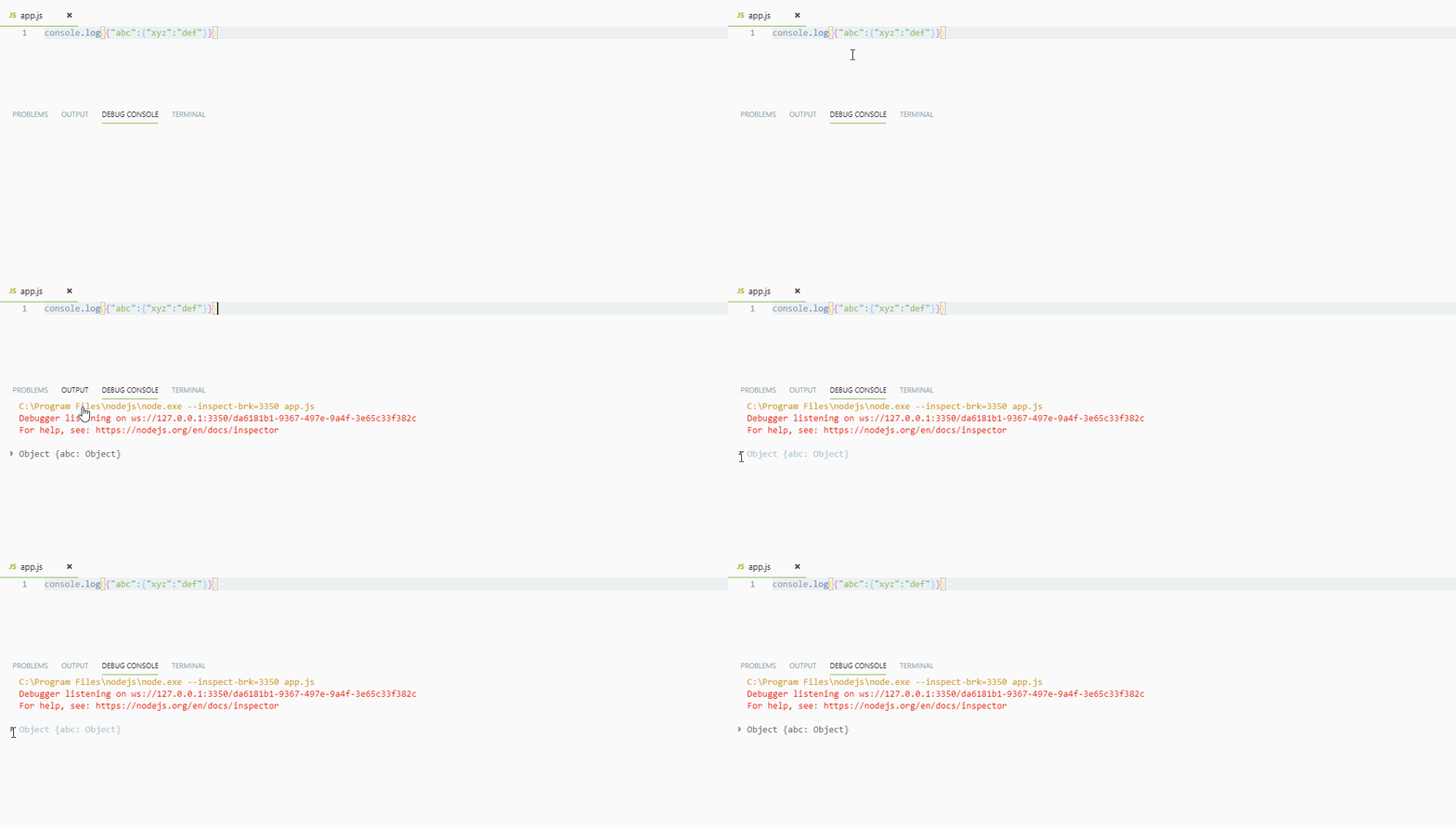
The expansion widget is there, nothing happens when using it:

VS Code version: Code - Insiders 1.21.0-insider (9a04587cc6b42c332609a08bfd7e2dbeac592c21, 2018-03-01T06:39:57.509Z)
OS version: Darwin x64 16.7.0
System Info
|Item|Value|
|---|---|
|CPUs|Intel(R) Core(TM) i7-4770HQ CPU @ 2.20GHz (8 x 2200)|
|Load (avg)|2, 2, 2|
|Memory (System)|16.00GB (1.70GB free)|
|Process Argv|/Applications/Visual Studio Code - Insiders.app/Contents/MacOS/Electron --user-data-dir=tmp/user --extensions-dir=tmp/ext|
|Screen Reader|no|
|VM|0%|
Extensions (4)
Extension|Author (truncated)|Version
---|---|---
vscode-docker|Pet|0.0.25
rest-client|hum|0.17.0
easy-icons|jam|0.3.1
vscode-open-in-github|sys|1.6.0
Reproduces without extensions
 chrmarti
All 12 comments
debug session still active? If not, it cannot expand.
 weinand
on 1 Mar 2018
weinand
on 1 Mar 2018
No longer active. It works otherwise, I only found now.
chrmarti
on 1 Mar 2018
Expand only works if debug session is active (because the data lives in the session).
@isidorn could we show an alert if you process an expand and no session is active?
weinand
on 1 Mar 2018
I have a nice info octicon with a hover
@chrmarti don't you get that

 isidorn
on 1 Mar 2018
isidorn
on 1 Mar 2018
@isidorn No, that icon does not show.
chrmarti
on 1 Mar 2018
@chrmarti that object is coming from a console log statement. So bascially the issue here is that those objects coming from console do not seem to have the info icon.
isidorn
on 1 Mar 2018
 blurHY
on 14 Feb 2019
blurHY
on 14 Feb 2019
Same issue here. any fix?
 Gouliath1
on 17 Feb 2019
Gouliath1
on 17 Feb 2019
Same problem here. This is relatively-new behavior - I remember being able to expand successfully in 2018, not sure when it changed.
 jonpincus
on 18 Feb 2019
jonpincus
on 18 Feb 2019
Afaik this is not new behavior. You were never able to expand objects after a debug session finished if you did not previously expand them.
If you want to prove me wrong let me know for what exact version this was working. Thanks!
isidorn
on 19 Feb 2019
I got the same problem, and seeing all the comments here I got a work around to this.
As I have to keep the debug session active to make the object expandable, I add a debugger; statement in the end of my script to keep the session active. And then I was able to expand the logged objects.
 fefe982
on 15 Jul 2019
fefe982
on 15 Jul 2019
I got the same problem while my session was still active... I just reboot vscode and it works...
 gcheron
on 10 Nov 2020
gcheron
on 10 Nov 2020
Related issues
 biij5698
·
3Comments
biij5698
·
3Comments
 DovydasNavickas
·
3Comments
DovydasNavickas
·
3Comments
 curtw
·
3Comments
curtw
·
3Comments
 ryan-wong
·
3Comments
ryan-wong
·
3Comments
 mrkiley
·
3Comments
mrkiley
·
3Comments
Most helpful comment
I got the same problem, and seeing all the comments here I got a work around to this.
As I have to keep the debug session active to make the object expandable, I add a
debugger;statement in the end of my script to keep the session active. And then I was able to expand the logged objects.