Vscode: Progressively load VS Code to reduce >60% startup time
Result
Reduce the time for restoring the full DOM from 1700~3500ms down to 700ms.
(Restoring DOM time is measured by didLoadExtensions - main:appReady.)
So instead of looking at VS Code loading each component, doing syntax-highlighting, I can...start looking into my workspace state immediately.

Caveat
At 700ms the app is not interactive yet. We need to modify workbench/editor initialization to then make the static DOM interactive ("enhance" it).
However, the overall time-to-interactive could also be improved as an outcome, since we can avoid creating many new DOM elements.
High Level Description
Progressive Web App encourages sending back initial HTML with critical CSS for initial rendering, and then progressively "enhance" the app by making the initial HTML component interactive through JS.
VS Code can take advantage of this approach for startup, and even do better than PWA because:
- Initial HTML can be easily captured by saving the DOM when user closes window
- No need to worry about network traffic for loading any resources
How this could work
- When user closes a window, save a snapshot of the DOM and associate it with a workspace
- The next time user loads that workspace, load the static HTML first
- Then make the static HTML interactive
Some nice things we could do
- Extract critical CSS into
workbench.preload.cssfor preloading - During enhancement, enable some common actions first such as scrolling and put them into
workbench.preload.js. (I find myself always spending the first few seconds after opening a workspace scrolling or switching tabs, but nothing else). While "enhancing" the static HTML, show an animated progress bar

Challenges
- Switching from creating DOM elements to enhancing existing ones is a lot of changes.
- Need to find way to resolve discrepancy between captured DOM & supposed restored state. For example, the file in the open editor can be edited outside of VS Code.
- Need to find way to restore canvas based element (minimap/terminal).
- Editor might be really hard to enhance.
Suggestion
We can maybe start by saving the DOM for the editor? Textmate tokenization is costly and the time text go from white -> highlighted is perceivable.
This issue is just to spark interest and start discussions.
@Microsoft/vscode what do you think?
 octref
All 8 comments
The idea is super great, it's almost the same feature request (technically) as https://github.com/Microsoft/monaco-editor/issues/420 . If the DOM element has some static identifier, it will be easier to restore the View Model from it, so I'll suggest to start from List View, ActivityBar or similar.
Looking at the startup waterfall chart, I have a feeling that the time we save (from 1.7s to 700ms) is majorly from below two steps
load and eval scripts ~350ms
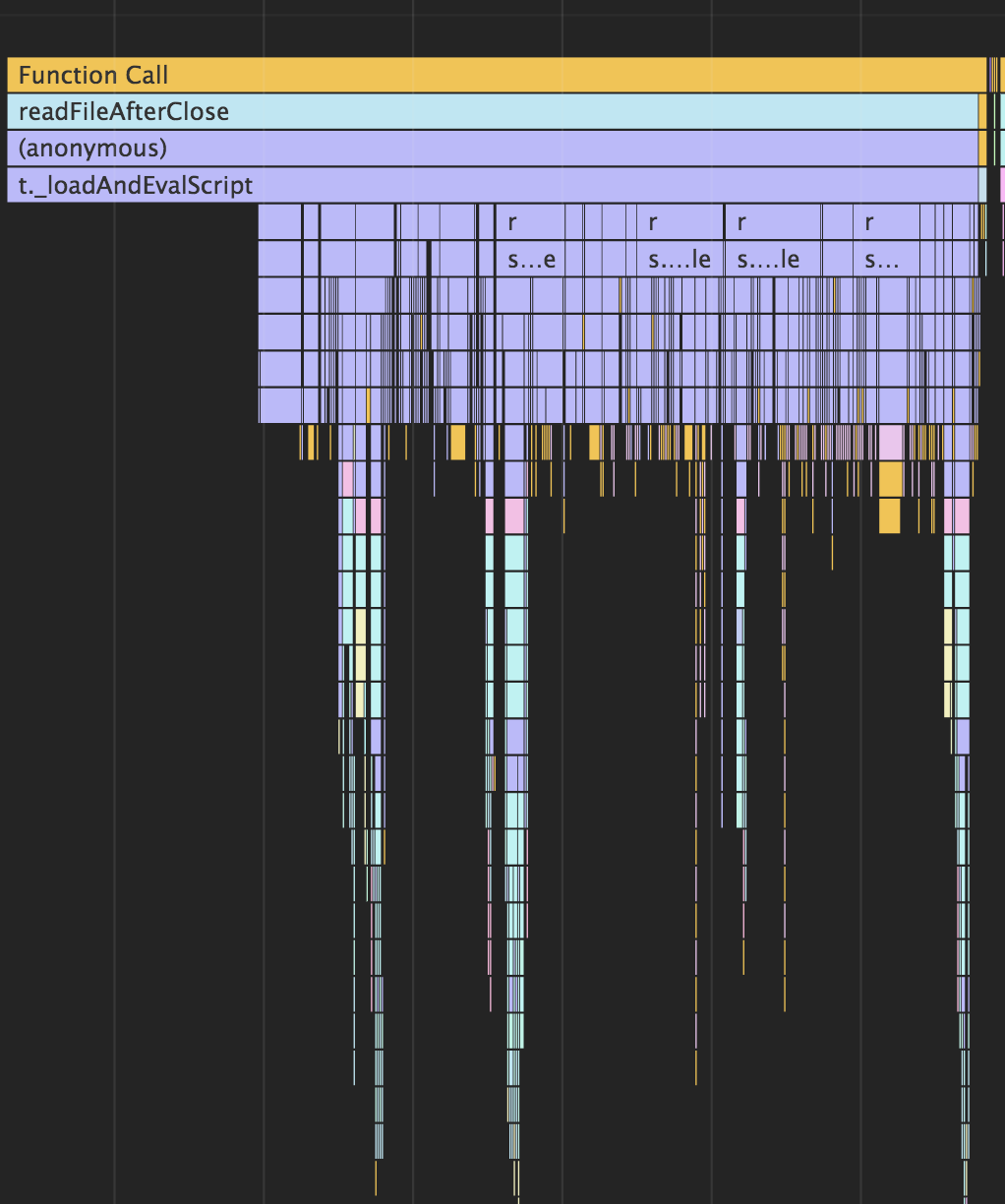
initialization ~450ms

It took around 800+ms. Maybe preloading can save time with the initialization, for example a forced reflow when we have many DOM nodes. Any time we can't save blocks the workbench to be interactive.
From users perspective, now it takes more time for the extensions to kick in. With current Insider, I usually need 1 to 2 seconds to wait for Vim, pressing any key within that time window will lead to unexpected. For any keymap user, the time-to-interactive actually increases.
 rebornix
on 21 Dec 2017
rebornix
on 21 Dec 2017
Given that the page isn't interactive, this is mostly a perceived performance improvement, right?
 auchenberg
on 21 Dec 2017
auchenberg
on 21 Dec 2017
Switching from creating DOM elements to enhancing existing ones is a lot of changes.
This is my main concern with the proposal.
A less ambitious idea is to do this just for the stripped down idea of this I've thought about before is to pull the basic frame of VS Code out into a HTML file that's loaded immediately before any scripts, so we could show the outline of the activity bar , status bar, viewlet, editor, etc. and then change the components to expect this initial state. This could lead to similar perceived perf benefits with much less effort and less weirdness (if directory structure or active tab file contents changes, editor doesn't accept input despite cursor showing, etc.).
 Tyriar
on 21 Dec 2017
Tyriar
on 21 Dec 2017
Given that the page isn't interactive, this is mostly a perceived performance improvement, right?
@auchenberg
Yeah, but it can be helpful. For example, I constantly see people saying Discord is very smooth, but what it does is to play a silky smooth animation in startup while waiting for initialization.
The time-to-interactive is long (~4s for me), but it makes me feel that the app is smooth & responsive while waiting.
I think compared to "click button, wait 4 sec for VS Code to initialize before doing anything", "click button, start seeing my workspace state in 1 sec, start looking around while waiting for VS Code to fully load (for which we can show a progress bar)" could be a better experience.

From users perspective, now it takes more time for the extensions to kick in. With current Insider, I usually need 1 to 2 seconds to wait for Vim, pressing any key within that time window will lead to unexpected. For any keymap user, the time-to-interactive actually increases.
@rebornix
That's a good concern, user would think the extension has started loading when the initial HTML is shown, although the time-to-Vim would be slightly improved due to less DOM node creation.
A less ambitious idea is to do this just for the stripped down idea of this I've thought about before is to pull the basic frame of VS Code out into a HTML file that's loaded immediately before any scripts...
@Tyriar
That would be a solid start and already a lot of perceived perf gain. However, we can possibly do this too:
- Save DOM for each parts
- Show the static HTML while waiting for each part to create a fully interactive part
- Surface the interactive element
  <div id="explorer-shell">
    <div id="explorer-preload">...</div> <!-- Load this guy first. This part can be found by querying the DOM before closing -->
    <div id="explorer">...</div> <!-- This guy get silently constructed in the background, when it's ready, surface it and remove #explorer-preload -->
  </div>
I put together a couple of gifs that illustrate what these options would look like. I did this by injecting a div which showed a screenshot into bootstrap/index.html:
        <style>
            .monaco-preload {
                background: url('../media/preview.png');
                position: absolute;
                z-index: -1;
                left: 0;
                top: 0;
                right: 0;
                bottom: 0;
            }
        </style>
        <div class="monaco-preload"></div>
Setting up a basic frame for the workbench which is loaded early (we would need to know about workbench state and the theme):
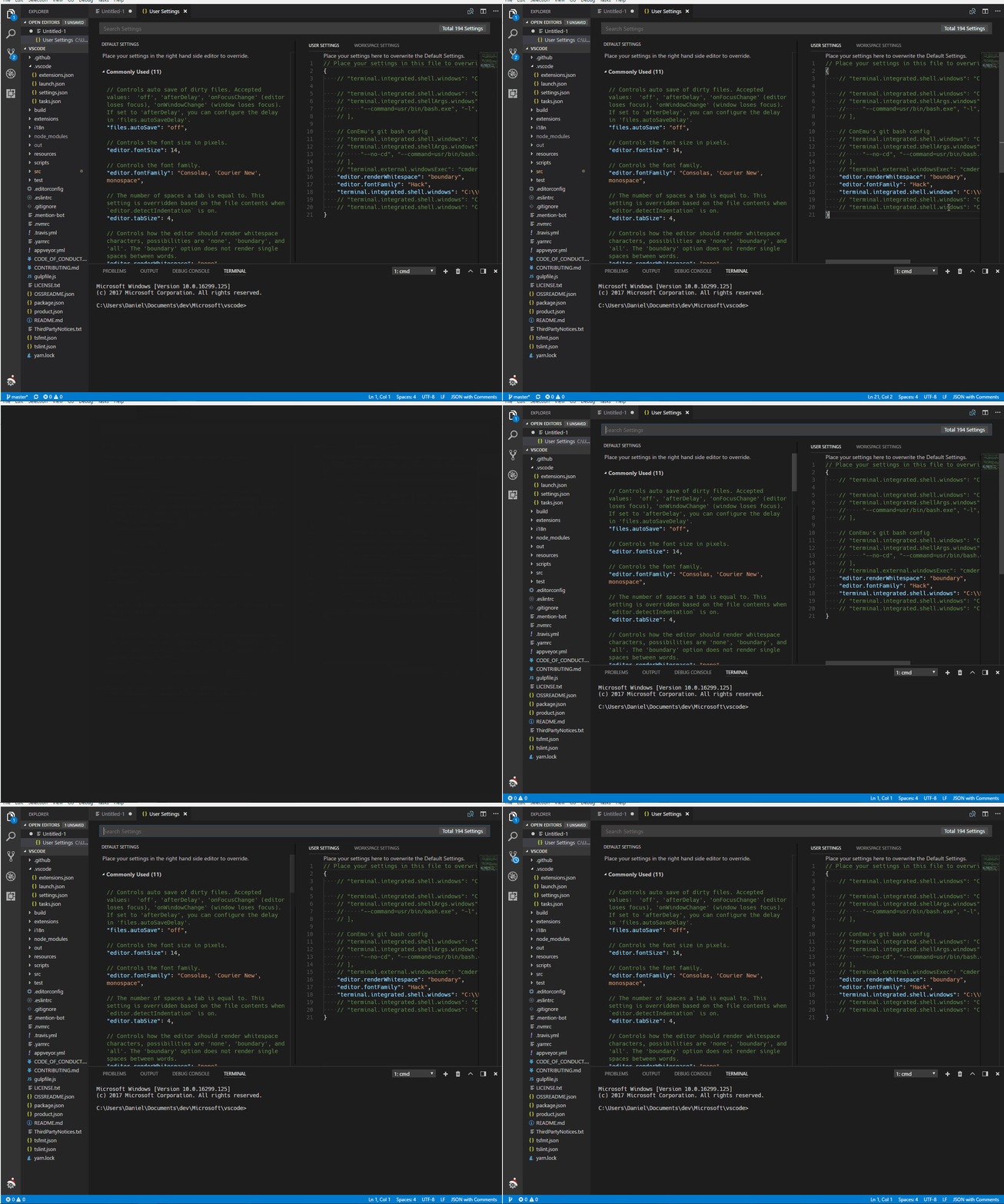
This appears to load pretty much instantly and allows the user to orient themselves before everything else loads.
Capturing the DOM structure of the editor on shutdown and restoring:
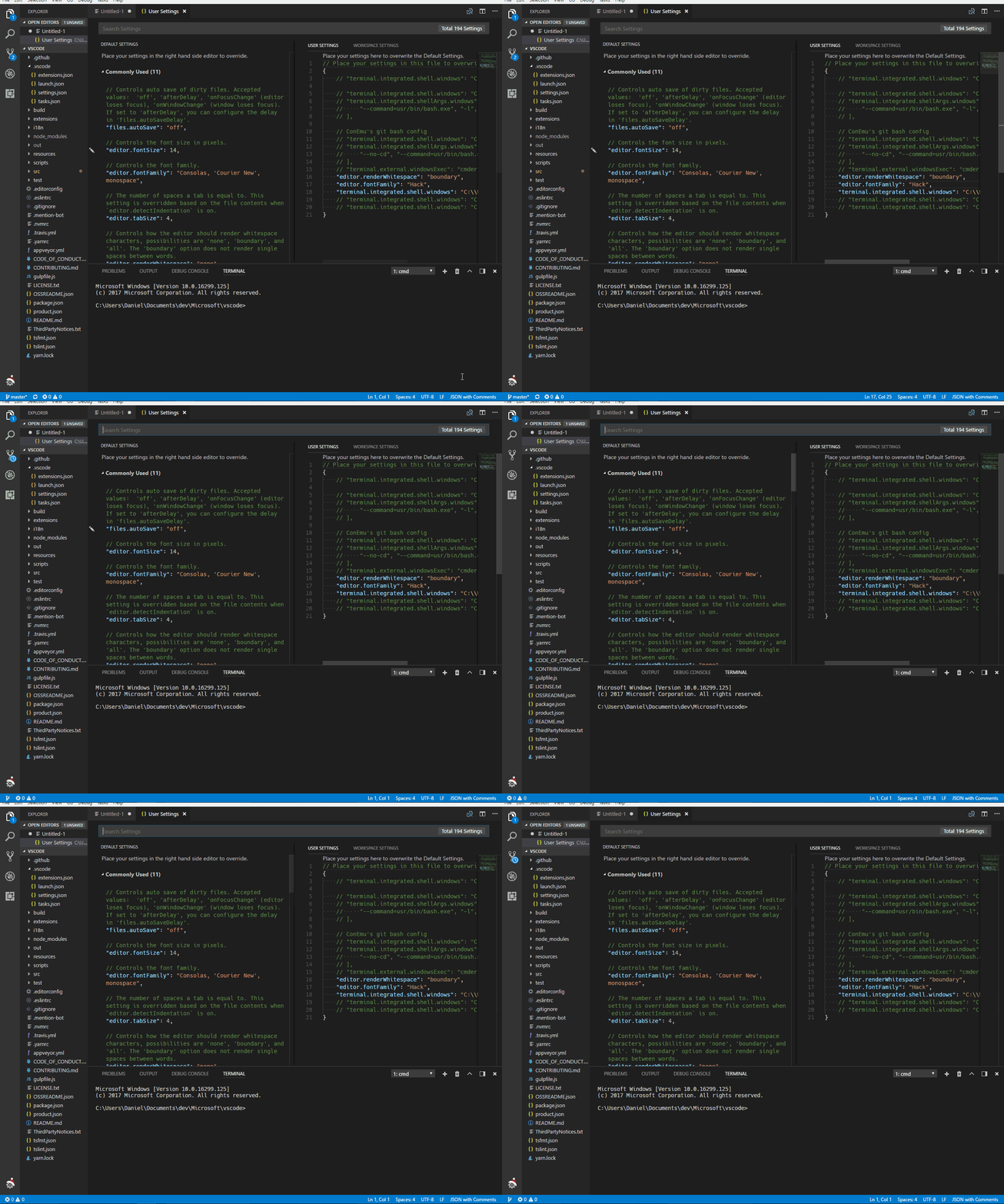
Just ignoring the amount of work this would be to actually implement, I find it quite jarring how when the "swap out" occurs we lose tokenization as everything's loading plus how long it's not interactive.
Tyriar
on 22 Dec 2017
@Tyriar
Sorry for interrupting, but I just HAVE to know where your settings icon got that santa cap.
 SenHengDesamis
on 22 Dec 2017
SenHengDesamis
on 22 Dec 2017
@SenHengDesamis Get the latest insider release.
 joaomoreno
on 22 Dec 2017
joaomoreno
on 22 Dec 2017
Closing this as we have started an effort with rapid render. We will continue in that direction but as a sequence of separate issues
 jrieken
on 10 Sep 2018
jrieken
on 10 Sep 2018
Related issues
 mrkiley
·
3Comments
mrkiley
·
3Comments
 lukehoban
·
3Comments
lukehoban
·
3Comments
 vsccarl
·
3Comments
vsccarl
·
3Comments
 trstringer
·
3Comments
trstringer
·
3Comments
 NikosEfthias
·
3Comments
NikosEfthias
·
3Comments
Most helpful comment
@Tyriar
Sorry for interrupting, but I just HAVE to know where your settings icon got that santa cap.