Vscode: Focus integrated terminal on first startup
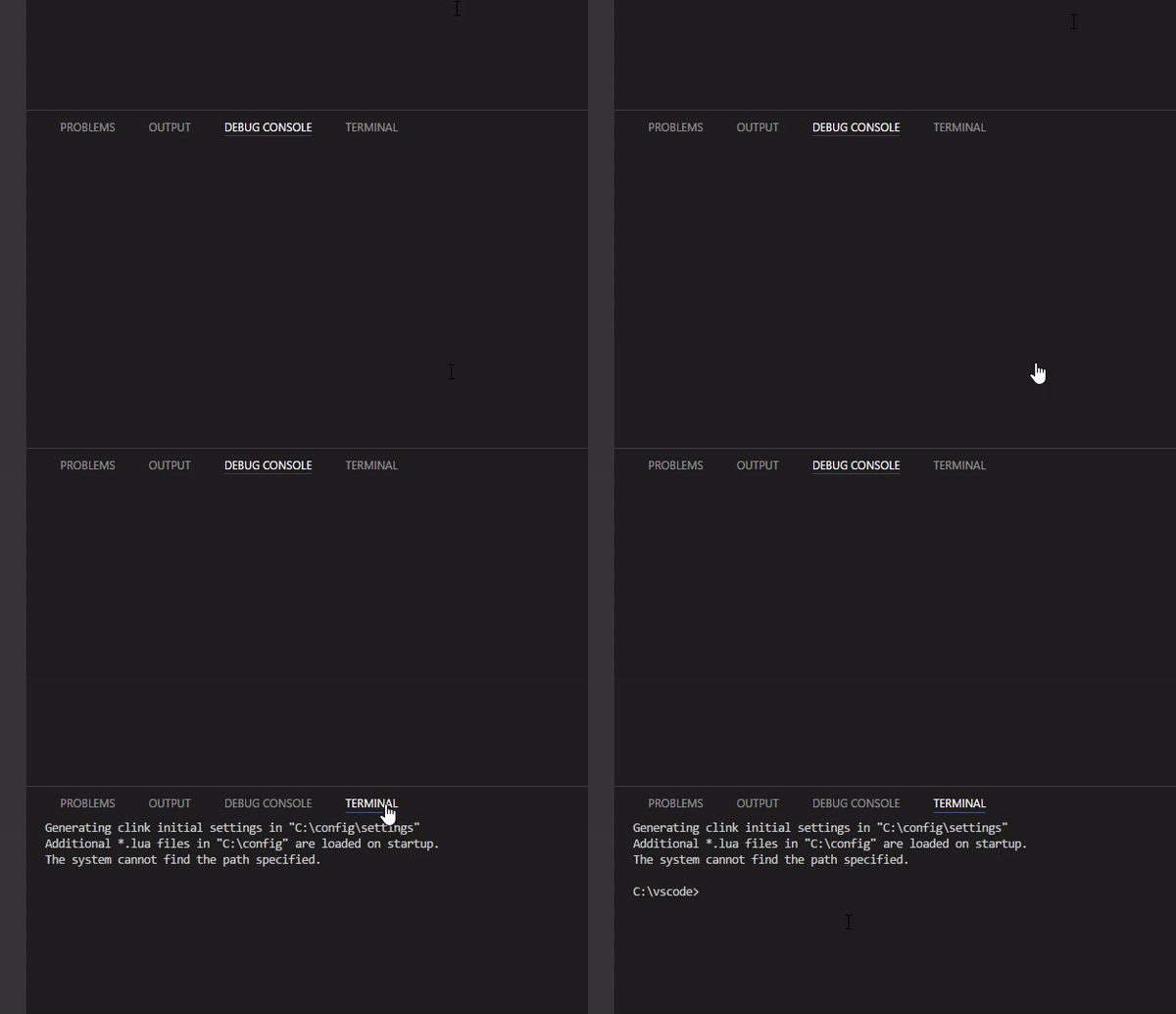
- Have tab other than
terminalactive in panel - Reload the editor
- Activate
terminaltab - After the shell is loaded focus is not set
 usernamehw
All 8 comments
I can reproduce on mac
 Tyriar
on 18 Dec 2017
Tyriar
on 18 Dec 2017
Hi @Tyriar , I will create a PR to fix this, since it only needs a minor change..
 bpceee
on 20 Dec 2017
bpceee
on 20 Dec 2017
A proper fix for this is a little tough, the reason is because we need to make sure that the panel is not focused when it shouldn't be (when launching VS Code, when showing but not focusing via the API). Also the reason the focus isn't happening is because of the async terminal initialization. It's also possible that this will go away once https://github.com/xtermjs/xterm.js/issues/955 is fixed.
Tyriar
on 22 Jan 2018
"A proper fix for this is a little tough" - sorry but it worked well in older versions of VS code, but now is broken. Can you just revert those changes that introduces such bug?
 bialix
on 9 Mar 2018
bialix
on 9 Mar 2018
I can confirm that this worked before the terminal got replaced and it is the number one annoying thing now for me in VS Code.
 letmaik
on 19 Mar 2018
letmaik
on 19 Mar 2018
There's a PR out for the toggling terminal portion of this which should land in either the March or April release.
Tyriar
on 22 Mar 2018
@usernamehw fixed the toggle terminal case, the only remaining issue is clicking the terminal label on the panel (when no terminals are open).
Tyriar
on 22 Mar 2018
thanks for the progress update @Tyriar
 johnpapa
on 30 Mar 2018
johnpapa
on 30 Mar 2018
Related issues
 jez9999
·
234Comments
jez9999
·
234Comments
 filfat
·
246Comments
filfat
·
246Comments
 hsdk123
·
263Comments
hsdk123
·
263Comments
 Perkovec
·
191Comments
Perkovec
·
191Comments
 mariusa
·
219Comments
mariusa
·
219Comments
Most helpful comment
@usernamehw fixed the toggle terminal case, the only remaining issue is clicking the terminal label on the panel (when no terminals are open).