Vscode: indent back to line start after enter newline and press up
- VSCode Version: Code 1.18.1 (929bacba01ef658b873545e26034d1a8067445e9, 2017-11-16T18:32:36.026Z)
- OS Version: Windows_NT ia32 10.0.16299
Hi, I have a feature request related to intent,
I think Notepad++ and Visual Studio's indent after enter newline and press up works better and more intuitive, it'll remain the indent position, as in the gif:
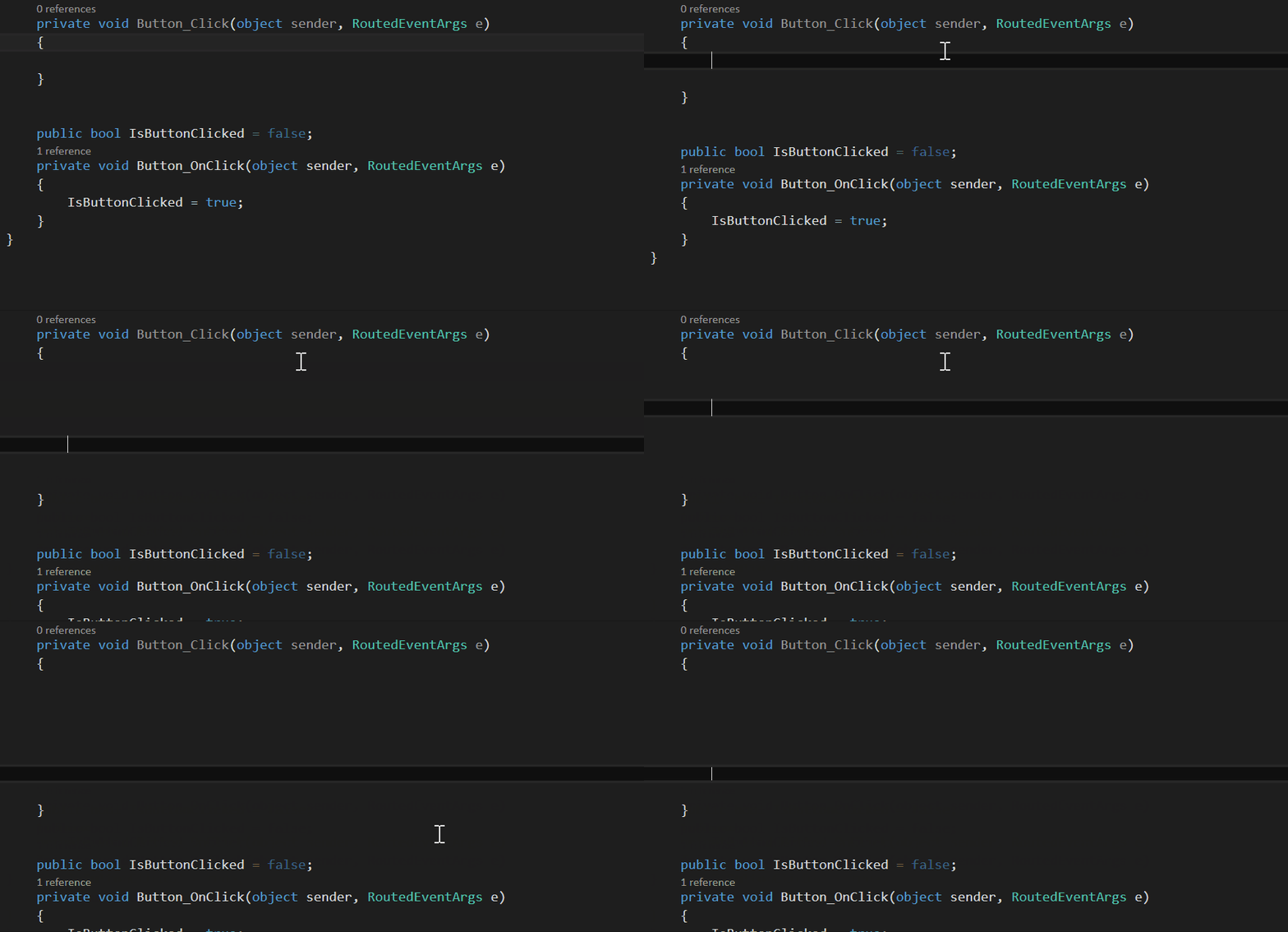
But VSCode's indent after enter newline and press up go back to line start, which I think is not so reasonable:
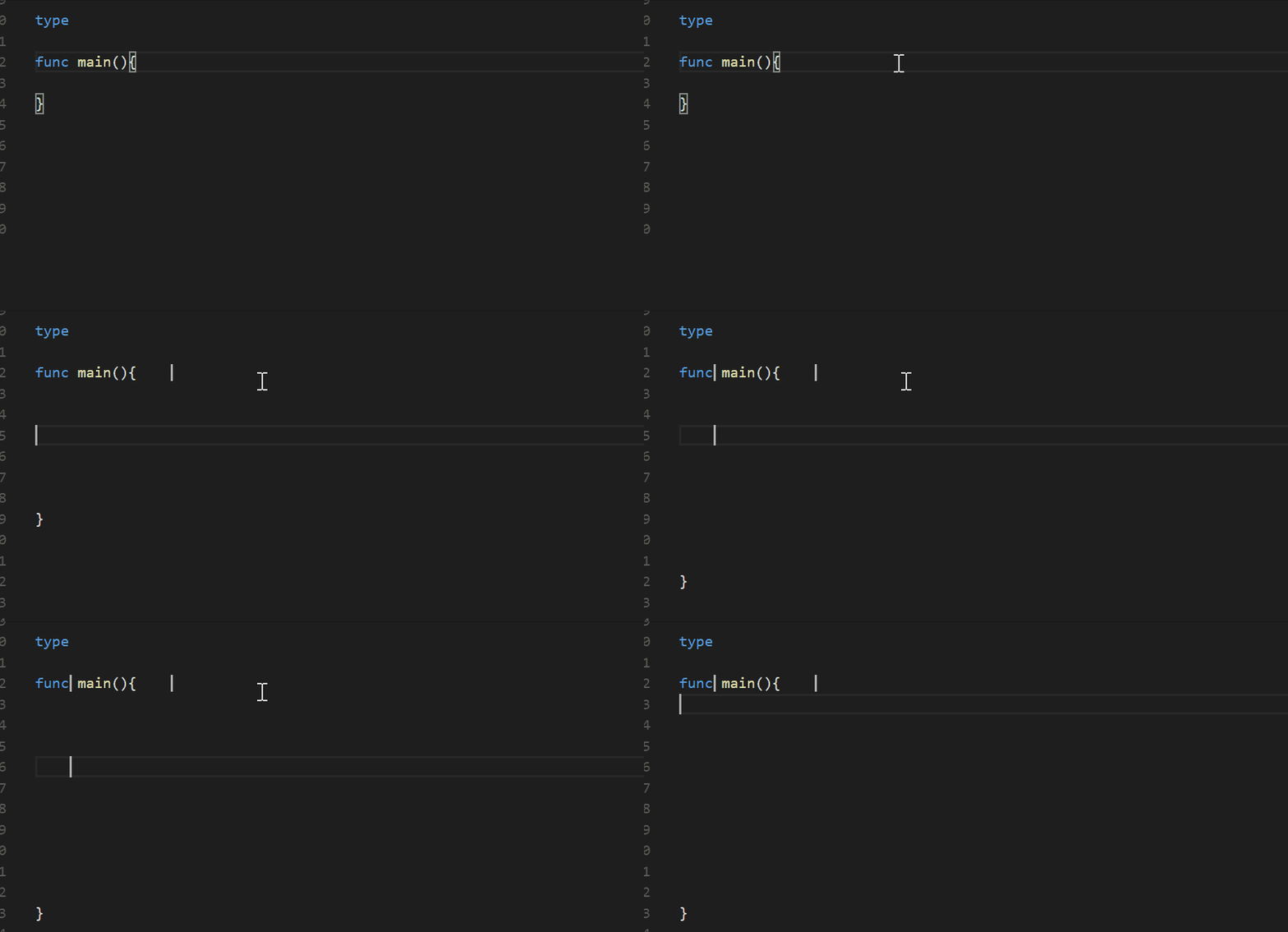
Hope vscode can remain the indent position after enter newline and press up, thank you.
.
Reproduces without extensions: Yes
 Yang09701194
All 16 comments
I desperately want this fixed. Reproduced on macOS with Code 1.24.1 as well.
 AdriaandeJongh
on 25 Jun 2018
AdriaandeJongh
on 25 Jun 2018
This issue is extremely annoying. Version: 1.27.1 still have it.
 shakir-timur
on 7 Sep 2018
shakir-timur
on 7 Sep 2018
1.28.2 here :(
I didn't had that problem until I formatted my PC, now I have that problem again.
I don't remember how I fixed that before...
 Icaruk
on 8 Nov 2018
Icaruk
on 8 Nov 2018
Reproduced this with JavaScript code on 1.29.0 (Linux - KDE Neon)
 anavarre
on 16 Nov 2018
anavarre
on 16 Nov 2018
As a partial workaround you can uncheck the setting "Editor: Trim Auto Whitespace". But it still leaves the problem after document being formatted.
shakir-timur
on 22 Nov 2018
Any updates on this issue?
45149 that is closed as a duplicate is very annoying. For example, when typing in JavaScript and going to the new line after the curly braces, the cursor is at the beginning of the new line instead of being properly indented.
 dropsonic
on 21 Apr 2020
dropsonic
on 21 Apr 2020
Bumbing this one up as well.
It's been a few months now that about third of our team switched to VS Code for as3 and JavaScript coding, and this indent-ignoring in class level causes many false-positive conflicts and file change detections on our GIT, which is disturbing especially when merging... Thanks!
 mawyju
on 8 May 2020
mawyju
on 8 May 2020
https://github.com/CodeCreator/vscode-indent-to-bracket This may serve as a work around IIUC.
 naresh0839
on 17 May 2020
naresh0839
on 17 May 2020
@naresh0839 thanks for the link. This extension helps, but it doesn't take my indentation settings into account.
I have tabs set up in VS Code but it inserts spaces all over the place.
dropsonic
on 17 May 2020
@rebornix was assigned to this well over 2 years ago. Why has there been no word from the team?
 v-kydela
on 29 May 2020
v-kydela
on 29 May 2020
this is really annoying, there is any config to fix that? :(
 thiagok00
on 22 Jun 2020
thiagok00
on 22 Jun 2020
@ramya-rao-a - Can you comment?
v-kydela
on 22 Jun 2020
Go to File > Preferences > Settings.
Search for "Editor: Trim Auto Whitespace" and disable it. :)
 desromic
on 26 Jul 2020
desromic
on 26 Jul 2020
@desromic well, I'd like to trim auto whitespace at the end of the line, so disabling this option is not suitable
dropsonic
on 27 Jul 2020
I am using ubuntu and this issue is present in Visual Studio Code here too. I think i want it to be like CLion where indentation is always at the current indent level and not go into inline. Much useful. It must be fixed
 longcontest
on 7 Aug 2020
longcontest
on 7 Aug 2020
Issue still there on Windows
 razzagtaylor
on 21 Sep 2020
razzagtaylor
on 21 Sep 2020
Related issues
 borekb
·
3Comments
borekb
·
3Comments
 villiv
·
3Comments
villiv
·
3Comments
 mrkiley
·
3Comments
mrkiley
·
3Comments
 ryan-wong
·
3Comments
ryan-wong
·
3Comments
 philipgiuliani
·
3Comments
philipgiuliani
·
3Comments
Most helpful comment
As a partial workaround you can uncheck the setting "Editor: Trim Auto Whitespace". But it still leaves the problem after document being formatted.