- VSCode Version: Code 1.17.1 (1e9d36539b0ae51ac09b9d4673ebea4e447e5353, 2017-10-10T14:21:18.489Z)
- OS Version: Linux x64 4.4.0-97-generic
- Extensions:
Extension|Author (truncated)|Version
---|---|---
html-class-suggestions|And|1.0.7
ng-template|Ang|0.1.7
material-icon-theme|PKi|2.2.2
vscode-intelephense-client|bme|0.7.2
npm-intellisense|chr|1.3.0
path-intellisense|chr|1.4.2
vscode-todo-plus|fab|1.5.2
auto-rename-tag|for|0.0.14
icon-fonts|idl|1.8.2
code-beautifier|mic|1.7.2
vscode-scss|mrm|0.6.2
debugger-for-chrome|msj|3.3.1
vscode-todo-highlight|way|0.5.11
(3 theme extensions excluded)
Terminal font's look terrible in new update. its so hard to read
Reproduces without extensions: Yes/No
 prasanthnv
All 14 comments
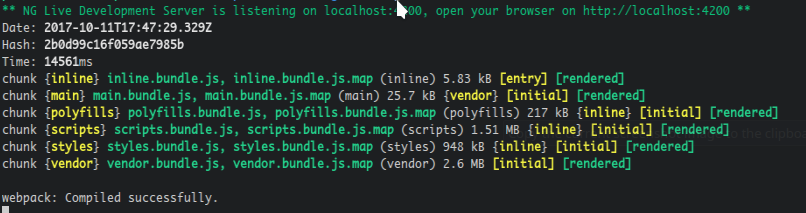
prasanthnv
on 11 Oct 2017
Its okay in some eyes but its better for me in the previous version
prasanthnv
on 11 Oct 2017
Screenshot with an illustration of a difference between 1.17.1 and previous versions. Using git bash on windows 8.1 x64:
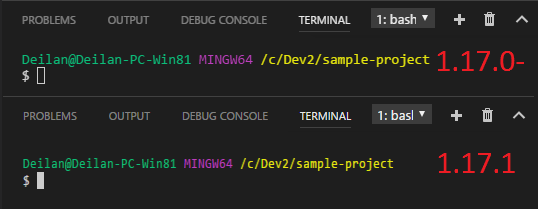
My eyes are broken. :(
 Deilan
on 11 Oct 2017
Deilan
on 11 Oct 2017
I'm seeing the same issue on a Mac. The characters look fuzzier and narrower (though their width is actually the same).

See also #36076
 ChaseOnTheWeb
on 11 Oct 2017
ChaseOnTheWeb
on 11 Oct 2017
Same issue here, VSCode 1.17.1, macOS 10.12.6, Retina screen:
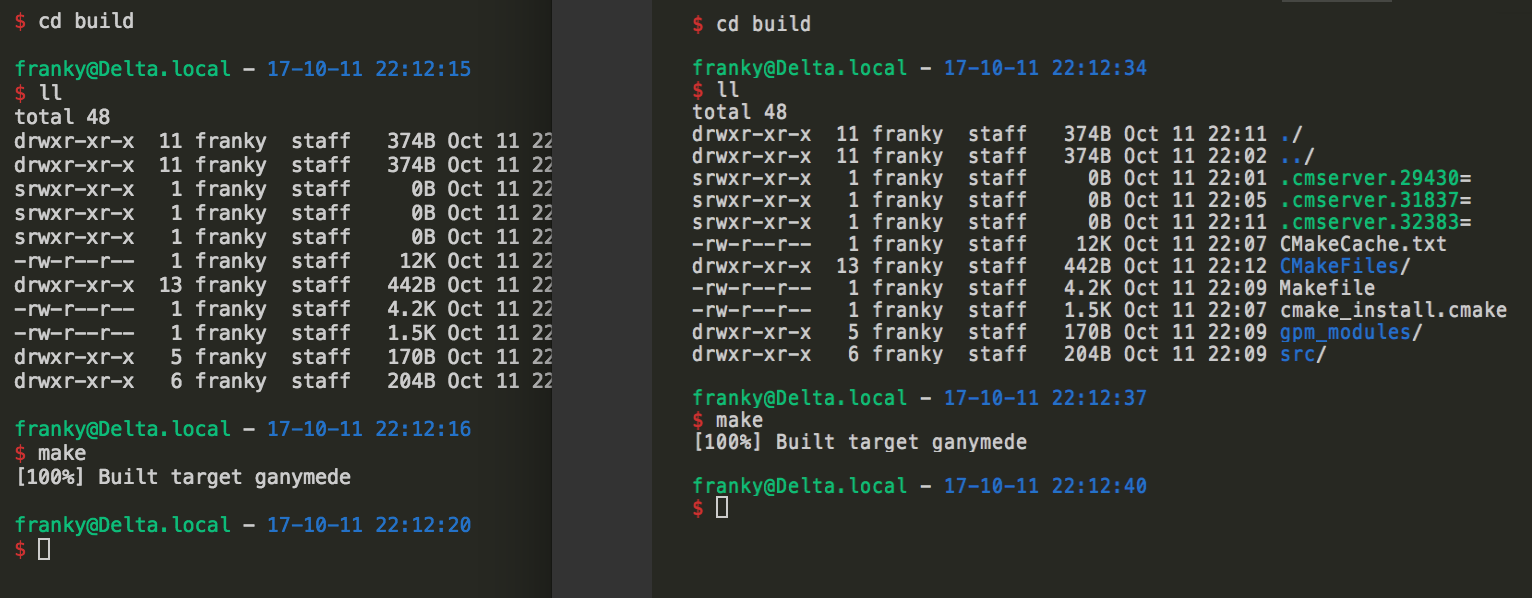
1.16 left, 1.17 right
It looks like the line height is different as well.
 franky47
on 11 Oct 2017
franky47
on 11 Oct 2017
I also get this bug now when I type something and move the cursor back:
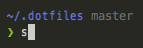
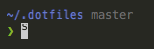
Only happens directly after opening the terminal though.
And yes I agree, the font renders terribly now 😳
 simonhaenisch
on 11 Oct 2017
simonhaenisch
on 11 Oct 2017
 Tyriar
on 12 Oct 2017
Tyriar
on 12 Oct 2017
@Tyriar this is not exactly a duplicate, the same problem exists on macOS too.
Edit: nevermind, it's counterpart for macOS is #36076.
franky47
on 12 Oct 2017
Menlo on OSX, size 10:
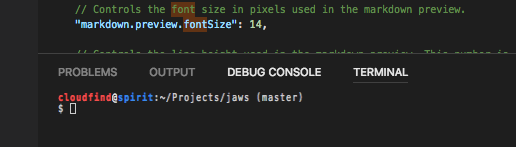
This used to be readable (identical to the editor), now it is not.
 robhaswell
on 12 Oct 2017
robhaswell
on 12 Oct 2017
FYI #35991 was happening on all platforms, it was much less noticeable on macOS though as many more users have high DPI screens.
Tyriar
on 12 Oct 2017
Hey @Tyriar ,
So this is fixed in the insider's build? And will be fixed in a future patch? Just wanted to confirm as I see all the tickets closed out, despite the problem still existing.
Thanks for all you folks do! Love VSC.
 prufrock123
on 12 Oct 2017
prufrock123
on 12 Oct 2017
@prufrock123 this one was fixed in 1.17.2, hope everything is fine now 😃
Tyriar
on 28 Oct 2017
not good as 1.17.0
prasanthnv
on 28 Oct 2017
@prasanthnv it should be very similar to 1.17.0, the main difference is that the characters no longer have their last pixel chopped off and can now overlap slightly (which are both good things)
Tyriar
on 28 Oct 2017
Related issues
Tyriar
·
204Comments
 Perkovec
·
191Comments
Perkovec
·
191Comments
 niagr
·
246Comments
Tyriar
·
187Comments
niagr
·
246Comments
Tyriar
·
187Comments
 ghost
·
234Comments
ghost
·
234Comments
Most helpful comment
I'm seeing the same issue on a Mac. The characters look fuzzier and narrower (though their width is actually the same).
See also #36076