Vscode: "Clear Recently Opened" should also clear editor quick pick history
- VSCode Version: 1.17.0
- OS Version: Windows 10
Steps to Reproduce:
- Open a file to get it into quick open's "recently opened" suggestions
- Close the file
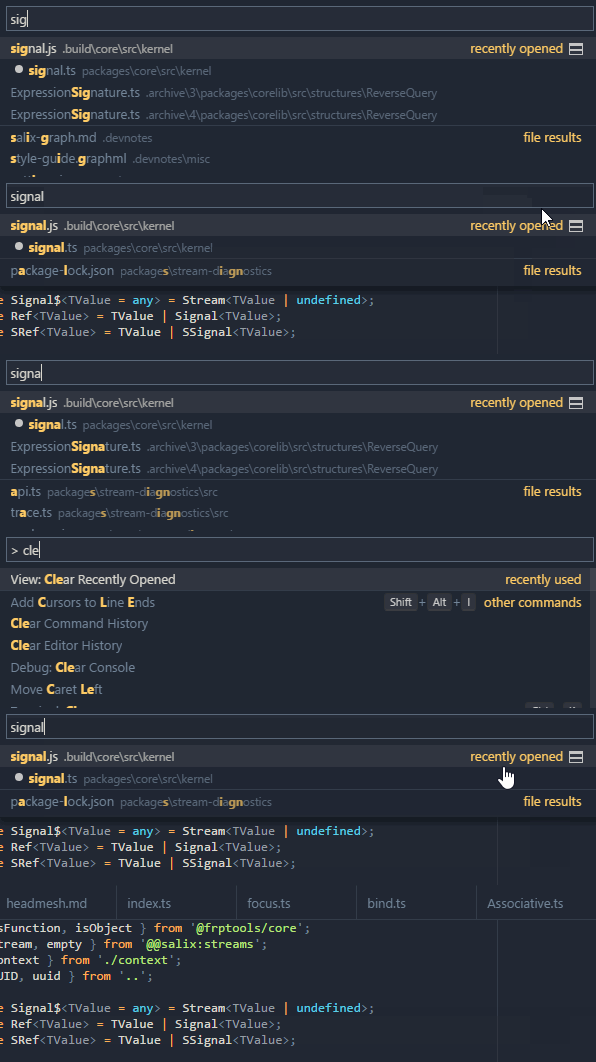
- Press CTRL+P; start typing the filename and it should show up with the label "recently opened"
- Bring up the command bar and select "clear recently opened"
- The file is gone from the file menu's recently opened files, but not from the quick open bar
I understand that the command bar's recently opened suggestions are a separate feature to the recent files list in the file menu, but I'd say that:
- They may be separate in terms of implementation, but they are probably the same from the user's perspective. Clearing one should probably clear the other.
- Even if they stay separate, the nomenclature should be changed - the hint text displayed to the right of the file in quick open is "recently opened"; providing a "clear recently opened" command creates confusion, given that the latter has no effect on the former.
 axefrog
All 6 comments
Would love this feature! This always bites me when I rename a folder and all the Ctrl+P results fire a File Not Found error.
As a workaround though, the solution from https://github.com/Microsoft/vscode/issues/3260#issuecomment-239721770 works for me.
 jemhuntr
on 4 Apr 2018
jemhuntr
on 4 Apr 2018
It is easily possible to clear the editor history of Cmp+P, just use this:

You can even remove individual entries:

 bpasero
on 6 Apr 2018
bpasero
on 6 Apr 2018
Picking "Clear Recently Opened" will now also remove "recently used" from the picker.
bpasero
on 12 Sep 2018
@bpasero I verified that the Clear Editor History and remove from history properly remove editors from the quick pick history.
However clicking on Clear Recently Opened in the menu does not modify the quick open editor history. Should I reopen?
 isidorn
on 25 Sep 2018
isidorn
on 25 Sep 2018
@isidorn good catch
bpasero
on 25 Sep 2018
Looks like "Clear Editor History" first becomes active on a reload? Perhaps something worth changing, that or force reload the editor. Unless I am wrong and it's only my version that does not show the changes instantly :)
 schoening
on 27 Oct 2018
schoening
on 27 Oct 2018
Related issues
 curtw
·
3Comments
curtw
·
3Comments
 v-pavanp
·
3Comments
v-pavanp
·
3Comments
 chrisdias
·
3Comments
chrisdias
·
3Comments
 omidgolparvar
·
3Comments
omidgolparvar
·
3Comments
 VitorLuizC
·
3Comments
VitorLuizC
·
3Comments
Most helpful comment
It is easily possible to clear the editor history of
Cmp+P, just use this:You can even remove individual entries: