Vscode: macOS High Sierra: parts of the UI not rendering
- VSCode Version: 1.16.1
- OS Version: macOS High Sierra 10.13
Steps to Reproduce:
Interface crashes when I open a file in the project folder tree.

Reproduces without extensions: Not Tested
 EagleEYErus
All 81 comments
Can you reproduce this with vscode insiders?
https://code.visualstudio.com/Insiders/
 isidorn
on 3 Oct 2017
isidorn
on 3 Oct 2017
@isidorn I will try, but I have not yet understood the sequence of steps to cause the crash. This happens randomly.
EagleEYErus
on 3 Oct 2017
@EagleEYErus without the sequence of steps there is not much we can do
isidorn
on 3 Oct 2017
I’ve also recently had this begin happening after update to High Sierra, though it’s not specific to opening a file in tree. Completely random. It also appears to happen on other electron apps (Slack) though I haven’t been able to track down an electron issue for it anywhere yet.
 chasegiunta
on 4 Oct 2017
chasegiunta
on 4 Oct 2017
@EagleEYErus are you using an external monitor by chance? Is it high dpi?
chasegiunta
on 4 Oct 2017
@chasegiunta does it make a difference if you run "code --disable-gpu" from the command line?
 bpasero
on 4 Oct 2017
bpasero
on 4 Oct 2017
I've experienced similar problems since upgrading to High Sierra. After a while the screen goes to a screen like EagleEYErus's. The after a minute or so it gradually comes back to life. I am using a MacBook Pro with a 4K external monitor, but I've experienced the same problems while not using the monitor.
Running "open Visual\ Studio\ Code.app --args --disable-gpu" from the terminal seems to have fixed the problem. It is running trouble-free for about an hour now.
 elijnzaad
on 4 Oct 2017
elijnzaad
on 4 Oct 2017
@EagleEYErus @elijnzaad does it run any better with our insiders build (NOT using --disable-gpu): http://code.visualstudio.com/Download#insiders
bpasero
on 4 Oct 2017
No, it doesn't.
Although I'm not sure I actually got the insiders build. I did follow your link, but the 'about' still shows 1.16.1.
elijnzaad
on 4 Oct 2017
@elijnzaad sorry, bad link: https://code.visualstudio.com/insiders/
bpasero
on 4 Oct 2017
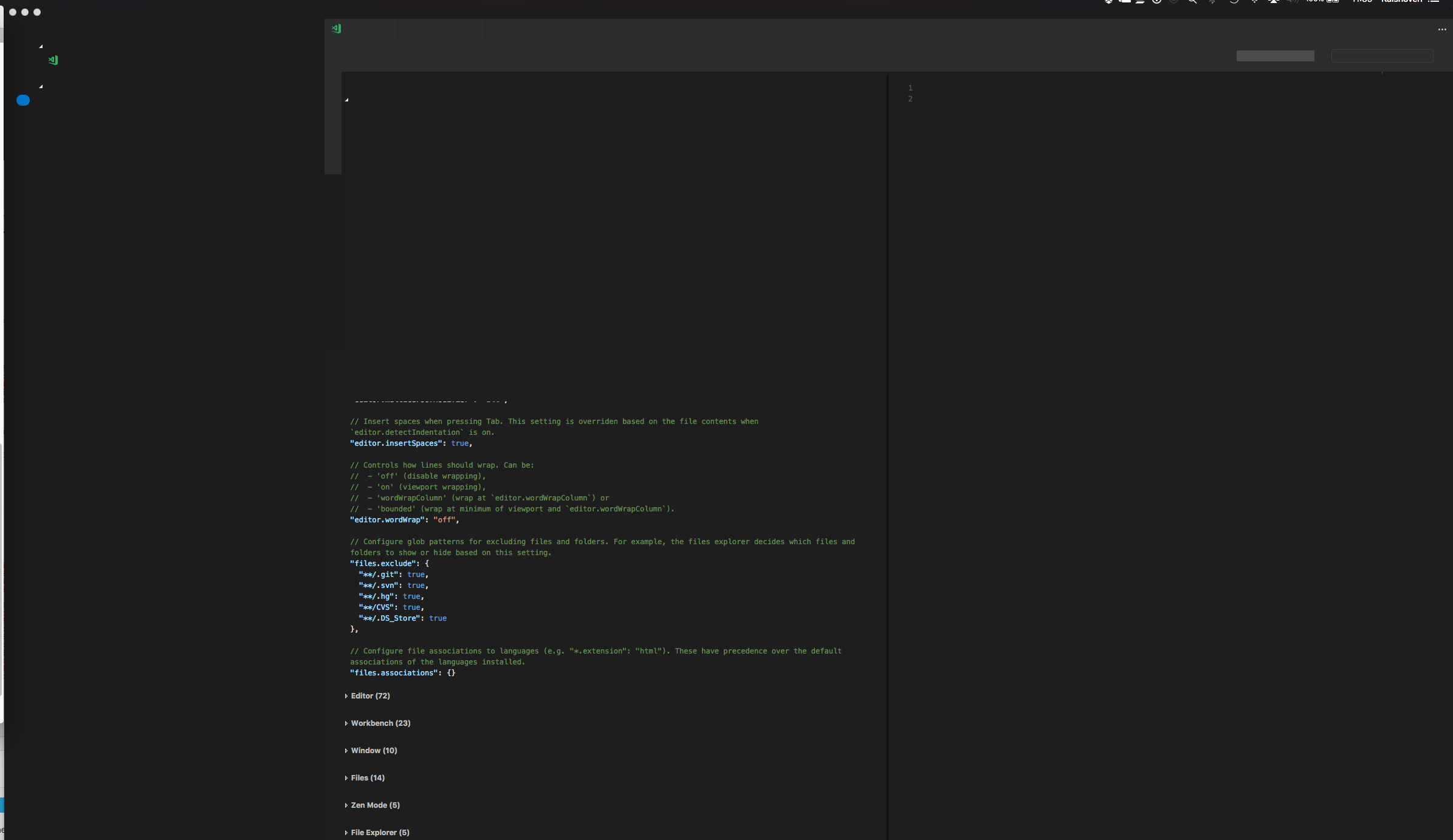
I'm sorry, but the insiders build does have the same problem as the production build. It didn't take me more than 2 minutes. The screenshot shows the first thing I did, which is adjusting the user settings.
elijnzaad
on 4 Oct 2017
@chasegiunta I did not use external monitors at the time the error was received. The first time a bug appeared on the MacOS High Sierra on the MacBook Air 13' 2013. For one development session, UI crashed several times. Then I ran into this problem yesterday on my iMac 27' late 2013. Then I tried to cause the error intentionally, but I did not find the sequence of steps, although it arose again when I changed the application window, but when I tried to repeat these actions nothing happened. I do not remember exactly, but the discord also seemed to give out this crash.
EagleEYErus
on 4 Oct 2017
@elijnzaad UI after the crash was restored only once otherwise I had to restart the application
EagleEYErus
on 4 Oct 2017
@elijnzaad Don't you have extensions for the insider version?
EagleEYErus
on 4 Oct 2017
@EagleEYErus @elijnzaad does this only reproduce on external monitor or also on the macbook pro screen? for external monitor, are they 4k/5k monitors?
bpasero
on 4 Oct 2017
@EagleEYErus I actually hadn't done anything in the insider build. I downloaded it, started it and selected Preferences -> User settings from the menu. That's all, no extensions.
elijnzaad
on 4 Oct 2017
@bpasero I did not use external monitors during the crash, and, as I wrote above, the maximum resolution of all the devices I use is 2560x1440
The first time a bug appeared on the MacOS High Sierra on the MacBook Air 13' 2013. For one development session, UI crashed several times. Then I ran into this problem yesterday on my iMac 27' late 2013.
EagleEYErus
on 4 Oct 2017
@bpasero I did use a Philips BDM4037U 4K external monitor. I'm currently running VSCode Insider without the external monitor on a MacBook Pro (Retina, Mid 2012), Graphics NVIDIA GeForce GT 650M 1 GB
Intel HD Graphics 4000 1536 MB. So far no problems yet.
elijnzaad
on 4 Oct 2017
@EagleEYErus on what device are you seeing this currently?
@elijnzaad and this is without using --disable-gpu right?
bpasero
on 4 Oct 2017
@bpasero This screenshot I made on iMac 27-inch (2560 x 1440) late 2013
NVIDIA GeForce GTX 775M 2 ГБ
EagleEYErus
on 4 Oct 2017
@bpasero Yes, I'm running VSCode Insider without --disable-gpu and without the external monitor. No problems yet.
elijnzaad
on 4 Oct 2017
@bpasero Again, this error occurred a few hours ago on iMac, UI crashed when I changed tab and recovered in a few seconds.
EagleEYErus
on 4 Oct 2017
@EagleEYErus so this issue goes away after some second back to a functional UI, is that true?
bpasero
on 4 Oct 2017
@bpasero Last time, yes, but not always.
EagleEYErus
on 4 Oct 2017
Can someone capture a video when this happens and attach it? I would just like to understand how this surfaces.
bpasero
on 4 Oct 2017
@bpasero I found an excerpt from my stream (music plays loudly)
https://clips.twitch.tv/AbnegateEndearingAnisePRChase
EagleEYErus
on 4 Oct 2017
If it's relevant for graphic driver issues, using MBPro Retina (Late 2013) NVIDIA GeForce GT 750M 2 GB / Intel Iris Pro 1536 MB. High Sierra - using a High DPI external display, but happens on both screens.
Does go away after some 2-30 seconds. Typically hovering the mouse over the UI helps after some time. Hiding / Minimizing the window and bringing back has no effect in resolving.
Just started today but will report back if I continue to see the issue when running with --disable-gpu.
chasegiunta
on 4 Oct 2017
@EagleEYErus thanks. It looks awfully like https://github.com/Microsoft/vscode/issues/25934 which was fixed by a Chrome fix we took in where the GPU buffer was running out of memory.
Does it help to set "editor.disableTranslate3d": true ?
bpasero
on 5 Oct 2017
@EagleEYErus @chasegiunta @elijnzaad here are a couple of things to try out to see if it improves the situation:
- run
code --disable-gpu-rasterization - run
code --disable-mac-overlays - run
code --force_integrated_gpu
bpasero
on 5 Oct 2017
@bpasero VSCode 1.16.1 with "editor.disableTranslate3d": true is running fine for an hour now (on the 40-inch Philips monitor).
elijnzaad
on 5 Oct 2017
@bpasero Would you like us to try out the flags one-by-one to see which one does the trick?
elijnzaad
on 5 Oct 2017
@elijnzaad yeah that would be nice. Thanks for doing this.
bpasero
on 5 Oct 2017
@bpasero Is it normal that the VSCode says that the property editor.disableTranslate3d was not found: "Unknown configuration setting"
EagleEYErus
on 5 Oct 2017
@EagleEYErus sorry for that, I forgot that we took out the setting disableTranslate3d some releases ago. Still, the test with the other command line flags would be interesting to do.
bpasero
on 5 Oct 2017
@bpasero Well, I'll try now with the flag code --disable-gpu-rasterization. After restarting the VSCode, does the app start without flags in normal mode?
EagleEYErus
on 5 Oct 2017
@EagleEYErus no unfortunately not, these flags need to be provided on startup. I fear there would not even be a simple way for us to make this configurable via settings...
bpasero
on 5 Oct 2017
@bpasero code 1.16.1 --disable-gpu-rasterization runs fine so far. Will now try --disable-mac-overlays
elijnzaad
on 5 Oct 2017
@bpasero worked with the flag --disable-gpu-rasterization for about an hour and a half, everything worked well too. Will try code --force_integrated_gpu
EagleEYErus
on 5 Oct 2017
@bpasero code 1.16.1 -disable-mac-overlays does run without the major blackouts, but it is more sluggish and sometimes it makes the windows flicker. This is not my favourite option so far. Will now try --force_integrated_gpu (I presume you do mean underscore characters there)
elijnzaad
on 5 Oct 2017
@bpasero code --force_integrated_gpu start and immediately crash

EagleEYErus
on 5 Oct 2017
@bpasero Confirmed. --force_integrated_gpu causes problems on my system as well.
elijnzaad
on 5 Oct 2017
@EagleEYErus @elijnzaad and whats the exact hardware this is on (e.g. which hardware model and year?). Maybe this issue only shows up for very specific GPUs.
I am now also on high sierra and so far have not seen any issues.
bpasero
on 5 Oct 2017
@bpasero
Laptop:
MacBook Pro (Retina, Mid 2012),
Processor 2,6 GHz Intel Core i7,
Memory 16Gb RAM 1600 Mhz DDR3,
Graphics NVIDIA GeForcte GT 650M 1 GB, Intel HD Graphics 4000 1536Mb
Monitor:
2017 Philips BDM4037U 40-inch 4K, running at 30Ghz connected via HDMI
elijnzaad
on 5 Oct 2017
@bpasero
iMac:
iMac (27-inch, Late 2013),
Processor 3,4 GHz Intel Core i5,
Memory 16Gb 1600 MHz DDR3,
Graphics NVIDIA GeForce GTX 775M 2Gb
MacBook:
MacBook Air (13-inch, Mid 2013),
Processor 1,3 GHz Intel Core i5,
Memory 4Gb 1600 MHz DDR3,
Graphics Intel HD Graphics 5000 1536Mb
On both computers, I encountered a crash
EagleEYErus
on 5 Oct 2017
Macbook Pro (Retina, Late 2013)
Processor 2.3 GHz Intel Core i7
Memory 16 GB 1600 MHz DDR3
Graphics NVIDIA GeForce GT 750M 2 GB, Intel Iris Pro 1536 MB
Late to the replies here, but as the others have echoed, it doesn't occur with --disable-gpu . Will attempt the other flags today.
chasegiunta
on 5 Oct 2017
@bpasero VSCode 1.16.1 seems to be running fine without any flags on my iMac 5K 27inch late 2014, 4Ghz Intel Core i7, 32Gb 1600MHz DDR3, AMD Radeon R9 M290X 2GB. So perhaps you are right in thinking that it is hardware related.
elijnzaad
on 5 Oct 2017
At first I was thinking it could be the integrated GPU on the Macs, but given https://github.com/Microsoft/vscode/issues/35527#issuecomment-334469117 on an iMac where afaik there is only a single GPU, this theory seems wrong.
GPUs:
- Integrated: Intel HD Graphics 4000, Intel HD Graphics 5000, Intel Iris Pro 5200
- Discrete: Nvidia Geforce GT 650M, Nvidia Geforce GTX 775M, Nvidia Geforce GTX 750M
So far the only pattern I can see that it happens with Macs before 2014'ish.
bpasero
on 5 Oct 2017
@bpasero I don't know if this information will be useful, but I just got exactly the same problem in the discord

EagleEYErus
on 6 Oct 2017
I also experience it in Slack (another Electron app).
chasegiunta
on 6 Oct 2017
@chasegiunta can there be an error in the electron?
EagleEYErus
on 6 Oct 2017
@EagleEYErus I would assume so. Though _there could potentially be_ some steps that apps like vscode could take to remedy them.
chasegiunta
on 6 Oct 2017
@chasegiunta hope so
EagleEYErus
on 6 Oct 2017
I managed to somehow get it to work again by:
- downgrading to 1.16.1
- waiting for 1.17 to be ready for installation again
- rebooting High Sierra
- done
 trumbitta
on 6 Oct 2017
trumbitta
on 6 Oct 2017
Now that I re-read my own comment, it reminds me of when playing DAoC at some early version you had to reboot the PC every few hours because artefacts would start popping all over the screen and wouldn't go away. It ended up being an issue with some video buffer and rebooting would clean it.
Also, @bpasero , my MBP is from < 2014 too.
trumbitta
on 7 Oct 2017
Same occurs to me in chrome, in addition to VSCode.
I have mid 2012 non-retina macbook pro + external hiDPI monitor.
 nktka
on 8 Oct 2017
nktka
on 8 Oct 2017
@bpasero @nktka
Same occurs to me in chrome, in addition to VSCode.
Maybe the problem is in chromium or v8 and macOS High Sierra because electron and Chrome use it both.
EagleEYErus
on 8 Oct 2017
Reported this to Electron as https://github.com/electron/electron/issues/10736
bpasero
on 10 Oct 2017
@bpasero Appreciate the help. It may be even higher than them. I've noticed the same issue in Chrome a couple times over the past few days (it's very apparent that it happens _way more_ in Electron apps for some reason). So, potentially a Chromium issue? Though, as I mentioned before, hopefully there's some steps to alleviate it in Electron or vscode. Thanks for the report.
chasegiunta
on 10 Oct 2017
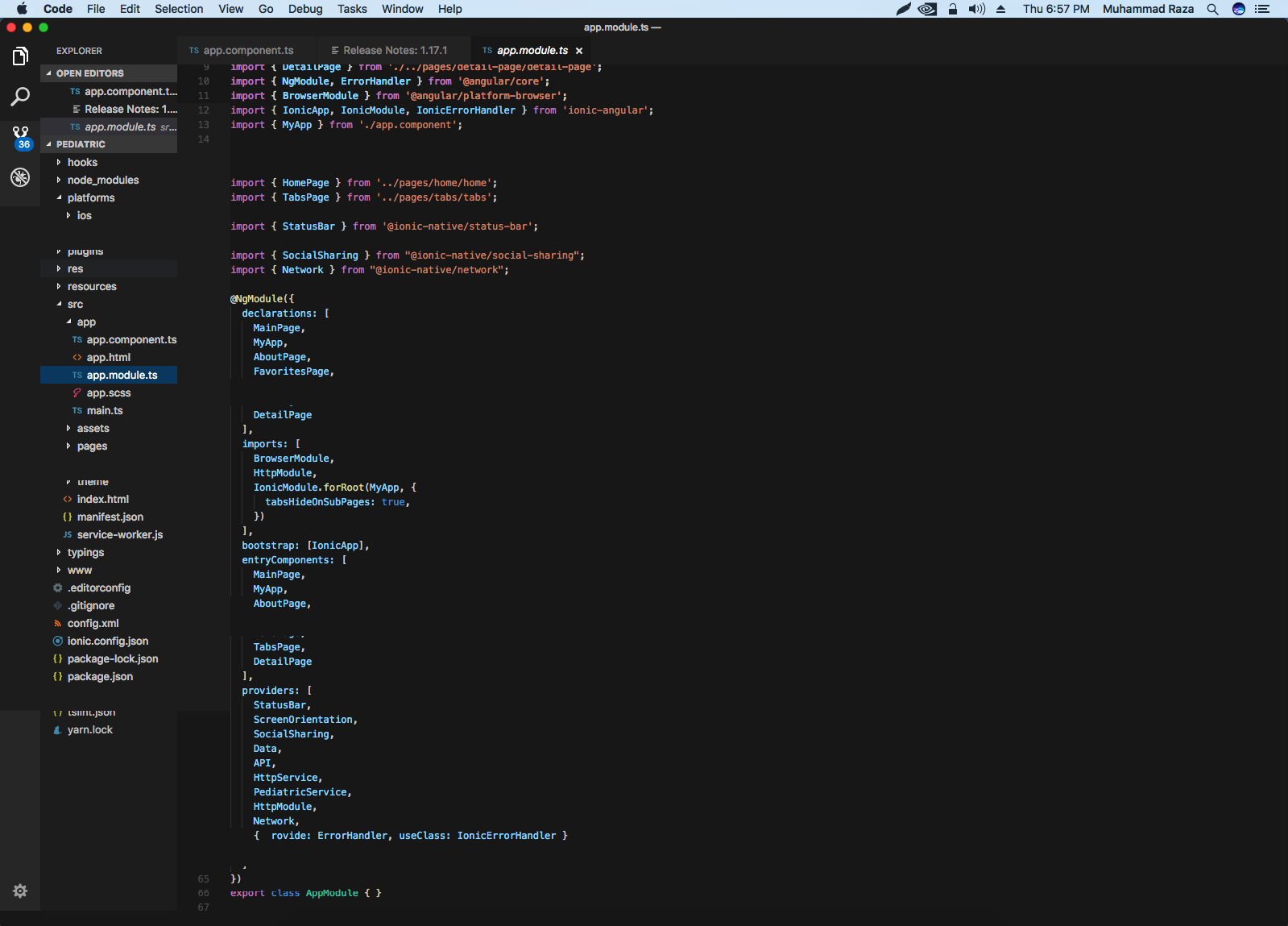
i am unable to code on Visual studio because Visual studio code UI is destroyed when i open it on my mac Sierra v: 10.12.6
my screen resolution is: 1600 : 1200
attached is the screenshot
 mrazahasan
on 12 Oct 2017
mrazahasan
on 12 Oct 2017
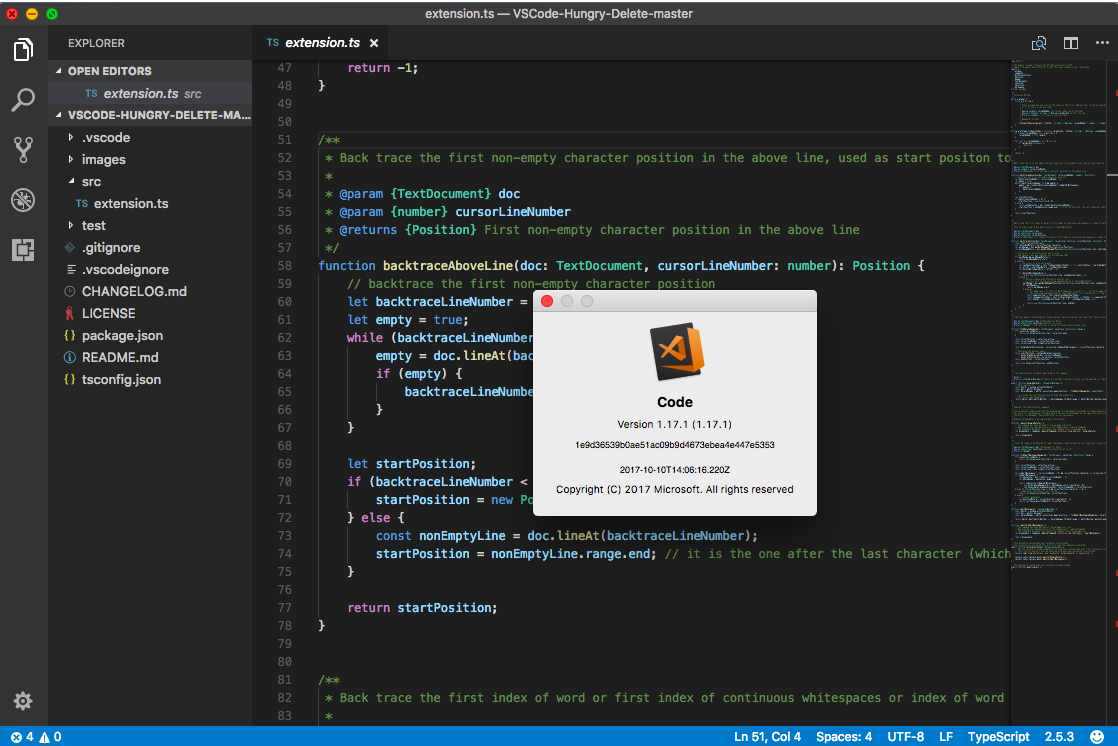
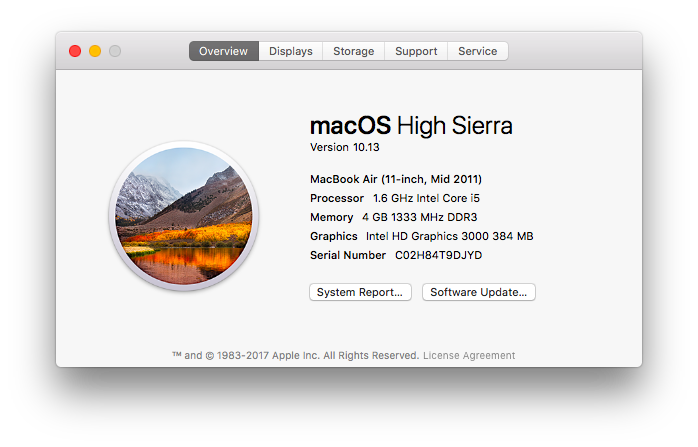
Surprisingly, after I upgrade my MacBook Air 2011 to High Sierra. vscode 1.17.1 works fine.
 Jasonlhy
on 12 Oct 2017
Jasonlhy
on 12 Oct 2017
@Jasonlhy yesterday or the day before yesterday I caught a few UI crashes for one development session on my device
EagleEYErus
on 12 Oct 2017
This is above vscode, and likely even Electron. Anyone stumbling upon this issue and wants to echo their troubles, you can do so at https://github.com/electron/electron/issues/10736 or better yet on the Chromium issue https://bugs.chromium.org/p/chromium/issues/detail?id=773705
chasegiunta
on 12 Oct 2017
If anyone seeing this issue could report back if it still reproduces with this insider build: https://az764295.vo.msecnd.net/insider/7dec12f226bc98992bc8413340ea28281f6e94a0/VSCode-darwin-insider-unsigned.zip
Thanks!
bpasero
on 25 Oct 2017
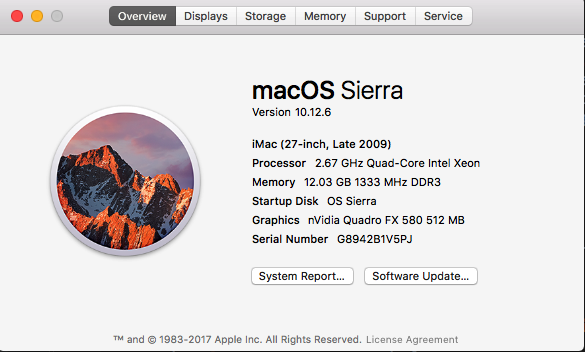
@bpasero nupz still UI not rendering properly. Its electron problem i guess. :(

mrazahasan
on 25 Oct 2017
@mrazahasan I think you might be seeing something else, so far I thought this issue would only manifest on macOS high sierra.
bpasero
on 25 Oct 2017
@EagleEYErus @chasegiunta ping, do you still see it in todays insider update?
bpasero
on 26 Oct 2017
@bpasero I have been following this issue and have been experiencing it myself. I can confirm today's insider update is showing very positive signs of a fix. I have not yet seen the issue yet. I will continue to use it and see if it crops up as it is mostly random. One case that caused the issue for me before updating was with vigorous window resizing and I don't see it after updating.
 brosner
on 26 Oct 2017
brosner
on 26 Oct 2017
@brosner awesome, thanks
bpasero
on 26 Oct 2017
@bpasero Would love to test this out today if there's an easy way to reliably bring all my extensions & settings into Insiders. Can I ask what potential fixes were made? Checking for GPU and/or device type and conditionally disabled GPU?
chasegiunta
on 26 Oct 2017
@chasegiunta the fix disables certain GPU features when a NVIDIA GPU is detected.
For syncing, maybe try https://marketplace.visualstudio.com/items?itemName=Shan.code-settings-sync
bpasero
on 26 Oct 2017
Every time I update OSX i get such crap... Im gonna try the insider update and see what happens. Remember when OSX made good softwear? Nah - me neither :(
 stenmuchow
on 27 Oct 2017
stenmuchow
on 27 Oct 2017
@bpasero the insider install via the link you shared seems stable - for now.

stenmuchow
on 27 Oct 2017
After using insiders for the last 5 days i confirm no more strange problems. Will this be moved to the regular vscode or do i continue to use insiders? @bpasero
stenmuchow
on 2 Nov 2017
@stenmuchow thanks for the confirmation. Yes, the "fix" will go into stable. It is not a real fix of the underlying problem, rather we disable certain GPU features on certain hardware. So I would still like to keep this open and see if a real fix lands. The real fix might actually require Apple to fix something in High Sierra, so it might not even be possible to fix it in Electron.
bpasero
on 2 Nov 2017
Another piece of info that I didn't see in this thread on quick glance... after the glitches happened, I quit VSCode and then can't reopen it. It crashes immediately on launch. It's in that state right now. This has happened once before and a reboot fixed the issue. Let me know if I can get you any more info before I reboot! (I tried launching through CLI with some of the flags mentioned in this post, but it still crashes on launch immediately). I'll wait till tomorrow to reboot my machine and use a diferent editor till then.
 mehulkar
on 4 Nov 2017
mehulkar
on 4 Nov 2017
just for info and sorry if u already know all this.
Have OSX 10.13.1 with NVIDIA GeForce GTX 660M 512 MB and just downloaded nvidias own drivers from https://www.tonymacx86.com/nvidia-drivers. So far all glitches have gone for any app using electron. Im a happy man again :)
 stuartaccent
on 9 Nov 2017
stuartaccent
on 9 Nov 2017
@stuartaccent how come NVIDIA provides official drivers via tonymacx86.com?
trumbitta
on 9 Nov 2017
thats just a page with links ie: macOS 10.13.1 High Sierra = https://images.nvidia.com/mac/pkg/378/WebDriver-378.10.10.10.20.107.pkg
stuartaccent
on 9 Nov 2017
Closing, since our workaround is in and Chrome has fixed this meanwhile, we just need to pick it up in one of our future Electron updates.
bpasero
on 16 Nov 2017
Did this ever actually get fixed or is the ‘fix’ still disabling hardware on Macs with Nvidia cards?
 sledsworth
on 17 Nov 2017
sledsworth
on 17 Nov 2017
Seems updating NVIDIA drivers has given my machine a more stable feel... Using link from @stuartaccent
FYI - i have a late 2014 15" MBP with 2GB NVIDIA 750 geforce
stenmuchow
on 17 Nov 2017
Related issues
 philipgiuliani
·
3Comments
philipgiuliani
·
3Comments
 vsccarl
·
3Comments
vsccarl
·
3Comments
 borekb
·
3Comments
borekb
·
3Comments
 curtw
·
3Comments
curtw
·
3Comments
 sirius1024
·
3Comments
sirius1024
·
3Comments
Most helpful comment
Reported this to Electron as https://github.com/electron/electron/issues/10736