Vscode: Per-editor/tab background color
It would be awesome to have the ability to change the background color of an editor/tab on a per-editor/tab basis, programmatically. The use case I'm thinking about is ToDo files, but there might be others.
For instance this is what a todo file might look like in VSC:
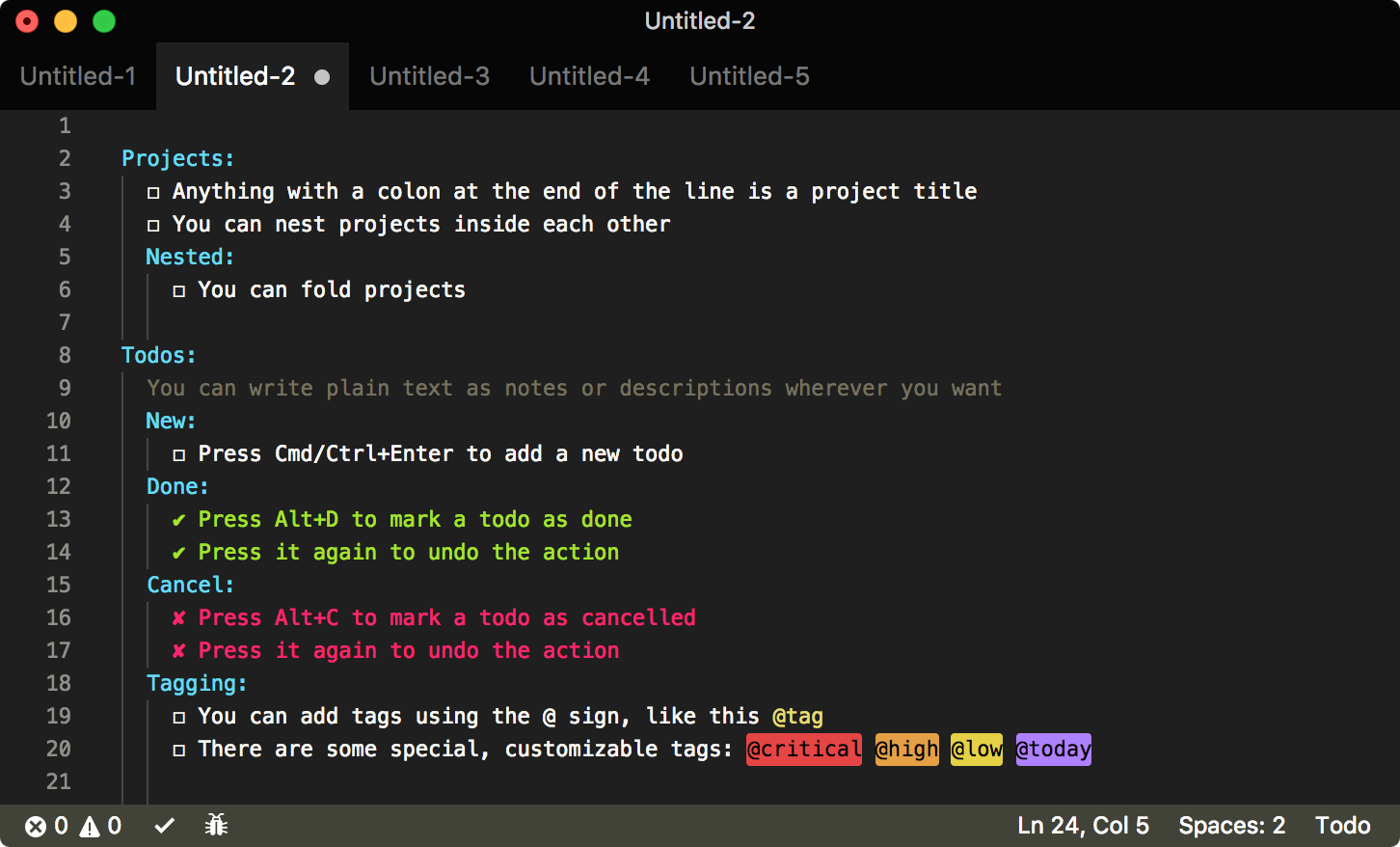

This is what it looks like in Sublime:


Having those editors/tabs in a different color makes them stand out.
Also, some decorators used by the VSC extension in the screenshot are necessarily dynamic, and because of #32813 the colors used in them are provided via the settings. This means that if a user changes its theme he/she will also need to change those settings for those decorators to not look out of place. With the ability to set a custom background colors those decorators will look right no matter the theme.
 fabiospampinato
All 11 comments
I really really need this feature.
Like this pic:
 hujianxin
on 22 Oct 2017
hujianxin
on 22 Oct 2017
I agree. The current UI looks like the tab that I'm on is not selected (and vice versa). The selected tab colour should be lighter (grey) and other tabs should be darker (black).
 michael-38
on 31 Jan 2018
michael-38
on 31 Jan 2018
I think it would be useful in a multi-root environment, for tabs to inherit the colours of their relevant project settings. It gets confusing juggling grey tabs in a client/server environment.
 jpike88
on 9 Feb 2018
jpike88
on 9 Feb 2018
Would definitely love colored tabs
 deadcoder0904
on 24 Feb 2019
deadcoder0904
on 24 Feb 2019
There is an extension that does exactly this -
ColorTabs
You can choose what you want to color, the tab, the title bar etc. based on a regex
 oreporan
on 5 Oct 2019
oreporan
on 5 Oct 2019
@oreporan I don't think that extension can achieve something similar to what Sublime provides. Besides I'm asking for an API for this, which I would in turn use in my extensions.
fabiospampinato
on 5 Oct 2019
Oh my bad - overlooked the "programatically" part in your original post
Anyways, some of the other comments seem to be looking for something that this extension provides if I understood correctly
oreporan
on 5 Oct 2019
I would love to have this feature too!
Currently I have a medium sized backend and many frontend applications within the same workspace (repository).
It starts to get confusing whenever I touch files across all sub-projects. Colored tabs would greatly help here - they build up a mental model and help to orientate a lot.
 hediet
on 10 Jul 2020
hediet
on 10 Jul 2020
I think it would be useful in a multi-root environment, for tabs to inherit the colours of their relevant project settings. It gets confusing juggling grey tabs in a client/server environment.
It would be incredible if when working in a multi-root project you could define custom themes for each root folder. Ideally, these settings could live within a .vscode folder of each root folder as well as within the *.code-workspace file!
 Jared-Dev
on 22 Sep 2020
Jared-Dev
on 22 Sep 2020
/duplicate #20652
 bpasero
on 7 Nov 2020
bpasero
on 7 Nov 2020
Thanks for creating this issue! We figured it's covering the same as another one we already have. Thus, we closed this one as a duplicate. You can search for existing issues here. See also our issue reporting guidelines.
Happy Coding!
 vscode-triage-bot
on 7 Nov 2020
vscode-triage-bot
on 7 Nov 2020
Related issues
 mrkiley
·
3Comments
mrkiley
·
3Comments
 sirius1024
·
3Comments
sirius1024
·
3Comments
 DovydasNavickas
·
3Comments
DovydasNavickas
·
3Comments
 trstringer
·
3Comments
trstringer
·
3Comments
 borekb
·
3Comments
borekb
·
3Comments
Most helpful comment
I think it would be useful in a multi-root environment, for tabs to inherit the colours of their relevant project settings. It gets confusing juggling grey tabs in a client/server environment.