Vscode: Arrow up / arrow down / indents
- VSCode Version: 1.17.0-ins
- OS Version: win7x64
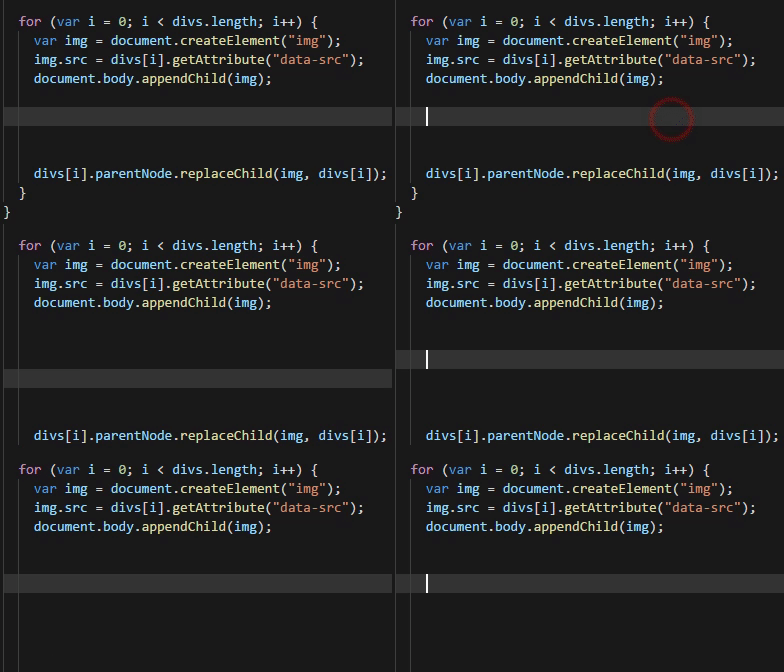
There is some function, and for in it, so when you do some Enter's to move down and then press "arrow up" or "arrow down" - your caret position will "fall through" all indents to the left, so user has to press Tab every time, to move the caret where it should be.
Annoying.
GIF:
 user3323
All 2 comments
This is not just annoying, a fix for this is a prerequisite for some people including me to start using VSCode.
The problem is amplified when you have more indentations (especially in languages like C# with namespaces) cause you have to press tab multiple times to get to the current indentation. To be clear:
- Moving the caret up/down with arrows should always stay on the current block indentation
- Clicking an empty line should position caret to the selected block indentation
- Pressing tab once should get to the current block indentation
For the love of god fix this, Visual Studio has had this right for ages.
 Kuraperunat
on 16 Nov 2017
Kuraperunat
on 16 Nov 2017
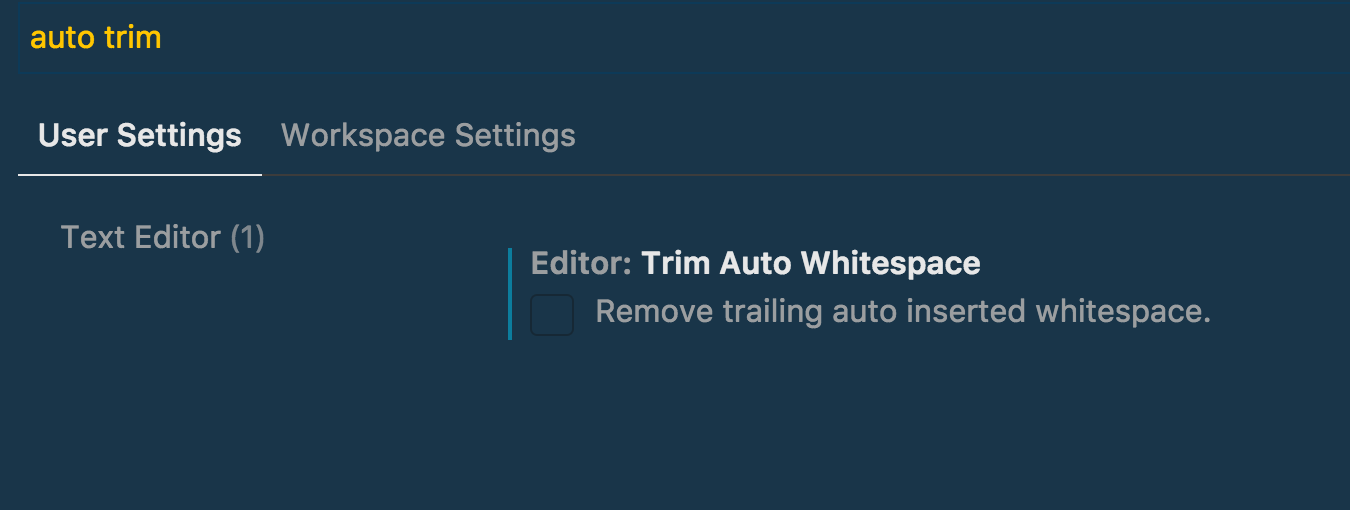
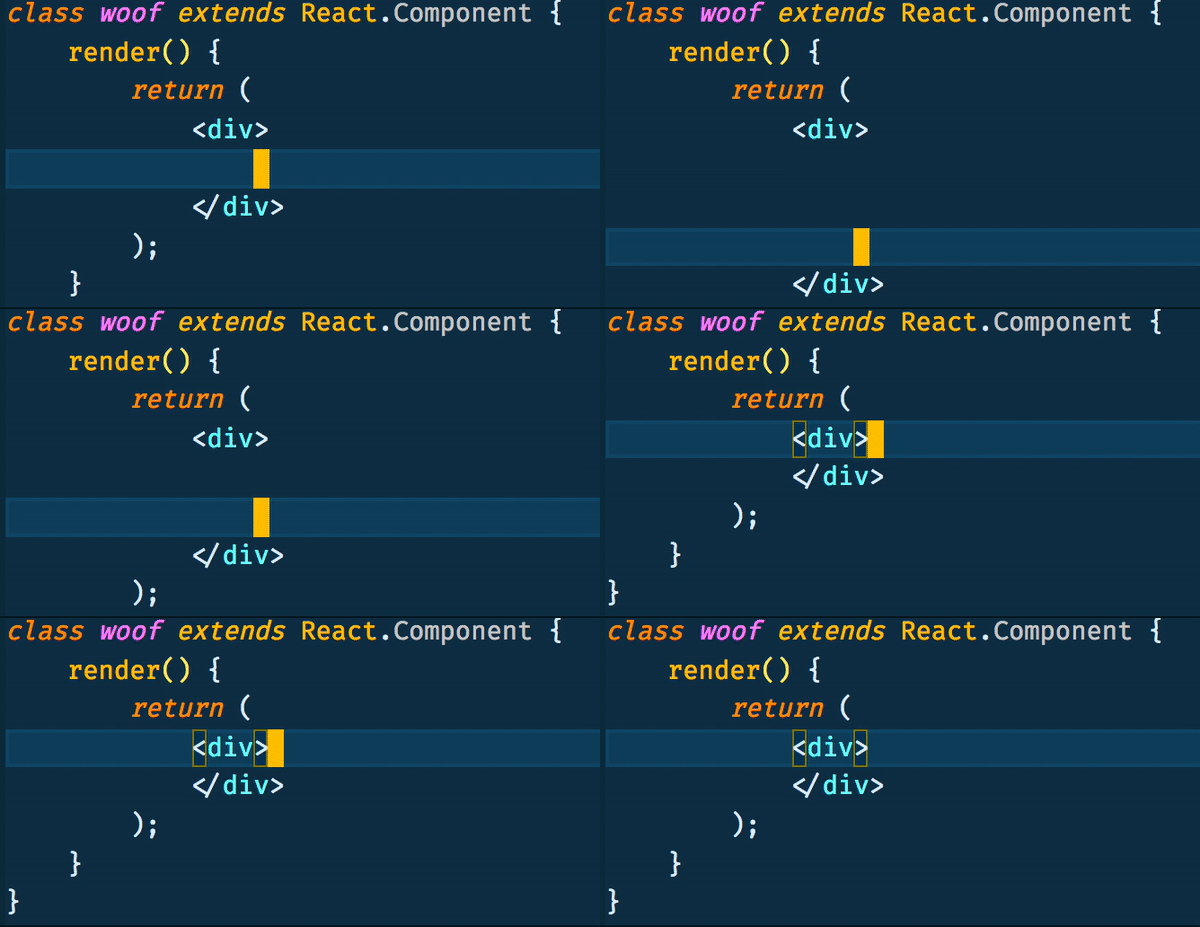
I found out that by disabling the Trim Auto Whitespace can sort of fix this issue🤔
Hope this is what you are looking for, at least I'm very happy with my end result🎉
 felixfong227
on 29 Oct 2018
felixfong227
on 29 Oct 2018
Related issues
 Brakkar
·
364Comments
Brakkar
·
364Comments
 filfat
·
246Comments
filfat
·
246Comments
 ghost
·
234Comments
ghost
·
234Comments
 stoffeastrom
·
380Comments
stoffeastrom
·
380Comments
 Tyriar
·
187Comments
Tyriar
·
187Comments
Most helpful comment
I found out that by disabling the


Trim Auto Whitespacecan sort of fix this issue🤔Hope this is what you are looking for, at least I'm very happy with my end result🎉