Vscode: Letter shapes are distorted in integrated terminal (canvas renderer)
Related to https://github.com/Microsoft/vscode/issues/34868
- VSCode Version: 1.17.0-insider (1.17.0-insider) (this issue does not occur in the latest stable release)
- OS Version: macOS High Sierra Version 10.13 Beta (17A362a)
Steps to Reproduce:
- Open VSCode Insiders.
- Use the following configuration:
{
  "editor.fontSize": 11,
  "editor.fontFamily":
    "'Operator Mono', Menlo, Monaco, 'Courier New', monospace",
  "editor.wordWrap": "on",
  "editor.fontLigatures": true,
  "terminal.integrated.fontSize": 11,
  "terminal.integrated.lineHeight": 1.6,
}
- Open the integrated terminal and a blank editor.
- Paste the following text into the integrated terminal and editor:
Lorem ipsum dolor sit amet, consectetur adipiscing elit. Maecenas imperdiet lectus libero, vel iaculis tortor bibendum sed. Donec blandit, massa a tristique tincidunt, justo mauris tristique lorem, sed dictum urna urna eu enim. Donec lacinia augue eget lorem viverra fermentum. Fusce lorem lacus, interdum in lorem ut, molestie lobortis quam. In et suscipit eros. Suspendisse tristique diam id condimentum mattis. Vestibulum ante ipsum primis in faucibus orci luctus et ultrices posuere cubilia Curae; Sed condimentum egestas nunc, a porttitor velit ornare vitae. Proin lacus ante, ornare a auctor nec, aliquam vel nibh. Mauris ac lectus a risus dictum rhoncus sit amet vel sem. Duis sed ultrices risus. Mauris ultricies elementum nisi, egestas luctus libero condimentum eget. Curabitur porta cursus lacus, ac facilisis tortor sagittis ultricies. Integer egestas posuere tellus nec iaculis. Nunc turpis ipsum, congue eu venenatis ac, viverra eu nisl.
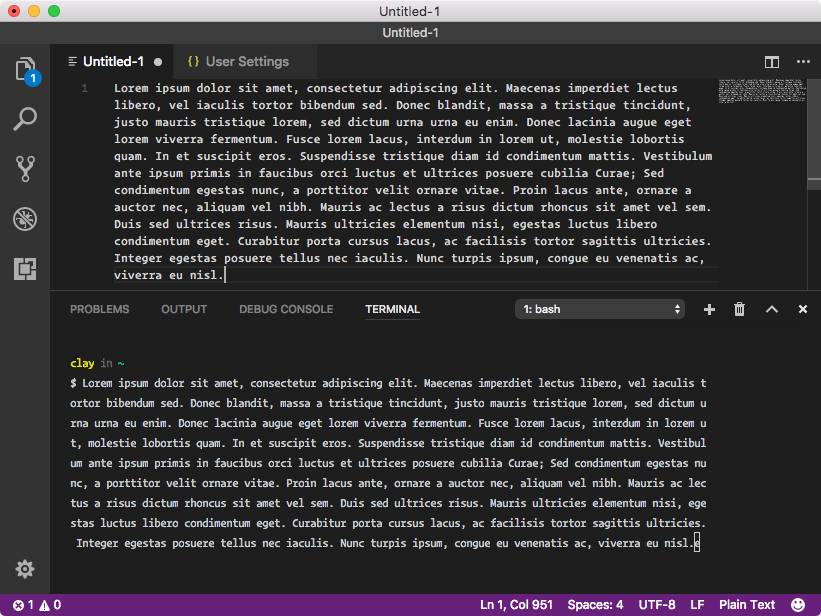
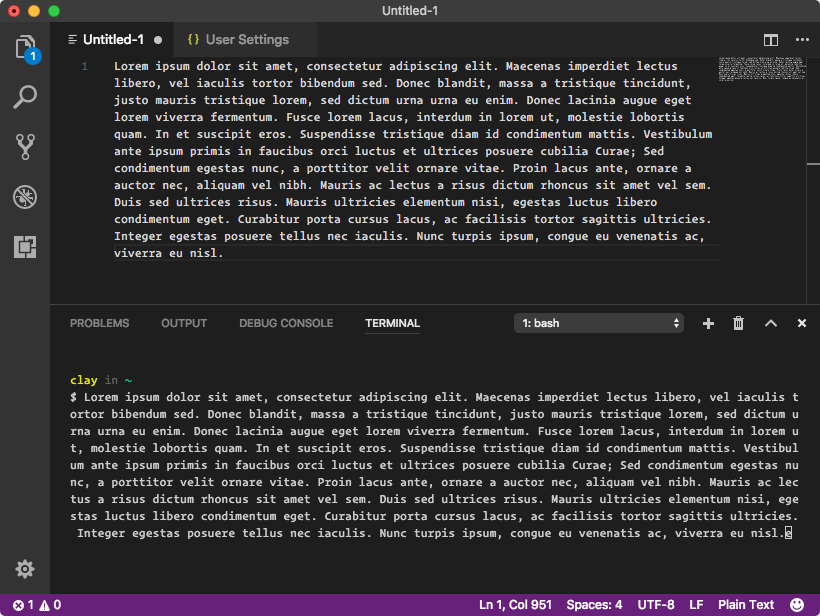
- Compare the shape of letters in the integrated terminal and in the editor. Letter shapes in the integrated terminal appear condensed (narrower) in Insiders. In Stable, letter shapes are consistent between the integrated terminal and the editor. I think this is due to the change to rendering with canvas: https://github.com/Microsoft/vscode/issues/34868.
Reproduces without extensions: Yes
Insiders
Stable
 smockle
All 19 comments
@smockle is this on a standard DPI external monitor?
 Tyriar
on 27 Sep 2017
Tyriar
on 27 Sep 2017
@Tyriar Yes, the above screenshots are from a standard DPI external monitor.
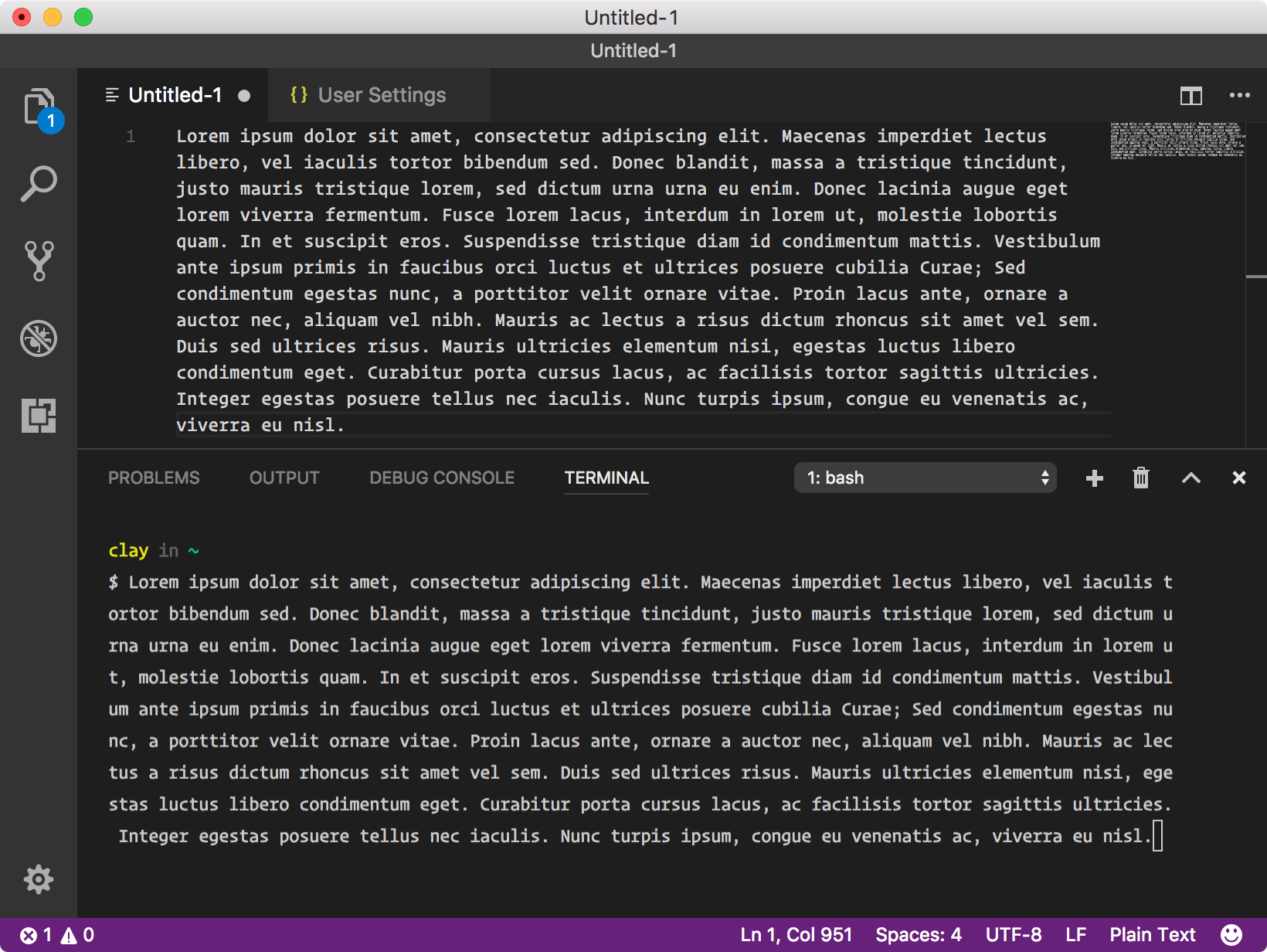
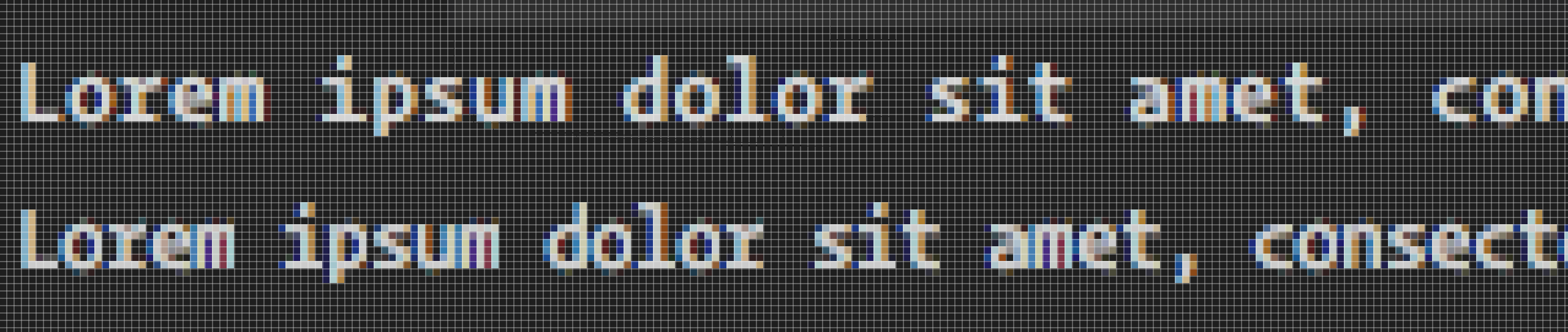
The issue also occurs on retina screens, though it is less noticeable:
Insiders (on retina)
Insiders (on retina, cut & zoomed 600%)
smockle
on 27 Sep 2017
@smockle I know why it's happening, and is technically as designed, I just didn't think it would be noticeable. The characters are restrained to a grid and no overlap is allowed currently. This allows each individual character to be drawn independently from any other, so instead of redrawing the entire line, a single character can be cleared and drawn instead.
Before this, Math.ceil was used to get the cell width, but the additional spacing between characters was very noticeable.
To clarify, the reason the ceil/floor is necessary is so that we can use a texture atlas to draw the characters to the cell which speeds up rendering by a huge amount
Tyriar
on 27 Sep 2017
This issue has been closed automatically because it needs more information and has not had recent activity. Please refer to our guidelines for filing issues. Thank you for your contributions.
![vscodebot[bot] picture](https://avatars2.githubusercontent.com/in/2406?v=4&s=40) vscodebot[bot]
on 4 Oct 2017
vscodebot[bot]
on 4 Oct 2017
Pushed to release/1.17 & master
Tyriar
on 6 Oct 2017
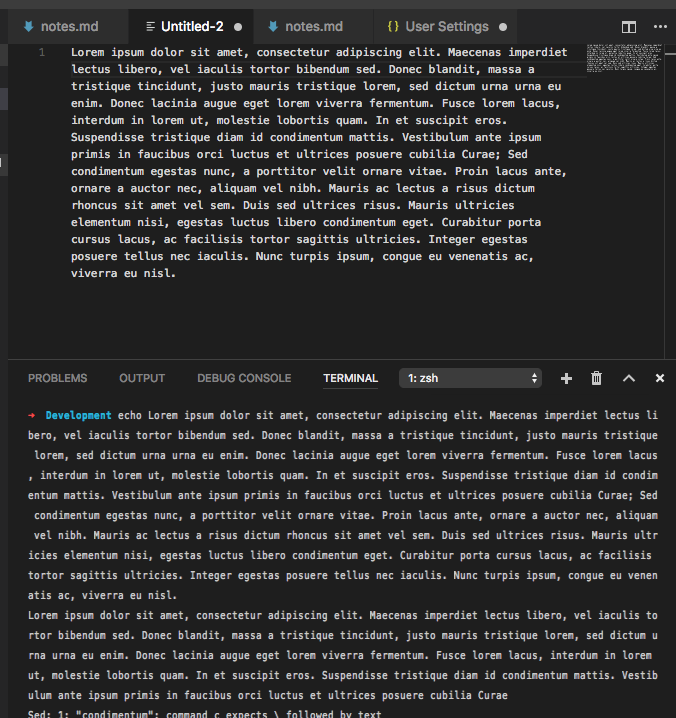
I have a hard time convincing myself these look the same:
This is with the candidate build for 1.17.1 and Fira Code:
- VSCode Version: Code 1.17.1 (1e9d36539b0ae51ac09b9d4673ebea4e447e5353, 2017-10-10T14:10:17.189Z)
- OS Version: Darwin x64 16.7.0
 chrmarti
on 10 Oct 2017
chrmarti
on 10 Oct 2017
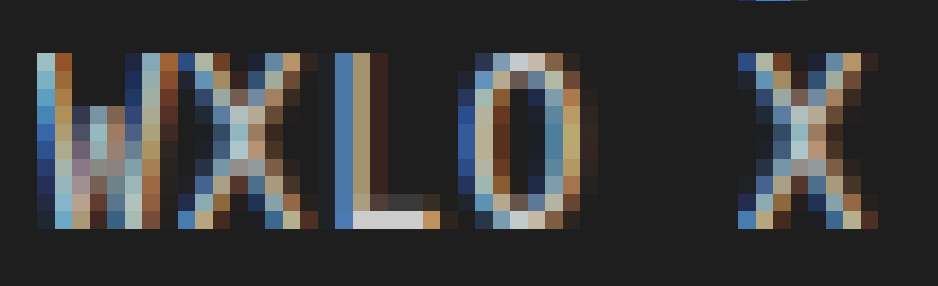
Verified on macOS and Ubuntu. Notice that the last vertical line of pixels of the character is no longer cut off:
Tyriar
on 10 Oct 2017
OS Version: Ubuntu 14.04.5 LTS
Mentioned distortion and cut off of descenders started with todays update, see screenshot. Note that terminal settings are "" as shipped.
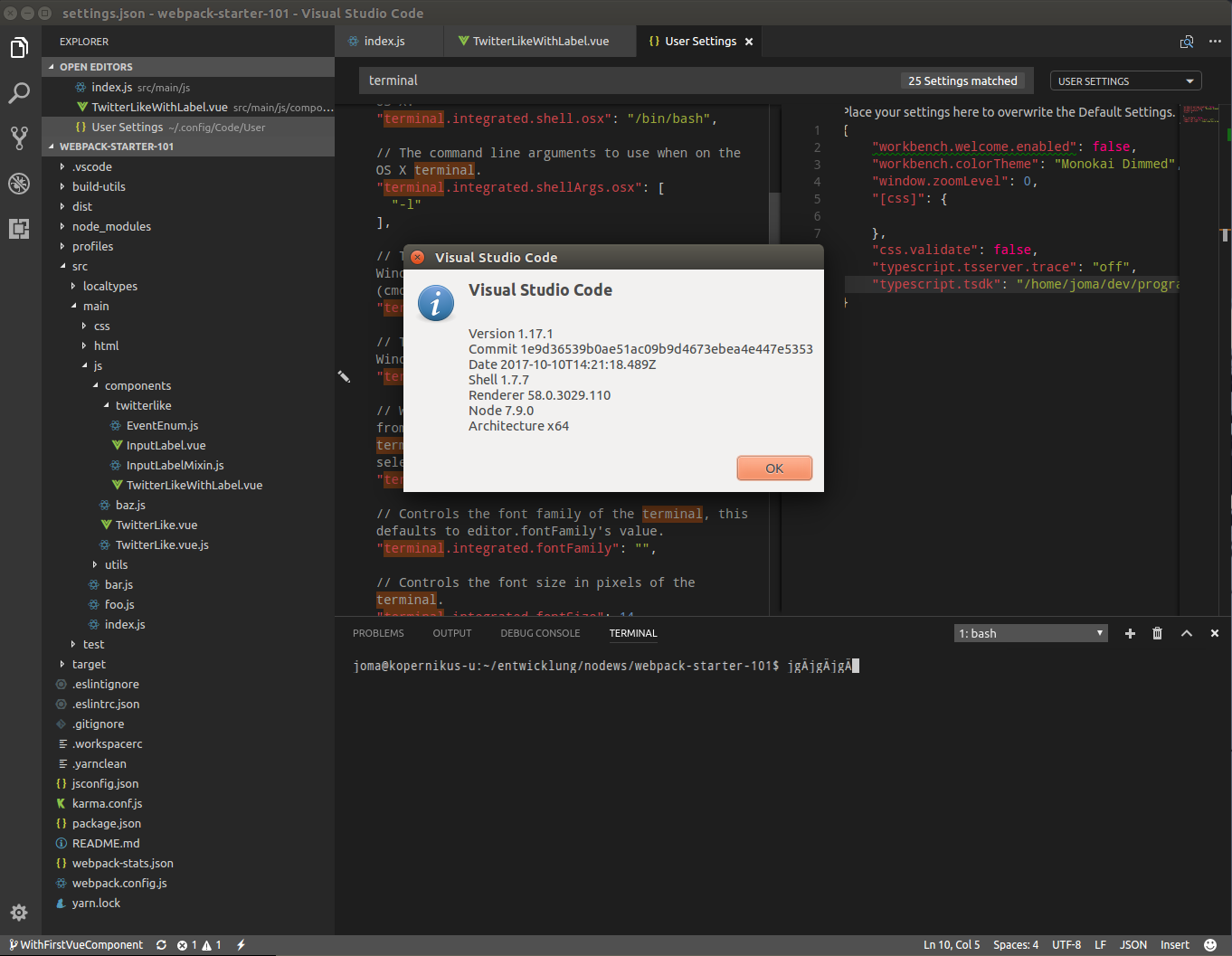
Please reopen and reinvestigate.
 joma74
on 11 Oct 2017
joma74
on 11 Oct 2017
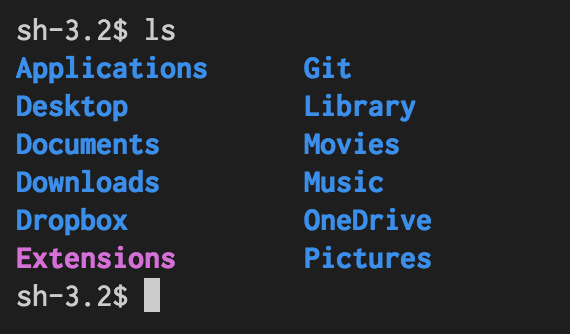
Today’s release broke my integrated terminal’s font rendering.
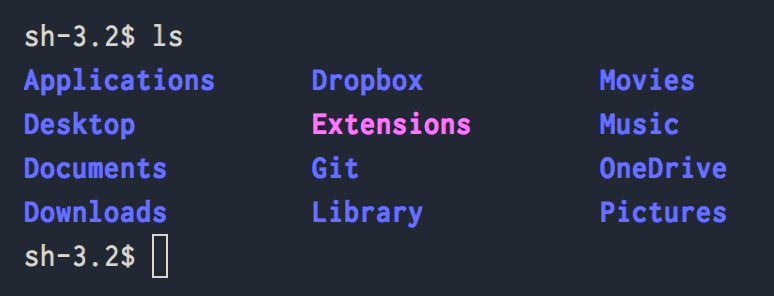
The settings are Inconsolata / 16px / 1.3 line-height.
whereas in the previous version:
 proteriax
on 11 Oct 2017
proteriax
on 11 Oct 2017
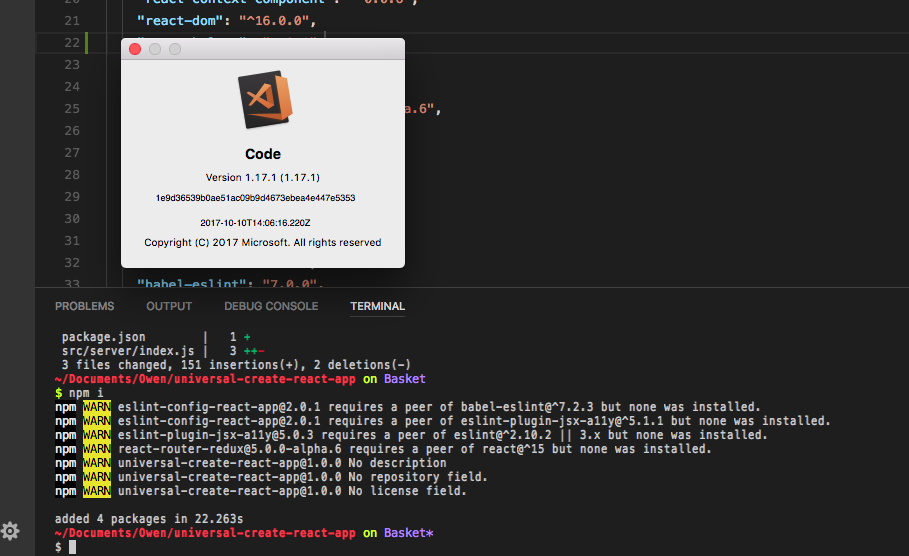
I have some strange font issues in my terminal too since the update today. Text looks squashed.
 owennicol
on 11 Oct 2017
owennicol
on 11 Oct 2017
I'm on Windows, and since update 1.17.1 the terminal font looks like a condensed version but with the same letter width (extra space around letters). It's disturbing !
 alex-pex
on 11 Oct 2017
alex-pex
on 11 Oct 2017
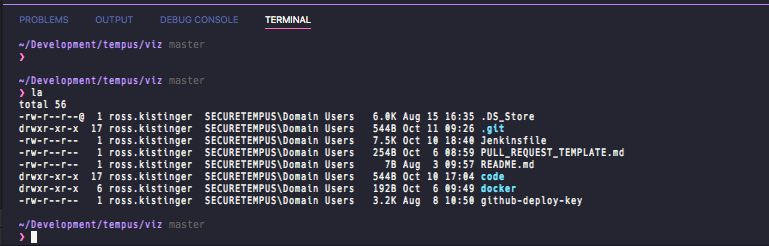
I am also experiencing the squashed text on OSX. Code v1.17.1. Very annoying!
 rkistinger
on 11 Oct 2017
rkistinger
on 11 Oct 2017
@Tyriar Not sure what you did, but for me on a macOS High Sierra, the issue with font looking narrower (actually it is narrower) in the console started from today's insider build (11th of Oct), looked fine before (despite what you say about this being by design). Today's official build 1.17.1 is the same.
 ddotlic
on 11 Oct 2017
ddotlic
on 11 Oct 2017
@Tyriar Additionally, I've had for some time editor.letterSpacing: -0.5 in my settings so the text output is already condensed a bit, was not sure if you will be able to replicate this in the console (seeing the limits of the texture based method you're using) but frankly things looked fine until today - awesome work on the canvas based render! You should just IMHO check the last few changes you've made that caused this squashed text to be rendered...
ddotlic
on 11 Oct 2017
@Tyriar One more thing: in my case at least, the text is always drawn on a "retina" screen, either internal macbook pro 15" panel or external monitor. Differently put, the logical and physical resolution of the monitor is never the same, former being lower than the latter; for example, I'm typing this on a '4K' monitor (3840x2160) but my apps see 2560x1440 (what macOS calls 'Looks like'). I don't think this has anything to do with the issue though.
ddotlic
on 11 Oct 2017
The issue that was introduced in 1.17.1 is https://github.com/Microsoft/vscode/issues/35991
Tyriar
on 11 Oct 2017
I have similar issue with latest vscode 1.17.1 on linux
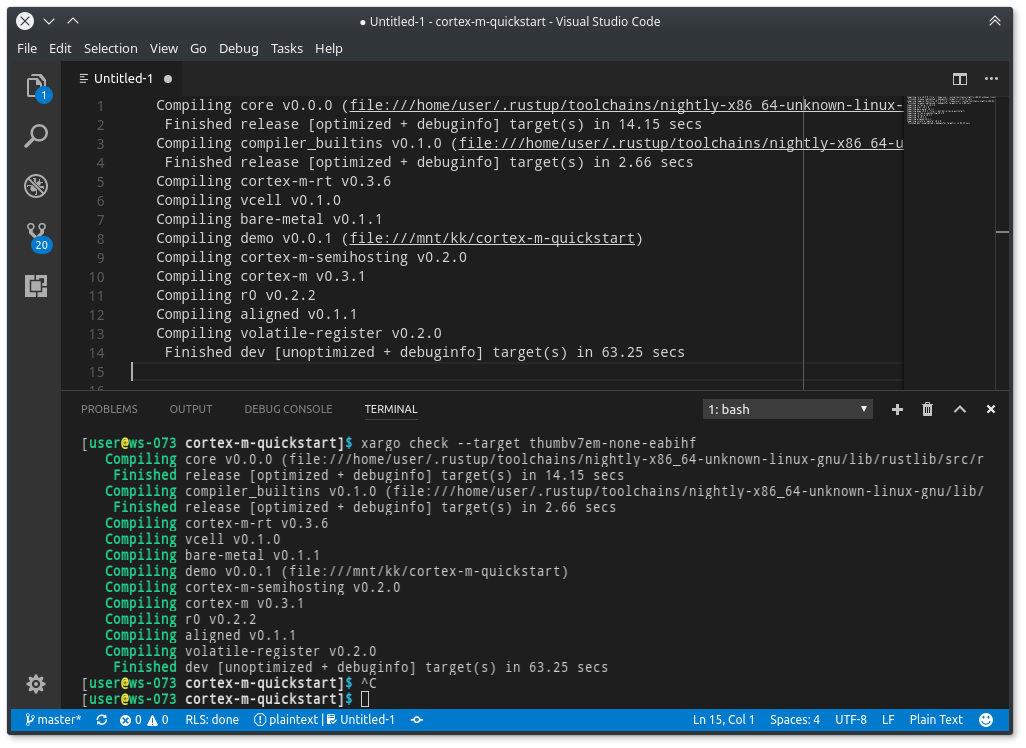
characters look to narrow
 pftbest
on 11 Oct 2017
pftbest
on 11 Oct 2017
The issue that was introduced in 1.17.1 is #35991
@Tyriar That one is closed, are you saying that the "squashed"/narrow font in the console is already fixed?
ddotlic
on 11 Oct 2017
@ddotlic yes it's already fixed, not released yet though. The fix should be in the Insiders build in a few hours.
Tyriar
on 12 Oct 2017
Related issues
 v-pavanp
·
3Comments
v-pavanp
·
3Comments
 ryan-wong
·
3Comments
ryan-wong
·
3Comments
 NikosEfthias
·
3Comments
NikosEfthias
·
3Comments
 villiv
·
3Comments
villiv
·
3Comments
 trstringer
·
3Comments
trstringer
·
3Comments
Most helpful comment
I'm on Windows, and since update 1.17.1 the terminal font looks like a condensed version but with the same letter width (extra space around letters). It's disturbing !