Vscode: Syntax highlighting breaks if the file is too big
- VSCode Version: 1.11.2
- OS Version: centos 7
Steps to Reproduce:
- open small (less than 10MB) file, type any text, add a comment (#blah blah) select syntax, should see color change according to syntax
- open a large file (over 10MB), same steps, syntax doesnt highlight
Reproduces without extensions: Yes/No
Heres an example of a small file (Snort rules file) (1.1KB)
syntax highlighting is visible, comments are grayed out

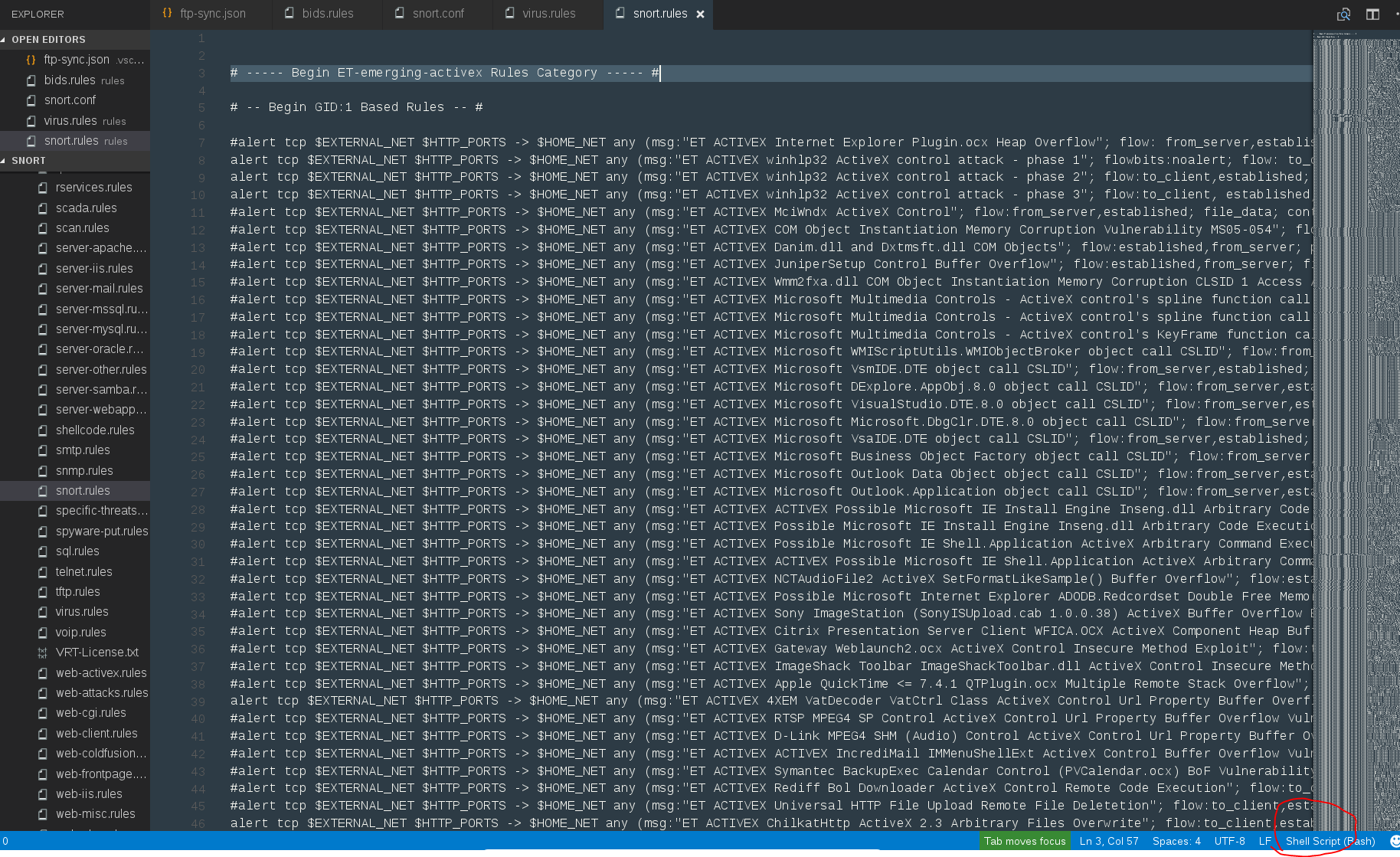
heres a large file (29MB)
setting syntax to Shell, does not gray out comments,
 perfecto25
All 15 comments
This is currently as designed. We want to reduce our memory usage when opening large files. Representing tokens (currently each token takes 2*32bits in an array) is a big source of memory usage.
Currently, our strategy is the following:
- if a file is larger than 20MB or if it has more than 300K lines
- we reduce our feature set in order to save memory:
- no colorization
- no word wrapping
- no indent guides
Basically, we do (hopefully graceful) degradation of our feature set in order to reduce memory consumption... and not crash with an OOM exception :).
 alexdima
on 13 Sep 2017
alexdima
on 13 Sep 2017
is there anyway to disable this (or at least for individual files)? I can open this large file in other editors with highlight showing with no issues. Cant do it with VSC. Editing large Snort rule files is very hard without syntax highlighting , hard to tell whats commented out or not.
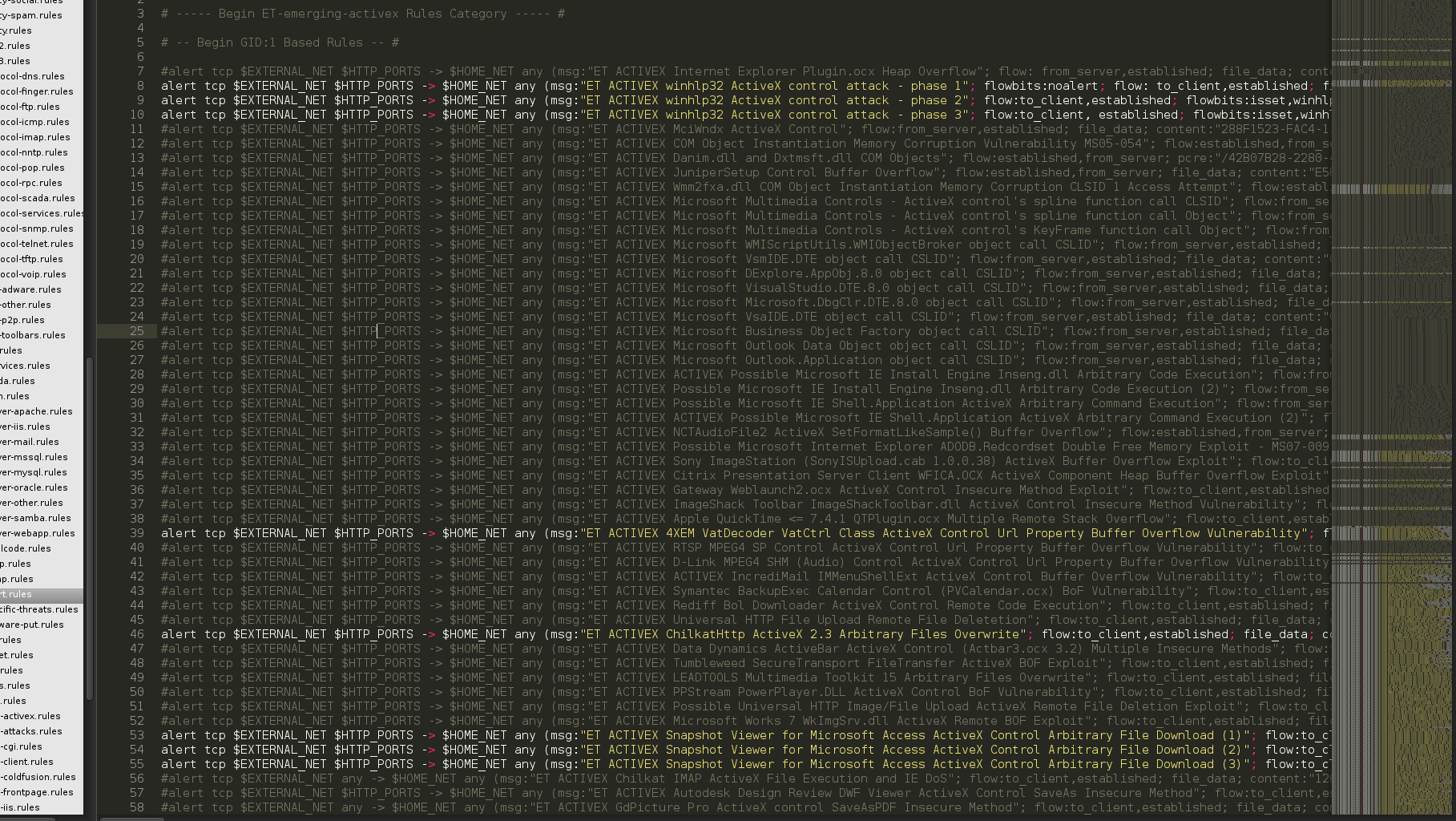
same file in sublime, highlight is showing
perfecto25
on 13 Sep 2017
+1 for this suggestion.
Would it be possible to add a setting (obviously disabled by default) to override this or at least increase the threshold somehow?
I'm currently trying to port over a syntax highlighter from Sublime Text into VSCode for parsing log files and traces produced by an ERP system we use at our workplace. I've pretty much got the plugin working well for files that are less than 20mb in size. It would be nice to be able to let the user decide whether they would like to enable syntax highlighting for large files, even if there was a warning that showed the user that the file was large and could take a while to parse. The plugin I wrote for Sublime Text works
well, albeit with a bit of lag if the file is excessively large, and that's a trade off most users of the plugin are willing to make since it makes reading a log/trace file so much easier.
 Jatz
on 29 Sep 2017
Jatz
on 29 Sep 2017
While I understand the reasoning behind this choice, I think users should be warned about what's happening so that they don't open, say, a large JSON file and immediately start thinking that syntax highlighting is broken or—even worse—that the file has an invalid format. 🙁
VSCode does show a warning when trying to compare a large file:

A similar warning saying something along the lines of:
Some editor features have been disabled because the file is too large. Click here for more details.
would be very helpful.
 ecampidoglio
on 5 Jan 2018
ecampidoglio
on 5 Jan 2018
VSCode is very similar to Atom due to be written in Electron. Different of Sublime Text which doesn't break the syntax highlighting and loads quickly the big file.
 gusbemacbe
on 6 Apr 2018
gusbemacbe
on 6 Apr 2018
This is a very disappointing limitation. I have a "large" 244K JSON file I can't work with due to this limitation. The extension I use to format JSON files doesn't work because of this. I tried other extensions and encounter the same problem. I guess it's back to Sublime. The same thing happened when I tried Atom, too. A shame. I downloaded and installed VSCode a few days ago and was really digging it. Why not make this limitation something that is user configurable?
 chrisvio
on 21 Jun 2018
chrisvio
on 21 Jun 2018
@chrisvio it does not happen only with VSCode, it happens with other apps written in Electron. Atom and VSCode are good only for small files and better for programming and snippets, while Sublime Text is good for big files and finding and replacing something all files once in a while and bad for programming and snippets.
gusbemacbe
on 21 Jun 2018
@Jatz Be careful, Sublime Text is not open source.
gusbemacbe
on 21 Jun 2018
@gusbemacbe Sorry, I haven't been following this thread for a while. What exactly do I need to be careful with?
Jatz
on 22 Jun 2018
@Jatz, Sublime Text is a proprietary software and is licensed under EULA. It is not open source. It is not good idea to port EULA-licensed Sublime Text plugin to an open source app.
gusbemacbe
on 22 Jun 2018
@gusbemacbe Wow ok good to know. I'm hoping I just used the wrong semantics here. Maybe the word "port" is not the correct word. I wrote the Sublime Text plugin, and I've made similar functionality for VSCode but have completely rewritten the code (from scratch) for the VSCode plugin, so it shares absolutely no code in common at all.
Jatz
on 22 Jun 2018
I don't supposed there's any chance this could be made user selectable? I've currently got a 1.1 million line C# file open (53Mb on disk) and the memory usage shown in Task Manager details in only 212Mb. The PC has 64Gb and I've happily run multiple instances of Visual Studio using more than 5Gb of memory.
From the 2*32bits/token value and assuming an average of 6 tokens per line (guess) turning it on for my 1.1 million line file would use about 53Mb, which I wouldn't think was a major problem.
 StarNamer
on 31 Jul 2018
StarNamer
on 31 Jul 2018
For me it seems to be already possible to deactivate this feature by setting "editor.largeFileOptimizations" to false. Correct me if i'm wrong.
It still needs a longer time than Sublime to highlight the whole file, but for really large files (~ >500M) it loads faster.
 andre161292
on 8 Aug 2018
andre161292
on 8 Aug 2018
@andre161292 That worked! Thanks for the tip. It takes a bit for the whole 350,000 line highcharts.d.ts file to get coloured in but it's only a few seconds.
 codeaid
on 7 Feb 2019
codeaid
on 7 Feb 2019
The described behavior is how it is expected to work. If you disagree, please explain what is expected and what is not in more detail. See also our issue reporting guidelines.
Happy Coding!
![vscodebot[bot] picture](https://avatars2.githubusercontent.com/in/2406?v=4&s=40) vscodebot[bot]
on 2 May 2019
vscodebot[bot]
on 2 May 2019
Related issues
 biij5698
·
3Comments
biij5698
·
3Comments
 curtw
·
3Comments
curtw
·
3Comments
 trstringer
·
3Comments
trstringer
·
3Comments
 borekb
·
3Comments
borekb
·
3Comments
 VitorLuizC
·
3Comments
VitorLuizC
·
3Comments
Most helpful comment
While I understand the reasoning behind this choice, I think users should be warned about what's happening so that they don't open, say, a large JSON file and immediately start thinking that syntax highlighting is broken or—even worse—that the file has an invalid format. 🙁
VSCode does show a warning when trying to compare a large file:
A similar warning saying something along the lines of:
would be very helpful.