Vscode: Limit resource size to ensure resource inline
- VSCode Version: Insider
- OS Version: macOS
Our editor compile pipeline will merge CSS and inline resources (images) and the size limit is 5kb. As we added two large files, Monaco Editor shipped with a new contrib folder with two images which are over size limit.
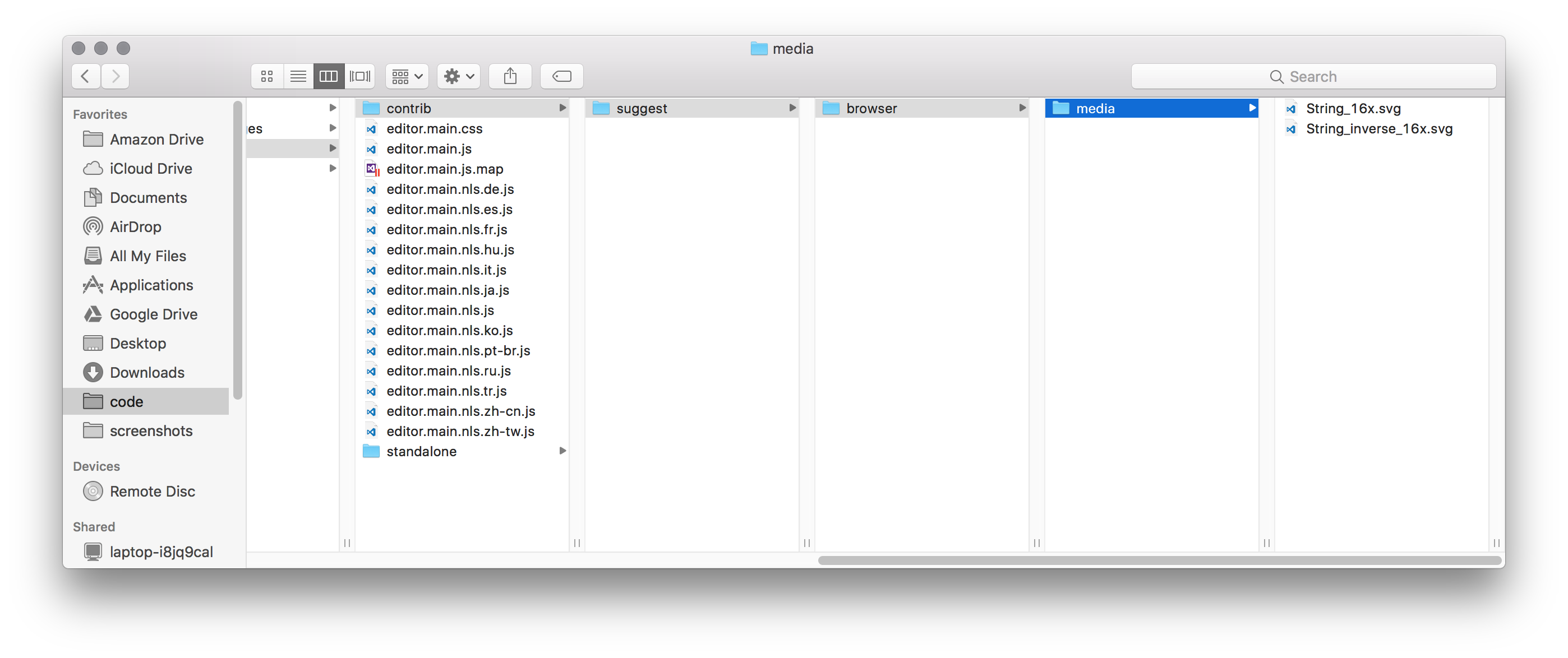
All other icons are merged into editor.main.css, let's optimize String_16x.svg.
Reproduces without extensions: Yes/No
 rebornix
All 9 comments
Yeah, we get these icons from our central repo. I am not authoring them, no clue how to make them smaller
 jrieken
on 28 Aug 2017
jrieken
on 28 Aug 2017
So, apparently this is done on purpose because IE fails to load this SVG when inlined. @alexandrudima knows the background story on this
jrieken
on 31 Aug 2017
We can increase the size from 3000 to something that contains this svg size
But. IE cannot render specifically this svg file when it is inlined.
 alexdima
on 31 Aug 2017
alexdima
on 31 Aug 2017
@chryw Can you help?
jrieken
on 31 Aug 2017
... It is an insane IE11 bug ... triggered specifically by this svg ... only when the svg is inlined in the CSS ...
https://github.com/Microsoft/monaco-editor/issues/336#issuecomment-275326624
Note that the black squares only seem to appear in IE 11 on Windows 10, but not in IE 11 on Windows 8.1 or Windows 7.
alexdima
on 1 Sep 2017
@jrieken could you point me to the svg file that's broken? I don't have the one used in VS Code. The first batch of VS Code icon were added by someone who left the company a while ago.
Now I only have the latest "String" icon for VS IDE that doesn't have a box around "abc". If that's ok then here are the files -
String_vscode.zip
 chryw
on 8 Sep 2017
chryw
on 8 Sep 2017
its this and the inverted one: https://github.com/Microsoft/vscode/blob/master/src/vs/editor/contrib/suggest/browser/media/String_16x.svg
jrieken
on 11 Sep 2017
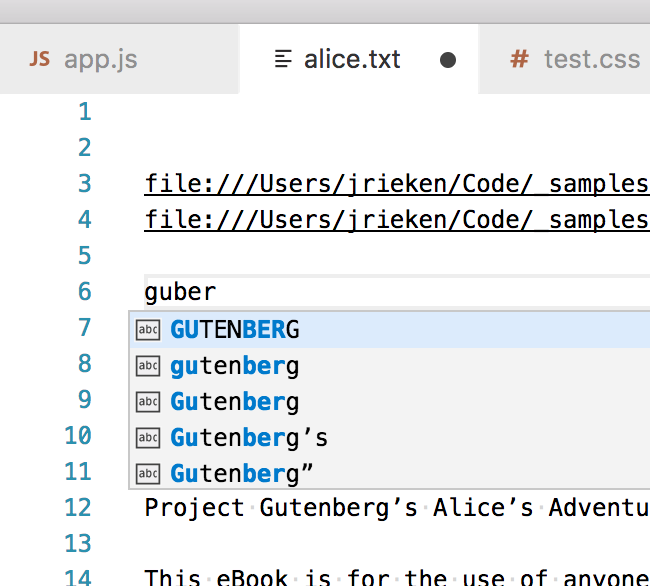
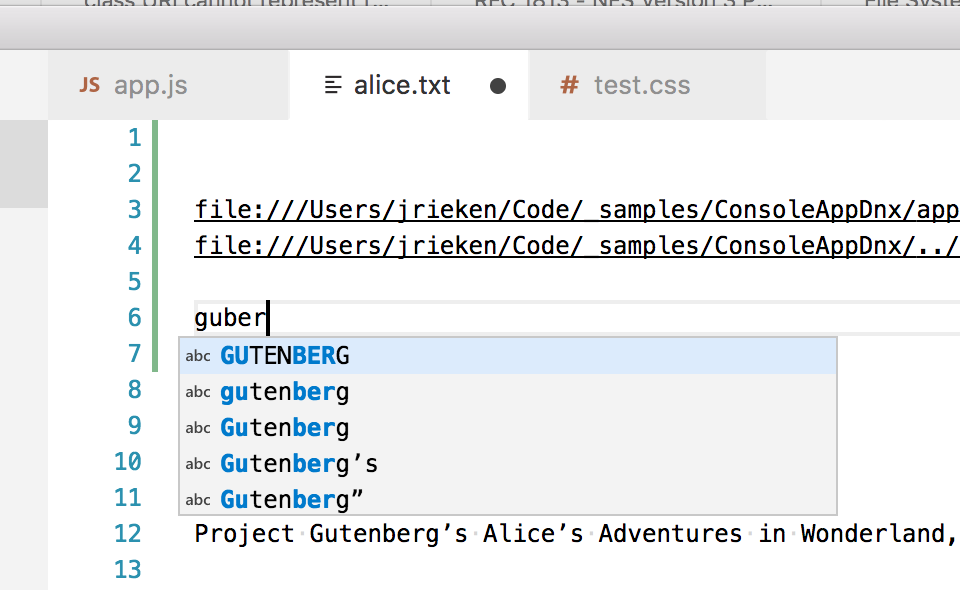
So, this is how they look. cc @Microsoft/vscode
Before
After
jrieken
on 22 Sep 2017
We have a new icons here.
jrieken
on 10 Sep 2018
Related issues
 vsccarl
·
3Comments
vsccarl
·
3Comments
 DovydasNavickas
·
3Comments
DovydasNavickas
·
3Comments
 borekb
·
3Comments
borekb
·
3Comments
 shanalikhan
·
3Comments
shanalikhan
·
3Comments
 sirius1024
·
3Comments
sirius1024
·
3Comments
Most helpful comment
So, this is how they look. cc @Microsoft/vscode
Before
After