Vscode: 1.14 Window Hangs Upon Opening
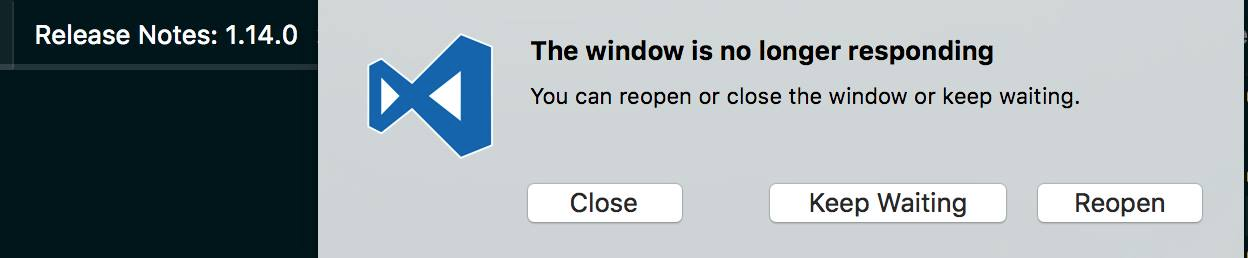
- VSCode Version: 1.14.0
- OS Version: Mac OS Sierra 10.12.5
Steps to Reproduce:
- Upgrade to 1.14
- Use the editor for a few minutes
Reproduces without extensions: Yes
At the moment I am gathering more data as to what extensions it might be colliding with, when I run
it with code --disable-extensions it starts, but when I open a project it still crashes. The bug only affects the window, I can still interact with the running process by successfully getting the about window to display.
 ndneighbor
All 14 comments

code --disable-extensions allows me to open a project but still crashes upon opening it
ndneighbor
on 12 Jul 2017
SOLVED. On my Win 10 machine, it was all extensions related to Ruby/Rails. I also uninstalled my Ruby and re-install it. Weird.
This extension was my culprit atefth.ruby-on-rails-snippets-0.0.1
 devtrix
on 12 Jul 2017
devtrix
on 12 Jul 2017
On Ubuntu 16.10, I have the same issue; however, code --disable-extensions will allow me to interactive with vscode.
 tuxagon
on 12 Jul 2017
tuxagon
on 12 Jul 2017
same here, OSX 10.12.5
 jilustrisimo
on 12 Jul 2017
jilustrisimo
on 12 Jul 2017
@ndneighbor Could you clarify if code --disable-extensions /path/to/project works?
@ndneighbor @devtrix @tuxagon Could you append the list of installed extensions here? code --list-extensions? Also: Does this happen immediately after startup or only after a while and when doing something specific?
 chrmarti
on 12 Jul 2017
chrmarti
on 12 Jul 2017
Failing on Typescript projects, and also welcome screen becomes unresponsive on start up as well.
OSX 10.12.15
 DServy
on 12 Jul 2017
DServy
on 12 Jul 2017
@DServy Does this reproduce with code --disable-extensions?
chrmarti
on 12 Jul 2017
@chrmarti Seems to work with that flag enabled.
List of extentions:
- CraigMaslowski.erb
- DavidHelmer.mavensmate
- EditorConfig.EditorConfig
- atefth.ruby-on-rails-snippets
- bengreenier.vscode-node-readme
- casualjim.theme-desertex
- christian-kohler.npm-intellisense
- chuckjonas.apex-autocomplete
- chuckjonas.apex-debug
- chuckjonas.apex-pmd
- codezombiech.gitignore
- cometeer.spacemacs
- dbaeumer.vscode-eslint
- donjayamanne.githistory
- dweizhe.docthis-customize-tags
- eg2.tslint
- eg2.vscode-npm-script
- fknop.vscode-npm
- flowtype.flow-for-vscode
- hoovercj.ruby-linter
- jasonnutter.github-pr
- ms-mssql.mssql
- ms-vscode.sublime-keybindings
- msjsdiag.debugger-for-chrome
- rebornix.Ruby
- robertohuertasm.vscode-icons
- searKing.preview-vscode
- shyykoserhiy.vscode-spotify
- vncz.vscode-apielements
- vsmobile.vscode-react-native
- xabikos.JavaScriptSnippets
- xabikos.ReactSnippets
- zxh404.vscode-proto3
DServy
on 12 Jul 2017
@chrmarti
This extension was my culprit atefth.ruby-on-rails-snippets-0.0.1
devtrix
on 12 Jul 2017
if you remove rails 4 snippet extension, the issue can be gone.
 rebornix
on 12 Jul 2017
rebornix
on 12 Jul 2017
@DServy
Try removing this extension atefth.ruby-on-rails-snippets-0.0.1
devtrix
on 12 Jul 2017
@devtrix @chrmarti @rebornix Great catch, thanks again!
DServy
on 12 Jul 2017
@devtrix It worked, thanks.
jilustrisimo
on 12 Jul 2017
Duplicate of #30407. Thanks.
chrmarti
on 12 Jul 2017
Related issues
 vsccarl
·
3Comments
vsccarl
·
3Comments
 sirius1024
·
3Comments
sirius1024
·
3Comments
 shanalikhan
·
3Comments
shanalikhan
·
3Comments
 DovydasNavickas
·
3Comments
DovydasNavickas
·
3Comments
 chrisdias
·
3Comments
chrisdias
·
3Comments
Most helpful comment
@chrmarti
This extension was my culprit atefth.ruby-on-rails-snippets-0.0.1